

On this page
Federal opportunity work quickly becomes messy when teams split research across SAM-style notices, forecasts, awards, spreadsheets, and a separate CRM. FederalCompass aims to consolidate that sprawl into a single GovCon workflow: find opportunities, qualify them, track them through capture, and push selected records into Salesforce or HubSpot.
The fit is strongest for federal contractors engaged in business development and capture activities, not just bid notifications. FederalCompass states it pulls from over 100 U.S. government sources and updates data daily, which is important if your team is pursuing recompetes, task orders, and forecast changes rather than only formal RFPs.
The tradeoff is between product maturity and workflow friction. Research indicates a steep learning curve, outdated navigation, and some CRM synchronization issues. The core question is not whether it has data, but whether your team can quickly access the right records and move them into the actual pipeline process without additional cleanup.
Quick Verdict
FederalCompass is best suited for federal GovCon teams seeking opportunity intelligence and pipeline management in one system. It offers more value than a basic bid feed if your BD team needs bid/no-bid structure, task order visibility, and teammate collaboration on pursuits.
- Best for: Federal contractors with dedicated BD or capture workflows
- Not ideal for: Teams that need polished UX or bi-directional CRM syncing
- Biggest strength: Analyst-curated federal opportunity data tied to a GovCon CRM workflow
- Biggest risk to verify: Search usability and CRM sync reliability in day-to-day use
What Is FederalCompass?
FederalCompass is a government contracting intelligence SaaS product focused on sourcing opportunities, managing pipelines, and supporting federal market research. It sits between a federal opportunity database and a GovCon-specific CRM. This distinction matters: it is designed to help teams find, qualify, and track deals, not just browse notices.
The main workflow includes opportunity sourcing, qualification, bid/no-bid decisions, task order and contract tracking, and partner collaboration. Federal contractors are the primary target market, although the company also mentions state and local government contractors. The evidence is much stronger for federal use cases than for broader SLED coverage.
The company was founded in 2019 and is headquartered in Arlington, Virginia. Research indicates it has 11–50 employees and completed a Series A round in 2022 led by Blueprint Equity. Two named customer references in the available material are UpSlope Advisors and Fortis, both cited for opportunity tracking, forecasting, and customizable pipeline processes.
What it should replace depends on your setup. It can potentially replace parts of a standalone bid database, spreadsheet-based capture tracking, and some early-stage CRM tasks. It is not automatically a full replacement for an enterprise CRM, especially since the documented Salesforce and HubSpot connectors are one-way pushes rather than full two-way sync.
Key Features
Federal Opportunity Database
FederalCompass provides access to federal opportunities, including forecasts, recompetes, task orders, and awards, drawing from over 100 government sources. Its practical value is reducing the need to switch between tabs during account and opportunity research, especially for teams tracking pre-solicitation activity, not just open RFPs.
GovCon Pipeline and Bid-No-Bid Management
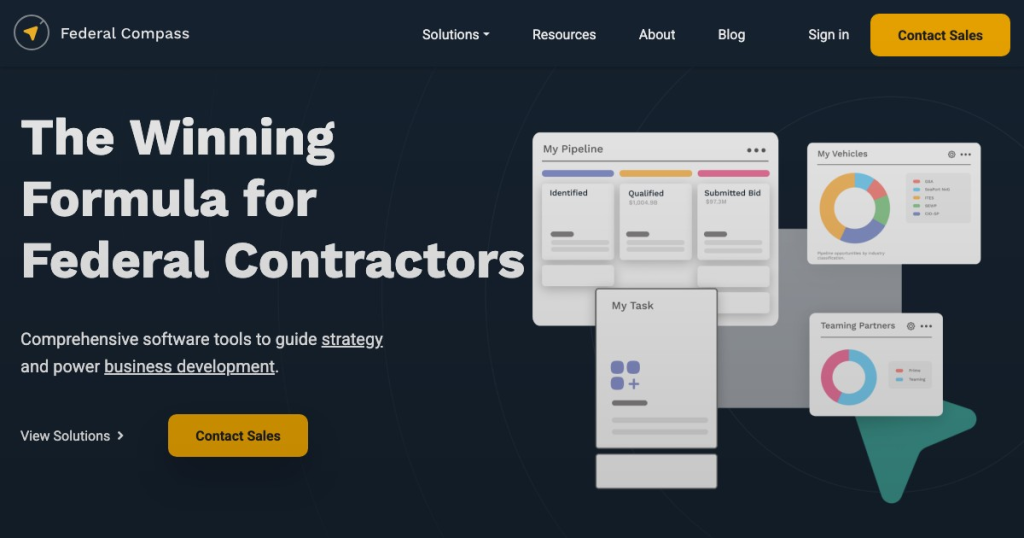
The platform features CRM-style pipeline management with customizable stages and automated alerts. This is where FederalCompass goes beyond research: capture managers and BD leads can move opportunities through qualification and bid/no-bid workflows, eliminating the need to manage this process in separate spreadsheets or a generic CRM.
Wayfinder Opportunity Analysis
Wayfinder is the product’s AI-based analysis layer for RFPs and opportunity documents. According to the vendor, it summarizes scopes of work, extracts evaluation criteria, and helps identify fit and compliance details. This is a meaningful workflow feature if it reduces first-pass review time on bulky solicitations, but buyers need to test extraction accuracy on their own sample documents.
Teaming and Partner Collaboration
FederalCompass offers tools to share opportunities and collaborate with subcontractors or partners. For contractors who build teams around pursuits, this helps keep partner communication connected to the pursuit record instead of spreading it across email and offline trackers.
CRM Push to Salesforce and HubSpot
Salesforce and HubSpot integrations are documented, but both are described as one-way pushes from FederalCompass into the CRM. This helps reduce manual re-entry of selected opportunities. It’s a basic requirement for many teams, and the one-way limitation means the demo must show exactly which fields sync and which remain manual.
Domestic Data Hosting
The company states that it is U.S. owned and operated and stores data on domestic servers. This is a relevant procurement detail for government-focused sellers, although the available material does not document broader compliance frameworks such as SOC 2.
Pros
- 100+ source coverage
- Analyst-curated opportunity data
- GovCon CRM workflow
- Daily opportunity alerts
- Salesforce and HubSpot sync
- Teaming collaboration tools
Cons
- Steep learning curve
- Dated interface reports
- One-way CRM sync
- Integration glitches reported
- Program lineage is limited
- Largest-database claim unverified
Buying Checks
FederalCompass is complex enough that a generic platform tour won’t provide much insight. Use the demo to test your actual federal workflow, including specific agencies, active pursuits, and a live CRM pipeline.
- Pull opportunities for 3-5 target agencies and confirm the records are current, relevant, and linked back to original public sources.
- Ask the team to define exactly what appears in the database under forecasts, recompetes, task orders, and awards.
- Run Wayfinder on a current RFP or task order and inspect whether scope summaries and evaluation criteria are extracted accurately.
- Test the Salesforce or HubSpot connector with your field mapping and confirm what the one-way push includes.
- Spot-check duplicate handling and agency structure when an opportunity sits under a parent department, bureau, or renamed office.
- Walk through a real bid/no-bid process with your stages and see how much configuration or admin cleanup is required.
- If incumbent history matters to your capture process, inspect how much program lineage and prior structure the platform actually shows.
Who Is FederalCompass Best For?
Best fit: Small to mid-sized federal contractors, as well as larger BD or capture teams, seeking opportunity intelligence and pipeline management in one platform. This is especially relevant for teams tracking forecasts, recompetes, task orders, and partner activity, rather than just waiting for final RFPs.
Possible fit: Firms already using Salesforce or HubSpot that need a one-way feed of selected federal opportunities into their CRM. It also fits companies that want analyst-curated data and daily alerts but don’t want their capture process spread across multiple tools. The named customer references from UpSlope Advisors and Fortis align with this use case.
Not ideal for teams that expect a polished, lightweight UI from day one, or those that require bi-directional CRM sync and detailed incumbent lineage. Buyers focused mainly on state and local contracting need stronger evidence, as the research is much more specific about federal coverage than SLED depth.
Best Alternatives to FederalCompass
GovWin IQ is the most obvious alternative if you want an established federal opportunity intelligence platform and are comparing database breadth, capture research, and incumbent visibility. It is the closest match for teams evaluating heavyweight federal market intelligence products.
GovTribe is a better fit if your priority is federal contract and award tracking with a streamlined opportunity-monitoring workflow. It is more effective for day-to-day opportunity discovery than for CRM-style pipeline management.
GovSpend is more adjacent than direct. It makes more sense when procurement spending analytics and market data are more important than managing a pursuit pipeline within the same product.
BidPrime is also somewhat relevant, especially for teams needing broad bid notifications across federal, state, and local opportunities. Choose it when broad bid alerts are more important than GovCon-specific CRM and capture workflow.
Final Verdict
FederalCompass is ideal for federal contractors who want a single workspace for discovery, qualification, and pursuit tracking, rather than piecing together a bid database and a generic CRM. Its main appeal is the combination of analyst-curated federal data, daily alerts, GovCon pipeline stages, and collaboration on opportunities.
Shortlist it if your BD and capture team manages named accounts, tracks recompetes and task orders, and needs more structure than spreadsheets offer. Keep looking if your process relies on advanced search UX, bi-directional CRM integration, or detailed program lineage for incumbent research.
The key demo isn’t about how many records the platform has. It’s whether your team can pull recent opportunities from target agencies, trust the source links, run a realistic bid/no-bid workflow, and push clean data into Salesforce or HubSpot without needing repairs afterward. If that test goes well, FederalCompass is a legitimate operating system for federal pursuit work, not just another alert tool.