
Zendesk logo

Zendesk

Zendesk combines AI-assisted multichannel support, routing, QA, reporting, and a large integration ecosystem.

Editorial score

3.8 /5
How we scored it

Is Zendesk worth it?

Nick Oscar
Editor, Reviews.vc · Updated September 18, 2026
Good For

AI agents can use connected knowledge, handle multi-step requests, and take authorized actions across connected systems.

Caution

AI agents do not search live data or the internet in real time, making connected knowledge quality critical.

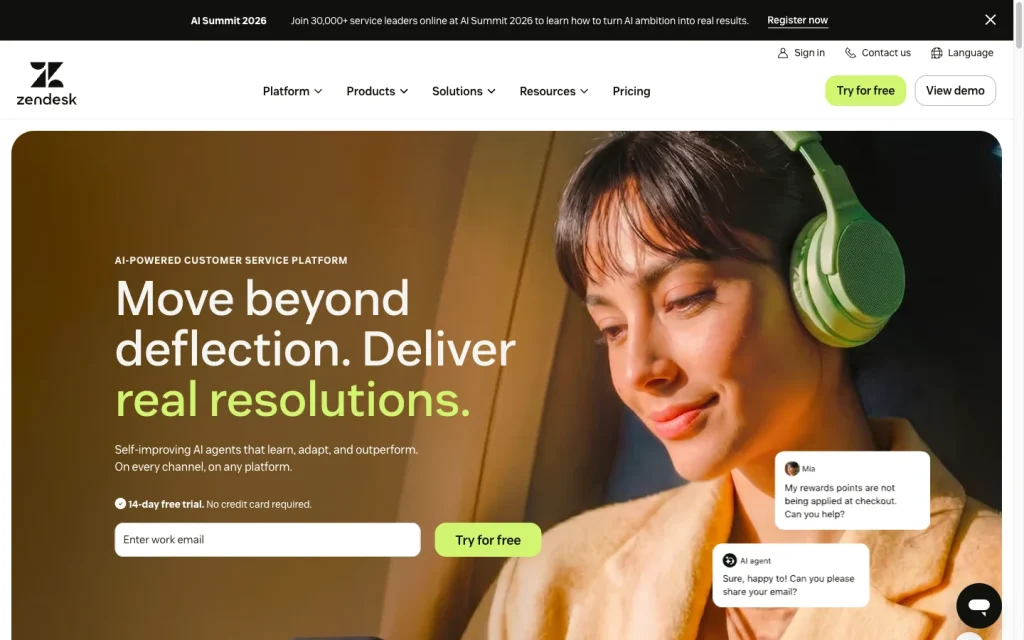
Zendesk product image
zendesk.com
On this page

Zendesk is a broad customer service platform for teams that need ticketing, knowledge, messaging, live chat, telephony, routing, automation, reporting, AI agents, and agent assistance in one environment. It’s best suited to organizations ready to configure connected knowledge, workflow actions, routing, and quality operations; its main tradeoffs are implementation complexity, AI agent usage economics, and mixed user feedback on support and value.

What Zendesk is

Zendesk is a customer-service and helpdesk platform that combines ticketing, knowledge management, messaging and live chat, telephony, workflow automation, routing, reporting, AI agents, and agent assistance. Its AI agents can work through messaging, email, web forms, APIs, and voice in early access, using connected knowledge, authorized actions, and escalation to human teams.

Resolution capabilities

Zendesk AI agents can ground answers in help centers and connected sources, follow deterministic dialogues or generative procedures, complete ordered steps, and invoke API integrations. Supported sources include systems such as Salesforce, Confluence, SharePoint, Google Drive, Jira, HubSpot, and file repositories. The important boundary is that AI agents do not search live data or the internet in real time, so answer quality depends on the knowledge and integrations a team connects.

Routing and human handoff

Escalation can forward a conversation to an agent or team or create an email ticket while carrying identifiers, tags, and fields. For messaging, Zendesk creates an associated ticket and backfills the conversation history. Omnichannel routing can account for availability and capacity, with eligible plans adding SLA timing, priority, skills, and queues. Mandatory skill rules need careful timeout design: calls can reach queue limits and go to voicemail, while email and messaging may wait for a matching agent.

Quality and operations

Zendesk offers an AI agent dashboard covering conversations, understood and unassisted conversations, assisted escalations, automated resolutions, resolution tiers, BSAT, use case performance, knowledge source performance, and conversation journeys. QA includes reviewer feedback, scorecards, coaching, calibration, and AutoQA for eligible tickets. Automated resolution metrics are distinct from customer satisfaction and broader business outcomes, so teams should interpret them alongside their own service measures.

Who Zendesk fits

Zendesk suits teams that have outgrown a shared inbox, as well as multichannel support organizations that need a knowledge base, AI agents, live support, telephony, and routing. It also fits operations-led organizations that can use APIs, webhooks, Marketplace apps, external actions, skills-based routing, and enterprise governance. Budget and implementation planning matter: reviewers cite pricing, setup, reporting complexity, integration challenges, and support for complex issues as meaningful tradeoffs.

Buyer scenarios

Where the product fits — and where to be careful

Multichannel support teams

Need
Unify ticketing, knowledge, messaging, chat, telephony, routing, and AI support.
Why it fits
Suite Team adds a knowledge base, AI agents, Action Builder, omnichannel routing, messaging, live chat, and telephony.
Watch out
AI-agent outcomes depend on connected or customer-provided knowledge; agents do not search live internet data in real time.

Strong fit when a team needs customer service across digital channels with AI resolution and agent escalation.

Operations-led and integration-heavy organizations

Need
Connect support operations to external systems while adding routing, QA, and governance controls.
Why it fits
Zendesk provides REST APIs, webhooks, Marketplace apps, custom workflows, and external CRM/ERP actions; Enterprise adds advanced orchestration and governance features.
Watch out
Public review evidence identifies pricing, setup, reporting complexity, integration work, and support for complex issues as tradeoffs.

Strong fit for teams prepared to configure workflows, routing, reporting, and integrations.

Pros & Cons

Pros

  • AI agents can use connected knowledge, handle multi-step requests, and take authorized actions across connected systems.
  • Escalation supports context-preserving ticket creation and routing by availability, capacity, SLA timing, priority, skills, and queues.
  • AI-agent analytics, QA scorecards, coaching, calibration, and AutoQA provide substantial operational controls.
  • Published plans cover shared-inbox replacement through multichannel support and enterprise governance.

Cons

  • AI agents do not search live data or the internet in real time, making connected knowledge quality critical.
  • Skills-based routing needs timeout design to avoid call queue limits and voicemail.
  • User feedback is mixed on ease of use, support, and value for money, with setup, reporting, integrations, and pricing cited as tradeoffs.
Editorial score breakdown

Editorial scores

Editorial score
3.8
Quality and operations
4.0

AI-agent reporting, QA review workflows, scorecards, coaching, calibration, and AutoQA provide strong operational measurement and control. Automated-resolution measures should be read separately from satisfaction and business outcomes.

Routing and human handoff
4.0

AI escalation can carry collected context into tickets, and omnichannel routing considers capacity and availability with optional SLA, priority, and skills controls.

Resolution capabilities
4.0

AI agents can use connected knowledge, follow procedures, perform multi-step work, and invoke authorized integrations, though they do not access live internet or live data searches.

Usability, support & value
3.0

User feedback is mixed: ease-of-use mentions are divided, support and value-for-money mentions skew negative, and reviewers identify implementation and cost tradeoffs alongside capable operations.

Customer sentiment

Zendesk customer reviews and sentiment

Based on 42 public customer reviews. Source mix: 18 from softwareadvice.com, 13 from trustpilot.com, 10 from trustradius.com, and 1 from gartner.com.

Customer sentiment is analyzed separately and does not determine the Reviews.vc editorial score.

42 public reviews analyzed
Positive
43%18 reviews
Mixed
33%14 reviews
Negative
24%10 reviews
Theme and findingMentionsPositiveNegative
Quality and operations
Centralizing channels, routing, automations, and SLAs streamlines high-volume support operations, though effective use depends on a clean setup and can add administrative overhead.
262311
Ease of use
The platform is often easy for agents to navigate, but setup, dashboard configuration, historical search, and UI performance can make administration less intuitive.
17109
Support
Vendor support is a recurring weakness, with reports of slow or absent responses, difficult escalation paths, and limited guidance for advanced or new functionality.
1359
Resolution capabilities
Knowledge tools, automation, AI-assisted responses, and centralized ticket tracking help teams resolve requests more quickly and consistently.
11101
Value for money
Value concerns center on high ongoing costs, tiered access to useful features, and setup effort that can outweigh benefits for smaller or simpler teams.
826

Mentions count unique reviews. One review can count as both positive and negative for the same theme when it describes a mixed experience.

This analysis reflects public customer reviews we could identify and access at the time of collection; the displayed source mix may influence the patterns shown.

Pricing and contract model

Zendesk publishes per-agent customer-service pricing for annual billing, while Enterprise is sales-led. AI agents are included in Suite and Support plans, with successful automated resolutions and plan allowances shaping AI-agent usage charges.

PlanPriceIncludes
Support Team
$19 per agent/month
per agent/month, paid yearly
Support Team for organizations moving beyond a shared inbox; annual billing.
Suite Team
$55 per agent/month
per agent/month, paid yearly
Suite Team adds a knowledge base, AI agents, Action Builder, omnichannel routing, messaging, live chat, and telephony; annual billing.
Suite Professional
$115 per agent/month
per agent/month, paid yearly
Suite Professional; annual billing.
  • Zendesk offers a 14-day free trial.
  • Subscriptions may be month-to-month, annual, or multi-year.
  • Published add-ons include Copilot at $50, Workforce Engagement Bundle at $50, and Contact Center at $83 per agent per month when paid yearly.

Integrations

Documented connections and access methods for Zendesk.

Automation

Webhooks API Public API
Zendesk Integration Services Public API

Developer/API

Zendesk APIs Public API

AI protocol

MCP capabilities Protocol

Marketplace

Zendesk Marketplace Embedded
  • Marketplace applications and custom integrations have different setup and commercial requirements.

What's new

Recent product and company updates

  • 2026-03-26

    Zendesk Relate 2026 announcements

    Zendesk announced the Autonomous Service Workforce, Agent Builder, expanded omnichannel AI agents, Copilot experiences, Quality Score, MCP capabilities, and outcome-based pricing developments.

    Source

FAQ

What does Zendesk cost?
Published annual-billing prices include Support Team at $19, Suite Team at $55, and Suite Professional at $115 per agent per month. Enterprise is sales-led.
How are Zendesk AI agents billed?
AI agents are included in Suite and Support plans, with usage priced by successful automated resolutions and plan resolution allowances. Some add-ons and capabilities may be separately billed.
Which channels can Zendesk AI agents support?
AI agents work across social, web, mobile, voice, and email. Messaging, email including web forms and API are supported; voice is described as early access.
Can Zendesk hand an AI conversation to a human?
Yes. AI agents can forward a conversation to an agent or team or create an email ticket, passing collected identifiers, tags, and fields. Messaging handoff creates an associated ticket and backfills conversation history.
Review transparency Corrections policy
Change history
  1. 2026-09-18 Initial publication First published version of this review.
30 sources analyzed
  1. AI agents zendesk.com
  2. Zendesk pricing zendesk.com
  3. Zendesk Marketplace apps zendesk.com
  4. About the Zendesk developer platform developer.zendesk.com
  5. Zendesk Relate 2026 zendesk.com
  6. Configuring escalation strategies and flows for AI agents support.zendesk.com
  7. About omnichannel routing support.zendesk.com
  8. Analyzing advanced AI agent performance with the reporting dashboard support.zendesk.com
  9. Can AI agents search for answers outside of my help center? support.zendesk.com

Showing 9 of 30 sources · 21 additional sources analyzed

Feedback on this article

Was this review helpful?

Private editorial feedback. It does not change product ratings or rankings.

Rate Zendesk

Rate your experience
  • Quality and operations
  • Routing and human handoff
  • Resolution capabilities
  • Usability, support & value