
Woodpecker logo

Woodpecker

Woodpecker is an email-first outbound platform that combines sequences, LinkedIn actions, manual tasks, deliverability controls, and CRM integrations.

Editorial score

3.8 /5
How we scored it

Is Woodpecker worth it?

Nick Oscar
Editor, Reviews.vc · Updated August 22, 2026
Good For

Combines cold-email sequences with automated LinkedIn actions and manual call or SMS tasks.

Caution

Calling and SMS are manual campaign tasks rather than native automated communication channels.

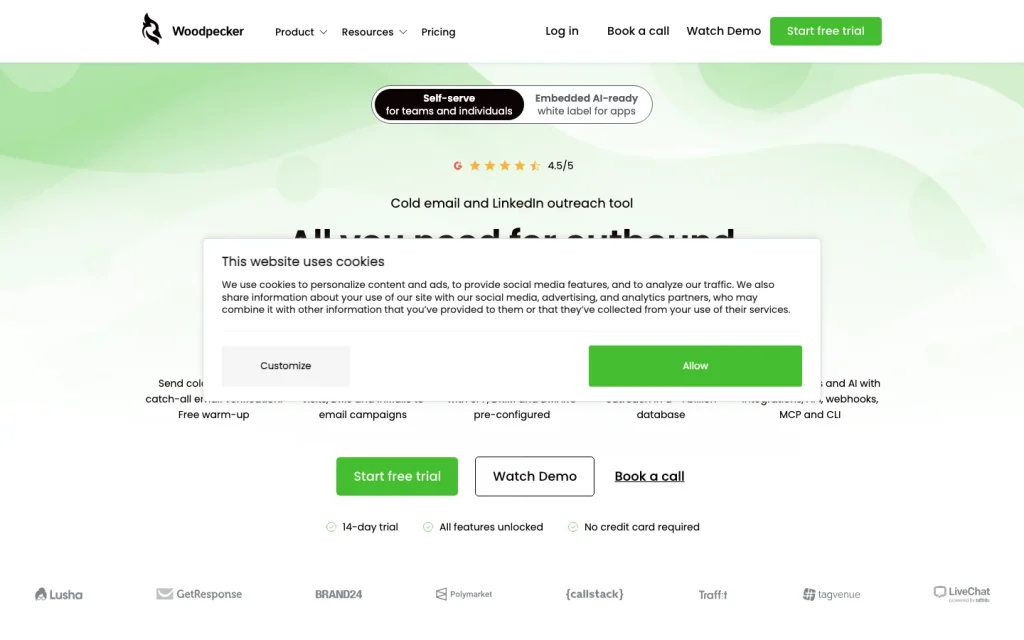
Woodpecker product image
woodpecker.co
On this page

Woodpecker is a strong choice for teams that run email-led outbound and want LinkedIn steps, controlled sending, and CRM-connected workflows in the same platform. Its most important trade-off is channel depth: calls and SMS fit into the sequence as manual tasks rather than native automated channels. That makes it better suited to structured B2B prospecting than to organizations looking for a full sales engagement stack with a built-in dialer, automated texting, conversation intelligence, and revenue attribution.

What is Woodpecker?

Woodpecker is an email-first sales outreach platform for cold email prospecting and customer acquisition. It adds LinkedIn actions, conditional campaign flows, manual sales tasks, prospect handling, deliverability tools, and agency controls. The practical distinction is that email is the core execution channel: phone and SMS are primarily organized as tasks rather than sent through a native dialer or automated SMS service.

Channels and sequence workflows

Campaigns can contain up to 16 steps, with follow-ups stopping when a prospect replies. Teams can combine email with LinkedIn profile visits, connection requests, direct messages, and InMail, plus manual LinkedIn, call, and SMS tasks. Snippet-based conditions route prospects based on custom-field values, and a task can hold a prospect in place until it is completed or ignored.

Personalization and deliverability

Woodpecker uses snippets to insert fields such as a prospect’s name, company, or website, with fallbacks for missing data. It also supports Spintax, A/B tests, and prospect–time-zone-based sending. Its sender-protection suite includes email and catch-all verification, warm-up, inbox rotation, Adaptive Sending, Deliverability Monitor, SPF/DKIM checks, spam and link checks, and configurable limits, intervals, and randomized sending.

Integrations and analytics

Woodpecker connects with CRM, calendar, calling, prospecting, and workflow tools. HubSpot and Pipedrive support two-way synchronization, Calendly can pause advancement after a meeting is booked, and Aircall supports campaign call tasks. The platform also offers a REST API, webhooks, MCP, and a CLI. Reporting covers campaign activity, replies, response and interest outcomes, delivery, bounces, invalid addresses, opt-outs, step results, opens, clicks, and deliverability, but report-date ranges and export options have limits.

Who Woodpecker fits

Woodpecker suits entrepreneurs, sales teams, B2B outbound operators, and agencies whose motion is led by email and supported by LinkedIn. Agency users get separate prospect databases, multi-client controls, consolidated statistics, centralized billing, client-domain audits, and optional white-label reporting. Buyers needing native automated calling or SMS, conversation intelligence, or revenue-attribution analytics should assess those gaps closely.

Buyer scenarios

Where the product fits — and where to be careful

Email-led B2B outbound team

Need
Run coordinated prospecting beyond standalone email follow-ups.
Why it fits
It combines cold-email sequences, LinkedIn actions, manual call and SMS tasks, conditional paths, and sender-protection features.
Watch out
Calling and SMS are task-based rather than native automated channels.

Good fit

Outbound agency managing client programs

Need
Operate separate client outreach programs from a shared workspace.
Why it fits
Agency Panel capabilities include separate client data, combined statistics, centralized billing, client-domain audits, and optional white-label reporting.
Watch out
Agency features and integrations can involve add-on costs.

Good fit

Pros & Cons

Pros

  • Combines cold-email sequences with automated LinkedIn actions and manual call or SMS tasks.
  • Supports conditional paths, response-based stopping, snippets, fallbacks, Spintax, and A/B testing.
  • Offers a substantial sender-protection toolkit including verification, warm-up, rotation, monitoring, and domain checks.
  • Connects with HubSpot, Pipedrive, Calendly, Aircall, Zapier, and developer interfaces.
  • Provides agency-oriented client separation, combined statistics, billing, audits, and white-label options.

Cons

  • Calling and SMS are manual campaign tasks rather than native automated communication channels.
  • Reporting has export and date-range constraints, including a 30-day API reporting window.
  • API and integrations access, LinkedIn accounts, and some agency capabilities are priced as add-ons.
Editorial score breakdown

Editorial scores

Editorial score
3.8
Deliverability controls
4.0

Woodpecker provides verification, catch-all checks, warm-up, inbox rotation, adaptive sending, monitoring, authentication checks, and sending controls.

Integrations & analytics
4.0

It supports CRM synchronization, calendar and calling connections, a broad integration catalog, API interfaces, and campaign-level reporting, though reporting windows and exports have limits.

Channel coverage
3.0

Cold email and LinkedIn are execution channels, while phone and SMS are incorporated as manual tasks; Aircall supports connected calling tasks.

Sequences & personalization
4.0

Campaigns support up to 16 steps, conditional branching, automated LinkedIn actions, response stopping, task holds, snippets with fallbacks, Spintax, and testing.

Customer sentiment

Woodpecker customer reviews and sentiment

Based on 5 public customer reviews. Source mix: 4 from getapp.com, and 1 from trustradius.com.

Customer sentiment is analyzed separately and does not determine the Reviews.vc editorial score.

5 public reviews analyzed
Positive
80%4 reviews
Mixed
20%1 reviews
Negative
0%0 reviews
Theme and findingMentionsPositiveNegative
Support
Reviewers praise the responsive, knowledgeable customer service and guidance.
330
Email deliverability
The platform is valued for monitoring cold-email deliverability.
110
Ease of use
The system guides users through the process clearly.
110
Sequence automation
LinkedIn follow-up tasks can be created after replies, but the LinkedIn link is not generated automatically.
111
Value for money
Flexible pricing is viewed positively alongside the available support and content.
110

Mentions count unique reviews. One review can count as both positive and negative for the same theme when it describes a mixed experience.

This analysis reflects public customer reviews we could identify and access at the time of collection; the displayed source mix may influence the patterns shown.

Pricing and contract model

Woodpecker publishes Starter, Growth, and Scale plans based on paired contacted-prospect and stored-prospect limits. The entry plan starts at $35 per month; monthly and annual billing are available, with annual billing discounted by 33%.

PlanPriceIncludes
Starter
$35
per month
Up to 500 contacted prospects and 2,000 stored prospects.

Public pricing example

LinkedIn connected account

$29
per month

Connected LinkedIn account add-on, per account.

Public pricing example

API and integrations

$20
per month

API and integrations add-on.

Public pricing example

Agency Panel

$27
per month

Agency Panel add-on, per active client.

  • A no-credit-card trial lasts 14 days or until 100 messages are sent, whichever comes first.
  • Additional listed add-ons include White Label at $5 per month per active client and additional warm-ups at $5 per month per email account.

Integrations

Documented connections and access methods for Woodpecker.

CRM

HubSpot Native
Pipedrive Native

Automation

Zapier Native

Messaging & collaboration

Aircall Native

Developer/API

REST API Public API
Webhooks Public API

Productivity suite

Calendly Native
Google Sheets Native
  • API access is part of the API keys and integrations add-on.
  • The integration directory also lists prospecting, email-infrastructure, verification, and collaboration tools. The list here highlights verified core connections.

What's new

Recent product and company updates

  • 2024-08-01

    Centralized Inbox

    Woodpecker released Centralized Inbox, listed as a product event in its What's New chronology.

    Source

FAQ

How much does Woodpecker cost?
Its lowest public plan is $35 per month for up to 500 contacted prospects and 2,000 stored prospects. Pricing uses contacted-prospect and stored-prospect limits, and annual billing is discounted by 33%.
Which outreach channels does Woodpecker support?
Woodpecker centers on cold email and LinkedIn. Campaigns can also include calling and SMS tasks, but calling and SMS are manual tasks rather than native automated sending channels.
Can Woodpecker automate multistep outreach?
Yes. Campaigns support up to 16 steps, response-based stopping, conditional paths driven by custom fields, automated LinkedIn actions, and manual tasks that can pause advancement.
What deliverability features does Woodpecker include?
Woodpecker offers email and catch-all verification, warm-up, inbox rotation, Adaptive Sending, Deliverability Monitor, SPF/DKIM checks, spam and link checks, and configurable sending limits and intervals.
Does Woodpecker integrate with CRM and calendar tools?
Yes. It supports two-way HubSpot and Pipedrive synchronization, Calendly booking actions, Aircall call tasks, Google Sheets, Zapier, SMTP connections, and developer interfaces including REST API and webhooks.
Who is Woodpecker best for?
It fits entrepreneurs, sales teams, B2B outbound operators, and agencies running email-led prospecting with LinkedIn touches and deliverability controls. It is less suited to teams that need a native dialer, automated SMS, conversation intelligence, or revenue-attribution analytics.
Review transparency Corrections policy
Change history
  1. 2026-08-22 Initial publication First published version of this review.
27 sources analyzed
  1. Woodpecker Features woodpecker.co
  2. Creating a campaign in Woodpecker — new editor woodpecker.co
  3. LinkedIn outreach automation in Woodpecker woodpecker.co
  4. Woodpecker Cold Email Features woodpecker.co
  5. Woodpecker Integrations woodpecker.co
  6. HubSpot integration with Woodpecker woodpecker.co
  7. Woodpecker Developers developers.woodpecker.co
  8. Billing FAQ woodpecker.co
  9. Woodpecker Pricing woodpecker.co
  10. What's New woodpecker.co

Showing 10 of 27 sources · 17 additional sources analyzed

Feedback on this article

Was this review helpful?

Private editorial feedback. It does not change product ratings or rankings.

Rate Woodpecker

Rate your experience
  • Deliverability controls
  • Integrations & analytics
  • Channel coverage
  • Sequences & personalization