Zoho CRM logo

Zoho CRM

Zoho CRM is a configurable sales platform with detailed pipeline management, workflow automation, broad integrations, and edition-based capabilities.

Editorial score

3.8 /5
How we scored it

Is Zoho CRM worth it?

Nick Oscar
Editor, Reviews.vc · Updated August 22, 2026
Good For

Detailed lead, contact, account, deal, activity, and pipeline records

Caution

Advanced tools and limits vary materially by edition

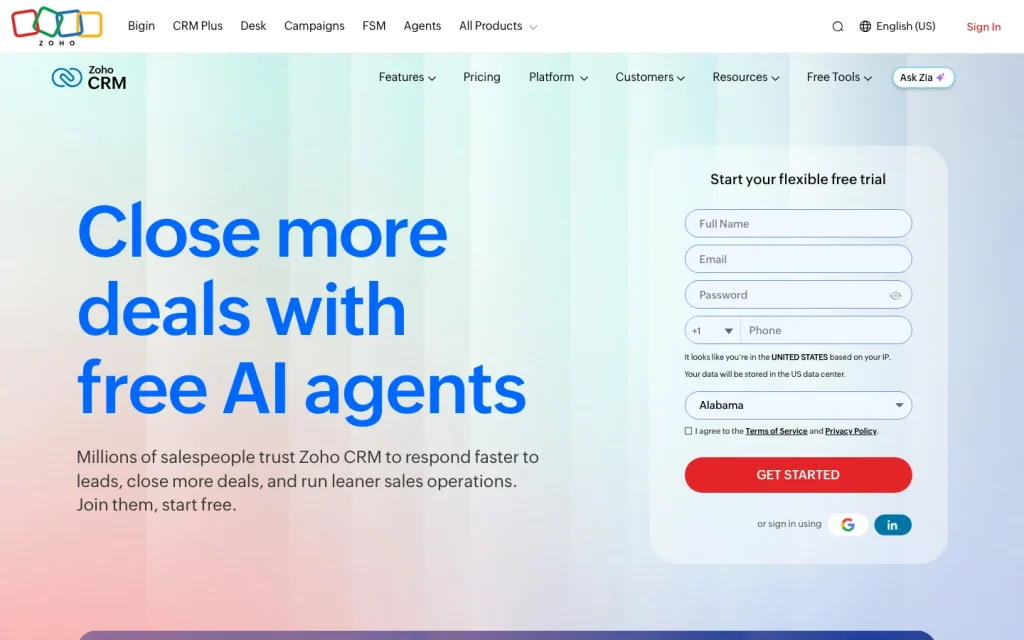
Zoho CRM product image
zoho.com
On this page

Zoho CRM is a cloud-based CRM for teams that need structured lead-to-deal management, configurable workflows, and a wide range of integrations without leaving the Zoho ecosystem. It combines detailed sales records, multiple pipelines, cadences, process controls, reporting, and forecasting across five editions.

It’s strongest for growing and established teams that are ready to configure their processes. The trade-off is a broader interface, edition-based feature access, and a learning curve for advanced capabilities.

What is Zoho CRM?

Zoho CRM is a cloud-based CRM and sales platform for managing leads, contacts, accounts, deals, activities, sales processes, automation, reporting, and forecasting. Its data model also extends to campaigns, products, price books, and CPQ. Teams can use it in a browser or through Android and iOS apps.

The product is available in Free, Standard, Professional, Enterprise, and Ultimate editions. The Free edition supports up to three users.

Contacts and pipeline management

Zoho CRM gives contacts a broad related-record view spanning accounts, deals, activities, notes, events, emails, cases, products, quotes, sales orders, invoices, campaigns, and attachments. Users can create and manage tasks, events, calls, notes, and email activities directly from record pages.

Deal records cover open, won, and lost stages, along with stage history, competitors, products, quotes, orders, contact roles, files, and notes. Teams can create separate pipelines for different processes or products, while lead scoring and assignment rules help route work efficiently.

Automation and sales tools

Workflow rules can be triggered by record creation, edits, deletions, field or section updates, dates, scores, recommendations, and notes. Available actions include notifications, task assignment, field updates, webhooks, functions, record creation, owner assignment, and Zoho Flow actions.

Cadences creates personalized sequences across email, calls, tasks, and WhatsApp, including branching and condition-based changes. Blueprint adds process enforcement by requiring certain actions before a record can progress. Tool availability and limits depend on the edition.

Integrations, reporting, and forecasting

Zoho CRM offers 1,100+ ready-to-use app integrations, Marketplace extensions, and developer options, including V8 APIs, webhooks, OAuth, SAML, widgets, and SDK support. Named connections include Gmail, Outlook, Slack, Zoom, Microsoft Teams, QuickBooks, Google Calendar, and Zoho applications.

Reporting includes more than 40 standard reports, plus customizable reports and dashboards. Forecasts can track targets, achievements, pipeline amounts, and forecast history across role, reporting, or territory hierarchies.

Buyer fit

Zoho CRM suits small and growing teams that have outgrown basic tracking, as well as established sales organizations that need multiple pipelines, configurable processes, forecasting, territory management, and customized modules. It is especially relevant to teams using several Zoho applications.

Its breadth is a trade-off. User feedback highlights ease of use and customization, but also points to interface clutter and a learning curve for advanced features. Organizations cannot mix CRM editions across users.

Buyer scenarios

Where the product fits — and where to be careful

A growing or established sales organization

Need
Move beyond basic lead and deal tracking into repeatable processes, automation, and forecasting.
Why it fits
Multiple pipelines, detailed deal and contact relationships, forecasting, process enforcement, territory management, and configurable modules support more structured sales operations.
Watch out
Advanced capabilities vary by edition, and every user in an organization must use the same CRM edition.

Strong fit when the team needs configurable sales processes and can support administration.

A team standardizing on Zoho applications

Need
Connect sales work with service, marketing, analytics, finance, or low-code tools.
Why it fits
Zoho CRM connects with Zoho applications and supports cross-app workflows; Zoho One or CRM Plus may be more cost-effective for organizations using multiple Zoho apps.
Watch out
Teams seeking a low-configuration CRM may find the breadth of options and advanced learning curve excessive.

Strong fit for organizations seeking a broader Zoho-based operating stack.

Pros & Cons

Pros

  • Detailed lead, contact, account, deal, activity, and pipeline records
  • Workflow rules, cadences, Blueprint, and configurable sales processes
  • 1,100+ ready-to-use app integrations plus APIs and webhooks
  • More than 40 standard reports, dashboards, and hierarchical forecasting
  • Free edition for up to three users and paid editions starting at $14 per user per month annually

Cons

  • Advanced tools and limits vary materially by edition
  • Feature breadth and configuration can create a learning curve
  • Organizations cannot mix CRM editions across users
  • User feedback is mixed on ease of use and integrations
Editorial score breakdown

Editorial scores

Editorial score
3.8
Usability, support & value
3.0

User reviews show positive value-for-money feedback and some ease-of-use praise, but ease-of-use feedback is mixed and includes concerns about interface clutter and the learning curve for advanced capabilities.

Core CRM
4.0

Zoho CRM provides strong documented management of leads, accounts, contacts, deals, activities, related sales records, multiple pipelines, scoring, and assignment rules.

Integrations & reporting
4.0

Zoho CRM lists 1,100+ ready-to-use integrations, Marketplace extensions, APIs and webhooks, alongside standard and customizable reports, dashboards, and hierarchical forecasting.

Automation & sales tools
4.0

Configurable workflow triggers and actions, reusable actions, cadences, Blueprint, and higher-edition journey and AI capabilities provide strong sales automation coverage.

Customer sentiment

Zoho CRM customer reviews and sentiment

Based on 36 public customer reviews. Source mix: 22 from softwareadvice.com, 9 from trustradius.com, 4 from trustpilot.com, and 1 from gartner.com.

Customer sentiment is analyzed separately and does not determine the Reviews.vc editorial score.

36 public reviews analyzed
Positive
47%17 reviews
Mixed
44%16 reviews
Negative
8%3 reviews
Theme and findingMentionsPositiveNegative
Contact and pipeline management
Users value centralized lead, contact, deal, and communication tracking that improves follow-up discipline, team visibility, and pipeline organization.
27270
Ease of use
The core CRM becomes practical after setup and familiarity, but new users can face a steep learning curve and a busy or cluttered interface.
231215
Workflow automation
Automation of reminders, follow-ups, and routine sales or marketing tasks helps teams standardize processes and work more efficiently once configured.
13131
Value for money
Many users see Zoho as a cost-effective, feature-rich option for small and growing teams, especially compared with enterprise-priced alternatives.
1293
Integrations
The connected Zoho ecosystem is useful, but third-party app and Outlook synchronization can be difficult or unreliable.
1046

Mentions count unique reviews. One review can count as both positive and negative for the same theme when it describes a mixed experience.

This analysis reflects public customer reviews we could identify and access at the time of collection; the displayed source mix may influence the patterns shown.

Review sentiment over time

PeriodnPositiveMixedNegative
2025 Q4Limited sample1010
2026 Q1Limited sample1100
2026 Q2Limited sample4121
2026 Q3Limited sample1010

Only periods containing dated reviews are shown; gaps between labels mean no dated reviews were available for those periods.

Pricing and contract model

Zoho CRM offers a Free edition and four paid editions. In the U.S., annual billing is listed at $14, $23, $40, and $52 per user per month for Standard, Professional, Enterprise, and Ultimate.

PlanPriceIncludes
Free
Free
Supports up to three users.
Standard
$14 per user per month
annual billing
Paid CRM edition with annual billing.
Professional
$23 per user per month
annual billing
Paid CRM edition with annual billing.
Enterprise
$40 per user per month
annual billing
Paid CRM edition with annual billing.
Ultimate
$52 per user per month
annual billing
Paid CRM edition with annual billing.
  • Monthly prices are listed as $20, $35, $50, and $65 per user per month for Standard, Professional, Enterprise, and Ultimate.
  • A 15-day trial is available for Standard, Professional, and Enterprise.

Integrations

Documented connections and access methods for Zoho CRM.

Messaging & collaboration

Slack, Zoom, and Microsoft Teams Native

Developer/API

Developer platform Public API

Productivity suite

Gmail, Outlook, and Zoho Mail Native
Calendar services Native

Procurement/ERP

QuickBooks and Zoho Books Native

Marketplace

Zoho Marketplace Native
  • Zoho CRM advertises 1,100+ ready-to-use app integrations.

What's new

Recent product and company updates

  • 2026-03-09

    Zoho CRM Q1 2026 update

    Zoho CRM's Q1 2026 update introduced Workqueue, Zia formula generation, CPQ suggestions, Smart Prompt and LLM support, Zia actions, zero-shot ICR prompting, voice-of-customer enhancements, notes quick actions, and Zoho WorkDrive storage integration.

    Source

FAQ

What does Zoho CRM cost?
Zoho CRM has a Free edition for up to three users. U.S. annual-billing prices for paid editions are listed as $14, $23, $40, and $52 per user per month for Standard, Professional, Enterprise, and Ultimate.
What does Zoho CRM manage?
It manages leads, accounts, contacts, deals, activities, forecasts, campaigns, products, price books, and CPQ-related sales work.
What automation does Zoho CRM offer?
Workflow rules can respond to record and field changes, dates, scores, recommendations, and notes, then run actions such as notifications, task assignment, field updates, webhooks, functions, record creation, and owner assignment. Cadences support follow-up sequences, while Blueprint enforces process steps.
Does Zoho CRM integrate with other tools?
Zoho CRM lists 1,100+ ready-to-use app integrations, Marketplace extensions, APIs, webhooks, OAuth, SAML, widgets, SDKs, and connections including Gmail, Outlook, Slack, Zoom, Microsoft Teams, QuickBooks, and Google Calendar.
Who is Zoho CRM best for?
It fits small and growing teams moving beyond basic tracking, established organizations that need multiple pipelines and advanced controls, and teams using multiple Zoho applications. Buyers wanting minimal configuration should consider its feature breadth and edition-based capabilities.
Change notes Corrections policy
  1. 2026-08-22 Initial publication First published version of this review.
Sources analyzed (29)
  1. Zoho CRM's core data model and how you extend it safely help.zoho.com
  2. Zoho CRM features www.zoho.com
  3. Specifications in Zoho CRM help.zoho.com
  4. Create contacts help.zoho.com
  5. Create deals help.zoho.com
  6. Configuring workflow rules help.zoho.com
  7. Zoho CRM integrations zoho.com
  8. Working with reports help.zoho.com
  9. Zoho CRM pricing www.zoho.com
  10. Zoho CRM Q1 2026 update www.zoho.com

Showing 10 of 29 sources · 19 additional sources analyzed

Feedback on this article

Did this Review help you evaluate Zoho CRM?

Private editorial feedback. It does not change product ratings or rankings.

Rate Zoho CRM

Rate your experience
  • Usability, support & value
  • Core CRM
  • Integrations & reporting
  • Automation & sales tools