
Adobe Firefly logo

Adobe Firefly

Adobe Firefly is an Adobe-centered generative creative workspace with image controls, partner models, and credit-based premium features.

Editorial score

3.8 /5
How we scored it

Is Adobe Firefly worth it?

Nick Oscar
Editor, Reviews.vc · Updated September 26, 2026
Good For

Broad generation and editing coverage across images, video, audio, vector, and design work.

Caution

Premium features and partner models consume credits that reset monthly and do not roll over.

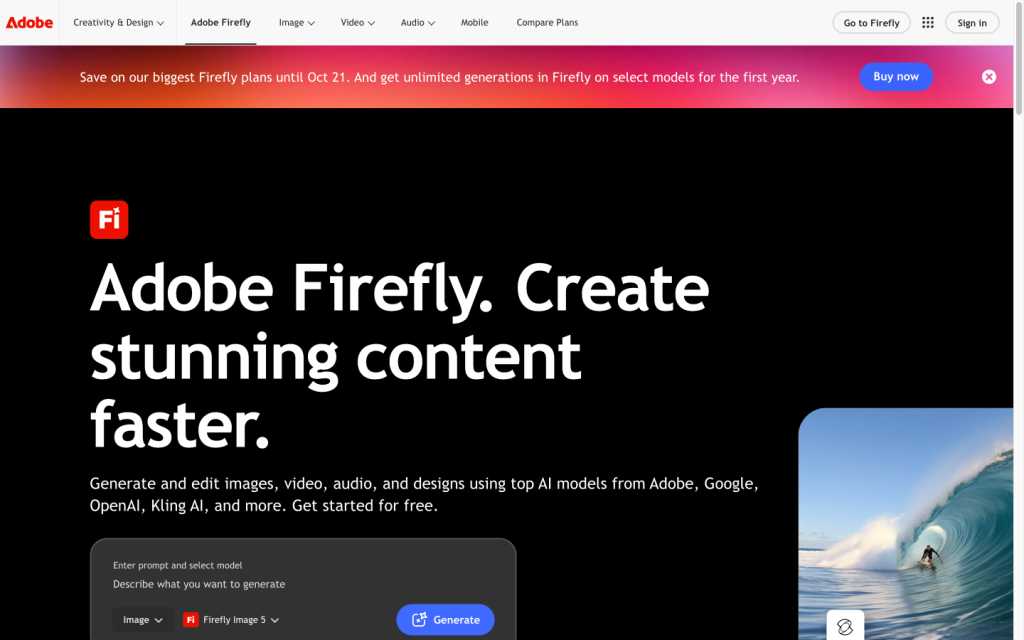
Adobe Firefly product image
adobe.com
On this page

Adobe Firefly is a comprehensive generative creative workspace built around Adobe-native models, partner model access, and direct Adobe production workflows. Its strengths are image controls and application handoffs; the main tradeoffs are credit-based premium usage, differing partner model terms, and mixed value sentiment.


What is Adobe Firefly?

Adobe Firefly is a generative creative environment and model family for creating and editing images, video, audio, and vector graphics. It pairs Adobe-native tools with a unified selector for partner models, then routes assets into Adobe Express, Photoshop, Firefly Boards, and Creative Cloud libraries.

Generation capabilities

Firefly supports text-to-image, text-to-video, image-to-video, audio generation, vector work, and image editing. Image generation supports Firefly Image 3, Firefly Image 4, Firefly Image 4 Ultra, and Firefly Image 5, plus partner models. Users can set aspect ratio, content type, and visual intensity; native models also support style and composition references. Resolution and credit usage vary by model.

Creative control

Firefly offers broad image-direction controls: aspect ratio; Art, Photo, or Auto content type; references; effects; color and tone; lighting; and camera angle. Generative Fill supports brush selections, brush size and hardness adjustment, reference images, and text-guided additions or replacements. Generative Expand extends a canvas freely or to preset ratios. Custom Models can personalize output to supplied training data, although training is labeled beta.

Production workflow

Assets can be downloaded, copied, shared, saved to libraries, opened in Adobe Express, or moved through Photoshop and Firefly Boards workflows. Qualifying downloads and exports receive Content Credentials. Firefly Services provides image-generation, composite, custom-model, and upscale APIs. Plan operations remain credit-based: monthly credits expire rather than roll over, cannot be pooled, and may be subject to rate limits.

Who should consider Adobe Firefly?

Firefly is best for creators, Adobe-based professionals, and creative teams that want model choice alongside Photoshop, Adobe Express, Creative Cloud, and Firefly Boards handoffs. It’s a weaker match for buyers who need a single model with uniform settings and data terms on every job, guaranteed unique outputs, or unrestricted, low-cost partner-model throughput.

Buyer scenarios

Where the product fits — and where to be careful

Adobe-centered creative production

Need
A creator or team needs generative work to move into Adobe creative applications and shared libraries.
Why it fits
Firefly combines generation, editing, libraries, Firefly Boards, Adobe Express, and Photoshop handoffs in one Adobe-centered production path.
Watch out
Credits, availability, capabilities, and policies vary across premium features and partner models.

Strong fit

Multi-model creative exploration

Need
A team wants to compare multiple generative models in one workspace.
Why it fits
A unified model selector provides access to Adobe and third-party models, alongside reference-guided generation and editing controls.
Watch out
It is not ideal for a fixed, uniform model setup or unrestricted high-volume partner-model rendering.

Good fit with limits

Pros & Cons

Pros

  • Broad generation and editing coverage across images, video, audio, vector, and design work.
  • Strong image controls, including style and composition references, Generative Fill, and Generative Expand.
  • Direct handoffs to Adobe Express, Photoshop, Creative Cloud libraries, and Firefly Boards.
  • Native Adobe models are positioned for commercial use and outputs include Content Credentials.
  • Public plans include unlimited standard image and vector generations on paid tiers.

Cons

  • Premium features and partner models consume credits that reset monthly and do not roll over.
  • Model capabilities, resolution, availability, pricing, and policies vary across partner models.
  • Custom Models training is beta, and Adobe may impose rate limits.
  • User feedback is notably negative on value for money.
Editorial score breakdown

Editorial scores

Editorial score
3.8
Generation capabilities
4.0

Firefly spans image, video, audio, vector, and design generation and editing, with native image models, partner-model access, reference-guided creation, and model-dependent resolution options.

Production workflow
4.0

Export, sharing, Content Credentials, Adobe application handoffs, libraries, Boards, and Firefly Services APIs create a strong production path, while credits, rate limits, and non-unique outputs set operating limits.

Creative control
4.0

Reference controls, visual settings, localized Generative Fill, canvas expansion, and beta Custom Models provide substantial direction and refinement options.

Usability, support & value
3.0

User feedback is strongly positive on ease of use, but value-for-money feedback is heavily negative, producing a mixed value picture.

From our complete category comparison

Adobe Firefly alternatives

Category scores use the linked comparison rubric and can differ from a product’s overall review score.

See the full comparison
Reviewed here
Best for
Commercially minded teams already using Adobe that want brand-conscious generative creative workflows and direct production handoffs.
Key tradeoff
Premium features and partner models use generative credits that reset monthly and do not roll over.
Best for
Creators who want fine-grained control, customizable models, and game-art-style image generation.
Key tradeoff
Token consumption, generation speed, and feature compatibility vary by model and plan.
Canva
4.0/5
Best for
Marketers, social teams, and non-designers who want to generate, refine, and publish on-brand visuals in one all-in-one design platform.
Key tradeoff
AI use is governed by shared monthly allowances, with complexity-based consumption, rate limits, and possible pauses.
Best for
Independent creators, illustrators, concept artists, designers, marketers, and social-content creators who prioritize stylized visual ideation and iterative artistic exploration.
Key tradeoff
Creations are public by default; Stealth Mode is limited to Pro and Mega and does not hide content posted in shared Discord channels.
ProductCategory scoreBest forKey tradeoff
Adobe FireflyReviewed here
3.8/5Commercially minded teams already using Adobe that want brand-conscious generative creative workflows and direct production handoffs.Premium features and partner models use generative credits that reset monthly and do not roll over.
Leonardo AI
4.0/5Creators who want fine-grained control, customizable models, and game-art-style image generation.Token consumption, generation speed, and feature compatibility vary by model and plan.
Canva
4.0/5Marketers, social teams, and non-designers who want to generate, refine, and publish on-brand visuals in one all-in-one design platform.AI use is governed by shared monthly allowances, with complexity-based consumption, rate limits, and possible pauses.
Midjourney
3.3/5Independent creators, illustrators, concept artists, designers, marketers, and social-content creators who prioritize stylized visual ideation and iterative artistic exploration.Creations are public by default; Stealth Mode is limited to Pro and Mega and does not hide content posted in shared Discord channels.
Customer sentiment

Adobe Firefly customer reviews and sentiment

Based on 75 public customer reviews. Source mix: 27 from infotech.com, 19 from trustpilot.com, 11 from capterra.com, 10 from trustradius.com, 7 from softwareadvice.com, and 1 from gartner.com.

Customer sentiment is analyzed separately and does not determine the Reviews.vc editorial score.

75 public reviews analyzed
Positive
25%19 reviews
Mixed
48%36 reviews
Negative
27%20 reviews
Theme and findingMentionsPositiveNegative
Generation quality
Generation is useful for polished visuals and edits, but results can miss detailed or complex requests, look repetitive, and require refinement.
603736
Workflow and exports
Creative Cloud integration, Boards, and in-app refinement speed ideation, collaboration, and production, especially for teams already using Adobe tools.
312411
Creative control
Users value style and editing controls, but want more precise element-level control, brand learning, layered output, and consistency across sequential work.
281614
Ease of use
The product is generally seen as intuitive and approachable, helping non-designers create and collaborate quickly, particularly within the Adobe ecosystem.
26243
Value for money
The credit-based pricing draws criticism when credits are shared, expire, or are consumed by failed or costly generations; buyers want clearer, fairer usage terms.
24124

Mentions count unique reviews. One review can count as both positive and negative for the same theme when it describes a mixed experience.

This analysis reflects public customer reviews we could identify and access at the time of collection; the displayed source mix may influence the patterns shown.

Review sentiment over time

PeriodnPositiveMixedNegative
2025 Q2Limited sample1001
2026 Q1Limited sample2002
2026 Q212183
2026 Q3151311

Only periods containing dated reviews are shown; gaps between labels mean no dated reviews were available for those periods.

Pricing and contract model

Firefly offers a free plan and four monthly paid plans. Paid plans include unlimited standard image and vector generations; premium features and partner models consume monthly generative credits.

PlanPriceIncludes
Free
Free
monthly
Limited daily generations.
Firefly Standard
US$9.99
monthly
2,000 monthly generative credits.
Firefly Pro
US$19.99
monthly
4,000 monthly generative credits.
Firefly Pro Plus
US$49.99
monthly
10,000 monthly generative credits.
Firefly Premium
US$199.99
monthly
50,000 monthly generative credits.
  • Credits reset each billing cycle and do not roll over.
  • Pro Plus and Premium promotional offers cited require a 12-month commitment and renew at the then-current price unless canceled or changed.

Integrations

Documented connections and access methods for Adobe Firefly.

Developer/API

Firefly Services Public API

Productivity suite

Adobe Creative Cloud and Adobe Stock Native

Other

Partner generative models Embedded
Adobe GenStudio Native

What's new

Recent product and company updates

  • 2026-04-15

    Adobe ushers in a new era of creative AI

    Adobe announced Firefly AI Assistant and new generative-AI innovations.

    Source
  • 2026-06-18

    Adobe unveils major expansion of its creative agent

    Adobe expanded its creative agent across Firefly and Creative Cloud applications including Photoshop and Premiere.

    Source
  • 2026-08-20

    Adobe Firefly expands its creative AI studio with music, speech, and sound effects

    Generate Music, Generate Speech, and Generate Sound Effects became broadly available in Firefly.

    Source

FAQ

How much does Adobe Firefly cost?
Firefly has a free plan with limited daily generations. Paid plans are Standard at US$9.99/month, Pro at US$19.99/month, Pro Plus at US$49.99/month, and Premium at US$199.99/month.
What can Adobe Firefly generate?
Firefly supports generation and editing across images, video, audio, vector graphics, and design. Its tools include text-to-image, text-to-video, image-to-video, Generative Fill, Generative Expand, sound effects, music, speech, translation, and Firefly Boards.
What creative controls does Firefly offer for images?
Image workflows include aspect ratio, content type, visual intensity, composition and style references, effects, color and tone, lighting, and camera angle. Generative Fill adds brush-based selections and reference-image support.
What are Firefly's main limits?
Credits reset monthly, do not roll over, and cannot be pooled or shared. Premium features and partner models use credits, Adobe may impose rate limits, and outputs may not be unique.
Review transparency Corrections policy
Change history
  1. 2026-09-26 Comparison Added alternatives comparison from Best AI Image Generators.
  2. 2026-09-18 Initial publication First published version of this review.
24 sources analyzed
  1. Adobe Firefly adobe.com
  2. Adobe Firefly plans adobe.com
  3. Generate images from text descriptions helpx.adobe.com
  4. Generative Fill helpx.adobe.com
  5. Share and download your work helpx.adobe.com
  6. Firefly Services API developer.adobe.com
  7. Adobe ushers in a new era of creative AI news.adobe.com
  8. Adobe unveils major expansion of its creative agent news.adobe.com
  9. Adobe Firefly expands its creative AI studio with music, speech, and sound effects blog.adobe.com
  10. Adobe's approach to generative AI with Firefly adobe.com

Showing 10 of 24 sources · 14 additional sources analyzed

Feedback on this article

Was this review helpful?

Private editorial feedback. It does not change product ratings or rankings.

Rate Adobe Firefly

Rate your experience
  • Generation capabilities
  • Production workflow
  • Creative control
  • Usability, support & value