Canva logo

Canva

Canva combines AI image generation with a broad, collaborative design and publishing workflow.

Editorial score

4.0 /5
How we scored it

Is Canva worth it?

Nick Oscar
Editor, Reviews.vc · Updated September 26, 2026
Good For

Multiple AI image-generation paths, including Dream Lab, Magic Media, Canva AI, and image-generation apps.

Caution

AI access relies on shared monthly allowances, with complexity-dependent consumption, fair-use controls, rate limits, and possible pauses.

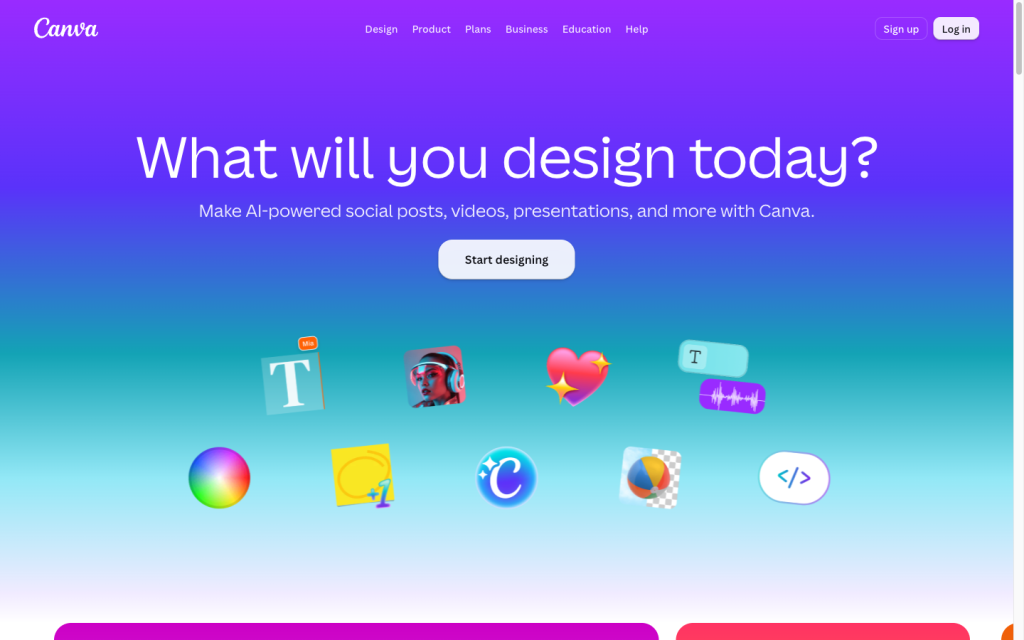
Canva product image
canva.com
On this page

Canva is a comprehensive visual communications suite rather than a single-purpose image model. Its AI image tools—especially Dream Lab and Magic Media—fit naturally into template-led design, editing, collaboration, publishing, and export workflows. It is a compelling choice for teams that value speed and accessibility, but less suitable when reproducible generation settings, exposed model controls, or fixed per-image economics are essential.

What is Canva?

Canva is a visual communication and design suite for presentations, videos, documents, websites, posters, logos, whiteboards, and other design work. It combines templates, stock content, uploads, collaboration, publishing, and AI-assisted creation and editing. For AI images, it serves as a broad design environment with several entry points: Dream Lab, Magic Media, Canva AI, and image generation apps.

AI image generation

Dream Lab generates four image options from a text prompt and supports follow-up instructions, reference images, iterations, quality tiers, and optional resolution boosts. Magic Media generates images, graphics, and four-second videos, with options for photography, digital art, fine art, and square, landscape, or portrait formats. Eligible Brand Kit users can also generate on-brand images from Brand Kit photos in 1:1, 16:9, and 9:16 formats.

Creative control and refinement

Canva provides practical controls for design-led image work: prompts can specify style, colors, lighting, layout, subject, and composition, while reference images can guide look, feel, or composition. Users can continue with follow-up edit instructions and use tools including AI Replace, Magic Eraser, Background Remover, Background Generator, Magic Layers, Upscale, Style Match, filters, cropping, and adjustments. Quality selection is unavailable when a Dream Lab style or reference image is used.

It is less suited to workflows that require seed locking, explicit model selection, deterministic presets, pose or depth controls, or a fixed native Dream Lab pixel specification.

Production workflow

Canva keeps generation close to production. Dream Lab outputs can be placed into designs and refined with the image editor, while Magic Media adds generated images directly to the active design. The suite also supports real-time collaboration, Brand Kits, Brand Templates, approvals, SSO, SCIM, publishing, and API-based automation.

Free and Pro plans include PDF, JPG, and PNG exports; Pro adds print-ready or CMYK export. Connect API export options include GIF, PPTX, MP4, CSV, HTML bundle, standalone HTML, and SVG. AI activity remains subject to shared monthly allowances, complexity-based consumption, fair-use controls, rate limits, and possible pauses.

Who Canva is for

Canva is a strong option for non-designers, solo creators, marketers, social teams, small businesses, educators, and general business teams that need quick, template-driven visual communication with integrated image generation, editing, collaboration, and publishing. It is particularly useful for campaign concepts, social graphics, presentation imagery, brand-aligned ideation, and rapid variations.

Teams that require deterministic image generation, model-level controls, exact native output resolution, fixed per-image costs, or transparent queue and SLA commitments should treat Canva as a less suitable fit. Higher plans add Brand Kits, approvals, SSO, SCIM, multi-team management, and private integrations.

Buyer scenarios

Where the product fits — and where to be careful

Marketing and social-content teams

Need
Rapid campaign concepts, social graphics, brand-aligned variations, and production in a shared design environment.
Why it fits
Dream Lab and Magic Media create variations inside a larger workspace for templates, editing, design placement, collaboration, and publishing. Brand Kits, templates, and approvals extend the setup for managed team production.
Watch out
AI use is allowance-based and consumption varies by tool complexity. Do not expect seed reproducibility, exposed model settings, fixed native generation resolution, or fixed per-image pricing.

Strong fit

Non-designers and general business teams

Need
An approachable tool for producing polished visual communications without a specialist design workflow.
Why it fits
Canva combines templates, stock content, uploads, collaboration, and AI-assisted image creation and editing for presentations, documents, websites, posters, logos, and whiteboards.
Watch out
Output may not be unique, commercial use is at the user's risk, and copyright treatment for AI output varies by jurisdiction.

Strong fit

Pros & Cons

Pros

  • Multiple AI image-generation paths, including Dream Lab, Magic Media, Canva AI, and image-generation apps.
  • Dream Lab supports four-image batches, reference images, follow-up instructions, and resolution boosting.
  • Generated images flow directly into templates, editing, collaboration, publishing, and multi-format export workflows.
  • Brand Kits, approvals, SSO, SCIM, and APIs support team and enterprise use cases.

Cons

  • AI access relies on shared monthly allowances, with complexity-dependent consumption, fair-use controls, rate limits, and possible pauses.
  • Dream Lab does not set out seed locking, exposed model choice, deterministic parameter presets, or a fixed native output resolution.
  • Quality selection is unavailable when Dream Lab uses a style or reference image.
  • AI output may not be unique, and commercial use remains at the user's risk.
Editorial score breakdown

Editorial scores

Editorial score
4.0
Generation capabilities
4.0

Dream Lab, Magic Media, Canva AI, and image-generation apps provide prompt-led image creation, reference workflows, iteration, style and orientation choices, and short video generation. Dream Lab returns four options per prompt and includes optional resolution boosting.

Production workflow
4.0

Canva connects generation to editing, design placement, collaboration, brand management, approvals, publishing, exports, Apps SDK surfaces, and Connect APIs. Shared AI allowances, fair-use controls, rate limits, and possible pauses are important operating limits.

Creative control
4.0

Prompts, reference images, follow-up instructions, styles, orientations, Brand Kit imagery, and a substantial image-editing toolset give design teams useful refinement control. The product does not set out deterministic controls such as seed locking, exposed model selection, pose controls, or depth controls.

Usability, support & value
4.0

User feedback is strongly positive on ease of use, with 57 positive mentions. Workflow feedback is also largely positive, while creative control and value-for-money feedback is more mixed; the allowance model and plan boundaries should be evaluated for the intended volume of AI use.

From our complete category comparison

Canva alternatives

Category scores use the linked comparison rubric and can differ from a product’s overall review score.

See the full comparison
Canva
4.0/5
Reviewed here
Best for
Marketers, social teams, and non-designers who want to generate, refine, and publish on-brand visuals in one all-in-one design platform.
Key tradeoff
AI use is governed by shared monthly allowances, with complexity-based consumption, rate limits, and possible pauses.
Best for
Creators who want fine-grained control, customizable models, and game-art-style image generation.
Key tradeoff
Token consumption, generation speed, and feature compatibility vary by model and plan.
Best for
Commercially minded teams already using Adobe that want brand-conscious generative creative workflows and direct production handoffs.
Key tradeoff
Premium features and partner models use generative credits that reset monthly and do not roll over.
Best for
Independent creators, illustrators, concept artists, designers, marketers, and social-content creators who prioritize stylized visual ideation and iterative artistic exploration.
Key tradeoff
Creations are public by default; Stealth Mode is limited to Pro and Mega and does not hide content posted in shared Discord channels.
ProductCategory scoreBest forKey tradeoff
CanvaReviewed here
4.0/5Marketers, social teams, and non-designers who want to generate, refine, and publish on-brand visuals in one all-in-one design platform.AI use is governed by shared monthly allowances, with complexity-based consumption, rate limits, and possible pauses.
Leonardo AI
4.0/5Creators who want fine-grained control, customizable models, and game-art-style image generation.Token consumption, generation speed, and feature compatibility vary by model and plan.
Adobe Firefly
3.8/5Commercially minded teams already using Adobe that want brand-conscious generative creative workflows and direct production handoffs.Premium features and partner models use generative credits that reset monthly and do not roll over.
Midjourney
3.3/5Independent creators, illustrators, concept artists, designers, marketers, and social-content creators who prioritize stylized visual ideation and iterative artistic exploration.Creations are public by default; Stealth Mode is limited to Pro and Mega and does not hide content posted in shared Discord channels.
Customer sentiment

Canva customer reviews and sentiment

Based on 79 public customer reviews. Source mix: 60 from softwarereviews.com, and 19 from trustpilot.com.

Customer sentiment is analyzed separately and does not determine the Reviews.vc editorial score.

79 public reviews analyzed
Positive
34%27 reviews
Mixed
65%51 reviews
Negative
1%1 reviews
Theme and findingMentionsPositiveNegative
Ease of use
The drag-and-drop interface and templates make professional-looking design accessible to non-designers, though the breadth of features can take time to learn.
57573
Workflow and exports
Brand Kit, Magic Resize, shared templates, and real-time collaboration streamline multi-channel production and feedback, while large projects can be slower and harder to organize.
444217
Creative control
Canva supports quick customization and brand consistency, but advanced users find its control over layers, vectors, typography, masking, and complex layouts limited.
412926
Generation quality
AI tools such as background removal and design generation are useful for rapid creation, but generated text and newer AI features can be inconsistent or need improvement.
1395
Value for money
Reviewers see value in the all-in-one templates, assets, and time savings, although subscription pricing and some extra-cost content can be difficult for smaller teams.
1377

Mentions count unique reviews. One review can count as both positive and negative for the same theme when it describes a mixed experience.

This analysis reflects public customer reviews we could identify and access at the time of collection; the displayed source mix may influence the patterns shown.

Pricing and contract model

Canva publishes annual U.S. pricing for Free, Pro, and Business, while Enterprise uses custom pricing. Advanced AI use is allowance-based rather than unlimited for many tools.

PlanPriceIncludes
Free
$0
per year
One person; includes up to 20 Standard or Premium AI uses.
Pro
$144
per year
One person; includes up to 200 Premium AI uses or 20 Ultra AI uses.
Business
$250
per person per year
Per person; includes up to 400 Premium AI uses or 40 Ultra AI uses.
  • AI-use figures are estimates that vary with tool complexity and tier and share a monthly allowance.
  • AI Pass is available for Pro and Business; eligible Business customers can buy one-time AI top-ups.

Integrations

Documented connections and access methods for Canva.

Developer/API

Canva Apps SDK Embedded
Canva Connect APIs Public API

AI protocol

Model Context Protocol (MCP) Protocol

Other

Business and publishing integrations Native
  • Public integrations undergo Canva review. Private Connect API integrations are limited to Canva Enterprise teams.

What's new

Recent product and company updates

  • 2026-02

    What's new in Canva: February 2026

    Canva outlined expanded AI capabilities and smoother workflows.

    Source
  • 2026-04-15

    Canva Create 2026: Canva AI

    Canva launched Canva AI 2.0 as a major product update.

    Source
  • 2026-05

    What's new in Canva: May 2026

    Canva introduced publishing connections including Mailchimp, Constant Contact, and Klaviyo.

    Source

FAQ

How much does Canva cost?
Canva lists Free at $0 per year for one person, Pro at $144 per year for one person, Business at $250 per person per year, and Enterprise at custom pricing in its cited U.S. annual pricing.
What can Canva generate with AI?
Canva offers text-to-image generation through Dream Lab, Magic Media, Canva AI, and image-generation apps. Magic Media also generates graphics and four-second videos, while Canva AI includes image-to-video and video-generation features.
What controls does Canva offer for AI images?
Dream Lab supports prompt details, reference images, follow-up instructions, generated-image history, quality tiers, and resolution boosting. Magic Media adds style, orientation, reference-image, and iteration options; the editor adds tools such as AI Replace, Magic Eraser, Background Remover, and Style Match.
What are Canva AI's main limits?
Advanced AI tools use shared monthly allowances that vary by tier and tool complexity and may be subject to fair-use controls, rate limits, and pauses. Canva does not set out seed locking, exposed model selection, deterministic parameter presets, fixed Dream Lab native resolution, or fixed per-image credit prices.
Review transparency Corrections policy
Change history
  1. 2026-09-26 Comparison Added alternatives comparison from Best AI Image Generators.
  2. 2026-09-18 Initial publication First published version of this review.
23 sources analyzed
  1. Generate images with Dream Lab canva.com
  2. Using Magic Media canva.com
  3. Canva AI access canva.com
  4. Canva pricing canva.com
  5. Canva Developers canva.com
  6. Canva Connect APIs canva.dev
  7. Create a design export job canva.dev
  8. What's new in Canva: February 2026 canva.com
  9. Canva Create 2026: Canva AI canva.com
  10. What's new in Canva: May 2026 canva.com

Showing 10 of 23 sources · 13 additional sources analyzed

Feedback on this article

Was this review helpful?

Private editorial feedback. It does not change product ratings or rankings.

Rate Canva

Rate your experience
  • Generation capabilities
  • Production workflow
  • Creative control
  • Usability, support & value