
Fotor logo

Fotor

Fotor is a cross-platform photo editor with broad AI-assisted tools, practical batch processing, and limits for advanced layered workflows.

Editorial score

3.3 /5
How we scored it

Is Fotor worth it?

Nick Oscar
Editor, Reviews.vc · Updated September 29, 2026
Good For

Broad coverage of adjustments, retouching, enhancement, background, and object-removal tasks

Caution

Single-layer clone work and compositing-focused masking limit advanced precision workflows

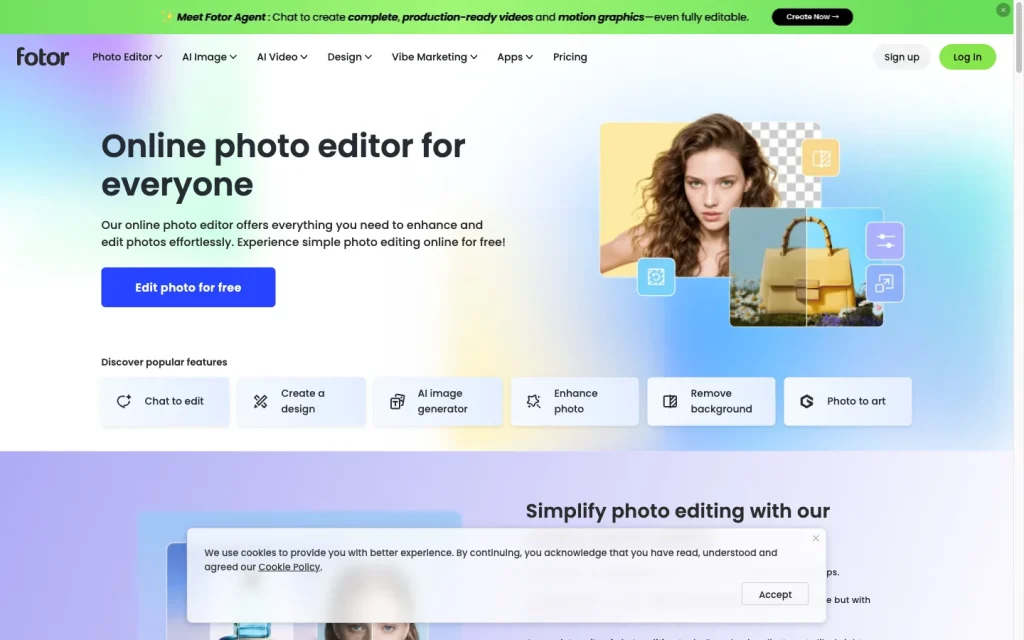
Fotor product image
fotor.com
On this page

Fotor is a cross-platform photo editor for fast image enhancement, retouching, background work, and creative production. Its feature set is broad for everyday creators, small businesses, and ecommerce teams, with batch processing, cloud projects, and developer options alongside web and native app access. The main tradeoff is control: its tools are practical for quick, targeted edits, but its single-layer clone workflow and limited support for RAW-first handling make it less compelling for advanced professional retouching.


What is Fotor?

Fotor is a web-based, cross-platform photo editor and creative content service. It combines editing for existing photos with AI-assisted image, video, design, marketing content, and collage tools, and runs on the web, iOS, Android, Mac, and Windows.

Editing capabilities

Fotor covers the core tasks many consumers, creators, and small businesses need: adjustments, effects, portrait retouching, cropping and resizing, background removal and replacement, object removal, enhancement, restoration, and upscaling. Portrait tools include blemish removal, skin smoothing, teeth whitening, wrinkle reduction, red-eye correction, face reshaping, and makeup effects.

Its repair and AI tools add sharpening, denoising, deblurring, color correction, colorization, and enlargement. Undo, original controls, cloud-saved work, editable masking layers, and non-destructive effects support iteration, although the clone stamp workflow is single-layer rather than a full professional layer-and-mask system.

Precision and control

Fotor provides practical controls for quick corrections: adjustable object-removal brush thickness, painted blur regions with an intensity slider, clone-stamp brush size with intensity and fade settings, and retouch brush size and intensity settings. Effects can be painted selectively, and masking and compositing provide opacity, placement, size, and intensity controls.

This offers useful hands-on control for targeted consumer edits, but it’s a simpler precision tool than a professional layered raster editor. The masking feature is geared toward compositing and double-exposure work, and clone-stamp edits remain limited to a single layer.

File and batch workflows

Fotor supports individual edits, cloud saving, reopening saved work, folders, search, and cross-device continuation through My Projects. Common uploads include JPG/JPEG, PNG, WebP, HEIF, and HEIC; export options vary by product and plan and include JPG, PNG, PDF, and transparent PNG.

Its batch editor handles enhancement, effects, resizing, cropping, watermarking, conversion, compression, and background editing, with batch downloads and up to 50 images per upload. Storage increases from 512 MB on Basic to 2 GB on Pro and 100 GB on Pro+. Current coverage does not support a robust RAW-first workflow.

Who Fotor is for

Fotor suits beginners, everyday users, social creators, small businesses, freelancers, designers, ecommerce sellers, and product marketers who need accessible image enhancement and marketing-ready visuals. Browser and app access, one-click improvements, retouching, background tools, and batch operations make it especially practical for fast production.

It is less suitable for advanced retouchers who require comprehensive non-destructive layers, detailed selection and masking tools, or a mature RAW-first workflow.

Buyer scenarios

Where the product fits — and where to be careful

Everyday creators and small teams

Need
Improve personal, social, and branded images without a complex desktop-first workflow.
Why it fits
It combines accessible adjustments, portrait cleanup, background tools, effects, templates, cloud-saved projects, and cross-platform access.
Watch out
Watermark-free exports and more storage require a paid tier; it is not positioned as a full professional layered editor.

Good fit for fast, accessible visual improvement and production.

Ecommerce sellers and product marketers

Need
Prepare cleaner, consistently sized product visuals and marketing assets.
Why it fits
Batch enhancement, resizing, crop, watermarking, compression, format conversion, and background editing support common listing-image tasks.
Watch out
The documented batch limit is 50 images per upload, and current evidence does not establish a RAW-first workflow.

Good fit for small-to-mid-volume product-image work.

Pros & Cons

Pros

  • Broad coverage of adjustments, retouching, enhancement, background, and object-removal tasks
  • Batch editing supports up to 50 images for common production tasks
  • Available on web, iOS, Android, Mac, and Windows
  • Free Basic tier and clearly listed annual-billing Pro plans
  • OpenAPI, webhooks, and an embeddable editing SDK extend deployment options

Cons

  • Single-layer clone work and compositing-focused masking limit advanced precision workflows
  • Current coverage does not establish a robust RAW-first workflow
  • User feedback shows recurring concerns about support and value for money
Editorial score breakdown

Editorial scores

Editorial score
3.3
Editing capabilities
4.0

Fotor has strong coverage for consumer, creator, and small-business editing, including adjustments, portrait retouching, background and object tools, enhancement, restoration, and upscaling.

File and batch workflows
4.0

Common image uploads, cloud-saved projects, cross-device access, multiple export types, and batch processing of up to 50 images provide strong everyday workflow coverage, though not a confirmed RAW-first pipeline.

Precision and control
3.0

Brush, slider, curve, opacity, intensity, fade, positioning, and selective-effect controls enable practical targeted edits, but single-layer clone work and compositing-oriented masking limit professional-grade refinement.

Usability, support & value
2.0

User feedback is favorable on ease of use, but the aggregate shows recurring negative value-for-money and support mentions, producing a material usability-and-value tradeoff.

From our complete category comparison

Fotor alternatives

Category scores use the linked comparison rubric and can differ from a product’s overall review score.

See the full comparison
Fotor
3.3/5
Reviewed here
Best for
Beginners, social creators, small businesses, and ecommerce sellers who want fast AI-powered image improvements and portrait cleanup without a complex desktop-first workflow.
Key tradeoff
Single-layer clone work and compositing-focused masking limit advanced retouching precision
Best for
Photographers who want fast AI enhancement and creative relighting alongside capable masking, RAW editing, and desktop-level control.
Key tradeoff
Several AI tools, including Crop AI, Erase, Upscale, and Background Removal AI, cannot be synced through batch adjustments.
Best for
Sellers, marketers, Shopify merchants, and social-commerce teams that need fast, consistent product images at scale.
Key tradeoff
RAW is not listed, TIFF support is not established, and catalog layers can merge when leaving the editor or publishing to Shopify.
Canva
4.0/5
Best for
Non-designers, marketers, social teams, and business users creating posts, presentations, and on-brand assets in one workspace.
Key tradeoff
AI use is governed by shared monthly allowances, variable complexity-based consumption, rate limits, and possible pauses.
ProductCategory scoreBest forKey tradeoff
FotorReviewed here
3.3/5Beginners, social creators, small businesses, and ecommerce sellers who want fast AI-powered image improvements and portrait cleanup without a complex desktop-first workflow.Single-layer clone work and compositing-focused masking limit advanced retouching precision
Luminar Neo
4.0/5Photographers who want fast AI enhancement and creative relighting alongside capable masking, RAW editing, and desktop-level control.Several AI tools, including Crop AI, Erase, Upscale, and Background Removal AI, cannot be synced through batch adjustments.
Photoroom
3.8/5Sellers, marketers, Shopify merchants, and social-commerce teams that need fast, consistent product images at scale.RAW is not listed, TIFF support is not established, and catalog layers can merge when leaving the editor or publishing to Shopify.
Canva
4.0/5Non-designers, marketers, social teams, and business users creating posts, presentations, and on-brand assets in one workspace.AI use is governed by shared monthly allowances, variable complexity-based consumption, rate limits, and possible pauses.
Customer sentiment

Fotor customer reviews and sentiment

Based on 45 public customer reviews. Source mix: 19 from trustpilot.com, 14 from softwareadvice.com, 8 from capterra.com, 3 from play.google.com, and 1 from trustradius.com.

Customer sentiment is analyzed separately and does not determine the Reviews.vc editorial score.

45 public reviews analyzed
Positive
38%17 reviews
Mixed
16%7 reviews
Negative
47%21 reviews
Theme and findingMentionsPositiveNegative
Value for money
Many buyers find subscriptions and credits poor value because features cost extra, credits run out quickly, or failed AI outputs still consume credits.
27721
Editing quality
Editing quality is often praised for enhancements and varied styles, but AI output can be inconsistent, misread instructions, and struggle with accurate text.
181410
Support
Support is frequently criticized for refusing refunds after renewals or cancellations, although some users report fast, helpful issue resolution.
17512
Ease of use
Buyers generally find the interface approachable for beginners and quick everyday edits, with understandable layout and guidance.
15132
Edit control
Users report uneven creative control: image-similarity settings can be responsive, but content restrictions and unreliable prompt or text adherence can limit editing.
312

Mentions count unique reviews. One review can count as both positive and negative for the same theme when it describes a mixed experience.

This analysis reflects public customer reviews we could identify and access at the time of collection; the displayed source mix may influence the patterns shown.

Review sentiment over time

PeriodnPositiveMixedNegative
2024 H1Limited sample1010
2024 H2Limited sample1010
2026 H2214116

Only periods containing dated reviews are shown; gaps between labels mean no dated reviews were available for those periods.

Pricing and contract model

Fotor has a free Basic tier plus paid Pro and Pro+ subscriptions. The displayed paid prices are annual-billing rates, and subscriptions renew automatically unless canceled before the next billing time.

PlanPriceIncludes
Basic
Free
Free forever
Limited free credits, basic editing, 512 MB cloud storage, and watermarked JPG, PNG, and PDF exports.
Pro
US$3.33/month
Billed annually
100+ editing tools, 20+ AI portrait-retouching tools, 2 GB cloud storage, and watermark-free HD and transparent-PNG export.
Pro+
US$7.49/month
Billed annually
Exclusive AI batch background removal and replacement, multiple brand kits, and 100 GB cloud storage.
  • Eligible new registrants can receive a 7-day free trial.
  • Stable regional monthly prices were not established.

Integrations

Documented connections and access methods for Fotor.

Developer/API

Fotor OpenAPI Public API
AI Photo Editor SDK Embedded

AI protocol

Fotor Skills Protocol

What's new

Recent product and company updates

  • 2026-01-27

    Fotor AI Image Enhancer expands compatibility

    Fotor announced an AI Image Enhancer update with expanded compatibility and faster image-quality improvement and restoration.

    Source
  • 2026-05-19

    Introducing Fotor AI Vibe Marketing Platform for Performance

    Fotor launched its AI Vibe Marketing Platform for Performance, adding product and growth visual tools, a product image editor, virtual model, listing tools, link-to-ad, and brand kits.

    Source
  • 2026-09-15

    Introducing Fotor Agent

    Fotor announced Fotor Agent for creating editable video projects and 4K motion graphics through natural-language prompts.

    Source

FAQ

How much does Fotor cost?
Fotor Basic is free forever. The pricing page lists Pro at US$3.33 per month billed annually and Pro+ at US$7.49 per month billed annually; subscriptions renew automatically unless canceled before the next billing time.
What photo edits can Fotor make?
Fotor includes adjustments, effects, portrait retouching, background removal and replacement, object removal, enhancement, restoration, upscaling, crop and resize, and collage tools.
Which files and batch workflows does Fotor support?
Documented uploads include JPG/JPEG, PNG, WebP, HEIF, and HEIC. Batch workflows cover enhancement, effects, resize, crop, watermarking, format conversion, compression, and background editing for up to 50 images per upload.
Which platforms can run Fotor?
Fotor is available in a web browser and on iOS, Android, Mac, and Windows.
Review transparency Corrections policy
Change history
  1. 2026-09-29 Comparison Added alternatives comparison from Best AI Photo Editors.
  2. 2026-09-18 Initial publication First published version of this review.
23 sources analyzed
  1. Fotor Features fotor.com
  2. Fotor Pricing fotor.com
  3. Batch Photo Editor fotor.com
  4. What Comes with Fotor Pro and Pro+ Subscription support.fotor.com
  5. Getting Started Introduction docs.fotor.com
  6. AI Photo Editor SDK developers.fotor.com
  7. Fotor AI Image Enhancer expands compatibility finance.yahoo.com
  8. Introducing Fotor AI Vibe Marketing Platform for Performance fotor.com
  9. Introducing Fotor Agent finance.yahoo.com

Showing 9 of 23 sources · 14 additional sources analyzed

Feedback on this article

Was this review helpful?

Private editorial feedback. It does not change product ratings or rankings.

Rate Fotor

Rate your experience
  • Editing capabilities
  • File and batch workflows
  • Precision and control
  • Usability, support & value