
Microsoft 365 Copilot logo

Microsoft 365 Copilot

Microsoft 365 Copilot brings enterprise search and AI assistance into Microsoft 365 apps, with broad connectors and extensive administrative controls.

Editorial score

4.0 /5
How we scored it

Is Microsoft 365 Copilot worth it?

Nick Oscar
Editor, Reviews.vc · Updated November 7, 2026
Good For

Embedded in Word, Excel, PowerPoint, Outlook, and Teams.

Caution

Connector coverage, synchronization, permissions, and freshness vary by connector.

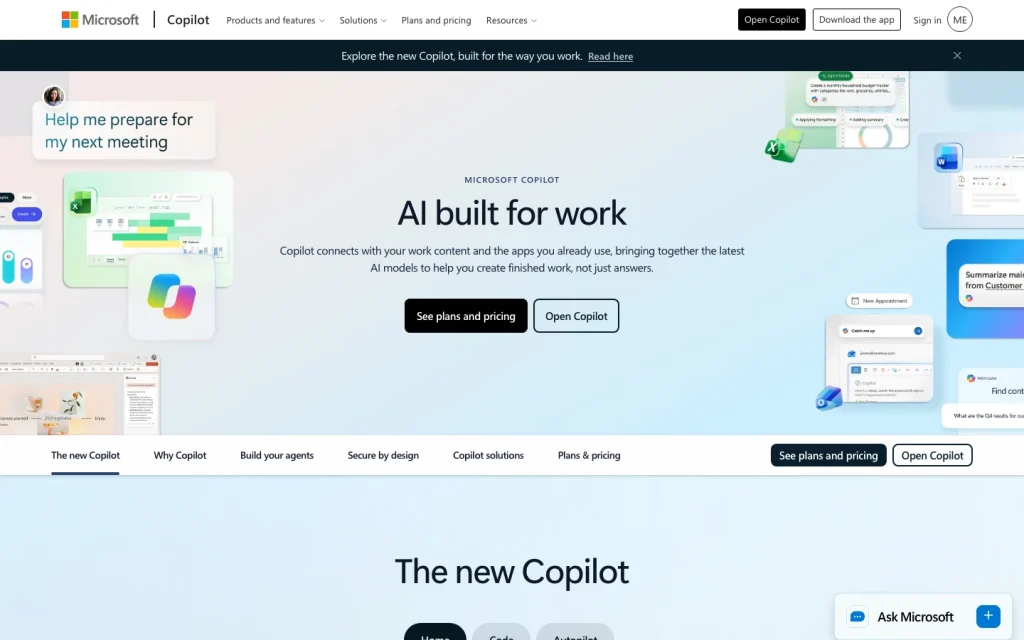
Microsoft 365 Copilot product image
microsoft.com
On this page

Microsoft 365 Copilot is a strong enterprise AI search and productivity option for organizations built on Microsoft 365. It combines Microsoft Graph work context, in-app assistance, semantic enterprise search, and broad connector options with substantial administrative controls. Its best results depend on well-managed permissions, high-quality Microsoft 365 content, and careful validation of each connector’s coverage, sync behavior, and citation experience.

What is Microsoft 365 Copilot?

Microsoft 365 Copilot is an enterprise productivity assistant that combines large language models, Microsoft Graph work data, and Microsoft 365 applications. Its work context can include permitted emails, chats, files, calendar information, meetings, and contacts. Paid capabilities include Work IQ, experiences in Microsoft 365 apps and Teams, prebuilt and custom agents, and advanced analytics.

Search, answers, and citations

Copilot Search supports natural language and keyword queries across Microsoft 365 and enabled third-party sources using semantic understanding. It can return emails, files, chats, meetings, and other Microsoft 365 content, and Copilot Answers can add concise generated responses with references. Optional Bing web grounding extends search, but web-query citations are available in Copilot Chat rather than in-app panes such as Word and PowerPoint.

Connectors and content access

Microsoft 365 Copilot supports tenant-configured synced connectors, self-serve synced connectors, and federated MCP connectors. More than 100 prebuilt Microsoft and partner connectors are available, alongside a custom Connectors API. Federated connectors retrieve live source data using the user's identity and permissions, while synced connectors index content and have connector-specific timing and scope.

Governance and administration

Copilot filters organizational data based on user permissions, and connector items use ACLs and source-permission filtering. Administrators can manage access, data access, actions, connectors, agents, web search, self-service purchases, and selected app availability. Restricted Content Discovery can exclude designated SharePoint sites from organization-wide search and Copilot responses without changing site permissions; reporting, audit, retention, and eDiscovery capabilities support operations.

Who should consider it?

Microsoft 365 Copilot is most effective for organizations that already center collaboration and productivity on Microsoft 365. It fits teams that want assistance directly inside core Office apps and Teams, plus enterprise search across permitted work content. Buyers should validate individual connector coverage and sync behavior, account for citation differences between interfaces, and plan for training, data cleanup, permission management, and answer review.

Buyer scenarios

Where the product fits — and where to be careful

Microsoft 365-centered knowledge work

Need
Assistance for retrieval, drafting, meeting recap, report summarization, and workflow work inside Microsoft 365.
Why it fits
Copilot is embedded in Word, Excel, PowerPoint, Outlook, Teams, and enterprise search, and can use permitted Microsoft Graph work context.
Watch out
Third-party coverage, freshness, and citation behavior vary by connector and interface.

Strong fit

Governed cross-system assistance

Need
Bring selected external systems into a Microsoft 365 Copilot environment while retaining administrative control.
Why it fits
Federated connectors can retrieve live external data using source permissions, while administrators can manage connectors, agents, data access, and web search.
Watch out
Synced connectors have connector-specific indexing behavior, and effective deployment requires data hygiene, permission management, training, and governance.

Fit with implementation diligence

Pros & Cons

Pros

  • Embedded in Word, Excel, PowerPoint, Outlook, and Teams.
  • Copilot Search supports semantic natural-language and keyword queries across Microsoft 365 and enabled third-party sources.
  • More than 100 prebuilt connectors, custom connector development, and federated MCP retrieval extend content access.
  • Permission filtering, administrative controls, audit, retention, eDiscovery, and reporting support enterprise operations.

Cons

  • Connector coverage, synchronization, permissions, and freshness vary by connector.
  • Web-search-query citations are available in Copilot Chat but not in app panes such as Word and PowerPoint.
  • Commercial licensing may require a qualifying Microsoft 365 plan, and select advanced AI experiences can add usage-based charges.
Editorial score breakdown

Editorial scores

Editorial score
4.0
Administration and measurement
4.0

Microsoft provides permission-filtered access, connector ACLs, broad administrative settings, Restricted Content Discovery, audit and eDiscovery capabilities, retention controls, and usage reporting.

Search and answers
4.0

Copilot Search covers Microsoft 365 and enabled third-party content with semantic queries, search-to-chat follow-up, and generated answers that can include references. Citation behavior differs by interface for web grounding.

Usability, support & value Not scored

User-review evidence was insufficient for scoring usability, support, or value.

Content and permissions
4.0

The platform offers more than 100 prebuilt connectors, custom connector development, synced and federated patterns, source-permission filtering, and defined sync behavior. Coverage and freshness remain connector-specific.

Pricing and contract model

Commercial Copilot pricing is publicly listed for Business and enterprise offerings. Qualifying Microsoft 365 plans may be required, and select advanced AI experiences may incur usage-based charges.

PlanPriceIncludes
Microsoft 365 Copilot Business
$21/user/month
annual billing
Microsoft 365 Copilot Business with annual billing.
Microsoft 365 Copilot enterprise add-on
$30/user/month
annual billing
Enterprise add-on requiring a qualifying Microsoft 365 plan; renews annually.

Public pricing example

Microsoft 365 Copilot Business

$25.20/user/month
monthly

Microsoft 365 Copilot Business with monthly billing.

  • A promotional Business price of $18/user/month with annual billing is listed for eligible existing Business-plan customers from July 1 through December 31, 2026, for the first year.

Integrations

Documented connections and access methods for Microsoft 365 Copilot.

Developer/API

Connectors API Public API

AI protocol

Federated Copilot connectors Protocol

Productivity suite

Microsoft 365 applications Native

Other

Prebuilt connectors Native
  • Connector coverage, permissions, freshness, and capabilities vary by connector.

What's new

Recent product and company updates

  • 2026-11-05

    Bringing Claude models in Microsoft Copilot into the EU Data Boundary

    Microsoft said Claude models in Copilot are expected to become available within the EU Data Boundary for EU and EFTA organizations by the end of 2026.

    Source
  • 2026-10-30

    What’s new in Microsoft Copilot – October 2026

    Microsoft published an October roundup covering Home navigation, Workspaces, Cowork, SharePoint knowledge bases, and other Copilot updates.

    Source
  • 2026-09-25

    Introducing the new Copilot with Home, Code, and Autopilot

    Microsoft introduced a new Copilot experience with Home, Code, and Autopilot, with Frontier rollout and preview stages described in the announcement.

    Source

FAQ

What does Microsoft 365 Copilot cost for commercial users?
Microsoft 365 Copilot Business is listed at $21 per user/month with annual billing, while the enterprise add-on is listed at $30 per user/month with annual billing. A qualifying Microsoft 365 plan is required for the enterprise add-on.
Which content can Microsoft 365 Copilot Search search?
Copilot Search searches Microsoft 365 and enabled third-party sources. It can return emails, files, chats, meetings, and other Microsoft 365 material.
Does Copilot respect user permissions?
Copilot surfaces organizational data only when the user has at least view permission. Connector items use ACLs and source-permission filtering; federated connectors use the user's identity and permissions.
Are connector results always live?
No. Federated connectors retrieve data in real time, while synced connectors index external content. For self-serve sync connectors, incremental sync runs about every 15 minutes and full sync about every seven days.
Review transparency Corrections policy
Change history
  1. 2026-11-07 Initial publication First published version of this review.
23 sources analyzed
  1. Microsoft 365 Copilot microsoft.com
  2. Data, Privacy, and Security for Microsoft 365 Copilot learn.microsoft.com
  3. Microsoft Copilot Search overview learn.microsoft.com
  4. Microsoft 365 Copilot connectors gallery learn.microsoft.com
  5. Federated Copilot connectors overview learn.microsoft.com
  6. Microsoft 365 Copilot connectors overview learn.microsoft.com
  7. Microsoft 365 Copilot Business pricing microsoft.com
  8. Microsoft 365 Copilot enterprise pricing microsoft.com
  9. Bringing Claude models in Microsoft Copilot into the EU Data Boundary microsoft.com
  10. What’s new in Microsoft Copilot – October 2026 techcommunity.microsoft.com

Showing 10 of 23 sources · 13 additional sources analyzed

Feedback on this article

Was this review helpful?

Private editorial feedback. It does not change product ratings or rankings.

Rate Microsoft 365 Copilot

Rate your experience
  • Administration and measurement
  • Search and answers
  • Usability, support & value
  • Content and permissions