
Ensis AI logo

Ensis AI

Ensis AI supports structured seller-side RFP response workflows with grounded drafting, compliance checks, traceability, and Microsoft add-ins.

Editorial score

4.0 /5
How we scored it

Is Ensis AI worth it?

Nick Oscar
Editor, Reviews.vc · Updated September 18, 2026
Good For

Broad workflow from opportunity intake and requirement extraction through drafting, compliance review, and Word refinement.

Caution

Public pricing lacks numeric rates, tiers, billing periods, and contract or trial terms.

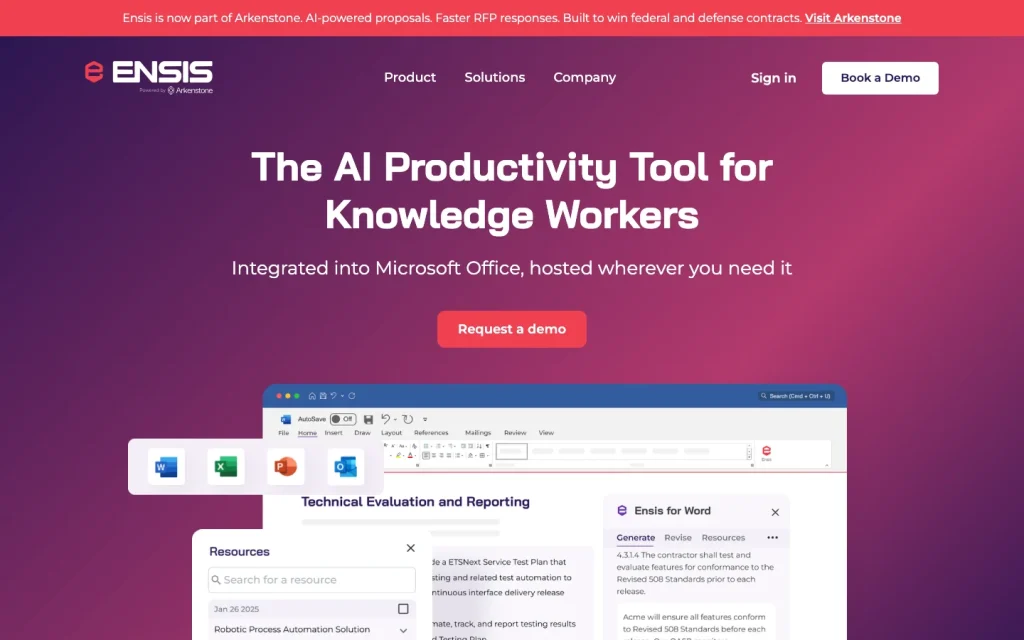
Ensis AI product image
ensis.ai
On this page

Ensis AI is a seller-side proposal platform for teams that need to turn complex RFP and RFx files into structured, traceable response work. Its documented strengths include requirement extraction, controlled drafting, compliance review, and Microsoft Office-based writing. It is particularly well aligned with GovCon and other compliance-heavy proposal environments, while buyers should validate pricing, advanced approval controls, and specific third-party integrations.

What is Ensis AI?

Ensis AI is an AI-assisted proposal and knowledge-work platform for structuring, drafting, revising, managing, and reviewing seller-side RFP responses. It supports government and commercial solicitations, including RFPs, RFIs, RFQs, VSQs, questionnaires, and spreadsheets, through a web application and Microsoft Office add-ins.

Response workflows

Teams can upload multiple opportunity files, select page ranges for extraction, inspect highlighted source text, edit requirements, build and reorder outlines, and assign authors. Fast Draft automates parsing, outline creation, requirement responses, and narrative generation, while Full Setup offers more control. Outline View supports per-requirement and bulk generation; Narrative View turns responses into section narratives with page and word estimates.

Compliance Mode checks whether requirements are addressed, highlights fulfilled requirements, supports repeated checks, and allows manual overrides. Proposal stages span Initializing through Done, with word-based generation, traceability, and refinement. Final submission automation and specialized submission-portal connections are not established.

Knowledge and answer controls

Ensis uses retrieval-augmented generation with customer-provided resources such as past proposals, company knowledge, and reference materials. Users can filter resources by proposal, type, won or lost status, and custom tags, while adding win themes, differentiators, and customer details.

Traceability is a key control: requirements can link back to highlighted opportunity text, and Sources exposes referenced resource text, page numbers, links, and revisions that influenced a response. Human review remains necessary; users are responsible for uploaded data and generated response accuracy under the terms.

Collaboration and integrations

Admins can invite teammates, manage member and admin roles, and assign proposal sections and subsections. Multiple colleagues can work on a proposal simultaneously, while workflow states support handoffs and later-stage editing locks.

Native Microsoft experiences cover Word, Excel, PowerPoint, and Outlook. SharePoint synchronization is available for libraries and images, and the platform supports file storage synchronization and content library ingestion. CRM connectivity is described generically rather than through named vendors, and Google Drive is listed as coming soon.

Buyer fit

Ensis AI is best suited to seller-side proposal and RFP teams working through structured, file-heavy solicitations. It’s an especially strong fit for GovCon work involving PWSs, SOWs, federal solicitation Sections C, L, and M, compliance matrices, technical volumes, management approaches, and past performance narratives.

Commercial sales teams handling RFPs, RFIs, questionnaires, emails, and pitch materials are also a good fit. Buyers who need procurement authoring, specialized public-sector submission portals, extensive approval routing, or a specific CRM integration catalog should validate those needs directly.

Buyer scenarios

Where the product fits — and where to be careful

GovCon proposal teams handling compliance-heavy solicitations

Need
Manage PWSs, SOWs, federal solicitation sections, technical volumes, and compliance-focused proposal responses.
Why it fits
It supports multi-file intake, requirement extraction, editable outlines, narrative drafting, compliance checks, source traceability, and Word-based refinement.
Watch out
Public materials do not establish specialized submission-portal connections, detailed color-team approval routing, or granular external-collaborator permissions.

Strong fit

Commercial sales response teams

Need
Draft and refine structured RFx and questionnaire responses using company knowledge.
Why it fits
It supports commercial RFPs, RFIs, questionnaires, emails, pitch materials, Excel workflows, and Microsoft Office add-ins.
Watch out
Named CRM integrations and a detailed storage-integration catalog are not established; Google Drive is listed as coming soon.

Good fit

Pros & Cons

Pros

  • Broad workflow from opportunity intake and requirement extraction through drafting, compliance review, and Word refinement.
  • Resource-grounded generation with response-level source text, page, link, and revision traceability.
  • Native Microsoft Word, Excel, PowerPoint, and Outlook experiences, plus SharePoint synchronization.
  • Strong alignment with structured GovCon and compliance-heavy proposal work.

Cons

  • Public pricing lacks numeric rates, tiers, billing periods, and contract or trial terms.
  • Named CRM integrations, a public developer API, and detailed integration scope are not established.
  • Detailed approval routing, granular permissions, external-collaborator controls, and submission-portal integrations are not established.
  • Users retain responsibility for uploaded data and generated-response accuracy under the terms.
Editorial score breakdown

Editorial scores

Editorial score
4.0
Collaboration and integrations
4.0

Ensis provides member and admin roles, assignments, simultaneous work, workflow-state handoffs, Microsoft Office experiences, and SharePoint synchronization. Granular permissions, audit trails, and detailed approval workflows are not established.

Response workflows
4.0

The platform covers multi-file intake, editable requirement extraction, outlines, assignments, individual and bulk drafting, narrative creation, compliance checks, and Word refinement for seller-side proposal teams.

Knowledge and answer controls
4.0

Resource selection and filtering, requirement-level links to opportunity text, response-level source details, revisions, and human review controls provide strong grounding and traceability. Accuracy remains the user's responsibility.

Usability, support & value Not scored

There are too few verified customer reviews to score usability, support, or value.

Pricing and contract model

Ensis prices generally by number of users, but does not list public numeric prices, tier names, billing periods, contract terms, or trial terms.

  • Prospective customers are directed to the pricing page or to contact Ensis.

Integrations

Documented connections and access methods for Ensis AI.

Productivity suite

Microsoft Word Native
Microsoft Excel Native
Microsoft PowerPoint Native
Microsoft Outlook Native

Document storage

Microsoft SharePoint Native
Google Drive Other
  • CRM connectivity is described without a named CRM vendor or implementation scope.
  • A public developer API is not established.

What's new

Recent product and company updates

  • 2026-04-02

    Ensis is Joining Arkenstone

    Arkenstone acquired Ensis; Ensis stated that it would continue operating while integration proceeds.

    Source

FAQ

How does Ensis AI price its product?
Ensis states that pricing is generally based on the number of users. Public numeric prices, tiers, billing periods, contract terms, and trial terms are not listed.
What response workflows does Ensis AI support?
Ensis supports opportunity-file intake, requirement extraction, outlines, author assignments, individual and bulk response generation, narrative drafting, compliance checking, and Word refinement.
How does Ensis AI ground generated responses?
Generation draws from resources in the Resource Library. Users can select and filter resources, and the Sources feature shows referenced text, page numbers, links, and revisions that influenced a response.
Can Ensis AI work in Microsoft Office?
Ensis provides Microsoft Word, Excel, PowerPoint, and Outlook experiences. It also supports exporting first drafts and polished narratives to Word.
Who is Ensis AI best suited for?
Ensis is suited to seller-side proposal and RFP teams, particularly GovCon teams handling structured, compliance-heavy federal solicitations, as well as commercial sales teams answering RFx requests and questionnaires.
Review transparency Corrections policy
Change history
  1. 2026-09-18 Initial publication First published version of this review.
26 sources analyzed
  1. The AI Productivity Tool for Knowledge Workers ensis.ai
  2. Solutions ensis.ai
  3. Release Notes ensis.ai
  4. Frequently Asked Questions ensis.ai
  5. Ensis pricing page ensis.ai
  6. The AI Productivity Tool for Knowledge Workers ensis.ai
  7. The Only Proposal AI That Works Where You Do ensis.ai
  8. Ensis - Microsoft 365 App Certification learn.microsoft.com
  9. Ensis is Joining Arkenstone ensis.ai
  10. Ensis Secures $4 Million Pre-Seed Round to Develop AI-Powered Proposal Software ensis.ai

Showing 10 of 26 sources · 16 additional sources analyzed

Feedback on this article

Was this review helpful?

Private editorial feedback. It does not change product ratings or rankings.

Rate Ensis AI

Rate your experience
  • Collaboration and integrations
  • Response workflows
  • Knowledge and answer controls
  • Usability, support & value