
Pitch logo

Pitch

Pitch is a collaborative presentation workspace with AI creation, brand controls, sharing analytics, and export options.

Editorial score

3.8 /5
How we scored it

Is Pitch worth it?

Nick Oscar
Editor, Reviews.vc · Updated September 18, 2026
Good For

Multiple creation paths, including templates, PPTX import, and Pitch Agent

Caution

PPTX and PDF exports do not fully preserve animations, recordings, uploaded video, some fonts, or certain chart formatting

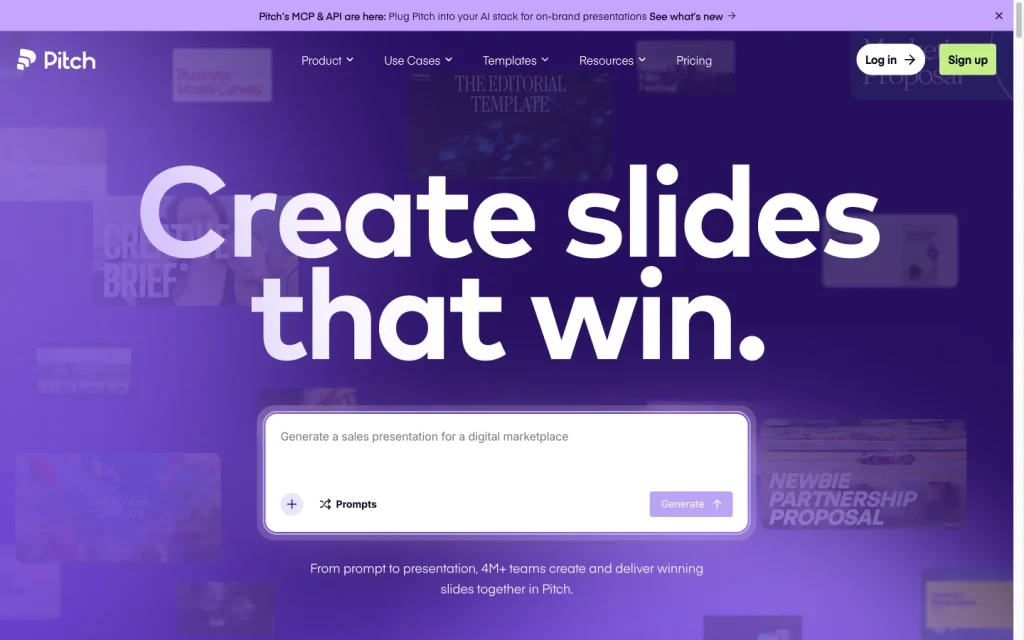
Pitch product image
pitch.com
On this page

Pitch is a web-native presentation workspace that combines AI-assisted creation, templates, granular brand controls, live collaboration, controlled sharing, and engagement analytics. It’s especially powerful for teams creating polished, on-brand decks that will be shared and measured online.

Its main tradeoff is portability: paid plans export PPTX and Pitch exports PDF, but advanced presentation elements such as animations, recordings, uploaded video, specific font behaviors, and certain chart formatting may not transfer faithfully.

What is Pitch?

Pitch is a cross-platform presentation workspace for creating, editing, sharing, presenting, and analyzing decks. It combines templates, visual editing, AI-assisted workflows, shared workspaces, delivery links, deal rooms, analytics, and PDF or PPTX export.

It’s designed to be more than a prompt-to-slides tool: teams can start with templates or imported decks, collaborate on edits, and then distribute a browser-based presentation with engagement controls.

Presentation creation

Pitch offers several ways to start: blank canvas, gallery templates, workspace templates, reusable layouts, imported PPTX files, and Pitch Agent. Agent can use a prompt, uploaded files, and a selected template to create editable slides with copy and visuals.

Within the editor, Agent can add slides, replace images, answer questions about deck content, rewrite or restructure content, split or merge slides, proofread, and revise selected blocks. Template variables and the Claude connection support structured, data-led presentation creation, including CSV-driven chart updates.

Design and brand control

Pitch offers substantial brand and visual controls. Teams can create and save branded templates, customize gallery templates, set colors, upload licensed custom fonts, and build reusable layouts. A company domain can also generate an initial style using detected logos, colors, and fonts for review.

Slide styles set defaults across text, shapes, tables, and charts, while individual styles and chart palettes remain editable. Charts expose controls for legend, background, labels, axes, scales, number formats, colors, palettes, and typography. Animations are available in Pitch, but they do not persist in PowerPoint or PDF exports.

Delivery and collaboration

Pitch supports shared workspaces, co-editing, slide assignments, comments, guest permissions, presentation links, embeds, speaker view, and engagement analytics. External links can have passcodes, expiration dates, visitor email collection, download controls, duplication controls, and custom domains.

Paid plans export native PPTX files, and PDF export is available in both compressed and high-quality formats. Export portability has limits: uploaded videos, recordings, animations, certain font behavior, and some chart formatting may not transfer faithfully to PPTX or PDF.

Who should consider Pitch?

Pitch fits individuals and enterprises that want a web-native workflow for consistently branded presentations, especially sales, customer-facing, and cross-functional teams that need controlled sharing and audience analytics.

It’s a better choice for template-led production, interactive delivery, and collaboration than for teams that need pixel-perfect PowerPoint handling of complex legacy decks. Import and export limitations can affect alignment, animations, recordings, video, fonts, and charts.

Buyer scenarios

Where the product fits — and where to be careful

Sales and client-facing teams

Need
Create polished sales presentations collaboratively and control how prospects access them.
Why it fits
Pitch combines editable branded templates, collaborative workspaces, controlled sharing, deal rooms, and engagement analytics.
Watch out
PPTX and PDF exports do not fully retain animations, recordings, uploaded video, some fonts, or certain chart formatting.

Strong fit for web-native, branded decks that are shared and measured; less suitable where exact PowerPoint round-tripping is essential.

Teams standardizing presentation production

Need
Give contributors a repeatable way to create on-brand presentations.
Why it fits
Pitch offers reusable layouts, custom colors and fonts, slide styles, and a template-driven AI workflow.
Watch out
AI actions use credits, and some advanced presentation effects do not carry into exported files.

Strong fit for teams prioritizing brand consistency and browser-based collaboration.

Pros & Cons

Pros

  • Multiple creation paths, including templates, PPTX import, and Pitch Agent
  • Strong brand controls with templates, colors, custom fonts, layouts, slide styles, and chart editing
  • Collaborative sharing includes comments, guest permissions, controlled links, embeds, and engagement analytics
  • Paid plans provide native PPTX export, while PDF export is available in compressed and high-quality formats
  • Public API and a broad integration catalog support connected workflows

Cons

  • PPTX and PDF exports do not fully preserve animations, recordings, uploaded video, some fonts, or certain chart formatting
  • AI actions consume credits
  • User feedback identifies tradeoffs around template flexibility and value for money
Editorial score breakdown

Editorial scores

Editorial score
3.8
Delivery and collaboration
4.0

Pitch provides strong browser-based collaboration and delivery controls, plus PDF and paid-plan PPTX export. Exported files have clear fidelity limits for animations, recordings, video, fonts, and some charts.

Design and brand control
4.0

Pitch has strong template, font, color, layout, slide-style, and chart controls for maintaining brand consistency, with editable visual elements across the presentation workflow.

Presentation creation
4.0

Pitch supports prompt, file-context, and template-based deck generation, along with in-editor revisions, PPTX imports, reusable layouts, and variable-driven presentation workflows.

Usability, support & value
3.0

User feedback is strongly positive on ease of use, while value-for-money mentions are mixed. The accepted review set supports a midrange score rather than a top-tier usability and value rating.

Customer sentiment

Pitch customer reviews and sentiment

Based on 16 public customer reviews. Source mix: 13 from producthunt.com, and 3 from softwareadvice.com.

Customer sentiment is analyzed separately and does not determine the Reviews.vc editorial score.

16 public reviews analyzed
Positive
69%11 reviews
Mixed
19%3 reviews
Negative
13%2 reviews
Theme and findingMentionsPositiveNegative
Ease of use
The intuitive, clean editing experience and templates make it quick and enjoyable to start and build presentations.
11110
Design and brand control
Templates, layouts, reusable styles, and branding tools help teams create polished, consistent decks with less design effort.
1084
Export and collaboration
Real-time collaboration and shared decks are useful, but teams needing enterprise safeguards may find the lack of permissions, recovery, and versioning limiting.
761
Value for money
Productivity benefits are valued, but some buyers object to paid PPT export, mandatory seat requirements, AI charges, and incomplete branding removal on paid plans.
312
Integrations
Built-in external integrations, including Brandfetch, add practical value to deck creation and team workflows.
220

Mentions count unique reviews. One review can count as both positive and negative for the same theme when it describes a mixed experience.

This analysis reflects public customer reviews we could identify and access at the time of collection; the displayed source mix may influence the patterns shown.

Review sentiment over time

PeriodnPositiveMixedNegative
2023 Q4Limited sample3102
2024 Q1Limited sample1100
2025 Q2Limited sample1100
2026 Q2Limited sample1100

Only periods containing dated reviews are shown; gaps between labels mean no dated reviews were available for those periods.

Pricing and contract model

Pitch offers a free plan plus four paid plan levels. Published per-seat prices below are for yearly billing; Enterprise is custom-priced.

PlanPriceIncludes
Free
€0
forever
Unlimited presentations, custom templates, 100 non-recurring AI credits, basic sharing links, engagement analytics, and two external guests.
Plus
€10 per seat per month
yearly billing
Plan for solo professionals when billed yearly.
Team
€15 per seat per month
yearly billing
Plan for small teams when billed yearly.
Business
€20 per seat per month
yearly billing
Plan for larger teams when billed yearly.
  • Annual subscriptions receive a 17% discount. Paid workspaces are billed by occupied editor seats.
  • Monthly and yearly subscriptions are available.

Integrations

Documented connections and access methods for Pitch.

CRM

HubSpot Native

Messaging & collaboration

Slack Native

Developer/API

Pitch API Public API

AI protocol

Claude connection Protocol

Productivity suite

Notion Native
  • Pitch's catalog also lists services including Google Drive, Google Sheets, Figma, Airtable, Loom, Unsplash, Calendly, Box, Google Analytics, and monday WorkForms.

What's new

Recent product and company updates

  • 2026-08-12

    Introducing Pitch MCP and API

    Pitch introduced MCP and its API, enabling Claude to turn call notes or CRM records into decks and trigger delivery from workflows.

    Source
  • 2026-05-27

    Introducing Pitch Agent

    Pitch introduced Pitch Agent for generating editable, on-brand decks from templates and refining content through chat.

    Source

FAQ

What does Pitch cost?
Pitch has a free plan. Yearly-billed Plus, Team, and Business plans cost €10, €15, and €20 per editor seat per month, respectively; Enterprise pricing is custom.
Can Pitch create a presentation with AI?
Pitch Agent can create editable presentations from a prompt, uploaded files used as context, and a selected template. It can also revise content, add slides, replace images, and restructure slides.
Can Pitch export to PowerPoint and PDF?
Paid plans support native PPTX export, and Pitch exports PDF files in compressed and high-quality options. Animations, recordings, uploaded video, some font behavior, and certain chart formatting have export limitations.
How does Pitch support branded presentations?
Teams can build branded templates, set brand colors, upload custom fonts, add reusable layouts, and use slide styles for consistent colors and typography.
Review transparency Corrections policy
Change history
  1. 2026-09-18 Initial publication First published version of this review.
33 sources analyzed
  1. Pitch Product pitch.com
  2. Pitch Pricing pitch.com
  3. Pitch Integrations pitch.com
  4. Pitch Developer API developer.pitch.com
  5. Pitch Agent help.pitch.com
  6. Create a template help.pitch.com
  7. Export a presentation to PowerPoint help.pitch.com
  8. Export a presentation to PDF help.pitch.com
  9. Introducing Pitch MCP and API pitch.com
  10. Introducing Pitch Agent pitch.com

Showing 10 of 33 sources · 23 additional sources analyzed

Feedback on this article

Was this review helpful?

Private editorial feedback. It does not change product ratings or rankings.

Rate Pitch

Rate your experience
  • Delivery and collaboration
  • Design and brand control
  • Presentation creation
  • Usability, support & value