
Why teams look for a Adobe Photoshop alternative
Adobe Photoshop is a strong option — that's why we rated it 4.3/5. But most buyers explore alternatives when one of these gaps shows up in evaluation:
- ! The full desktop application is broad and complex, creating a meaningful learning curve.
- ! User feedback is mixed on ease of use and value, with onboarding frequently cited as difficult.
- ! Subscription costs, storage, and generative-credit allowances vary by plan.
 Adobe Photoshop
  Luminar Neo
  Photoroom
  Canva
Canva  Fotor
Fotor  Pixlr
Pixlr Top Adobe Photoshop alternatives (2026)
Ranked by editor score
- 1
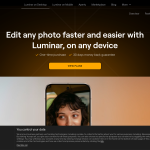
Luminar Neo is a feature-rich AI-assisted photo editor with strong masking, RAW, export, and plugin workflows, tempered by a few batch and delivery limits.
Best for: Broad mix of conventional, AI-assisted, portrait, generative, and compositing tools.- Broad mix of conventional, AI-assisted, portrait, generative, and compositing tools.
- Seven masking modes, adjustable brush controls, and non-destructive layers support detailed local work.
- 2

Photoroom is an AI photo editor built for e-commerce imagery, batch production, Shopify workflows, and image-processing APIs.
Best for: Broad e-commerce editing toolkit, from cutouts and retouching to product staging and AI backgrounds.- Broad e-commerce editing toolkit, from cutouts and retouching to product staging and AI backgrounds.
- Strong batch, catalog, Shopify, and API workflows for repeated product-image production.
- 3
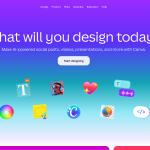
Canva combines AI image generation with a broad, collaborative design and publishing workflow.
Best for: Multiple AI image-generation paths, including Dream Lab, Magic Media, Canva AI, and image-generation apps.- Multiple AI image-generation paths, including Dream Lab, Magic Media, Canva AI, and image-generation apps.
- Dream Lab supports four-image batches, reference images, follow-up instructions, and resolution boosting.
- 4
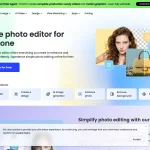
Fotor is a cross-platform photo editor with broad AI-assisted tools, practical batch processing, and limits for advanced layered workflows.
Best for: Broad coverage of adjustments, retouching, enhancement, background, and object-removal tasks- Broad coverage of adjustments, retouching, enhancement, background, and object-removal tasks
- Batch editing supports up to 50 images for common production tasks
- 5
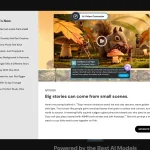
Pixlr is a browser-first AI photo editor with capable raster controls, batch tools and notable RAW and complex PSD limitations.
Best for: Broad conventional and AI-assisted image-editing toolkit- Broad conventional and AI-assisted image-editing toolkit
- Strong selections, masks and background-removal refinement controls
How we picked these
Every alternative comes from the approved category ranking. We evaluate documented product evidence, buyer-fit tradeoffs, and aggregated public customer feedback. We do not claim hands-on testing unless the linked Review says so, and payment cannot change inclusion or order.
Adobe Photoshop alternatives FAQ
- What is the best free alternative to Adobe Photoshop?
- Most serious ai photo editors tools are paid, but several on this list offer meaningful free trials. Start with the top-ranked pick above and use its trial before committing to an annual contract.
- Which Adobe Photoshop competitor is cheapest?
- Cheapest is rarely best — filter by the "Best for" line to match a tool to your workflow first, then confirm pricing on each vendor's site.
- How is this list different from a Adobe Photoshop review?
- A review evaluates Adobe Photoshop on its own merits. This page assumes you've already considered Adobe Photoshop and want to see who competes with it, where they win, and where they don't.