
Adobe Photoshop logo

Adobe Photoshop

Adobe Photoshop delivers deep, controllable photo editing and scalable production tools for serious creative work.

Editorial score

4.3 /5
How we scored it

Is Adobe Photoshop worth it?

Nick Oscar
Editor, Reviews.vc · Updated September 29, 2026
Good For

Deep editing toolkit for retouching, removal, compositing, color work, and RAW processing.

Caution

The full desktop application is broad and complex, creating a meaningful learning curve.

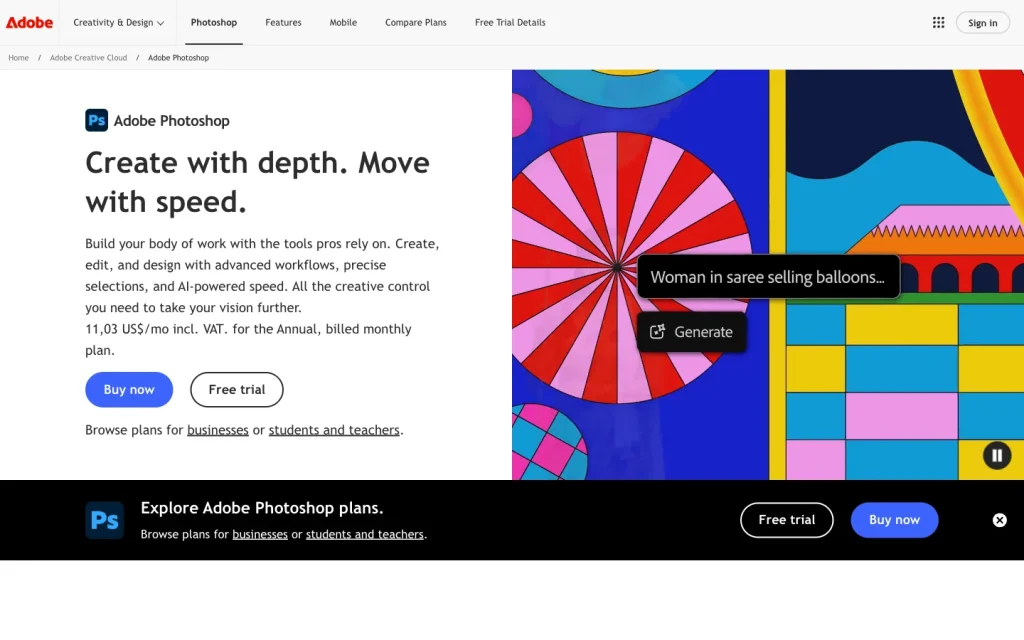
Adobe Photoshop product image
adobe.com
On this page

Adobe Photoshop is a professional-grade editor for photographers, designers, artists, and production teams who need more than quick touch-ups. It combines extensive editing and compositing tools with masks, non-destructive layers, RAW controls, broad file support, and repeatable automation. The trade-off is complexity: it’s best for buyers ready to learn a powerful desktop application and choose a subscription that fits their storage and generative credit needs.


What is Adobe Photoshop?

Adobe Photoshop is a professional image-editing and design application for photos, graphics, and art. It combines existing image work such as retouching, object removal, background editing, compositing, color adjustment, and RAW processing with powerful graphics and design tools. Desktop, web, mobile, and iPad access provide different surfaces for using the product.

Editing capabilities

Photoshop offers extensive photo-editing capabilities. The Remove tool handles unwanted objects and distractions, while Content-Aware Fill uses surrounding pixels to remove selected elements. Camera Raw adds white balance, tonal range, contrast, saturation, sharpening, and correction controls for RAW, JPEG, and TIFF files. Mobile editing covers object removal, background replacement, blending, collaging, and retouching.

Precision and control

Precision work centers on selections, layers, and reversible adjustments. Layer masks can reveal or conceal an adjustment using white, black, and gray paint, and Color Range includes Fuzziness for fine-tuning similar-color selections. Smart Objects and Smart Filters remain editable and maskable, while adjustment layers preserve non-destructive color and tonal refinement. Generative edits can also be confined to a selection or mask.

Files, automation, and workflow

Photoshop supports common production formats alongside PSD and PSB, and handles large documents up to 300,000 by 300,000 pixels. Cloud documents can move between desktop, web, and mobile. For repeated work, Actions record operations for replay, and Image Processor can batch-convert and resize folders, create JPEG, PSD, or TIFF output, convert to sRGB, embed profiles, add metadata, and run an action.

Who Adobe Photoshop suits

Photoshop is a strong choice for photographers, designers, digital artists, content creators, and production teams that need deep editing control, RAW support, compositing, automation, or broad file compatibility. Its free mobile entry point may suit lighter use, but the complete desktop application is a professional-grade toolset with a meaningful learning curve. Buyers should also match their storage and generative-credit needs to the subscription they choose.

Buyer scenarios

Where the product fits — and where to be careful

Photographers, designers, and digital artists

Need
Deep, reversible control over photos, composites, graphics, and high-resolution assets.
Why it fits
Layer masks, Smart Objects, adjustment layers, Camera Raw, retouching, compositing, and broad format support suit detailed image work.
Watch out
The full desktop toolset is broad and complex, so it rewards time spent learning professional workflows.

Strong fit

Production and creative teams

Need
Repeatable processing, varied input and output formats, and connected Adobe workflows.
Why it fits
Actions, batch processing, Image Processor, droplets, cloud documents, plugins, and developer options support repeatable production workflows.
Watch out
Subscription pricing, storage, and generative-credit allowances vary by plan.

Strong fit

Pros & Cons

Pros

  • Deep editing toolkit for retouching, removal, compositing, color work, and RAW processing.
  • Strong reversible control through masks, Smart Objects, Smart Filters, and adjustment layers.
  • Broad format support, cloud handoff, batch processing, Actions, and droplets.
  • Native Adobe connections, a plugin marketplace, and extensive developer options.

Cons

  • The full desktop application is broad and complex, creating a meaningful learning curve.
  • User feedback is mixed on ease of use and value, with onboarding frequently cited as difficult.
  • Subscription costs, storage, and generative-credit allowances vary by plan.
Editorial score breakdown

Editorial scores

Editorial score
4.3
Editing capabilities
5.0

Photoshop has exceptional editing depth across retouching, removal, compositing, color and tone work, Camera Raw processing, and selection-based generative changes.

File and batch workflows
4.0

Broad format handling, large-file support, cross-surface cloud documents, Actions, batch processing, droplets, and Image Processor provide strong production workflow coverage.

Precision and control
5.0

Layer masks, Color Range tuning, object masks, editable Smart Objects and Smart Filters, adjustment layers, and mask-bounded generative edits provide exceptional precision and reversible refinement.

Usability, support & value
3.0

User feedback is mixed: ease of use has both favorable and unfavorable mentions, while onboarding is consistently difficult and value for money is mixed.

From our complete category comparison

Adobe Photoshop alternatives

Category scores use the linked comparison rubric and can differ from a product’s overall review score.

See the full comparison
Reviewed here
Best for
Photographers, designers, digital artists, and creative teams that need advanced, reversible control over detailed image edits and production workflows.
Key tradeoff
Its expansive desktop toolset has a meaningful learning curve.
Best for
Photographers who want fast AI enhancement and creative relighting alongside capable masking, RAW editing, and desktop-level control.
Key tradeoff
Several AI tools, including Crop AI, Erase, Upscale, and Background Removal AI, cannot be synced through batch adjustments.
Best for
Sellers, marketers, Shopify merchants, and social-commerce teams that need fast, consistent product images at scale.
Key tradeoff
RAW is not listed, TIFF support is not established, and catalog layers can merge when leaving the editor or publishing to Shopify.
Canva
4.0/5
Best for
Non-designers, marketers, social teams, and business users creating posts, presentations, and on-brand assets in one workspace.
Key tradeoff
AI use is governed by shared monthly allowances, variable complexity-based consumption, rate limits, and possible pauses.
ProductCategory scoreBest forKey tradeoff
Adobe PhotoshopReviewed here
4.3/5Photographers, designers, digital artists, and creative teams that need advanced, reversible control over detailed image edits and production workflows.Its expansive desktop toolset has a meaningful learning curve.
Luminar Neo
4.0/5Photographers who want fast AI enhancement and creative relighting alongside capable masking, RAW editing, and desktop-level control.Several AI tools, including Crop AI, Erase, Upscale, and Background Removal AI, cannot be synced through batch adjustments.
Photoroom
3.8/5Sellers, marketers, Shopify merchants, and social-commerce teams that need fast, consistent product images at scale.RAW is not listed, TIFF support is not established, and catalog layers can merge when leaving the editor or publishing to Shopify.
Canva
4.0/5Non-designers, marketers, social teams, and business users creating posts, presentations, and on-brand assets in one workspace.AI use is governed by shared monthly allowances, variable complexity-based consumption, rate limits, and possible pauses.
Customer sentiment

Adobe Photoshop customer reviews and sentiment

Based on 27 public customer reviews. Source mix: 17 from softwareadvice.com, and 10 from trustradius.com.

Customer sentiment is analyzed separately and does not determine the Reviews.vc editorial score.

27 public reviews analyzed
Positive
41%11 reviews
Mixed
59%16 reviews
Negative
0%0 reviews
Theme and findingMentionsPositiveNegative
Editing quality
Buyers consistently view Photoshop as a professional, versatile editor that produces high-quality results across photo retouching, graphics, and image manipulation.
18181
Edit control
The tool offers extensive creative control for detailed edits, including object removal, background work, retouching, and compositing, though layers and some selection tools can be confusing.
1184
Ease of use
Common editing and export tasks can be efficient once learned, but the interface, evolving features, and inconsistent shortcuts make the product less intuitive for some users.
1066
Onboarding
New users should expect a meaningful learning curve and may need tutorials or hands-on experience before they can use Photoshop’s full feature set confidently.
909
Value for money
Many see strong value for professional use and Adobe-suite integration, but subscription pricing can be hard to justify for occasional users or buyers with limited budgets.
846

Mentions count unique reviews. One review can count as both positive and negative for the same theme when it describes a mixed experience.

This analysis reflects public customer reviews we could identify and access at the time of collection; the displayed source mix may influence the patterns shown.

Review sentiment over time

PeriodnPositiveMixedNegative
2025 H2Limited sample2020
2026 H17160
2026 H2Limited sample1010

Only periods containing dated reviews are shown; gaps between labels mean no dated reviews were available for those periods.

Pricing and contract model

Photoshop is sold as a Creative Cloud subscription, with a seven-day trial. Annual plans renew automatically, and cancellation and refund terms depend on timing.

PlanPriceIncludes
Photoshop
US$22.99
per month
Photoshop standalone plan with 100GB storage and 25 monthly generative credits; annual commitment billed monthly.
Photography plan
US$19.99
per month
Includes Photoshop, Lightroom, 1TB storage, and 1,000 monthly generative credits; annual commitment billed monthly.
Photoshop annual prepaid
US$263.88
per year
Photoshop standalone plan with annual prepaid billing.
  • Pricing is stated in US dollars.
  • Storage and generative-credit allowances vary by plan.

Integrations

Documented connections and access methods for Adobe Photoshop.

Developer/API

Photoshop developer platform Public API

Productivity suite

Adobe Creative Cloud ecosystem Native

Marketplace

Photoshop Plugin Marketplace Native

What's new

Recent product and company updates

  • 2026-08-27

    New Photoshop innovations bring more choice and control

    Adobe introduced expanded partner-model support in Generative Fill, plus Rotate Object, Harmonize, Generative Upscale, and further creative-control updates.

    Source

FAQ

How much does Adobe Photoshop cost?
The standalone Photoshop plan is US$22.99 per month with an annual commitment billed monthly, or US$263.88 per year when prepaid annually. A seven-day trial is available.
What photo edits can Photoshop handle?
Photoshop supports retouching, object and distraction removal, background work, compositing, color and tone adjustment, targeted adjustments, and RAW editing.
Which file formats does Photoshop support?
Supported graphics formats include PSD, PSB, PSDC, JPEG, PNG, TIFF, WebP, HEIF/HEIC, AVIF, OpenEXR, and Photoshop PDF.
Which platforms support Photoshop?
Photoshop is available on desktop, web, mobile, and iPad, with plan- and platform-specific requirements.
Review transparency Corrections policy
Change history
  1. 2026-09-29 Comparison Added alternatives comparison from Best AI Photo Editors.
  2. 2026-09-18 Initial publication First published version of this review.
26 sources analyzed
  1. Adobe Photoshop adobe.com
  2. Photoshop plans and pricing adobe.com
  3. Photoshop developer resources developer.adobe.com
  4. Photoshop Marketplace plugins helpx.adobe.com
  5. New Photoshop innovations bring more choice and control blog.adobe.com
  6. Supported file formats in Photoshop helpx.adobe.com
  7. Remove unwanted objects and distractions helpx.adobe.com
  8. Use layer masks to target adjustment or fill layers helpx.adobe.com
  9. Export files to Creative Cloud helpx.adobe.com
  10. Convert files with the Image Processor helpx.adobe.com

Showing 10 of 26 sources · 16 additional sources analyzed

Feedback on this article

Was this review helpful?

Private editorial feedback. It does not change product ratings or rankings.

Rate Adobe Photoshop

Rate your experience
  • Editing capabilities
  • File and batch workflows
  • Precision and control
  • Usability, support & value