
Amazon Q Developer logo

Amazon Q Developer

Amazon Q Developer is an AWS-focused coding assistant with broad IDE and CLI coverage, configurable controls, and an announced 2027 plugin sunset.

Editorial score

4.0 /5
How we scored it

Is Amazon Q Developer worth it?

Nick Oscar
Editor, Reviews.vc · Updated September 18, 2026
Good For

Strong AWS-oriented assistance, including resource context and IAM-governed AWS API actions.

Caution

Some low-risk shell commands may run without a separate user prompt.

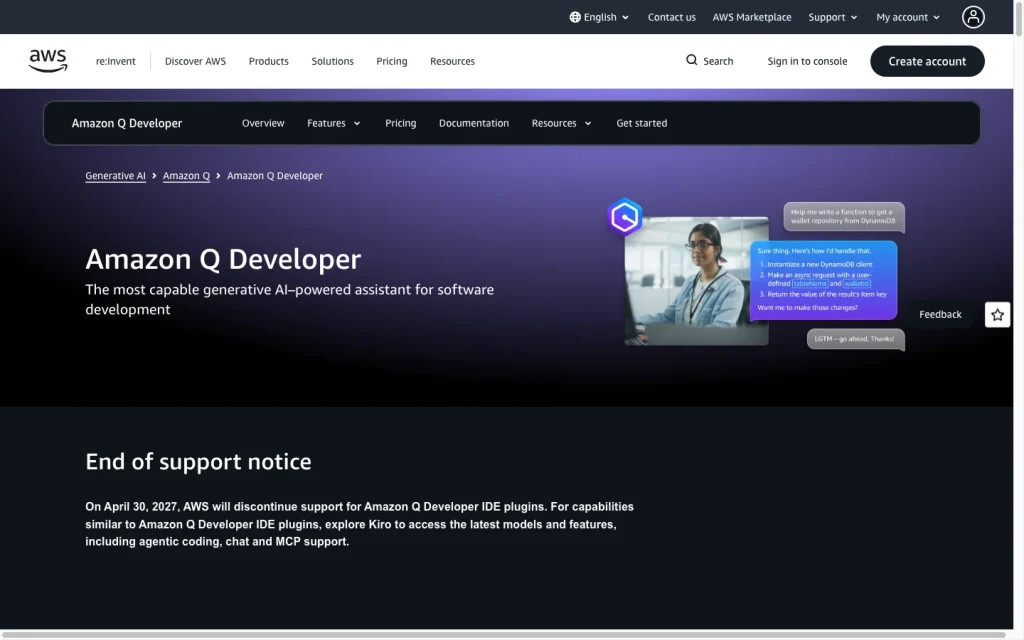
Amazon Q Developer product image
aws.amazon.com
On this page

Amazon Q Developer is an AWS-focused AI coding assistant with inline completion, chat, repository-aware agentic changes, code review, Java modernization, and AWS development support. It’s best suited for teams already working in AWS that want IAM-aware controls and support across major IDEs, terminals, GitHub, GitLab Duo, and MCP tools. The key buying caveat is lifecycle risk: AWS has announced end of support for the IDE plugins and paid subscriptions as of April 30, 2027.

What is Amazon Q Developer?

Amazon Q Developer is an AWS generative AI assistant for software development lifecycle work. It covers coding, testing, troubleshooting, security scanning and fixes, application modernization, AWS resource optimization, and data pipeline work. The product is especially AWS-oriented, while also providing general coding assistance through IDE, terminal, AWS console, GitHub, and GitLab Duo surfaces.

Coding capabilities

Amazon Q Developer combines real-time inline completion with IDE chat and agentic changes. Suggestions can range from a line or comment to a complete function, while chat can explain, generate, debug, refactor, test, document, and update code. Workspace indexing can locate files and cross-file usage beyond the files currently open, supporting multi-file work.

It also includes code review and targeted Java modernization. Java transformation supports upgrades from Java 8, 11, or 17 to Java 17 or 21, plus Java 21 library and dependency upgrades. Output quality varies by language popularity and training-data quality.

Execution and review control

Amazon Q Developer provides practical controls for edits and connected tools. IDE agentic changes can be inspected as diffs and undone, while Java transformations require developers to verify and accept generated changes. GitHub-suggested fixes require review and explicit commits before a pull request is updated.

AWS API actions run under the permissions of the underlying IAM identity and can be limited through policy. MCP tools support Ask, Always allow, and Deny settings. Buyers who require a prompt before every command should test their workflow: some commands classified as low risk may run without a separate prompt.

Developer workflow

Environment coverage is broad: VS Code, JetBrains IDEs, Eclipse, Visual Studio, and terminal workflows on macOS, Linux, Ubuntu, and Windows are supported. GitHub and GitLab Duo add repository, pull request, and merge request workflows, and project-specific rules in .amazonq/rules can guide project interactions. MCP servers and AWS APIs can extend available tools and context.

There are tradeoffs. Feature availability differs by environment, free-tier access depends on the authentication method, and agentic requests are quota-limited. Workspace indexing can take roughly 5–20 minutes and increase IDE CPU usage. AWS has also announced the end of support for the IDE plugins and paid subscriptions on April 30, 2027.

Who should consider Amazon Q Developer?

Amazon Q Developer is best suited to teams already building on AWS, especially those that value AWS-focused Q&A, architecture guidance, console error diagnosis, resource context, and IAM-based governance. It’s also a strong fit for teams using mainstream desktop IDEs or terminals, GitHub or GitLab Duo, and organizations undertaking supported Java modernization.

Pro adds centralized administration, IP indemnity, and a default setting that does not use Pro content for service improvement. Buyers should assess command execution behavior, free-tier content use and opt-out settings, quota limits, and the planned IDE plugin sunset before standardizing on it.

Buyer scenarios

Where the product fits — and where to be careful

AWS development teams

Need
AWS-aware coding help, resource context, and controlled access to AWS actions.
Why it fits
It combines AWS-aware assistance, IAM-based permissions, mainstream IDE and terminal support, AWS API access, and Pro administration features.
Watch out
Some low-risk commands may run without a separate prompt, and the announced IDE-plugin and paid-subscription end of support is April 30, 2027.

Strong fit where AWS context and governance are central.

Java modernization and repository work

Need
Modernize Java applications or work across a project rather than only the active file.
Why it fits
Workspace context, multi-file edits, code review, and Java transformation support repository work and upgrades from Java 8, 11, or 17 to Java 17 or 21.
Watch out
Workspace indexing can take about 5–20 minutes and increase IDE CPU use; usage quotas and feature coverage vary by plan and environment.

Good fit for the supported Java upgrade paths and multi-file development tasks.

Pros & Cons

Pros

  • Strong AWS-oriented assistance, including resource context and IAM-governed AWS API actions.
  • Inline completion, chat, workspace context, multi-file changes, testing, refactoring, review, and supported Java modernization.
  • Diff inspection, undo, IAM policy controls, and configurable MCP permissions support controlled workflows.
  • Works across major IDE families, terminals, GitHub, GitLab Duo, and MCP-enabled tools.

Cons

  • Some low-risk shell commands may run without a separate user prompt.
  • Feature availability, Free-tier access, and quotas vary by environment and authentication method.
  • Workspace indexing can take 5–20 minutes and increase IDE CPU use.
  • AWS announced end of support for IDE plugins and paid subscriptions on April 30, 2027.
Editorial score breakdown

Editorial scores

Editorial score
4.0
Developer workflow
4.0

Broad IDE, CLI, repository, project-rule, AWS API, and MCP coverage supports varied development workflows, but feature parity, quotas, indexing overhead, and the announced 2027 IDE-plugin sunset are material limits.

Coding capabilities
4.0

Inline completion, IDE chat, workspace context, multi-file changes, testing, documentation, debugging, refactoring, review, and selected Java transformation provide a strong documented coding workflow; quality varies by language.

Execution and review control
4.0

Diff inspection, undo, developer acceptance for Java transformation, explicit GitHub commits, IAM policies, and MCP permission modes offer strong controls, though some low-risk commands can run without separate prompting.

Usability, support & value Not scored

User-review evidence was insufficient: the available aggregate is not publishable.

Pricing and contract model

Amazon Q Developer has a perpetual Free tier and a $19-per-user-per-month Pro tier. Free usage is limited, while Pro adds higher limits, centralized administration, IP indemnity, and automatic opt-out from content use for service improvement.

PlanPriceIncludes
Free
$0
perpetual
Perpetual tier with monthly usage limits, including 50 shared agentic requests per month.
Pro
$19 per user
per month
Higher limits, centralized administration, IP indemnity, and automatic opt-out from content use for service improvement.

Public pricing example

Java transformation overage

$0.003 per submitted line
usage-based

Metered Java transformation overage after included monthly allocations.

  • Pro is billed monthly until canceled; first-month proration and full-month charging for mid-month cancellation apply.
  • Java transformation includes 1,000 lines per month for Free users and 4,000 lines per month per Pro subscription pooled at the AWS payer-account level.

Integrations

Documented connections and access methods for Amazon Q Developer.

Developer/API

AWS APIs Native

AI protocol

Model Context Protocol Protocol

Other

Desktop IDEs Native
Terminal and CLI Native
GitHub Native
GitLab Duo Native
  • Feature availability varies by environment.

What's new

Recent product and company updates

  • 2026

    Amazon Q Developer end-of-support announcement

    New Q Developer IDE-plugin signups and new subscription creation were blocked from May 15, 2026. IDE plugins and paid subscriptions are scheduled to reach end of support on April 30, 2027, with Kiro identified as the transition path.

    Source

FAQ

How much does Amazon Q Developer cost?
Amazon Q Developer has a perpetual Free tier and a Pro tier at $19 per user per month. The Free tier includes 50 shared agentic requests per month; Java transformation has separate allocations and $0.003-per-submitted-line overage pricing.
What coding work can Amazon Q Developer do?
It provides inline suggestions, IDE chat, file editing, multi-file changes, unit-test and documentation generation, debugging, refactoring, code review, selected Java transformation, and vulnerability scanning.
Which development environments does Amazon Q Developer support?
It supports VS Code, JetBrains IDEs, Eclipse, Visual Studio, terminals on macOS, Linux, Ubuntu, and Windows, plus AWS coding environments. GitHub and GitLab Duo workflows are also supported, with feature availability varying by environment.
How does Amazon Q Developer control changes and commands?
IDE edits can be inspected as diffs and undone. Java transformation requires developer verification and acceptance, GitHub suggested fixes require review and explicit commits, AWS actions use IAM permissions, and MCP tools support Ask, Always allow, or Deny settings. Some low-risk shell commands may run without separate prompting.
Review transparency Corrections policy
Change history
  1. 2026-09-18 Initial publication First published version of this review.
23 sources analyzed
  1. Amazon Q Developer aws.amazon.com
  2. Build with Amazon Q Developer aws.amazon.com
  3. Amazon Q Developer pricing aws.amazon.com
  4. Amazon Q Developer tiers docs.aws.amazon.com
  5. Amazon Q Developer in the IDE docs.aws.amazon.com
  6. Amazon Q Developer IDE chat docs.aws.amazon.com
  7. Amazon Q Developer workspace context docs.aws.amazon.com
  8. Amazon Q Developer code transformation docs.aws.amazon.com
  9. Model Context Protocol support in Amazon Q Developer docs.aws.amazon.com
  10. Amazon Q Developer end-of-support announcement aws.amazon.com

Showing 10 of 23 sources · 13 additional sources analyzed

Feedback on this article

Was this review helpful?

Private editorial feedback. It does not change product ratings or rankings.

Rate Amazon Q Developer

Rate your experience
  • Developer workflow
  • Coding capabilities
  • Execution and review control
  • Usability, support & value