Devin logo

Devin

Devin combines cloud and local coding agents with pull-request workflows, execution controls, and broad team integrations.

Editorial score

4.0 /5
How we scored it

Is Devin worth it?

Nick Oscar
Editor, Reviews.vc · Updated September 18, 2026
Good For

Supports end-to-end coding work across cloud sessions, local CLI, Desktop, and browser workflows.

Caution

Paid usage is quota-based, and extra usage or on-demand credits can apply.

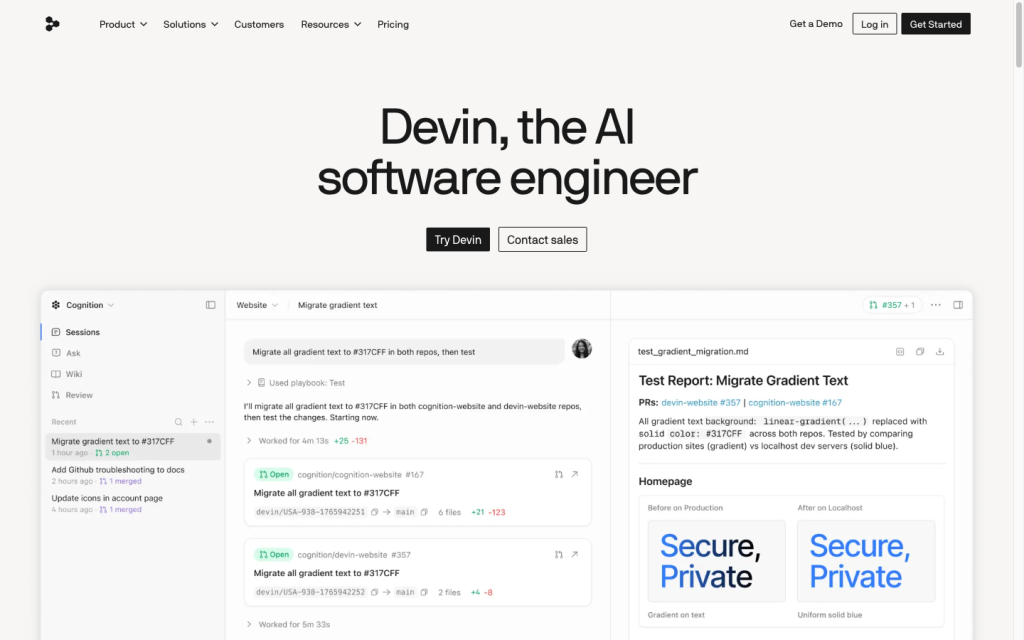
Devin product image
devin.ai
On this page

Devin is a coding-agent platform for teams that want to move engineering work through cloud, local, and PR-based workflows. Its strengths are broad repository task coverage, visible pull request handoff, and configurable execution controls; buyers should account for quotas, setup requirements, and provider-specific feature limits.

What is Devin?

Devin is a coding-agent platform operated by Cognition for delegating software engineering work across managed cloud sessions, local terminal workflows, and an IDE-based desktop command center. It can plan, implement, test, and prepare pull requests, while Devin Review adds dedicated pull request review capabilities.

Coding capabilities

Devin handles multi-file repository work rather than just inline completion. Its capabilities include repository indexing and codebase Q&A, editing and tab completion, migrations, refactors, test generation, linting, type checking, pull request generation, and browser-based end-to-end testing with video recordings. Cloud, CLI, and Desktop options let teams choose where work starts and runs.

Execution and review control

Devin is built around a reviewable pull-request flow: generated changes remain subject to branch protections and human merge decisions. Devin Review organizes diffs and supports findings, comments, approvals, change requests, and review actions. Security Profiles can restrict network access, MCP servers, Git permissions, credentials, and write access; enterprise API materials also cover scoped permissions, RBAC, audit log retrieval, and organization secrets.

Developer workflow

Developers can work locally through the CLI or desktop app, hand longer tasks to cloud agents, run work in parallel, and return to drafted pull requests for review. The CLI supports macOS, Linux, WSL, and Windows. GitHub, GitLab, Bitbucket, Azure DevOps, Slack, Microsoft Teams, Jira, Linear, PagerDuty, MCP tools, and the API extend this into team and CI/CD workflows.

Buyer fit

Devin is a strong fit for teams with repositories, PR-based governance, and well-defined or parallelizable engineering work. It is especially relevant where local-to-cloud handoff and administrative controls matter. Buyers should plan for quotas and setup, retain human merge controls, verify data-use choices where required, and note that the full Devin Review experience does not extend to Bitbucket or Azure DevOps.

Buyer scenarios

Where the product fits — and where to be careful

PR-governed engineering teams

Need
Move well-defined feature, maintenance, migration, or testing work through a controlled pull-request workflow.
Why it fits
Cloud sessions, local CLI, Desktop, parallel work, source-control connections, and PR handoff align with teams that already govern changes through pull requests.
Watch out
Merging remains subject to branch protections and human decisions; quota-based paid usage and setup for repositories, environments, secrets, and governance require planning.

Strong fit

Organizations needing deployment controls

Need
Use coding agents while retaining control over access, infrastructure, and repository governance.
Why it fits
Security Profiles, repository permissions, self-hosted workers, and customer-VPC options support organizations that need administrative and deployment controls.
Watch out
Teams with strict data-use requirements should verify paid-tier opt-out status. Bitbucket and Azure DevOps do not have the full Devin Review feature set.

Fit with qualification

Pros & Cons

Pros

  • Supports end-to-end coding work across cloud sessions, local CLI, Desktop, and browser workflows.
  • Creates reviewable pull requests and provides dedicated diff, finding, comment, and review-action tooling.
  • Offers granular Security Profiles for network, MCP, Git, credential, and write-access restrictions.
  • Connects source control, chat, project-management, incident-management, MCP, and API workflows.

Cons

  • Paid usage is quota-based, and extra usage or on-demand credits can apply.
  • Generated pull requests still require human review and merge decisions under branch protections.
  • Full Devin Review functionality is not available for Bitbucket and Azure DevOps.
  • Repository, environment, secret, integration, and governance setup may be needed for advanced workflows.
Editorial score breakdown

Editorial scores

Editorial score
4.0
Developer workflow
4.0

Devin supports local CLI, Desktop, cloud sessions, source-control connections, chat and ticket workflows, MCP, APIs, parallel work, and local-to-cloud handoff. Feature availability varies by provider and workflow.

Coding capabilities
4.0

The platform supports multi-file repository tasks, indexing and Q&A, inline editing and completion, migrations, refactors, testing, linting, type checking, pull-request creation, and browser-based end-to-end testing.

Execution and review control
4.0

Pull-request handoff, branch protections, human merge decisions, organized review diffs, and configurable restrictions for network, MCP, Git, credentials, and write access provide strong governance controls.

Usability, support & value Not scored

User-review evidence was insufficient for scoring usability, support, or value.

Pricing and contract model

Devin publishes Free, Pro, Max, Teams, and Enterprise options. Paid use is quota-based, with extra usage or on-demand credits available.

PlanPriceIncludes
Free
$0
month
Light agent quota, limited model availability, unlimited inline edits, and unlimited Tab completions.
Pro
$20
month
One individual user, increased quotas, full model availability, cloud-agent access, and extra usage at API pricing.
Max
$200
month
One individual user with significantly higher usage quotas.
Teams
$80 minimum; $40 per full developer seat
month
Teams plan; flex seats have no separate seat charge and use shared on-demand credits.
  • Paid plans use quotas. Extra usage or on-demand credits may apply.

Integrations

Documented connections and access methods for Devin.

Messaging & collaboration

Slack and Microsoft Teams Native

Developer/API

Devin API Public API

AI protocol

MCP and plugins Protocol

Other

Source-control platforms Native
Jira, Linear, and PagerDuty Native
  • Integration availability and feature depth can vary by source-control provider and connection type.

What's new

Recent product and company updates

  • 2026-09-16

    Introducing Code Scans

    Code Scans investigates codebase improvements and turns findings into pull requests.

    Source
  • 2026-09-15

    Devin Gets a Mac

    macOS support extended cloud development workflows to iOS apps, native macOS applications, and projects using Apple development tools.

    Source
  • 2026-06-02

    Windsurf Is Now Devin Desktop

    Devin Desktop launched with a command center for local and cloud agents, Spaces for shared context, and ACP support.

    Source

FAQ

How much does Devin cost?
Devin offers a Free plan at $0 per month, Pro at $20 per month, Max at $200 per month, Teams from $80 per month, and Enterprise on custom terms. Paid usage is quota-based, with extra usage or on-demand credits available.
What coding work can Devin handle?
Devin can write, run, and test code for features, bug fixes, migrations, refactors, pull-request review, codebase Q&A, unit tests, and documentation. It also supports pull-request creation, linting, type checking, and browser-based end-to-end testing.
Where can developers use Devin?
Devin supports managed cloud sessions, a local CLI, an IDE and desktop command center, and browser workflows. The CLI runs on macOS, Linux, WSL, and Windows.
How are Devin's changes controlled?
Changes can be submitted as pull requests that remain subject to branch protections and human review. Security Profiles can limit network access, MCP servers, Git access, credentials, and write access.
Review transparency Corrections policy
Change history
  1. 2026-09-18 Initial publication First published version of this review.
23 sources analyzed
  1. Devin Introduction docs.devin.ai
  2. Pricing devin.ai
  3. Integrations Overview docs.devin.ai
  4. Introducing Code Scans devin.ai
  5. Devin Gets a Mac devin.ai
  6. Windsurf Is Now Devin Desktop devin.ai
  7. SDLC Integration docs.devin.ai
  8. Devin Review docs.devin.ai
  9. Security Profiles docs.devin.ai
  10. Platform Terms of Service cognition.com

Showing 10 of 23 sources · 13 additional sources analyzed

Feedback on this article

Was this review helpful?

Private editorial feedback. It does not change product ratings or rankings.

Rate Devin

Rate your experience
  • Developer workflow
  • Coding capabilities
  • Execution and review control
  • Usability, support & value