ChatGPT logo

ChatGPT

ChatGPT Images combines conversational image creation and editing with references, templates, and useful export basics, but lacks deterministic production controls.

Editorial score

3.5 /5
How we scored it

Is ChatGPT worth it?

Nick Oscar
Editor, Reviews.vc · Updated September 26, 2026
Good For

Creates and edits images in a conversational workflow, including uploaded-image changes.

Caution

Selection-based edits can affect areas outside the selected region.

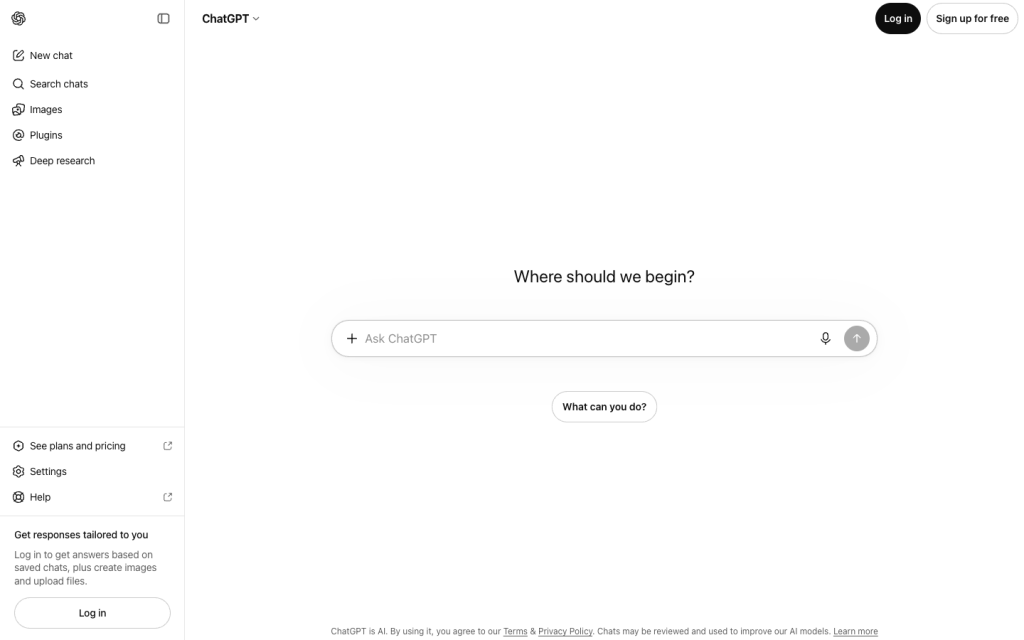
ChatGPT product image
chatgpt.com
On this page

ChatGPT Images brings image generation and editing into ChatGPT’s conversational interface. It’s particularly useful for fast visual ideation, reference-guided revisions, transparent-background assets, and editable drafts. Its main trade-off is production rigor: the consumer experience does not provide deterministic controls, batch output, fixed queues, or asset-management integrations.


What is ChatGPT Images?

ChatGPT is a general-purpose conversational AI service with native image generation and editing through ChatGPT Images. It offers image capabilities within a broader assistant experience rather than acting as a model aggregator or conventional canvas-first design suite. Developer image APIs are separate from ChatGPT subscriptions and have separate billing.

Generation capabilities

ChatGPT Images supports text-to-image creation and edits to generated or uploaded images. It can use multiple reference images, templates, mobile sketches, requested aspect ratios, in-image text, fine details, and transparent backgrounds. Images 2.5 adds sharper details, faster generation, more precise editing, improved reference-photo fidelity, and stronger multi-turn consistency.

Creative control

Control is conversational and iterative: users can direct subject, color, style, text, framing, lighting, purpose, and constraints, then refine in the editor. Reference uploads, templates, sketches, localized selection edits, Undo, Redo, Resize, and Remove add practical flexibility. Selection edits are not always precise and may affect areas outside the highlight, and fixed seeds and other reproducibility-oriented consumer controls are not yet established.

Workflow and delivery

Images are automatically saved in the Images library for browsing, reuse, and revisiting on web and mobile. Users can copy, download, or share an image to another app, while mobile users can share prompt-template links. The service works on web, iOS, and Android, but it does not provide native image-production integrations, batch rendering, DAM connections, fixed queues, or a dedicated image export pipeline through apps.

Who should consider it?

ChatGPT Images is a good fit for general users and creators who want conversational ideation, editable drafts, transparent-background assets, posters, logos, and sketch-assisted concepts. It can also suit marketing, ecommerce, and brand-adjacent teams working from supplied visual inputs. Organizations with stricter data requirements can consider Business, Enterprise, Edu, or API offerings. Deterministic art direction, batch generation, fixed production queues, asset-management integrations, and exclusive-output needs require careful qualification.

Buyer scenarios

Where the product fits — and where to be careful

Creators making quick visual drafts

Need
Create and revise posters, logos, concepts, and other image assets without a canvas-first workflow.
Why it fits
Conversational creation, uploaded-image edits, templates, reference inputs, transparent-background assets, and mobile sketch-to-image features suit fast ideation and editable visual drafts.
Watch out
Free access has slower, limited image generation; users needing fixed seeds, batch output, or guaranteed high resolution need to qualify those requirements separately.

Strong fit

Marketing and brand-adjacent teams

Need
Develop marketing graphics, ecommerce variants, and brand-adjacent visual concepts from supplied inputs.
Why it fits
Teams can iterate from supplied visual inputs and use connected-app workflows subject to plan, region, role, permissions, and workspace controls.
Watch out
Personal workspaces have data sharing enabled by default with an opt-out; output may not be unique, so legal and brand review remain necessary.

Conditional fit

Pros & Cons

Pros

  • Creates and edits images in a conversational workflow, including uploaded-image changes.
  • Supports references, templates, sketches, aspect ratios, transparent backgrounds, text, and localized edits.
  • Images are saved to a cross-platform library and can be copied, downloaded, or shared.
  • Free access is available, with paid tiers adding more image capacity and speed.

Cons

  • Selection-based edits can affect areas outside the selected region.
  • The consumer interface does not establish fixed seeds or other deterministic reproducibility controls.
  • ChatGPT does not establish batch image generation, fixed queues, DAM connections, or a dedicated image export pipeline.
  • API image usage is separately billed from ChatGPT subscriptions.
Editorial score breakdown

Editorial scores

Editorial score
3.5
Generation capabilities
4.0

ChatGPT Images combines conversational creation, uploaded-image editing, reference inputs, templates, sketches, in-image text, transparent backgrounds, and flexible aspect-ratio requests.

Production workflow
3.0

The Images library, cross-platform access, copy, download, and sharing provide a practical lightweight workflow, but batch rendering, fixed queues, DAM connections, and a native image export pipeline are not established.

Creative control
4.0

Natural-language direction, multi-turn refinement, references, templates, sketches, localized edits, and mobile tools provide strong everyday control, tempered by imprecise selections and no established fixed-seed controls.

Usability, support & value
3.0

User feedback is strongly positive on ease of use, while value-for-money feedback is materially negative, producing a mixed value picture despite accessible free and paid options.

From our complete category comparison

ChatGPT alternatives

Category scores use the linked comparison rubric and can differ from a product’s overall review score.

See the full comparison
Reviewed here
Best for
Conversational image creation, iterative prompting, and quick edits without learning a dedicated image tool.
Key tradeoff
No established fixed seeds or other deterministic reproducibility controls.
Best for
Creators who want fine-grained control, customizable models, and game-art-style image generation.
Key tradeoff
Token consumption, generation speed, and feature compatibility vary by model and plan.
Best for
Commercially minded teams already using Adobe that want brand-conscious generative creative workflows and direct production handoffs.
Key tradeoff
Premium features and partner models use generative credits that reset monthly and do not roll over.
Canva
4.0/5
Best for
Marketers, social teams, and non-designers who want to generate, refine, and publish on-brand visuals in one all-in-one design platform.
Key tradeoff
AI use is governed by shared monthly allowances, with complexity-based consumption, rate limits, and possible pauses.
ProductCategory scoreBest forKey tradeoff
ChatGPTReviewed here
3.5/5Conversational image creation, iterative prompting, and quick edits without learning a dedicated image tool.No established fixed seeds or other deterministic reproducibility controls.
Leonardo AI
4.0/5Creators who want fine-grained control, customizable models, and game-art-style image generation.Token consumption, generation speed, and feature compatibility vary by model and plan.
Adobe Firefly
3.8/5Commercially minded teams already using Adobe that want brand-conscious generative creative workflows and direct production handoffs.Premium features and partner models use generative credits that reset monthly and do not roll over.
Canva
4.0/5Marketers, social teams, and non-designers who want to generate, refine, and publish on-brand visuals in one all-in-one design platform.AI use is governed by shared monthly allowances, with complexity-based consumption, rate limits, and possible pauses.
Customer sentiment

ChatGPT customer reviews and sentiment

Based on 100 public customer reviews. Source mix: 55 from softwarereviews.com, 19 from trustpilot.com, 16 from capterra.com, and 10 from apps.apple.com.

Customer sentiment is analyzed separately and does not determine the Reviews.vc editorial score.

100 public reviews analyzed
Positive
30%30 reviews
Mixed
50%50 reviews
Negative
20%20 reviews
Theme and findingMentionsPositiveNegative
Generation quality
Users value clear, capable help across learning, writing, and coding, but recurring factual errors, outdated information, and confident hallucinations mean important outputs still need checking.
726037
Workflow and exports
The tool is widely seen as a major productivity aid for drafting, coding, and daily work, though project organization, cross-session continuity, formatting, and some integrations create friction.
514113
Ease of use
Users generally find the conversational interface fast and approachable, but better prompting is sometimes needed and certain controls, such as read-aloud access, can be harder to find than expected.
36315
Value for money
Paid-plan value is undermined for some users by reduced or unexpected usage limits, high pricing, and difficult billing or cancellation experiences.
24618
Creative control
Creative and image capabilities enable flexible idea exploration, but users report unreliable adherence to precise visual requirements, restrictive refusals, and limited on-screen editing control.
1496

Mentions count unique reviews. One review can count as both positive and negative for the same theme when it describes a mixed experience.

This analysis reflects public customer reviews we could identify and access at the time of collection; the displayed source mix may influence the patterns shown.

Pricing and contract model

ChatGPT lists individual, business, and enterprise offerings. Image access varies by plan, while API usage is billed separately.

PlanPriceIncludes
Free
$0
month
Includes limited, slower image generation.
Go
$8
month
Public individual plan.
Plus
$20
month
Includes more complex and accurate image creation.
Pro
From $100
month
Faster, unlimited image creation subject to guardrails; a highest-usage option is listed at $200 per month.
Business Standard
$20 per user annually or $25 per user monthly
user/month
Business Standard plan.
Business Premium
$100 per user annually or $125 per user monthly
user/month
Business Premium plan.
  • OpenAI API usage is separate from ChatGPT subscriptions and billed independently.

Integrations

Documented connections and access methods for ChatGPT.

Messaging & collaboration

Slack Native

Developer/API

GitHub Native

AI protocol

Model Context Protocol custom apps Protocol

Document storage

Google Drive and Google Workspace Native
  • App availability and functionality vary by app, plan, region, workspace, role, model, and ChatGPT interface.

What's new

Recent product and company updates

  • 2026-09-08

    ChatGPT Images 2.5 launch

    ChatGPT Images 2.5 added creation, editing, template, sketch, comment, and sharing features.

    Source

FAQ

How much does ChatGPT cost for image generation?
Free is $0 per month and has limited, slower image generation. Go is $8 per month, Plus is $20 per month, and Pro starts at $100 per month; a highest-usage Pro option is listed at $200 per month. Business and Enterprise have separate terms.
What image-generation tasks can ChatGPT handle?
ChatGPT Images can create images from text, edit generated or uploaded images, use reference images, add text and details, create transparent backgrounds, and support requested aspect ratios, templates, and mobile sketch-to-image creation.
What controls are available for refining images?
Users can iterate in conversation or the editor, make localized selection edits, upload references, use templates and sketches, adjust aspect ratio, and use Undo, Redo, Resize, and Remove controls. Selection edits can extend beyond the highlighted area.
What are the main limits for production image workflows?
ChatGPT subscriptions do not include API usage. The ChatGPT image experience does not establish fixed seeds, deterministic parameters, published high-resolution guarantees, batch generation, fixed production queues, DAM connections, or a native image export pipeline through connected apps.
Review transparency Corrections policy
Change history
  1. 2026-09-26 Comparison Added alternatives comparison from Best AI Image Generators.
  2. 2026-09-18 Initial publication First published version of this review.
14 sources analyzed
  1. ChatGPT Image Generation help.openai.com
  2. Introducing ChatGPT Images 2.5 openai.com
  3. ChatGPT Pricing chatgpt.com
  4. ChatGPT Business Pricing openai.com
  5. Connectors in ChatGPT help.openai.com
  6. ChatGPT Release Notes help.openai.com
  7. ChatGPT Business Release Notes help.openai.com
  8. How can I move to a paid subscription plan? help.openai.com
  9. Disable model training while keeping chat history help.openai.com
  10. Terms of Use openai.com

Showing 10 of 14 sources · 4 additional sources analyzed

Feedback on this article

Was this review helpful?

Private editorial feedback. It does not change product ratings or rankings.

Rate ChatGPT

Rate your experience
  • Generation capabilities
  • Production workflow
  • Creative control
  • Usability, support & value