Ideogram logo

Ideogram

Ideogram combines typography-focused image generation, structured creative controls, Canvas, API access, and MCP workflows.

Editorial score

3.8 /5
How we scored it

Is Ideogram worth it?

Nick Oscar
Editor, Reviews.vc · Updated September 26, 2026
Good For

Structured prompts support literal text, palettes, per-element styling, and layout bounding boxes.

Caution

Private generation, quality export, Image Reference, and AI-powered editing depend on plan eligibility or priority credits.

Ideogram product image
ideogram.ai
On this page

Ideogram is a generative media platform for image creation, typography-led visual work, editing, and developer workflows. Its standout strengths are structured layout and text controls, reference-driven iteration, Canvas, and API or MCP access. It is best for design and product teams that can work within plan-specific credit, privacy, and export limits.


What is Ideogram?

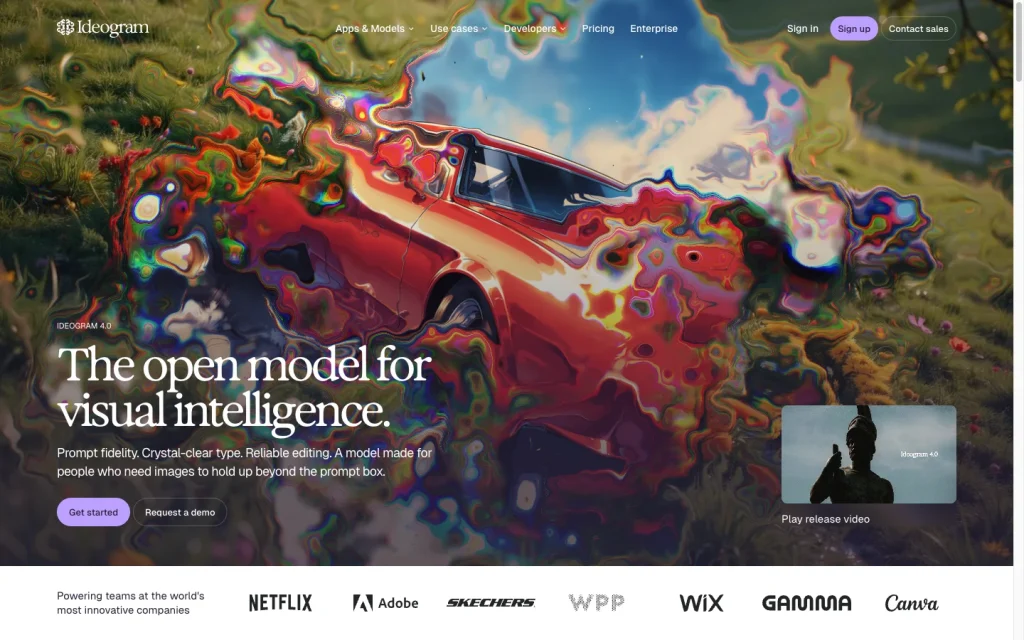
Ideogram is a generative media platform focused on visual creation. It develops native image models, including Ideogram 4.0, and provides creative apps, access to image and video models, a developer API, MCP connectivity, and open-weight distribution. Its workflow is geared toward generative, prompt-driven, canvas-based image production rather than conventional vector or layout editing.

Generation capabilities

Ideogram 4.0 accepts natural-language prompts or structured JSON prompts. Standard generation supports 1K and 2K outputs, while transparent-background generation offers output tiers up to an 8K total-pixel budget and returns PNG files with alpha channels. Structured prompts can specify literal text, element styling, palettes, and normalized bounding boxes, and reference-image remixing is also available.

Creative control

Ideogram offers substantial image-direction tools: style and character references, negative prompts, seeds, remix weighting, aspect ratios, color palettes, and structured layout instructions. Editing includes canvas tools, Magic Fill, Extend, background removal and replacement, object removal, reframing, upscaling, material and color changes, and text-layer tools. Some editing endpoints and controls are model- or plan-specific.

Production workflow

Teams can work in Canvas, use the developer API for synchronous or asynchronous jobs with polling and webhooks, connect compatible agents through MCP, or self-host public quantized Ideogram 4 weights under the applicable license. App generations are public by default outside eligible private tiers. Priority credits are required for Image Reference and AI-powered editing, quality export is a Pro feature, and API image URLs must be downloaded for retention.

Who Ideogram is for

Ideogram is well suited to designers, brands, creative teams, agencies, developers, product teams, and researchers who need image generation with typography, layout, reference, and editing controls. The free plan is useful for evaluation, but its weekly slow credits, single running or queued generation, public output, and lack of priority-credit features make it a weaker fit for sustained editing-heavy work.

Buyer scenarios

Where the product fits — and where to be careful

Design, brand, and agency teams

Need
Produce and refine branded images, layouts, logos, and campaign variations.
Why it fits
Structured prompts, literal-text and layout controls, references, editing tools, Canvas, and private-generation options support iterative visual production.
Watch out
Private generation, quality export, Image Reference, and AI-powered editing have plan or credit constraints.

Strong fit for teams creating typography-led, branded visual assets.

Developers building image workflows

Need
Embed image generation, editing, or model workflows into software or agent tools.
Why it fits
The unified API, asynchronous jobs, polling, webhooks, MCP connectivity, and custom-model tooling support product integration and automation.
Watch out
API image URLs are temporary, so teams need to download and retain outputs; commercial self-hosting has separate licensing.

Strong fit for teams that need API-based generation and editing capabilities.

Pros & Cons

Pros

  • Structured prompts support literal text, palettes, per-element styling, and layout bounding boxes.
  • Broad generation and editing toolkit includes references, remixing, inpainting, background operations, upscaling, and layerization.
  • Canvas, API, webhooks, MCP, and self-hosting options support several production paths.
  • Commercial use of generated images is allowed, subject to users' responsibility for third-party rights.

Cons

  • Private generation, quality export, Image Reference, and AI-powered editing depend on plan eligibility or priority credits.
  • Free use is limited to weekly slow credits, one running or queued generation, and public-by-default output.
  • API image URLs are temporary and require separate downloading and storage.
  • User feedback is notably negative on value for money despite positive ease-of-use and support sentiment.
Editorial score breakdown

Editorial scores

Editorial score
3.8
Generation capabilities
4.0

Ideogram supports natural-language and structured JSON generation, 1K and 2K standard outputs, transparent PNG output tiers, typed text and layout conditioning, and reference-image remixing.

Production workflow
4.0

Canvas, API jobs, polling, webhooks, MCP, and self-hosting provide flexible production routes, with clear constraints around temporary API URLs, plan-gated features, priority credits, and public-by-default app output.

Creative control
4.0

Structured layout instructions, literal text, palettes, references, seeds, negative prompts, remix weighting, custom models, and a broad editing toolkit provide strong creative control; availability varies by model and plan.

Usability, support & value
3.0

User feedback is positive on support and ease of use, while value-for-money mentions skew negative, producing a mixed value picture.

From our complete category comparison

Ideogram alternatives

Category scores use the linked comparison rubric and can differ from a product’s overall review score.

See the full comparison
Reviewed here
Best for
Designers, brands, and creative teams producing posters, ads, social graphics, and other text-forward visual assets.
Key tradeoff
Private generation, quality export, image references, and AI-powered editing depend on eligible plans or priority credits.
Best for
Creators who want fine-grained control, customizable models, and game-art-style image generation.
Key tradeoff
Token consumption, generation speed, and feature compatibility vary by model and plan.
Best for
Commercially minded teams already using Adobe that want brand-conscious generative creative workflows and direct production handoffs.
Key tradeoff
Premium features and partner models use generative credits that reset monthly and do not roll over.
Canva
4.0/5
Best for
Marketers, social teams, and non-designers who want to generate, refine, and publish on-brand visuals in one all-in-one design platform.
Key tradeoff
AI use is governed by shared monthly allowances, with complexity-based consumption, rate limits, and possible pauses.
ProductCategory scoreBest forKey tradeoff
IdeogramReviewed here
3.8/5Designers, brands, and creative teams producing posters, ads, social graphics, and other text-forward visual assets.Private generation, quality export, image references, and AI-powered editing depend on eligible plans or priority credits.
Leonardo AI
4.0/5Creators who want fine-grained control, customizable models, and game-art-style image generation.Token consumption, generation speed, and feature compatibility vary by model and plan.
Adobe Firefly
3.8/5Commercially minded teams already using Adobe that want brand-conscious generative creative workflows and direct production handoffs.Premium features and partner models use generative credits that reset monthly and do not roll over.
Canva
4.0/5Marketers, social teams, and non-designers who want to generate, refine, and publish on-brand visuals in one all-in-one design platform.AI use is governed by shared monthly allowances, with complexity-based consumption, rate limits, and possible pauses.
Customer sentiment

Ideogram customer reviews and sentiment

Based on 30 public customer reviews. Source mix: 20 from trustpilot.com, and 10 from techjockey.com.

Customer sentiment is analyzed separately and does not determine the Reviews.vc editorial score.

30 public reviews analyzed
Positive
50%15 reviews
Mixed
23%7 reviews
Negative
27%8 reviews
Theme and findingMentionsPositiveNegative
Generation quality
Image quality is widely praised, particularly for realistic visuals, readable typography, and prompt-to-image results, although occasional misses occur.
16142
Value for money
Many reviewers question the value of paid plans and credits, citing unexpected charges, unclear free-generation limits, and credit requirements for key features.
13211
Support
Customer support is consistently described as fast, empathetic, and effective at resolving issues, including subscription refunds.
10100
Ease of use
Reviewers find the interface approachable and beginner-friendly, with prompt tools that make it easy to create images quickly.
770
Creative control
Users value the range of styles, remixing, text customization, and strong prompt adherence for shaping creative output.
651

Mentions count unique reviews. One review can count as both positive and negative for the same theme when it describes a mixed experience.

This analysis reflects public customer reviews we could identify and access at the time of collection; the displayed source mix may influence the patterns shown.

Review sentiment over time

PeriodnPositiveMixedNegative
2024 Q2Limited sample2020
2024 Q3Limited sample3210
2026 Q214815
2026 Q36213

Only periods containing dated reviews are shown; gaps between labels mean no dated reviews were available for those periods.

Pricing and contract model

Ideogram offers a free web plan, paid individual and team subscriptions, custom Enterprise pricing, and usage-based API pricing without a subscription requirement.

PlanPriceIncludes
Free
$0
weekly credits
10 free credits per week.
Plus
$20 per month or $15 per month billed annually
monthly or annual
Includes 1,000 priority credits per month.
Pro
$60 per month or $42 per month billed annually
monthly or annual
Includes 3,500 priority credits per month.
Team
$30 per user per month or $20 per user per month billed annually
monthly or annual
Includes 1,500 priority credits per user per month and requires at least two users.

Public pricing example

Ideogram 4.0 Turbo API

$0.03 per image
per image

Usage-based API price for Ideogram 4.0 Turbo; no subscription required.

Public pricing example

Ideogram 4.0 Default API

$0.06 per image
per image

Usage-based API price for Ideogram 4.0 Default; no subscription required.

Public pricing example

Ideogram 4.0 Quality API

$0.10 per image
per image

Usage-based API price for Ideogram 4.0 Quality; no subscription required.

  • Subscription priority credits expire at the end of each billing cycle. Purchased top-up credits carry over after subscription credits are used.
  • Subscriptions do not include free trials or discounts.

Integrations

Documented connections and access methods for Ideogram.

Developer/API

Ideogram API Public API

AI protocol

Model Context Protocol Protocol

Other

Ideogram creative apps Native
Ideogram 4 open weights Other
  • Ideogram also offers an iPhone app and model resources through GitHub and Hugging Face.

What's new

Recent product and company updates

  • 2026-06-03

    Ideogram 4.0

    Ideogram released Ideogram 4.0, presented as a flagship open-weight image foundation model, alongside a new company brand announcement.

    Source

FAQ

What does Ideogram cost?
The Free plan costs $0 and includes 10 credits per week. Plus is $20 monthly or $15 per month billed annually; Pro is $60 monthly or $42 annually; Team is $30 per user monthly or $20 per user annually with a two-user minimum. API usage is separately priced per image.
What can Ideogram generate?
Ideogram supports text-to-image generation, reference-image remixing, typography and layout conditioning, transparent-background output, and image editing operations including inpainting, reframing, background operations, object removal, and upscaling.
What creative controls does Ideogram offer?
Controls include structured JSON prompts, literal text, bounding boxes, per-element styling, color palettes, style and character references, negative prompts, seeds, remix weighting, aspect ratios, and Canvas editing tools.
What are important Ideogram workflow limits?
App generations are public by default outside eligible private tiers. Image Reference and AI-powered editing need priority credits, quality export is a Pro feature, and API image URLs are temporary and need to be downloaded for retention.
Review transparency Corrections policy
Change history
  1. 2026-09-26 Comparison Added alternatives comparison from Best AI Image Generators.
  2. 2026-09-18 Initial publication First published version of this review.
20 sources analyzed
  1. Ideogram ideogram.ai
  2. Ideogram Pricing ideogram.ai
  3. Ideogram API Overview developer.ideogram.ai
  4. Ideogram Documentation docs.ideogram.ai
  5. Generate Images V4 API Reference developer.ideogram.ai
  6. Ideogram 4.0 ideogram.ai
  7. Canvas Overview docs.ideogram.ai
  8. Ideogram MCP ideogram.ai
  9. Ideogram Licensing ideogram.ai
  10. Ideogram 4.0 News ideogram.ai

Showing 10 of 20 sources · 10 additional sources analyzed

Feedback on this article

Was this review helpful?

Private editorial feedback. It does not change product ratings or rankings.

Rate Ideogram

Rate your experience
  • Generation capabilities
  • Production workflow
  • Creative control
  • Usability, support & value