
Keap logo

Keap

Keap combines small-business CRM, visual automation, client communications, billing, payments, and reporting in one platform.

Editorial score

3.5 /5
How we scored it

Is Keap worth it?

Nick Oscar
Editor, Reviews.vc · Updated September 1, 2026
Good For

Contact and company records support tags, saved searches, notes, custom fields, and automation history.

Caution

Round-robin assignment is unavailable.

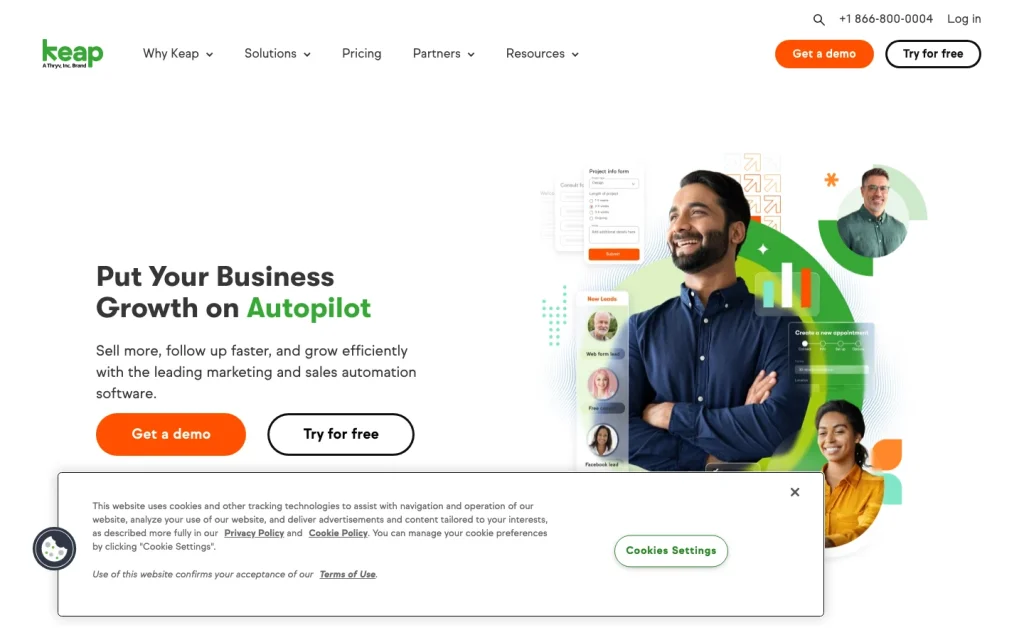
Keap product image
keap.com
On this page

Keap is a small-business CRM that combines contact and pipeline management with visual workflow automation, email and SMS, appointments, quotes, invoicing, payments, integrations, and reporting. It is especially compelling for client-service teams that want to manage follow-up and customer-lifecycle work from a single system, while larger sales organizations should carefully evaluate its routing, forecasting, and data-governance limitations.


What is Keap?

Keap is an all-in-one platform for growing small businesses that combines CRM, sales and marketing automation, communications, appointments, payments, and reporting. Its capabilities include lead capture, contact records, deals, automated follow-up, email and SMS, quotes, invoicing, payment collection, and service or operational workflows.

Contacts and pipeline management

Keap centers its CRM on individual contacts and company records. Teams can use tags, saved lists and searches, notes, custom fields, automation history, and lead labels. Pro supports up to 100 custom fields on contact and company records, while Max supports up to 150.

Its visual sales pipelines use customizable stages and deal cards with notes, emails, linked contacts, team members, and dated activity feeds. Businesses can create multiple pipelines with pipeline-specific fields and layouts, then connect deal activity to appointments, quotes, invoices, and payments.

Automation and sales tools

Keap offers Easy and Advanced Automations. The advanced visual builder includes goals, sequences, timers, branching logic, Decision Diamonds, and testing. Automations can send emails, create tasks or deals, reassign owners, update standard or custom fields, apply notes, create invoices, and make HTTP requests.

Triggers include tags, web forms, appointments, email link clicks, purchases, pipeline stage changes, and API calls. The platform also offers scheduling, booking links, quotes, checkout forms, promo codes, recurring payments, and payment reminders. One limitation for teams needing automated distribution: round-robin assignment is unavailable.

Integrations and reporting

Keap offers native integrations with Gmail, Outlook, QuickBooks, Zoom, BigCommerce, and payment processors. It also connects to 5,000+ apps through Zapier, features a certified app marketplace, and provides an OAuth 2.0 REST API, REST Hooks, webhook subscriptions, and API-triggered automation.

Reporting includes customizable dashboard widgets, plus email, automation, campaign, web-form, financial, sales, and payment-export reports. The available materials do not indicate a dedicated sales-forecasting module or an enterprise-style custom report builder.

Who should consider Keap?

Keap is best suited to growing small businesses, entrepreneurs, and small teams that want CRM, sales follow-up, marketing, appointments, invoicing, payments, and customer-lifecycle workflows in one system. Its listed use cases span professional and client-service businesses, including accountants, coaches, consultants, agencies, real estate businesses, and startups.

It is less suitable when a sales organization depends on sophisticated territory or routing logic, advanced forecasting, extensive account hierarchies, or heavily governed data operations.

Buyer scenarios

Where the product fits — and where to be careful

Growing service business

Need
Coordinate client follow-up, appointments, proposals, billing, and payments.
Why it fits
It brings contact records, pipelines, automated follow-up, appointments, quotes, invoicing, payments, and operational workflows into one platform.
Watch out
The available materials do not establish sophisticated routing, advanced forecast management, extensive account hierarchies, or heavily governed data operations.

Strong fit

Small B2B team

Need
Manage company and contact records while automating deal-related follow-up.
Why it fits
Company records, deal pipelines, custom fields, email and SMS, and automation support a client-centric B2B motion.
Watch out
Round-robin assignment is unavailable; the available workflow assigns a contact to a selected user.

Good fit with routing limits

Pros & Cons

Pros

  • Contact and company records support tags, saved searches, notes, custom fields, and automation history.
  • Customizable visual pipelines can track deals alongside appointments, quotes, invoices, and payments.
  • Advanced Automations support branching, timers, field updates, tasks, deals, invoices, HTTP requests, and API-event triggers.
  • Native integrations, Zapier connectivity, an OAuth 2.0 REST API, and REST Hooks offer practical connectivity.
  • Built-in appointments, quotes, invoicing, checkout forms, recurring payments, and reminders suit client-service workflows.

Cons

  • Round-robin assignment is unavailable.
  • The available materials do not establish advanced forecasting or an enterprise-style custom-report builder.
  • User-review feedback on ease of use skews negative, indicating an adoption tradeoff for some teams.
Editorial score breakdown

Editorial scores

Editorial score
3.5
Usability, support & value
3.0

User feedback is mixed: support mentions lean positive, while ease-of-use mentions lean negative. This points to meaningful setup and adoption tradeoffs despite positive support experiences.

Core CRM
4.0

Keap provides strong small-team CRM coverage with individual and company records, segmentation, custom fields, notes, automation history, lead labels, and customizable multi-pipeline deal management.

Integrations & reporting
3.0

Keap has useful native integrations, Zapier connectivity, an OAuth 2.0 REST API, REST Hooks, dashboards, and standard operational reports, but the available materials do not establish advanced forecasting or enterprise-grade report customization.

Automation & sales tools
4.0

The visual automation builder supports branching, timers, goals, varied triggers, email, tasks, deal creation, owner reassignment, field updates, invoices, and HTTP requests. Lack of round-robin assignment limits routing depth.

From our complete category comparison

Keap alternatives

Category scores use the linked comparison rubric and can differ from a product’s overall review score.

See the full comparison
Keap
3.5/5
Reviewed here
Best for
Small businesses that need CRM, follow-up automation, and payment-oriented client management.
Key tradeoff
Round-robin assignment is unavailable.
Best for
Small sales teams that want clear visual pipeline management and structured follow-up without adopting a broad enterprise CRM suite.
Key tradeoff
Automation quotas, path limits and some sales tools vary by plan.
Best for
Small and growing sales teams that want multichannel communication, automated follow-up, and AI-assisted sales execution in one CRM.
Key tradeoff
Advanced sales tools, governance and forecasting capabilities are tier-dependent.
Best for
Small sales or service teams that prioritize simplicity, tidy relationship management, task-based follow-up, and lightweight pipeline workflows.
Key tradeoff
Workflow automation centers on a limited set of opportunity-based triggers and actions.
ProductCategory scoreBest forKey tradeoff
KeapReviewed here
3.5/5Small businesses that need CRM, follow-up automation, and payment-oriented client management.Round-robin assignment is unavailable.
Pipedrive
4.0/5Small sales teams that want clear visual pipeline management and structured follow-up without adopting a broad enterprise CRM suite.Automation quotas, path limits and some sales tools vary by plan.
Freshsales
3.8/5Small and growing sales teams that want multichannel communication, automated follow-up, and AI-assisted sales execution in one CRM.Advanced sales tools, governance and forecasting capabilities are tier-dependent.
Capsule CRM
4.0/5Small sales or service teams that prioritize simplicity, tidy relationship management, task-based follow-up, and lightweight pipeline workflows.Workflow automation centers on a limited set of opportunity-based triggers and actions.
Customer sentiment

Keap customer reviews and sentiment

Based on 44 public customer reviews. Source mix: 18 from softwareadvice.com, 12 from capterra.com, 10 from trustradius.com, 3 from getapp.com, and 1 from gartner.com.

Customer sentiment is analyzed separately and does not determine the Reviews.vc editorial score.

44 public reviews analyzed
Positive
55%24 reviews
Mixed
32%14 reviews
Negative
14%6 reviews
Theme and findingMentionsPositiveNegative
Contact and pipeline management
Strong CRM capabilities help teams capture, organize, and follow leads through sales pipelines and client interactions, with broad customization for more complex operations.
26247
Workflow automation
Automation is a core strength, supporting triggered follow-up, drip campaigns, lead responses, and sales workflows that can save time and scale outreach.
19164
Ease of use
The platform is powerful but has a steep learning curve; complex interfaces and campaign logic can make it better suited to trained users than beginners or very small teams.
18414
Email and sales tools
Email, scheduling, payment, and sales tools support customer outreach and selling in one system, though reviewers flag limits in email creation, templates, and deliverability controls.
16128
Support
Support is often described as responsive and accessible, but experiences are inconsistent, with some reports of unresolved tickets and harmful internal communication failures.
1284

Mentions count unique reviews. One review can count as both positive and negative for the same theme when it describes a mixed experience.

This analysis reflects public customer reviews we could identify and access at the time of collection; the displayed source mix may influence the patterns shown.

Review sentiment over time

PeriodnPositiveMixedNegative
2023 Q2Limited sample1010
2023 Q3Limited sample3111
2025 Q4Limited sample2011
2026 Q3Limited sample1100

Only periods containing dated reviews are shown; gaps between labels mean no dated reviews were available for those periods.

Pricing and contract model

Keap has a public pricing page and identifies Pro and Max plan capabilities in the supplied materials, but no plan prices are provided in the evidence.

  • Plan prices and billing periods are not included in the supplied evidence.
  • Not publicly disclosed: Pro, Max.

Integrations

Documented connections and access methods for Keap.

Automation

Zapier Via automation

Messaging & collaboration

Zoom Native

Developer/API

Keap REST API Public API
REST Hooks Public API

Productivity suite

Gmail Native
Outlook Native

Procurement/ERP

QuickBooks Native
  • Typeform, Calendly, and Shopify can connect through Zapier.

FAQ

Is Keap pricing public?
Keap has a public pricing page, but the supplied evidence does not provide plan prices.
What does Keap include beyond CRM?
Keap combines contact and deal management with lead capture, automated follow-up, email and SMS, appointments, quotes, invoicing, payments, and reporting.
What can Keap automations do?
Advanced Automations can send emails, create tasks and deals, reassign owners, update fields, move pipeline stages, create invoices, make HTTP requests, and respond to triggers such as forms, appointments, purchases, and API events.
Does Keap integrate with other software?
Keap lists native connections including Gmail, Outlook, QuickBooks, Zoom, BigCommerce, and payment processors. It also connects to 5,000+ apps through Zapier and offers an OAuth 2.0 REST API and REST Hooks.
Who is Keap best suited for?
Keap is aimed at growing small businesses, entrepreneurs, and small teams that want coordinated CRM, follow-up, marketing, appointments, invoicing, payments, and operational workflows.
Review transparency Corrections policy
Change history
  1. 2026-09-01 Comparison Added alternatives comparison from 7 Best CRM Software for Small Sales Teams in 2026.
  2. 2026-08-22 Initial publication First published version of this review.
21 sources analyzed
  1. Keap keap.com
  2. Keap Pricing keap.com
  3. What Is CRM? keap.com
  4. Contacts Help help.keap.com
  5. Pipeline Help help.keap.com
  6. Advanced Automations Help help.keap.com
  7. Keap Integrations keap.com
  8. Keap REST API developer.keap.com
  9. Reports Help help.keap.com
  10. Industries keap.com

Showing 10 of 21 sources · 11 additional sources analyzed

Feedback on this article

Was this review helpful?

Private editorial feedback. It does not change product ratings or rankings.

Rate Keap

Rate your experience
  • Usability, support & value
  • Core CRM
  • Integrations & reporting
  • Automation & sales tools