
Mailshake logo

Mailshake

Mailshake combines automated email outreach with calling, task-managed social touches, deliverability controls, CRM connections, and reporting.

Editorial score

4.0 /5
How we scored it

Is Mailshake worth it?

Nick Oscar
Editor, Reviews.vc · Updated August 22, 2026
Good For

Automated email sequences include follow-ups, reply-based stopping, A/B tests, and configurable delays.

Caution

LinkedIn and social actions are manually completed by the user rather than sent automatically.

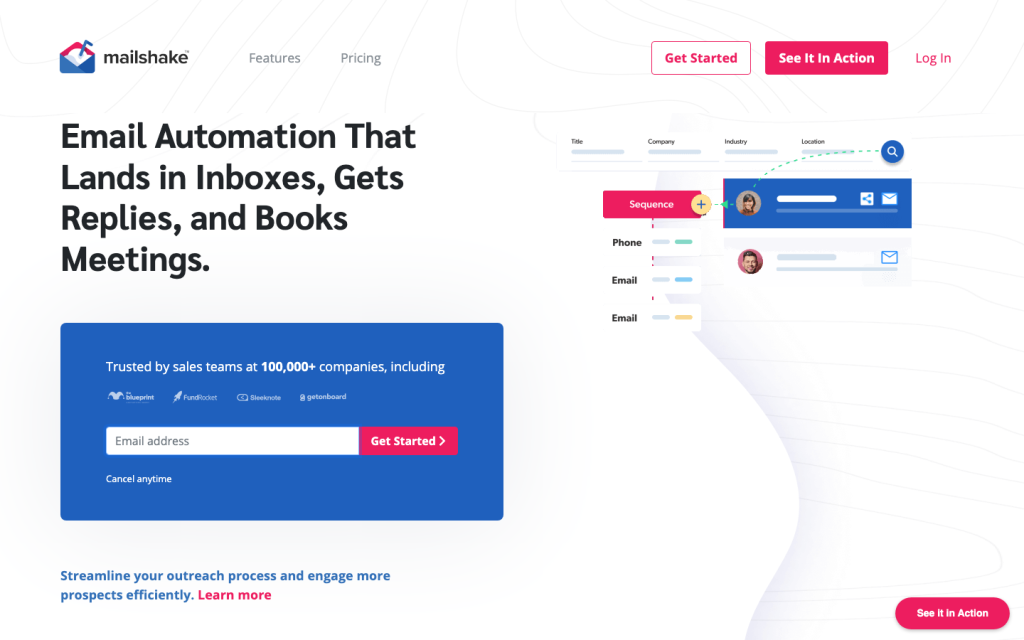
Mailshake product image
mailshake.com
On this page

Mailshake is an outbound sales engagement platform for teams that want automated cold email alongside browser-based calling and task-managed social touches. Its strongest fit is a structured outreach workflow: sequence automation, personalization, deliverability tooling, CRM handoff, and campaign reporting in one product.

The main trade-off is channel execution. Email is automated and calling is native, but LinkedIn and other social actions are scheduled for the user to complete manually. Buyers also need sound connected-mailbox configuration, authentication, and list practices to get the most from its sender controls.

What is Mailshake?

Mailshake is a sales engagement and cold outreach platform built around a connected email account. It automates email campaigns and adds a browser-based VoIP dialer, plus scheduled manual tasks for phone, social, and general outreach.

Because email is sent through the connected account, buyers retain responsibility for the account and its sender setup rather than using Mailshake as the sending infrastructure.

Channels and sequences

Email is the automated core: campaigns support configurable delays, automated follow-ups, drip messages, click-triggered messages, reply-based stopping, A/B tests, and prospect imports from CSV, manual entry, or lists. Sales engagement sequences can also schedule calls, LinkedIn activities, social media tasks, and general tasks.

The multichannel model has a clear boundary. Mailshake can queue LinkedIn messages, connection requests, follows, unfollows, and profile views, but the user completes those actions in LinkedIn. Calling is supported through its browser-based dialer.

Personalization and deliverability

Text Replacements support mail-merge personalization, and users can edit messages for individual prospects before launch. SHAKEspeare adds AI-generated email variants, rewrites, follow-ups, A/B test variations, and Spintax-based text randomization.

For sender protection, Mailshake includes warm-up, verification or list cleaning, sending address rotation, scheduling, daily limits, throttling, and automatic quota pauses. Rotation supports up to 50 sending addresses. These controls help operationalize sending, but provider quotas, SPF/DKIM or DMARC authentication, reputation, list quality, and campaign practices remain important determinants of inbox placement.

Integrations and analytics

Mailshake natively connects with HubSpot, Salesforce, Pipedrive, Slack, SMTP, Vidyard, and Microsoft Email, and its directory also includes services like Google Calendar, Calendly, Twilio, and Nimble. Zapier expands the integration options, while the public API supports API keys or OAuth 2, campaign and recipient endpoints, activity data, rate limits, and webhooks.

Reporting covers sends, opens, clicks, replies, unsubscribes, bounces, campaign comparisons, lead status and drivers, completed tasks, and call outcomes. CRM workflows can import records, create or update contacts and deals, and move records through pipeline stages, though custom fields are not synced when Mailshake creates a person record.

Buyer fit

Mailshake fits sales teams, outbound marketers, growing teams, and agencies that want structured email outreach with calling, task-managed social touches, CRM synchronization, and reporting. The Starter plan is designed for businesses just beginning an outreach program, while the Sales Engagement plan is built for advanced multichannel programs.

It is less suitable for buyers that require fully automated social network messaging. Teams should also be prepared to manage their connected email accounts, authentication, reputation, and recipient list quality.

Buyer scenarios

Where the product fits — and where to be careful

Outbound team building a multichannel cadence

Need
Coordinate email, calls, and social touches without moving between separate outreach tools.
Why it fits
Automated email sequences, a browser-based dialer, scheduled social tasks, CRM connections, and reporting provide a practical outbound workspace.
Watch out
LinkedIn and social interactions are task-managed rather than automatically sent by Mailshake.

Good fit

Agency managing client outreach

Need
Run outreach across client teams and multiple sending addresses.
Why it fits
The Agency plan includes Sales Engagement features and unlimited email addresses, while client teams can be billed separately and accessed by multiple users.
Watch out
Agency pricing is quote-based, and email deliverability still depends on connected accounts, authentication, list quality, and sending practices.

Good fit for agency workflows

Pros & Cons

Pros

  • Automated email sequences include follow-ups, reply-based stopping, A/B tests, and configurable delays.
  • Browser-based calling and scheduled tasks extend outreach beyond email.
  • Warm-up, verification or list cleaning, rotation, throttling, and quota pauses support sender operations.
  • Native CRM integrations, Zapier connectivity, a public API, and campaign reporting support operational workflows.

Cons

  • LinkedIn and social actions are manually completed by the user rather than sent automatically.
  • Email deliverability still depends on the connected provider account, authentication, sender reputation, list quality, and sending practices.
  • CRM synchronization has limits, including custom fields not syncing when Mailshake creates a person record.
Editorial score breakdown

Editorial scores

Editorial score
4.0
Deliverability controls
4.0

Mailshake provides warm-up with a spam score, verification or list cleaning, rotation across up to 50 sending addresses, schedule and daily-limit controls, throttling, and quota pauses. Users report positive deliverability experiences, while connected-account setup and sender practices remain material.

Integrations & analytics
4.0

Native CRM, email, calendar, collaboration, and workflow connections combine with Zapier and a public API. Reporting covers engagement, campaign comparison, lead, task, and calling measures; users frequently mention analytics positively.

Channel coverage
4.0

Mailshake automates email, supports browser-based calling, and organizes phone, LinkedIn, social, and general touches as sequence tasks. LinkedIn execution remains manual.

Sequences & personalization
4.0

Sequences support follow-ups, drip and click-triggered messages, reply-based stopping, A/B tests, task scheduling, mail merge, individual edits, AI copy assistance, and Spintax. Users frequently praise sequence automation.

Customer sentiment

Mailshake customer reviews and sentiment

Based on 115 public customer reviews. Source mix: 79 from trustpilot.com, 14 from softwareadvice.com, 13 from capterra.com, and 9 from trustradius.com.

Customer sentiment is analyzed separately and does not determine the Reviews.vc editorial score.

115 public reviews analyzed
Positive
88%101 reviews
Mixed
11%13 reviews
Negative
1%1 reviews
Theme and findingMentionsPositiveNegative
Ease of use
Buyers consistently find campaign setup, contact management, and day-to-day outreach straightforward, though a few workflows can feel less intuitive or require extra steps.
62603
Sequence automation
Automated, personalized follow-ups and multi-step campaigns save substantial manual effort and scale reliably, while more advanced flow controls may be limited.
59584
Support
Support is repeatedly praised as fast, knowledgeable, and thorough, with effective onboarding and hands-on help resolving setup or technical issues.
45441
Analytics and reporting
Clear dashboards for opens, clicks, replies, bounces, and campaign comparisons help users optimize outreach, though some want more detailed reporting.
24233
Email deliverability
Users report stronger inbox placement and domain reputation, supported by warmup, authentication guidance, and tools to avoid spam folders.
17170

Mentions count unique reviews. One review can count as both positive and negative for the same theme when it describes a mixed experience.

This analysis reflects public customer reviews we could identify and access at the time of collection; the displayed source mix may influence the patterns shown.

Review sentiment over time

PeriodnPositiveMixedNegative
2025 Q3212100
2025 Q4312830
2026 Q1181620
2026 Q29810

Only periods containing dated reviews are shown; gaps between labels mean no dated reviews were available for those periods.

Pricing and contract model

Mailshake publishes monthly and annual-billing equivalents for three self-serve plans. Monthly prices are $29 per user for Starter, $49 for Email Outreach, and $99 for Sales Engagement; the Agency plan is quote-based.

PlanPriceIncludes
Starter
$29 per user
month
For businesses starting an outreach program.
Email Outreach
$49 per user
month
For teams scaling email outreach.
Sales Engagement
$99 per user
month
For advanced outreach programs needing a multichannel solution.
  • Yearly billing is listed at monthly equivalents of $25 for Starter, $45 for Email Outreach, and $85 for Sales Engagement.
  • There is no free trial.
  • Data Finder is listed at $19 monthly and Ready to Use Mailboxes at $12 monthly.
  • Not publicly disclosed: Agency.

Integrations

Documented connections and access methods for Mailshake.

CRM

HubSpot Native
Salesforce Native
Pipedrive Native

Automation

Zapier Via automation

Messaging & collaboration

Slack Native

Developer/API

Mailshake API Public API
  • CRM synchronization has limits: custom fields are not synced when Mailshake creates a person record, and direct conversation visibility or replies in a CRM require configuring the mail account in that CRM.

What's new

Recent product and company updates

  • 2026-01-01

    State of Cold Email 2026

    Mailshake published its State of Cold Email 2026 report, based on responses from 508 outbound professionals and sales-leader insights.

    Source
  • 2026-03-27

    Mailshake acquires Warm Up Your Email

    Mailshake announced the acquisition of Warm Up Your Email, positioning the addition around deliverability and avoiding spam.

    Source

FAQ

How much does Mailshake cost?
Monthly pricing starts at $29 per user for Starter, with Email Outreach at $49 and Sales Engagement at $99 per user. The Agency plan is quote-based.
Which outreach channels does Mailshake support?
Mailshake combines automated email with browser-based calling and scheduled phone, LinkedIn, social, and general tasks. LinkedIn interactions are completed manually in LinkedIn.
Can Mailshake automate outreach sequences?
Yes. Campaigns support configurable delays, automated follow-ups, drip and click-triggered messages, reply-based stopping, and scheduled tasks.
What deliverability controls does Mailshake provide?
Paid plans include warm-up and verification or list cleaning, while the product also supports sending-address rotation, schedules, daily limits, throttling, and quota pauses. Sender authentication, provider quotas, reputation, and list quality remain the buyer's responsibility.
Does Mailshake integrate with CRMs?
Mailshake offers native HubSpot, Salesforce, and Pipedrive integrations, plus other connectors, Zapier connectivity, and a public API.
Who is Mailshake best for?
It suits outbound sales teams, marketers, agencies, and growing teams that want email automation with calling, task-managed social touches, CRM synchronization, and reporting. It is not a fit for fully automated LinkedIn messaging.
Review transparency Corrections policy
Change history
  1. 2026-08-22 Initial publication First published version of this review.
27 sources analyzed
  1. Mailshake Features mailshake.com
  2. Mailshake Pricing mailshake.com
  3. Getting Started with Mailshake docs.mailshake.com
  4. Use Tasks to Automate Sales Engagement docs.mailshake.com
  5. Send a Campaign from Multiple Email Addresses docs.mailshake.com
  6. Mailshake Integrations mailshake.com
  7. Mailshake API Documentation api-docs.mailshake.com
  8. Campaign Reports docs.mailshake.com
  9. State of Cold Email 2026 mailshake.com
  10. Mailshake acquires Warm Up Your Email mailshake.com

Showing 10 of 27 sources · 17 additional sources analyzed

Feedback on this article

Was this review helpful?

Private editorial feedback. It does not change product ratings or rankings.

Rate Mailshake

Rate your experience
  • Deliverability controls
  • Integrations & analytics
  • Channel coverage
  • Sequences & personalization