
QorusDocs logo

QorusDocs

QorusDocs is a Microsoft 365-centered platform for commercial RFP, proposal, pitch and SOW teams.

Editorial score

3.8 /5
How we scored it

Is QorusDocs worth it?

Nick Oscar
Editor, Reviews.vc · Updated September 24, 2026
Good For

Broad commercial-pursuit workflow from qualification and requirements extraction through review and handoff.

Caution

No public numeric pricing, billing cadence or self-serve free trial.

QorusDocs product image
qorusdocs.com
On this page

QorusDocs is a Microsoft 365-centered proposal and RFP response platform for commercial teams that need to create branded proposals, pitches, SOWs, and presentations with governed, reusable content. Its strengths are broad response workflow coverage, collaboration, and Microsoft ecosystem connectivity; buyers should plan for demo-led pricing and validate PowerPoint and compliance requirements.


What is QorusDocs?

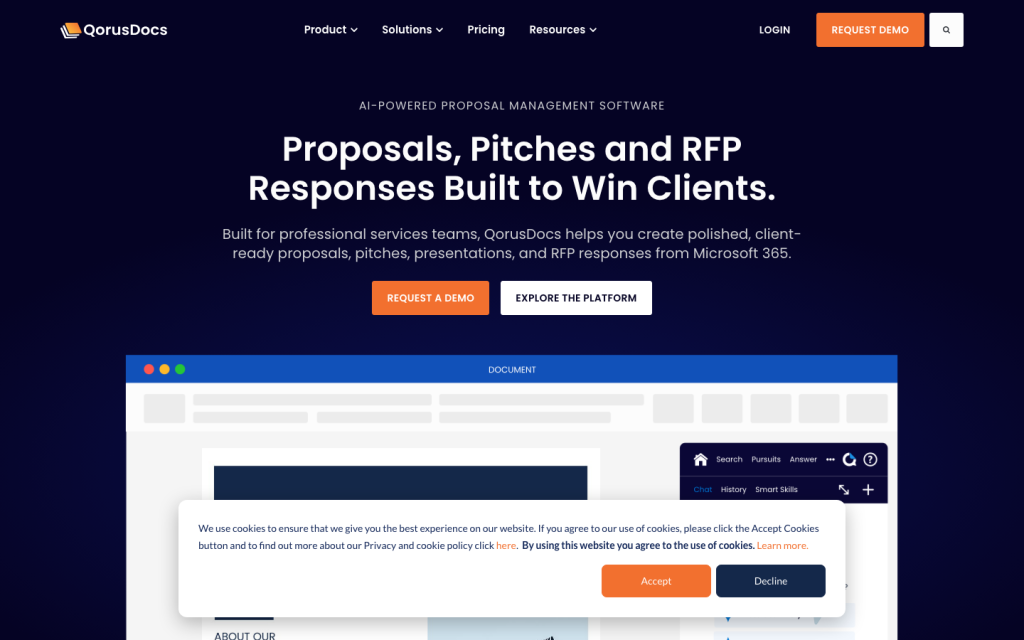
QorusDocs is a Microsoft 365-centered platform for commercial proposals, pitches, presentations, RFP responses and SOWs. It combines reusable content, AI-assisted retrieval and drafting, templates, collaboration, review workflows, and engagement analytics for seller-side pursuits.

Response workflows

The workflow runs from bid/no-bid assessment and requirements extraction through drafting, personalization, SME assignments, deadlines, review, and submission preparation. Auto Answer can pre-populate questionnaire responses using configured Q&A content, while Ask and QPilot retrieve content and create drafts. Auto Answer is not available directly in PowerPoint; the stated path is to complete the question table in Excel and then copy the answers back.

Knowledge and answer controls

Teams can draw on SharePoint Online, Teams, OneDrive for Business, and QorusDocs knowledge libraries. QPilot can show references and previews for results used in an answer, while administrators can synchronize or retrain Q&A content and accept, reject, or edit proposed changes. Ask-enabled SharePoint sources are indexed twice daily, and users should review outputs for accuracy and appropriateness.

Collaboration and integrations

Pursuit workspaces bring together people, assignments, content, completeness reporting, and engagement data. Teams can co-author in real time, comment, manage versions, delegate work, and assign entire files or sections. Integrations span Word, PowerPoint, Outlook, Teams, SharePoint, OneDrive, Salesforce, Dynamics, Litera Foundation, iManage, Intapp DealCloud, and Highspot.

Buyer fit

QorusDocs fits professional-services, legal, AEC, consulting and technology-services organizations with proposal, bid, sales, presales or solution-consulting teams. It is especially well suited to organizations that use Microsoft 365 and manage reusable content. Teams that need dedicated government procurement compliance capabilities should validate their requirements carefully.

Buyer scenarios

Where the product fits — and where to be careful

Microsoft 365 commercial-response teams

Need
Coordinate repeatable RFP, proposal, pitch and SOW work across sales, bid and subject-matter teams.
Why it fits
QorusDocs combines Microsoft 365 authoring, reusable approved content, requirements handling, assignments and review workflows for these commercial pursuits.
Watch out
Numeric pricing is not public, and Auto Answer in PowerPoint requires an Excel workaround.

Strong fit

Governed professional-services and legal content teams

Need
Reuse governed experience, case-study and Q&A content while creating branded client-facing outputs.
Why it fits
ProposalHub and PitchHub target professional-services, AEC, technology-services and law-firm teams, including pitch and legal-RFP work.
Watch out
The available scope does not establish purpose-built FAR, DFARS or government-procurement compliance workflows.

Good fit when Microsoft 365 is standard

Pros & Cons

Pros

  • Broad commercial-pursuit workflow from qualification and requirements extraction through review and handoff.
  • Microsoft 365-centered authoring, collaboration and content access across Word, PowerPoint, Outlook, Teams, SharePoint and OneDrive.
  • Grounded drafting controls include configured sources, references, previews, synchronization and human review.
  • Strong assignment, approval, role and integration coverage for cross-functional response teams.

Cons

  • No public numeric pricing, billing cadence or self-serve free trial.
  • Auto Answer is not available directly in the PowerPoint add-in.
  • The available scope does not establish dedicated FAR, DFARS or government-procurement compliance workflows.
Editorial score breakdown

Editorial scores

Editorial score
3.8
Collaboration and integrations
4.0

QorusDocs supports pursuit workspaces, real-time co-authoring, version control, comments, section and file assignments, approvals, delegation and role-based access, with broad Microsoft 365, CRM, legal-content and sales-enablement connectivity.

Response workflows
4.0

Commercial response teams can assess bid/no-bid fit, extract requirements, retrieve approved content, generate drafts, assign SMEs, track deadlines, review work and prepare submissions. The PowerPoint Auto Answer limitation prevents a top score.

Knowledge and answer controls
4.0

Configured content sources, relevance-ranked retrieval, references, previews, twice-daily SharePoint indexing, synchronization and change-management controls provide substantial governance. Users must review AI output, and no accuracy guarantee is established.

Usability, support & value
3.0

User feedback on ease of use is mixed, with equal positive and negative mentions, while document-workflow feedback is predominantly positive. The aggregate has no sufficient support or value-for-money theme to support a higher score.

From our complete category comparison

QorusDocs alternatives

Category scores use the linked comparison rubric and can differ from a product’s overall review score.

See the full comparison
Reviewed here
Best for
Microsoft-centric organizations that need document generation, proposal automation, and CRM-connected sales content workflows.
Key tradeoff
Pricing is demo-led, with no public numeric list prices or self-serve free trial.
Best for
Enterprise commercial response teams that need a mature, end-to-end RFP platform with AI-assisted content retrieval, cross-functional collaboration, governance, and proposal operations.
Key tradeoff
Inline AI citation markers do not persist after answers are edited or exported.
Best for
Teams prioritizing AI-native RFP drafting, fast response creation from internal knowledge sources, and traceable compliance-focused proposal workflows.
Key tradeoff
Public pricing does not include numeric rates, tiers, contract terms, or trial details.
Best for
Structured commercial proposal teams that need a centralized content library, repeatable response workflows, and scalable cross-functional collaboration.
Key tradeoff
Pricing is available only by custom quote, with no public numeric pricing or billing terms.
ProductCategory scoreBest forKey tradeoff
QorusDocsReviewed here
3.8/5Microsoft-centric organizations that need document generation, proposal automation, and CRM-connected sales content workflows.Pricing is demo-led, with no public numeric list prices or self-serve free trial.
Responsive
4.0/5Enterprise commercial response teams that need a mature, end-to-end RFP platform with AI-assisted content retrieval, cross-functional collaboration, governance, and proposal operations.Inline AI citation markers do not persist after answers are edited or exported.
Ensis AI
4.0/5Teams prioritizing AI-native RFP drafting, fast response creation from internal knowledge sources, and traceable compliance-focused proposal workflows.Public pricing does not include numeric rates, tiers, contract terms, or trial details.
Loopio
4.0/5Structured commercial proposal teams that need a centralized content library, repeatable response workflows, and scalable cross-functional collaboration.Pricing is available only by custom quote, with no public numeric pricing or billing terms.
Customer sentiment

QorusDocs customer reviews and sentiment

Based on 14 public customer reviews. Source mix: 7 from softwareadvice.com, and 7 from softwarereviews.com.

Customer sentiment is analyzed separately and does not determine the Reviews.vc editorial score.

14 public reviews analyzed
Positive
57%8 reviews
Mixed
43%6 reviews
Negative
0%0 reviews
Theme and findingMentionsPositiveNegative
Import, export and document workflows
Templates, Office integration, version control, and structured workflows streamline proposal creation and approvals, though setup and adoption can require time and training.
981
Knowledge management and provenance
Teams value a consolidated, searchable content library for finding boilerplate and reusing prior responses, supported by governance and version tracking.
770
Ease of use
Familiar Microsoft integration and an intuitive interface support adoption, but initial setup, advanced reporting, prompting, and collaborative features can have a learning curve.
633
Response drafting and answer quality
AI tools, templates, and prior-response reuse improve drafting efficiency, while users want simpler prompting and RFP-to-draft-template capabilities.
532
Collaboration and approvals
Real-time co-authoring, workflow controls, and approvals help distributed teams coordinate proposal work and reduce versioning effort.
440

Mentions count unique reviews. One review can count as both positive and negative for the same theme when it describes a mixed experience.

This analysis reflects public customer reviews we could identify and access at the time of collection; the displayed source mix may influence the patterns shown.

Pricing and contract model

QorusDocs publicly names ValueHub, ProposalHub and PitchHub, but does not disclose numeric list prices, billing cadence or standard contract terms. Buyers receive pricing after a personalized demo.

  • There is no self-serve free trial.
  • Pricing depends on team size, use case and required workflows.

Integrations

Documented connections and access methods for QorusDocs.

CRM

Salesforce Native
Microsoft Dynamics Native
Intapp DealCloud Native

AI protocol

Model Context Protocol Protocol

Productivity suite

Microsoft 365 Native

Document storage

Litera Foundation Native
iManage Native

Other

Highspot Native
  • Model Context Protocol connectivity is described as being developed rather than generally available.

What's new

Recent product and company updates

  • 2026-08-20

    Q3 2026 QorusDocs Product Releases

    Q3 releases added centrally managed default AI-model selection, alongside enhancements to QPilot controls and response work.

    Source

FAQ

Does QorusDocs publish pricing?
No numeric list price, billing cadence or standard contract terms are disclosed. Pricing depends on team size, use case and workflows and is provided after a personalized demo.
What response workflows does QorusDocs support?
It supports bid/no-bid assessment, requirements extraction, approved-content retrieval, drafting, SME assignments, due dates, reviews, approvals and submission-package preparation for commercial pursuits.
How does QorusDocs ground AI-generated answers?
QPilot can use top results from an opened content source, with references and previews available for review. Users are instructed to check supporting results before reuse.
Which Microsoft 365 tools does QorusDocs work with?
QorusDocs supports workflows across Word, PowerPoint, Outlook, Teams, SharePoint and OneDrive.
Who is QorusDocs best suited for?
It is suited to professional-services, legal, AEC, consulting and technology-services teams that work in Microsoft 365 and maintain governed reusable content.
Review transparency Corrections policy
Change history
  1. 2026-09-24 Comparison Added alternatives comparison from Best AI RFP Writers & Response Software.
  2. 2026-09-18 Initial publication First published version of this review.
21 sources analyzed
  1. AI RFP qorusdocs.com
  2. Proposal Software qorusdocs.com
  3. A practical guide to working on an RFP with QPilot helpcenter.qorusdocs.com
  4. Pricing qorusdocs.com
  5. Integrations qorusdocs.com
  6. Using Auto Answer to respond to an RFx in Word helpcenter.qorusdocs.com
  7. Responding to an RFx in PowerPoint format helpcenter.qorusdocs.com
  8. How to Use Ask Smart Search helpcenter.qorusdocs.com
  9. Configure Search Types on SharePoint Content Sources helpcenter.qorusdocs.com
  10. Q3 2026 QorusDocs Product Releases helpcenter.qorusdocs.com

Showing 10 of 21 sources · 11 additional sources analyzed

Feedback on this article

Was this review helpful?

Private editorial feedback. It does not change product ratings or rankings.

Rate QorusDocs

Rate your experience
  • Collaboration and integrations
  • Response workflows
  • Knowledge and answer controls
  • Usability, support & value