
Synthesia logo

Synthesia

Synthesia is a business-focused AI video platform for creating, localizing, and distributing avatar-led videos at scale.

Editorial score

3.8 /5
How we scored it

Is Synthesia worth it?

Nick Oscar
Editor, Reviews.vc · Updated September 18, 2026
Good For

Broad business-video inputs, including prompts, scripts, documents, URLs, PowerPoint, templates, and blank scenes.

Caution

Plan video-minute allowances do not roll over, and downloads are unavailable on Basic and trial access.

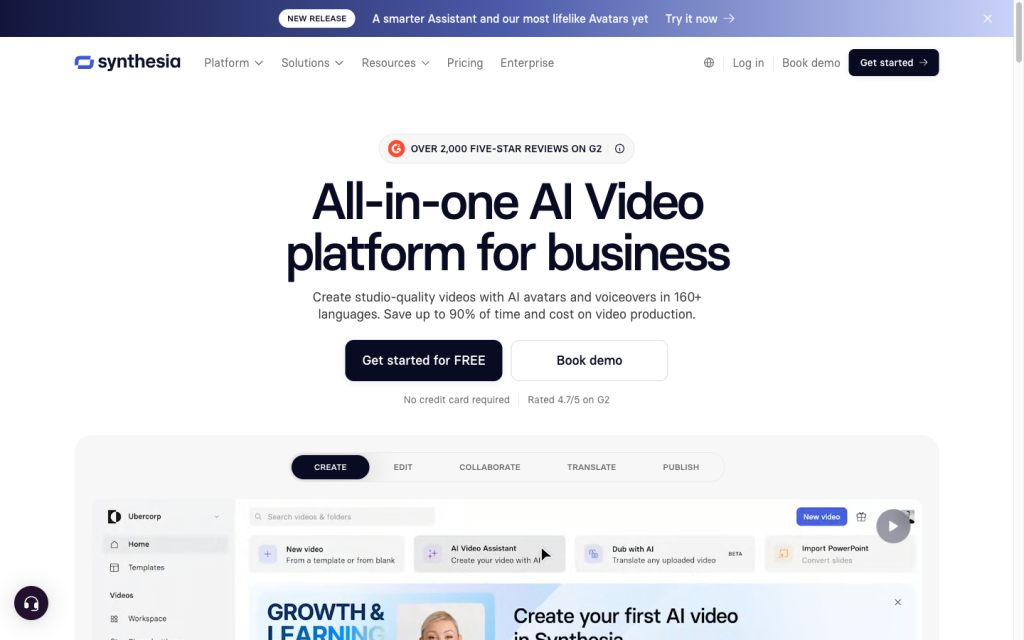
Synthesia product image
synthesia.io
On this page

Synthesia is a capable AI video platform for organizations producing presenter-led training, onboarding, internal communication, sales, and support content. Its strengths are structured creation, avatars, multilingual localization, and business-ready distribution. It is a less natural fit when the priority is unrestricted cinematic generation or fine-grained filmmaking controls.

What is Synthesia?

Synthesia is a browser-based AI video platform for businesses. It turns prompts, scripts, documents, URLs, PowerPoint files, templates, and blank scenes into assembled videos with avatars, voiceovers, layouts, media, captions, and optional interactivity. Its center of gravity is repeatable, presenter-led communication for teams rather than one-off cinematic video creation.

Generation capabilities

Creation can start from a prompt, finished script, supporting file, PowerPoint deck, URL, template, or blank canvas. The assistant can draft a script and visuals from a prompt and supplied material. The platform combines scene-based avatar videos with multilingual voices, translation, dubbing, voice cloning, personal avatars, and short generated image or video assets.

This is a broad business video toolkit that is especially effective for structured explainer, training, enablement, and internal communication formats. Its generative visual clips complement the scene editor rather than replacing it with unrestricted long-form text-to-video generation.

Creative control

Synthesia offers meaningful control over scripts, scenes, avatars, voices, media, layouts, and interactive elements. The assistant can shorten a video, adjust tone, rewrite scenes, and alter visuals. Avatar Builder adds controls for style, gender, age, vibe, camera, framing, pose, position, expression, and lighting; users can return to earlier generations during a session.

Teams can also customize avatar outfits, spaces, poses, and placement. Enterprise extends branding with Brand Kit colors, logos, and reference images. Constraints matter: Avatar Builder does not use photo references, generated video assets are short and model-defined, and creating personal avatars requires a live consent video.

Output and workflow

Synthesia covers creation, editing, localization, sharing, embedding, and automation for business video. Paid plans support downloading 1080p MP4, WAV, XLIFF, SRT, and VTT files. Videos can be distributed by link or embed, while Enterprise adds SCORM packages. Creator and Enterprise include interactive buttons and branching, with quizzes reserved for Enterprise.

The platform also connects to learning systems, publishing destinations, and automation tools. Its APIs support asynchronous video generation, dubbing, translation, templates, aspect ratios, and private download links. The primary workflow tradeoff is plan gating: basic and trial users cannot download generated videos, and video-minute allowances do not carry over.

Who should buy Synthesia?

Synthesia is a strong option for organizations creating recurring, multilingual, avatar-led content for learning and development, onboarding, internal communications, IT, customer support, sales enablement, and marketing. Templates, variables, APIs, translation, dubbing, and distribution options make it practical for localized and personalized programs.

It is less aligned with filmmakers and creators whose priority is unrestricted native cinematic generation, long continuous shots, or precise film direction controls. Buyers should also match their publishing volume and required enterprise features to the plan limits.

Buyer scenarios

Where the product fits — and where to be careful

Learning and development teams

Need
Create and localize training, onboarding, and enablement videos at scale.
Why it fits
Avatar-led creation, multilingual voiceovers, captions, translation, branching, quizzes, SCORM, embeds, and LMS connections suit repeatable learning content.
Watch out
Quizzes and SCORM export are Enterprise-only, and usage remains subject to plan video-minute limits.

Strong fit

Business communications teams

Need
Publish consistent, localized presenter-led videos across business functions.
Why it fits
Templates, variables, APIs, dubbing, sharing, and embeds support repeatable internal, customer, sales, and marketing communications without a studio workflow.
Watch out
It is not designed for unrestricted cinematic generation, extended continuous shots, or fine-grained film-direction control.

Strong fit for presenter-led video

Pros & Cons

Pros

  • Broad business-video inputs, including prompts, scripts, documents, URLs, PowerPoint, templates, and blank scenes.
  • Strong avatar, voice, translation, dubbing, captioning, and localization capabilities.
  • Useful production workflow with 1080p downloads, embeds, SCORM, APIs, and automation options.
  • Structured scene and avatar controls support repeatable branded communications.

Cons

  • Plan video-minute allowances do not roll over, and downloads are unavailable on Basic and trial access.
  • Advanced branding, quizzes, and SCORM are gated to Enterprise.
  • Generated visual video assets are short, and the platform is not built for unrestricted cinematic filmmaking.
Editorial score breakdown

Editorial scores

Editorial score
3.8
Generation capabilities
4.0

Synthesia supports numerous structured inputs, scene-based avatar video, multilingual voices, translation, dubbing, personal avatars, and short generated visual assets, making it strong for business video production.

Output and workflow
4.0

The platform provides downloadable media and caption formats, links, embeds, SCORM, interactivity, APIs, publishing connections, and automation, with clear plan and download restrictions.

Creative control
4.0

Script revision, scene editing, visual changes, avatar customization, Avatar Builder parameters, interactive logic, and Enterprise brand controls give business creators substantial repeatability.

Usability, support & value
3.0

User feedback is strongly positive on ease of use and onboarding, while value-for-money feedback is mixed, creating a material tradeoff for buyers evaluating subscription usage limits.

Customer sentiment

Synthesia customer reviews and sentiment

Based on 71 public customer reviews. Source mix: 48 from trustpilot.com, 20 from softwareadvice.com, and 3 from trustradius.com.

Customer sentiment is analyzed separately and does not determine the Reviews.vc editorial score.

71 public reviews analyzed
Positive
61%43 reviews
Mixed
15%11 reviews
Negative
24%17 reviews
Theme and findingMentionsPositiveNegative
Generation capabilities
Users generally create polished avatar-led videos and multilingual voiceovers effectively, though some report inconsistent pronunciation, voice delivery, and avatar realism.
372713
Output and workflow
The platform can substantially shorten video production, especially for turning scripts or PowerPoints into training and marketing content.
342510
Value for money
Pricing value is undermined for some buyers by expiring credits, limited monthly generation capacity, and disputed or unclear annual billing practices.
211011
Ease of use
Buyers commonly find the interface intuitive and quick to learn, enabling video creation without advanced production skills.
20182
Onboarding
Training sessions, Academy materials, online help, and webinars are widely viewed as clear and practical for getting started and expanding skills.
18172

Mentions count unique reviews. One review can count as both positive and negative for the same theme when it describes a mixed experience.

This analysis reflects public customer reviews we could identify and access at the time of collection; the displayed source mix may influence the patterns shown.

Review sentiment over time

PeriodnPositiveMixedNegative
2025 Q4Limited sample2020
2026 Q1262123
2026 Q212426
2026 Q310316

Only periods containing dated reviews are shown; gaps between labels mean no dated reviews were available for those periods.

Pricing and contract model

Synthesia publishes four plans: free Basic, paid Starter and Creator subscriptions, and custom-priced Enterprise. Plans use recurring subscriptions and shared credits; unused video allowance does not roll over.

PlanPriceIncludes
Basic
Free
monthly
Includes up to 10 minutes of video per month.
Starter
$29/month monthly or $18/month equivalent yearly
monthly or yearly
Includes up to 10 minutes of video per month.
Creator
$89/month monthly or $64/month equivalent yearly
monthly or yearly
Includes up to 30 minutes of video per month.
  • Usage is capped at the plan limit until renewal or upgrade.

Integrations

Documented connections and access methods for Synthesia.

Automation

Automation platforms Via automation

Developer/API

Synthesia APIs Public API

Productivity suite

Learning platforms Native
Content and publishing tools Native
  • Synthesia lists 35+ integrations.

What's new

Recent product and company updates

  • 2026-09-15

    Improve videos created by Assistant with curated B-roll

    Assistant gained curated AI video B-roll that is automatically matched to scenes.

    Source
  • 2026-01-26

    Synthesia raises $200 million Series E at $4 billion valuation

    Synthesia announced a $200 million Series E at a $4 billion valuation.

    Source

FAQ

What does Synthesia cost?
Synthesia offers a free Basic plan, Starter at $29 per month or $18 per month equivalent when billed yearly, Creator at $89 per month or $64 per month equivalent when billed yearly, and custom-priced Enterprise plans.
What can Synthesia generate?
Synthesia creates scene-based business videos from prompts, scripts, documents, URLs, PowerPoint files, templates, or a blank canvas, with avatars, voiceovers, captions, translation, dubbing, and short generated visual assets.
What creative controls does Synthesia provide?
Users can revise scripts and visuals, select and customize avatars, voices, layouts, media, scenes, and interactive logic. Avatar Builder includes controls for style, age, vibe, camera, framing, pose, position, expression, and lighting.
What are Synthesia's key limits?
A project can have up to 150 scenes, each up to five minutes, with a four-hour total duration. Basic and trial users cannot download generated videos, unused video minutes do not roll over, and generative video assets are short clips.
Review transparency Corrections policy
Change history
  1. 2026-09-18 Initial publication First published version of this review.
32 sources analyzed
  1. AI Video Generator synthesia.io
  2. Video Creation docs.synthesia.io
  3. Synthesia Pricing synthesia.io
  4. Synthesia Integrations synthesia.io
  5. Synthesia API Introduction docs.synthesia.io
  6. How do I create a video using Assistant? help.synthesia.io
  7. How can I generate custom video and image assets in Synthesia? help.synthesia.io
  8. How do I download my Synthesia video? help.synthesia.io
  9. Improve videos created by Assistant with curated B-roll synthesia.io
  10. Synthesia raises $200 million Series E at $4 billion valuation synthesia.io

Showing 10 of 32 sources · 22 additional sources analyzed

Feedback on this article

Was this review helpful?

Private editorial feedback. It does not change product ratings or rankings.

Rate Synthesia

Rate your experience
  • Generation capabilities
  • Output and workflow
  • Creative control
  • Usability, support & value