
Tabnine logo

Tabnine

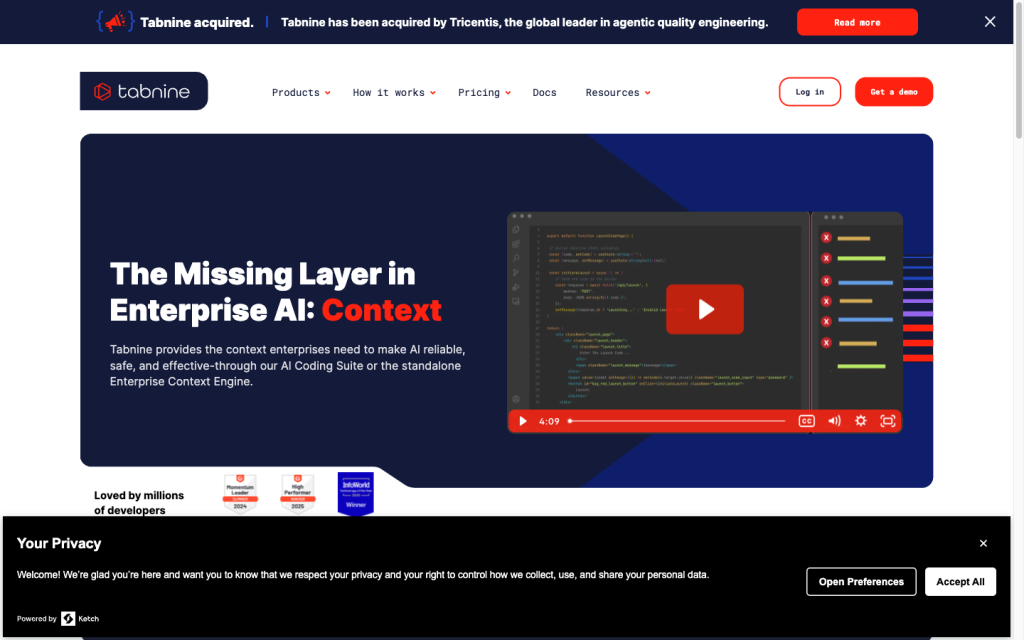
Tabnine is an enterprise AI coding platform with agent workflows, deployment flexibility, and configurable review controls.

Editorial score

3.5 /5
How we scored it

Is Tabnine worth it?

Nick Oscar
Editor, Reviews.vc · Updated September 18, 2026
Good For

Combines inline completion, chat, project edits, refactoring, and test generation.

Caution

CLI commands run with the invoking user's system permissions, without a separate execution sandbox established here.

Tabnine product image
tabnine.com
On this page

Tabnine is an enterprise AI coding platform for teams that want inline assistance, repository-aware agent workflows, and deployment options across SaaS, VPC, on-premises, and air-gapped environments. Its best fit is governed engineering workflows that can use approval controls and repository context; buyers should weigh CLI transition plans, IDE coverage, and support responsiveness.

What is Tabnine?

Tabnine is an enterprise-oriented AI coding platform that combines inline completion, IDE chat, repository-aware tools, and task-oriented agents. Its packaging separates the Code Assistant Platform from the Agentic Platform, which adds agentic workflows and the Tabnine Context Engine.

Coding capabilities

Tabnine provides current-line, multi-line, and full-function code completion, along with chat for writing, understanding, and refactoring code. Its Agent can create and edit project files, search workspaces, inspect diagnostics and terminal output, run commands, refactor across a codebase, and generate tests. Built-in commands include /test, /describe-pr, and /code-review.

Execution and review control

Tabnine gives teams configurable action controls: native Agent tools can be auto-approved, require confirmation, or be disabled. Proposed edits to existing files appear in a comparison view for approval or rejection. CLI plan mode is read-only until the user approves a plan, but shell commands run with the same system permissions as the person invoking the CLI, and CI/CD can auto-accept tool calls.

Developer workflow

Tabnine works across VS Code, JetBrains IDEs, Eclipse, and Visual Studio, with CLI support for macOS, Linux, WSL, Windows PowerShell, and Windows CMD. It supports local and remote repository context, team-scoped remote repository access, and SaaS, VPC, on-premises, or air-gapped deployment. Tabnine Agent is not available for Eclipse. The standalone CLI is in maintenance mode, with critical updates scheduled through December 31, 2026, as users transition to an OpenCode plugin.

Buyer fit

Tabnine is best suited to enterprise engineering organizations that need deployment options, repository context, administrative governance, model choice, and CI/CD-connected workflows. It is worth evaluating IDE coverage, privacy architecture, and the CLI transition before standardizing. Teams that cannot permit context transfer off-device should closely assess the deployment and inference design.

Buyer scenarios

Where the product fits — and where to be careful

Enterprise teams with deployment and governance needs

Need
Controlled AI coding across repositories and delivery workflows.
Why it fits
SaaS, VPC, on-premises, and air-gapped options, repository context, model choice, and configurable agent approvals fit teams with deployment and governance requirements.
Watch out
Assess inference and context-transfer design if source context cannot leave the device. Eclipse has completion support but does not support Tabnine Agent.

Strong fit

Teams adopting agent-assisted development

Need
Agent-assisted coding, refactoring, testing, and review with human approval points.
Why it fits
Inline completion, chat, project edits, test generation, repository connections, and optional CI/CD workflows cover a broad developer-tooling workflow.
Watch out
The standalone CLI is in maintenance mode through December 31, 2026 while users transition toward an OpenCode plugin. CLI commands use the invoking user's system permissions.

Fit with transition planning

Pros & Cons

Pros

  • Combines inline completion, chat, project edits, refactoring, and test generation.
  • Configurable approval settings, edit comparisons, and read-only CLI planning support human oversight.
  • Covers major IDE families, repositories, CI/CD-connected workflows, and multiple deployment models.
  • Public annual pricing clearly separates assistant and agentic platform offerings.

Cons

  • CLI commands run with the invoking user's system permissions, without a separate execution sandbox established here.
  • The standalone CLI is in maintenance mode through December 31, 2026 during a transition toward an OpenCode plugin.
  • Tabnine Agent is unavailable in Eclipse.
  • Accepted user feedback includes recurring negative support mentions.
Editorial score breakdown

Editorial scores

Editorial score
3.5
Developer workflow
4.0

Tabnine spans major IDEs, terminal environments, repository context, CI/CD-connected work, and four deployment patterns. The lack of Agent support for Eclipse and the CLI maintenance transition are material workflow limits.

Coding capabilities
4.0

Inline completion, codebase-aware work, multi-file edits, refactoring, test generation, and review-oriented commands provide strong documented coding coverage.

Execution and review control
4.0

Per-tool approvals, edit comparison, and read-only plan mode provide meaningful control points. Buyers should account for user-level CLI permissions and non-interactive CI/CD auto-accept.

Usability, support & value
2.0

Accepted user feedback contains recurring negative support mentions, so usability, support, and value cannot be rated above the lowest rubric level despite the platform's public feature set.

Customer sentiment

Tabnine customer reviews and sentiment

Based on 26 public customer reviews. Source mix: 15 from softwarereviews.com, 9 from trustpilot.com, 1 from gartner.com, and 1 from softwareadvice.com.

Customer sentiment is analyzed separately and does not determine the Reviews.vc editorial score.

26 public reviews analyzed
Positive
31%8 reviews
Mixed
46%12 reviews
Negative
23%6 reviews
Theme and findingMentionsPositiveNegative
Coding capabilities
Code completion often speeds up repetitive work, but suggestions can lose project context or accuracy on complex logic.
17148
Developer workflow
Users report meaningful productivity gains, though IDE lag and large-project performance can interrupt the workflow.
1295
Integrations
IDE integration is generally valued, but some users report IDE crashes, account-login conflicts, and a desire for terminal/CLI integration.
734
Support
Support and subscription resolution are a major pain point, with reports of slow or absent email responses and difficulty cancelling or resolving access issues.
505
Execution and review control
Local and cloud deployment options offer privacy and power trade-offs, but users want more control over when suggestions appear.
431

Mentions count unique reviews. One review can count as both positive and negative for the same theme when it describes a mixed experience.

This analysis reflects public customer reviews we could identify and access at the time of collection; the displayed source mix may influence the patterns shown.

Review sentiment over time

PeriodnPositiveMixedNegative
2025 Q3Limited sample1001
2025 Q4Limited sample1001
2026 Q1Limited sample2101
2026 Q2Limited sample1001

Only periods containing dated reviews are shown; gaps between labels mean no dated reviews were available for those periods.

Pricing and contract model

Tabnine publishes annual per-user prices for its Code Assistant and Agentic platforms. Tabnine-provided LLM access uses reserved token quota at provider cost plus a 5% handling fee; customer-provided on-premises models or cloud LLM endpoints have unlimited usage.

PlanPriceIncludes
Code Assistant Platform
$39 per user per month
Annual subscription
Code Assistant Platform on an annual subscription.
Agentic Platform
$59 per user per month
Annual subscription
Includes the Code Assistant Platform, agentic workflows, and the Tabnine Context Engine on an annual subscription.
  • The pricing page does not present self-serve free-tier or trial terms.

Integrations

Documented connections and access methods for Tabnine.

Developer/API

Repository providers Native

AI protocol

MCP-connected development systems Protocol

Other

Supported IDEs Embedded
Model providers Other
  • MCP provides the connection path for the listed development systems.

What's new

Recent product and company updates

  • 2026-01-26

    Introducing the Tabnine CLI

    Tabnine launched a standalone terminal-native CLI for repository understanding, command execution, file modification, workflow management, and CI/CD pull-request reviews.

    Source
  • 2026-04-29

    May 2026 Product Update: Improving Core Workflows

    A product update added improved Chat context lookup, a /test workflow, simplified inline actions, and a lighter-weight code-awareness system.

    Source
  • 2026-07-30

    A New Chapter for Tabnine

    Tricentis acquired Tabnine, with the Enterprise Context Engine set to become part of the Tricentis Agentic Quality Engineering Platform.

    Source

FAQ

How much does Tabnine cost?
The Code Assistant Platform is listed at $39 per user per month on an annual subscription. The Agentic Platform is listed at $59 per user per month annually and includes the Code Assistant Platform, agentic workflows, and the Tabnine Context Engine.
What coding work can Tabnine Agent perform?
Tabnine Agent can create and edit project files, search workspaces, inspect diagnostics, read terminal output, run commands, refactor across a codebase, and generate tests.
Which development environments does Tabnine support?
Tabnine supports VS Code, JetBrains IDEs, Eclipse, Visual Studio 2022, and Visual Studio 2026. Its CLI supports macOS, Linux, WSL, Windows PowerShell, and Windows CMD.
How does Tabnine control agent actions?
Agent native tools can be set to Auto-approve, Ask first, or Disable. Existing-file edits use a comparison view for approval or rejection, while CLI plan mode remains read-only until approval.
Review transparency Corrections policy
Change history
  1. 2026-09-18 Initial publication First published version of this review.
21 sources analyzed
  1. Tabnine Pricing tabnine.com
  2. Tabnine Agent settings docs.tabnine.com
  3. How to use Tabnine Agent docs.tabnine.com
  4. Tabnine CLI built-in tools docs.tabnine.com
  5. Tabnine CLI commands docs.tabnine.com
  6. Supported IDEs docs.tabnine.com
  7. Privacy docs.tabnine.com
  8. Introducing the Tabnine CLI tabnine.com
  9. May 2026 Product Update: Improving Core Workflows tabnine.com
  10. A New Chapter for Tabnine tabnine.com

Showing 10 of 21 sources · 11 additional sources analyzed

Feedback on this article

Was this review helpful?

Private editorial feedback. It does not change product ratings or rankings.

Rate Tabnine

Rate your experience
  • Developer workflow
  • Coding capabilities
  • Execution and review control
  • Usability, support & value