Hostinger logo

Hostinger

Hostinger AI Builder pairs a visual site builder and hosted publishing with an Agentic mode for prompt-driven web apps.

Editorial score

3.8 /5
How we scored it

Is Hostinger worth it?

Nick Oscar
Editor, Reviews.vc · Updated September 18, 2026
Good For

Manual mode combines a drag-and-drop editor with responsive controls, templates, and AI-assisted content tools.

Caution

Manual WordPress exports omit layouts, styles, store data, forms, submissions, integrations, and SEO settings.

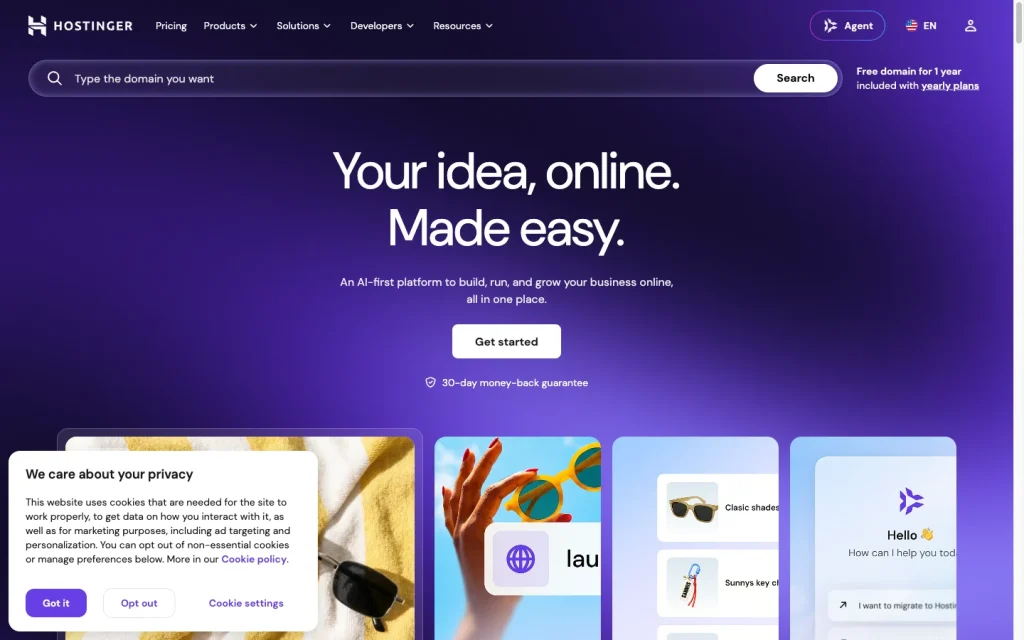
Hostinger product image
hostinger.com
On this page

Hostinger AI Builder brings together a no-code visual builder, hosting, domains, ecommerce, and marketing tools for straightforward websites. Its Agentic mode adds a separate prompt-driven path for web apps and code export, though important portability limits remain for both modes.

What is Hostinger AI Builder?

Hostinger AI Builder is a hosted website-and-app creation product within Hostinger’s platform. Its Manual mode offers a no-code drag-and-drop workflow for content-focused sites, while Agentic mode is a prompt-driven coding environment for websites, apps, dashboards, and client portals.

Site creation and editing

Users can start with a description or a template, then customize pages in the drag-and-drop editor. Manual mode includes page and navigation controls, editable URLs, global and local styling, media management, version history, blog workflows, and a separate mobile editor with layout adjustments and auto-fix tools. AI Writer, Blog Generator, Image Generator, Logo Maker, and SEO Assistant expand the creation toolkit.

Generated output can vary and needs independent checking, especially where accuracy, originality, legal compliance, or intellectual-property risk are concerned.

Site features and commerce

Manual mode covers pages, navigation, blogs, forms, ecommerce, SEO settings, and common analytics and marketing connections. Stores can manage products, orders, inventory, shipping, physical and digital products, services, and print-on-demand items, with support for up to 1,000 products.

Forms provide custom and required fields, notifications, post-submit actions, submission viewing, and CSV export. SEO controls include metadata, URLs, keywords, noindex settings, alt text, header tags, link attributes, sitemaps, and language tags. WCAG conformance and guaranteed search rankings are not established.


Publishing, domains, and export

Plans bundle hosting and automatic SSL, support custom or externally connected domains, and provide a temporary builder-preview.com address before launch. A custom domain is included for the first year on listed plans.

Portability depends on the mode. Manual content can move to WordPress, but visual layouts, styles, ecommerce data, integrations, forms, submissions, and SEO settings stay behind. Agentic mode exports a React/Vite Node.js ZIP project, but excludes integrated backend data; edited exports cannot return to AI Builder for further prompting.

Who should choose Hostinger AI Builder?

Hostinger AI Builder fits beginners, creators, freelancers, and small businesses that want visual building, hosting, domains, forms, blogging, ecommerce, and basic marketing tools in one service. Manual mode is particularly well suited to portfolios, company sites, landing pages, and smaller stores.

It is less suitable for teams that need a highly flexible CMS and plugin ecosystem, server-level access, standard file workflows, full visual export, or verified accessibility compliance. Buyers with primarily custom software needs should evaluate Agentic mode as a separate workflow.

Buyer scenarios

Where the product fits — and where to be careful

Launch a small-business or creator website

Need
Create and publish a portfolio, company site, landing page, blog, or small-to-mid-sized store without coding.
Why it fits
Manual mode combines a drag-and-drop editor with hosting, domain connection, forms, blogs, ecommerce, and marketing integrations.
Watch out
Manual exports to WordPress exclude layouts, styles, store data, forms, submissions, integrations, and SEO settings.

Good fit for users who prioritize an all-in-one visual publishing workflow over complete project portability.

Prototype a custom web app

Need
Build a prompt-driven app, dashboard, or client portal with more custom behavior than a conventional site builder.
Why it fits
Agentic mode can create websites, apps, dashboards, and client portals from prompts, with third-party API integration and a React/Vite export.
Watch out
Exports omit integrated backend data and cannot be re-imported for continued prompting after editing.

Consider separately from Manual mode when custom software logic and code export matter.

Pros & Cons

Pros

  • Manual mode combines a drag-and-drop editor with responsive controls, templates, and AI-assisted content tools.
  • Hosting, automatic SSL, domain connection, forms, blogging, ecommerce, and SEO controls are bundled into the workflow.
  • Agentic mode offers a React/Vite project export for code-oriented web projects.
  • User feedback is particularly positive about ease of use.

Cons

  • Manual WordPress exports omit layouts, styles, store data, forms, submissions, integrations, and SEO settings.
  • Agentic exports exclude integrated backend data and cannot be re-imported for continued prompting after editing.
  • AI credits are one-time allowances, while unlimited features remain subject to a Fair Usage Policy.
  • User feedback on support and value is positive overall but includes a meaningful number of negative mentions.
Editorial score breakdown

Editorial scores

Editorial score
3.8
Site functionality
4.0

Hostinger supports pages, navigation, blogs, detailed forms, ecommerce for up to 1,000 products, SEO controls, and common marketing integrations. Accessibility conformance is not established.

Deployment and portability
3.0

Hosting, SSL, custom and external domains, preview domains, WordPress content export, and Agentic code export are available, but both export paths have substantial portability limits.

Usability, support & value
4.0

The user-review aggregate is strongly positive on ease of use and generally positive on support and value, although support and value also attract notable negative feedback.

Site creation
4.0

Users can generate a starting site from a description, choose templates, and refine pages through drag-and-drop, styling, navigation, mobile editing, version history, and AI content tools.

Customer sentiment

Hostinger customer reviews and sentiment

Based on 104 public customer reviews. Source mix: 61 from capterra.ca, 30 from trustpilot.com, 8 from getapp.com, and 5 from trustradius.com.

Customer sentiment is analyzed separately and does not determine the Reviews.vc editorial score.

104 public reviews analyzed
Positive
60%62 reviews
Mixed
20%21 reviews
Negative
20%21 reviews
Theme and findingMentionsPositiveNegative
Support
Human agents are often praised as patient and effective, but AI-first support, slow queues, and unclear escalation can leave complex issues unresolved.
493224
Ease of use
Setup, dashboards, and deployment are generally approachable for beginners, although some users find the builder, navigation, and templates limiting or unintuitive.
41385
Value for money
Many users see strong affordability and cost-to-benefit value, but outages, unexpected renewal charges, and plan upgrades can undermine those savings.
382516
Site functionality
The platform offers useful management tools and quick site setup, but backup reliability, uptime, builder flexibility, and file-manager sessions are recurring concerns.
301716
Deployment and portability
Node.js deployments are commonly described as fast and streamlined through GitHub integration and automatic setup, though heavier workloads and domain publishing issues can require caution.
29247

Mentions count unique reviews. One review can count as both positive and negative for the same theme when it describes a mixed experience.

This analysis reflects public customer reviews we could identify and access at the time of collection; the displayed source mix may influence the patterns shown.

Review sentiment over time

PeriodnPositiveMixedNegative
2025 Q4Limited sample3201
2026 Q110631
2026 Q212912
2026 Q3362079

Only periods containing dated reviews are shown; gaps between labels mean no dated reviews were available for those periods.

Pricing and contract model

Hostinger lists promotional AI Builder hosting prices as effective monthly amounts on 48-month terms paid upfront. Publishing requires a paid plan; a 14-day builder trial and a 30-day money-back guarantee are listed.

PlanPriceIncludes
Premium
$2.99/month effective; $143.52 paid upfront
48 months
Up to three websites and five one-time AI credits; renews at $10.99/month.
Unlimited
$3.99/month effective; $191.52 paid upfront
48 months
Unlimited websites and 15 one-time AI credits; renews at $16.99/month.
Cloud Startup
$7.99/month effective; $383.52 paid upfront
48 months
Unlimited websites, 15 AI credits, and 20 Hostinger Agents credits; renews at $25.99/month.
  • Listed plans include a custom domain and mailboxes free for one year.
  • Unlimited features are subject to the Fair Usage Policy.

Integrations

Documented connections and access methods for Hostinger.

Automation

Mailchimp and Zapier Native

Developer/API

Third-party APIs Public API
Custom Code Native

Procurement/ERP

Stripe Native

Other

Marketing and analytics tools Native
  • Integration availability differs between Manual and Agentic modes.

What's new

Recent product and company updates

  • 2026-08-24

    AI Builder and Hostinger Agent unification

    Hostinger unified Horizons and Website Builder as AI Builder, and merged Kodee and Hostinger AI Agents into Hostinger Agent.

    Source
  • 2026-08-17

    MCP server and dark theme added

    Website Builder and AI Builder added an MCP server and a dark theme.

    Source

FAQ

How much does Hostinger AI Builder cost?
Promotional 48-month plans list effective monthly prices of $2.99 for Premium, $3.99 for Unlimited, and $7.99 for Cloud Startup, paid upfront. Renewal prices differ by plan.
What can I build with Hostinger AI Builder?
Manual mode suits portfolios, blogs, company sites, landing pages, appointment-oriented sites, and online stores. Agentic mode targets websites, apps, dashboards, and client portals.
Can I use my own domain with Hostinger AI Builder?
Yes. Existing domains can be connected, and listed plans include a custom domain free for the first year. A temporary builder-preview.com address is available before a custom domain is attached.
Can I export a Hostinger AI Builder project?
Manual content can be exported to WordPress, but layouts, styles, store data, forms, submissions, integrations, and SEO settings do not transfer. Agentic mode exports a React/Vite Node.js ZIP project, excluding integrated backend data.
Review transparency Corrections policy
Change history
  1. 2026-09-18 Initial publication First published version of this review.
25 sources analyzed
  1. Website Builder hostinger.com
  2. AI Builder pricing hostinger.com
  3. Difference between Manual and Agentic mode hostinger.com
  4. How to export code from Agentic mode hostinger.com
  5. How to use Manual mode hostinger.com
  6. How to add and manage contact forms support.hostinger.com
  7. How to add integrations in Manual mode hostinger.com
  8. Manual mode SEO settings hostinger.com
  9. Product updates: week 34, 2026 hostinger.com
  10. Product updates: week 33, 2026 hostinger.com

Showing 10 of 25 sources · 15 additional sources analyzed

Feedback on this article

Was this review helpful?

Private editorial feedback. It does not change product ratings or rankings.

Rate Hostinger

Rate your experience
  • Site functionality
  • Deployment and portability
  • Usability, support & value
  • Site creation