
Bolt.new logo

Bolt.new

Bolt.new is a prompt-led builder for websites and applications with code access, cloud services, and meaningful deployment options.

Editorial score

3.3 /5
How we scored it

Is Bolt.new worth it?

Nick Oscar
Editor, Reviews.vc · Updated September 18, 2026
Good For

Prompt-led generation creates working websites, web applications, and mobile projects in the browser.

Caution

A first-party visual CMS, visual breakpoint editor, native form management, and complete accessibility coverage are not established.

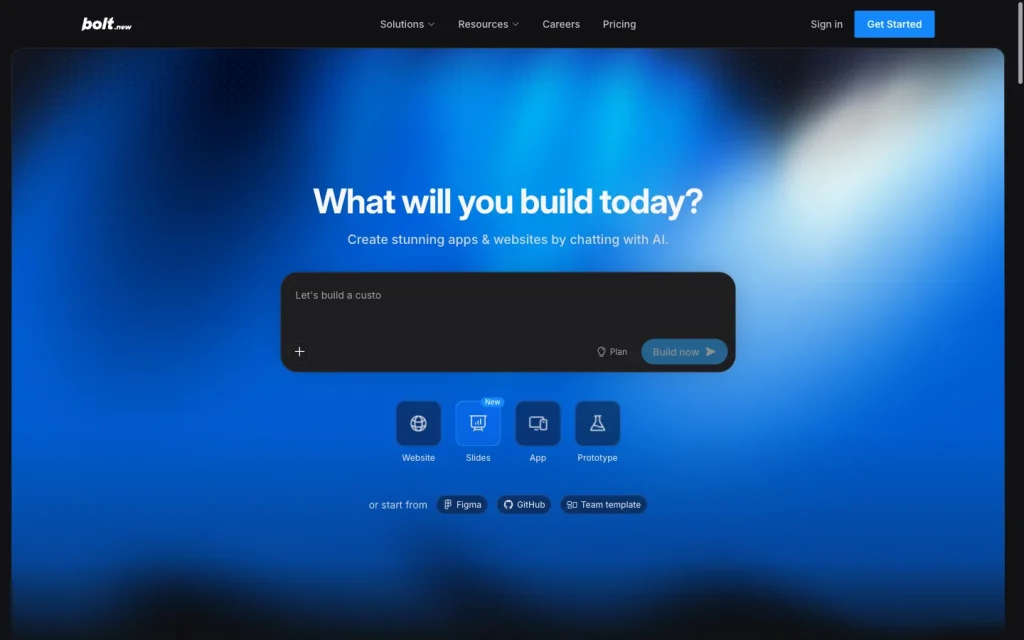
Bolt.new product image
bolt.new
On this page

Bolt.new is an AI-powered, browser-based builder for websites, full-stack JavaScript applications, and mobile apps. Its mix of prompt-led generation, visual and code editing, built-in cloud services, and GitHub workflows makes it a strong option for iterative teams that want more than a conventional site builder. The tradeoff is that traditional CMS, form-management, and responsive-breakpoint workflows are not established, while user feedback raises substantial concerns about value and support.

What is Bolt.new?

Bolt.new is a browser-based AI builder for websites, JavaScript-based full-stack web applications, and mobile apps. Describe an idea in chat and Bolt generates a working project. It serves people without coding experience while retaining code editing and repository workflows for developers, so it goes beyond a conventional visual-only website builder.

Creation workflow and editing

Bolt turns a prompt into a working project and supports landing pages, personal and corporate sites, and e-commerce shops. The in-preview Select tool can edit text, colors, typography, formatting, alignment, image properties, links, and image alt text. Code view provides file-level editing, creation, and deletion, although it is read-only in Safari.

Teams can import a Figma frame to generate a project from its layout. Paid Teams accounts can use design system functionality, with design systems importable from GitHub repositories, private npm registries, or Storybook.

Site functionality

Bolt Cloud combines hosting, databases, domains, authentication, storage, logs, secrets, server functions, user management, and app email sending. Paid Bolt-hosted projects also include analytics for visitors, page views, top pages, bandwidth, traffic sources, locations, and top 404 pages.

Its functionality can extend through services such as Stripe, GitHub, Google SSO, Supabase, Netlify, Expo, Figma, Google Stitch, and MCP servers. Teams looking for a traditional visual CMS, a native visual form builder, a form submission inbox, or an editorial workflow should plan for alternatives or custom implementation.

Deployment and portability

Every project can publish to a free .bolt.host address, while paid plans can connect an existing custom domain or purchase one through Bolt. Custom domains include managed HTTPS. Free hosting provides up to 10 GB of bandwidth and 333,333 monthly requests per account; Pro provides up to 30 GB of bandwidth and 1 million requests.

GitHub synchronization supports commits, branches, repository backups, and work across Bolt, GitHub, Bolt hosting, Netlify, or another service. Projects can also be downloaded and manually deployed to Netlify. A Bolt-hosted project cannot switch directly to Netlify, and Netlify cannot host Bolt's database or a traditional backend.

Who should consider Bolt.new?

Bolt fits non-coders, developers, entrepreneurs, marketers, agencies, and product or design teams that can iterate through prompts, previews, and testing. It’s especially strong for landing pages, portfolios, small-business and corporate sites, e-commerce concepts, prototypes, and projects that need custom application features.

It is less suited to teams that need a conventional no-code CMS, a visual breakpoint system, native submission management, or a completely hands-off production workflow. Technical users gain more options through Code view, GitHub, and connected services.

Buyer scenarios

Where the product fits — and where to be careful

Teams building a custom marketing site or prototype

Need
Create a site or prototype quickly while retaining a path to custom code and app features.
Why it fits
Prompt-led building, visual edits, code access, GitHub synchronization, built-in hosting, and database-backed capabilities suit iterative projects that may grow beyond a simple brochure site.
Watch out
A conventional visual CMS, visual breakpoint editor, native form-submission management, and fully hands-off production workflow are not established.

Good fit for teams prepared to prompt, preview, test, and optionally inspect code.

Product and design teams shipping connected web experiences

Need
Turn designs and requirements into a connected web experience with source-control and service integrations.
Why it fits
Figma import, design-system workflows, team access controls, GitHub, Stripe, Supabase, and MCP connectors support collaborative product-oriented workflows.
Watch out
Hosting and usage limits apply, and Netlify cannot host Bolt's database or a traditional backend.

Strong fit when the team needs integrated building and can manage platform constraints.

Pros & Cons

Pros

  • Prompt-led generation creates working websites, web applications, and mobile projects in the browser.
  • Visual edits, Code view, Figma import, and design-system workflows provide several ways to refine output.
  • Built-in hosting, databases, authentication, domains, analytics, and server functions support richer projects.
  • GitHub synchronization, downloads, and optional Netlify publishing provide practical portability paths.
  • Broad integrations include Stripe, Supabase, GitHub, Figma, Netlify, and MCP connectors.

Cons

  • A first-party visual CMS, visual breakpoint editor, native form management, and complete accessibility coverage are not established.
  • Custom domains require a paid plan, while hosting includes traffic and request limits.
  • Netlify cannot host Bolt's database or a traditional backend, and a Bolt-hosted project cannot switch directly to Netlify.
  • User feedback is predominantly negative on value for money and support.
Editorial score breakdown

Editorial scores

Editorial score
3.3
Site functionality
3.0

Bolt Cloud offers hosting, databases, authentication, storage, server functions, analytics, and connected services, but a traditional CMS, native visual forms, and editorial workflows are not established.

Deployment and portability
4.0

Built-in hosting, free project addresses, paid custom domains, managed HTTPS, GitHub synchronization, downloads, and Netlify publishing create strong options, with explicit plan, traffic, backend, and switching constraints.

Usability, support & value
2.0

Accepted user feedback is heavily negative overall, especially on value for money and support; ease-of-use feedback is more mixed.

Site creation
4.0

Prompt-led generation is complemented by in-preview visual editing, file-level code editing, Figma import, and design-system workflows, though a dedicated responsive breakpoint editor is not established.

Customer sentiment

Bolt.new customer reviews and sentiment

Based on 170 public customer reviews. Source mix: 168 from trustpilot.com, and 2 from producthunt.com.

Customer sentiment is analyzed separately and does not determine the Reviews.vc editorial score.

170 public reviews analyzed
Positive
5%8 reviews
Mixed
18%31 reviews
Negative
77%131 reviews
Theme and findingMentionsPositiveNegative
Value for money
Reviewers frequently say tokens are consumed quickly—often while fixing generated errors—making paid plans feel poor value.
1194115
Site functionality
Core functionality is often described as unreliable, with errors, failed edits or rollbacks, and integration problems that worsen on larger projects.
1041197
Site creation
Users can create polished prototypes quickly, but report that functional or production-ready apps become difficult to build and maintain as requirements grow.
653143
Support
Many reviewers report unanswered tickets, slow follow-up, and difficulty reaching a human or receiving a resolution for technical and billing issues.
58653
Ease of use
The tool can be approachable for simple builds, but users say it requires highly specific prompting and can be difficult for non-coders when edits or projects become more complex.
19109

Mentions count unique reviews. One review can count as both positive and negative for the same theme when it describes a mixed experience.

This analysis reflects public customer reviews we could identify and access at the time of collection; the displayed source mix may influence the patterns shown.

Review sentiment over time

PeriodnPositiveMixedNegative
2025 Q4340826
2026 Q1261223
2026 Q2171511
2026 Q3142210

Only periods containing dated reviews are shown; gaps between labels mean no dated reviews were available for those periods.

Pricing and contract model

Bolt offers Free, Pro, Teams, and Enterprise plans with token-based usage and hosting limits. Monthly and yearly billing are available; yearly billing can save up to 28%.

PlanPriceIncludes
Free
$0
monthly
Includes public and private projects, 1 million monthly tokens, a 300,000-token daily limit, hosting, and unlimited databases.
Pro
$25
per month, billed monthly
Includes at least 10 million monthly tokens, no daily token limit, custom-domain support, hosting, and SEO boosting.
Teams
$30
per member per month, billed monthly
Adds centralized billing, team access management, granular administration, organization sharing, private NPM registries, and design-system knowledge.
  • Hosting limits apply.
  • Yearly billing can save up to 28%; numerical yearly prices are not listed here.

Integrations

Documented connections and access methods for Bolt.new.

Developer/API

GitHub Native

AI protocol

MCP Connectors Protocol

Procurement/ERP

Stripe Native

Data import/export

Supabase Native

Other

Figma Native
Netlify Native
  • Netlify cannot host Bolt's database or a traditional backend.

What's new

Recent product and company updates

  • 2026-09-14

    Introducing Bolt Forge

    Bolt Forge launched as a research preview using open-source AI models, with opt-in sharing of de-identified build sessions.

    Source
  • 2026-09-03

    Visual Edits

    Visual Edits became available to all Bolt.new users.

    Source
  • 2026-08-27

    Prompt Queueing

    Prompt queueing went live for every Bolt.new project.

    Source

FAQ

What does Bolt.new cost?
Bolt has a Free plan at $0, Pro at $25 per month billed monthly, Teams at $30 per member per month billed monthly, and custom Enterprise pricing. Yearly billing can save up to 28%.
What kinds of sites can Bolt.new build?
Bolt can create landing pages, personal and corporate sites, e-commerce shops, and sites with custom application functionality; it also builds full-stack web and mobile projects.
Can I use a custom domain with Bolt.new?
Every project can publish to a free .bolt.host address. Paid plans support custom domains purchased through Bolt or connected from an existing registrar.
Can I export a Bolt.new project?
Projects can be downloaded, and GitHub synchronization can back up code and support work outside Bolt. A general-purpose site-export workflow is not established.
Review transparency Corrections policy
Change history
  1. 2026-09-18 Initial publication First published version of this review.
23 sources analyzed
  1. Introducing Bolt support.bolt.new
  2. Bolt pricing bolt.new
  3. Hosting support.bolt.new
  4. GitHub integration support.bolt.new
  5. Introducing Bolt Forge bolt.new
  6. Visual Edits bolt.new
  7. Prompt Queueing bolt.new
  8. Bolt and Microsoft partnership bolt.new
  9. Introducing Connectors bolt.new
  10. Bolt Cloud database support.bolt.new

Showing 10 of 23 sources · 13 additional sources analyzed

Feedback on this article

Was this review helpful?

Private editorial feedback. It does not change product ratings or rankings.

Rate Bolt.new

Rate your experience
  • Site functionality
  • Deployment and portability
  • Usability, support & value
  • Site creation