
Webflow logo

Webflow

Webflow combines AI-assisted site creation, visual design, CMS, hosting, and developer tools, with meaningful export and usability tradeoffs.

Editorial score

3.5 /5
How we scored it

Is Webflow worth it?

Nick Oscar
Editor, Reviews.vc · Updated September 18, 2026
Good For

AI site builder generates editable multi-page starting sites from a written brief.

Caution

Exported projects do not fully carry CMS data, native forms, ecommerce content, localized content, or some component functionality, and cannot be reimported.

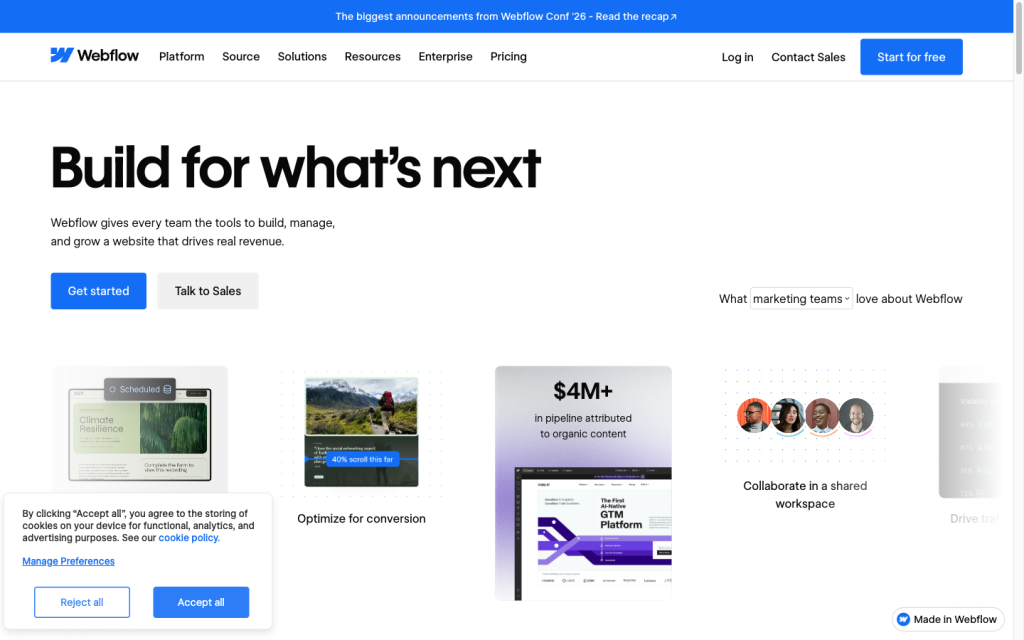
Webflow product image
webflow.com
On this page

Webflow is a visual website platform that combines an AI site builder with responsive design tools, a CMS, forms, managed hosting, and a substantial developer and integration surface. It’s well suited to teams that need branded marketing or content-rich sites with strong visual control, but users should weigh its learning curve, plan-dependent features, and limits when exporting dynamic functionality.

What is Webflow?

Webflow is a visual platform for building, managing, and publishing responsive websites. Its workflow combines a visual designer, AI-generated multi-page starter sites, CMS collections, forms, hosting, APIs, marketplace apps, custom code, and code export on qualifying Workspace plans.

Site creation

Webflow’s AI site builder creates an editable, multi-page starter site from a description of its purpose, pages, audience, and visual preferences. The visual designer then supports layout, typography, themes, interactions, semantic HTML, and responsive edits across desktop, tablet, and mobile breakpoints. The initial AI flow supports up to five pages, cannot be applied to an ordinary existing project, and free accounts are limited to two pages total.

Site features

CMS Collections support manual and CSV content management, CSV export, APIs, scheduled publishing, RSS feeds, and dynamic custom code on applicable plans. Forms can be customized, stored in Webflow, or routed to third-party services. Webflow also includes localization, SEO and AEO settings, search, ecommerce plans, marketplace apps, APIs, and webhooks. Feature availability and limits vary by plan.

Deployment and portability

Free Starter sites can use a webflow.io staging address, while publishing to a custom domain requires a paid Site plan. Webflow provides managed hosting and SSL. Paid Workspace plans can export static HTML, CSS, JavaScript, and assets for external hosting, but CMS data and bindings, native forms, ecommerce content, User Accounts, localized content, and some component functionality are not fully included. Exported code cannot be reimported.

Who Webflow is for

Webflow suits marketers, designers, developers, agencies, and teams building branded marketing, landing, and content-rich sites. It’s particularly useful when visual control needs to work alongside CMS, forms, collaboration, custom code, and publishing workflows. It’s a weaker fit for buyers who need permanent free custom-domain hosting, effortless migration, complete no-code simplicity, or full-fidelity portability of dynamic features.

Buyer scenarios

Where the product fits — and where to be careful

Marketing and content teams

Need
Build and run branded marketing, landing, or content-rich sites with design and publishing control.
Why it fits
The visual designer, responsive breakpoints, CMS, forms, SEO controls, custom code, collaboration, APIs, and hosted publishing support this workflow.
Watch out
The interface has a learning curve, and some capabilities depend on plan. Exporting does not fully carry CMS, forms, ecommerce, or localized content.

Strong fit

Design and development teams

Need
Combine visual production with developer tools, integrations, and managed deployment.
Why it fits
Marketplace apps, APIs, webhooks, custom code, Webflow Cloud, and code components offer a broad extension surface.
Watch out
It is not a full-fidelity portability option for dynamic Webflow functionality, and buyers seeking a completely no-code workflow may find it demanding.

Good fit when extensibility matters

Pros & Cons

Pros

  • AI site builder generates editable multi-page starting sites from a written brief.
  • Visual designer offers responsive breakpoints, semantic HTML controls, custom code, and interactions.
  • CMS, forms, localization, SEO and AEO controls, APIs, webhooks, and marketplace apps support substantial site operations.
  • Managed hosting, custom domains, SSL, and static-code export provide flexible publishing options.

Cons

  • Exported projects do not fully carry CMS data, native forms, ecommerce content, localized content, or some component functionality, and cannot be reimported.
  • The AI site builder has initial page and project limitations.
  • User feedback is predominantly negative on support, value for money, ease of use, and site functionality.
  • A paid Site plan is required for custom-domain publishing.
Editorial score breakdown

Editorial scores

Editorial score
3.5
Site functionality
4.0

Webflow offers CMS Collections, form handling, localization, SEO and AEO controls, ecommerce plans, APIs, webhooks, and marketplace apps; capabilities and limits vary by plan.

Deployment and portability
4.0

Custom domains, managed SSL hosting, Webflow Cloud, APIs, and static-code export provide robust deployment options, while dynamic CMS, forms, ecommerce, localization, and some components do not transfer fully in exports.

Usability, support & value
2.0

Accepted user feedback is predominantly negative on support and value for money, with more negative than positive mentions of ease of use.

Site creation
4.0

The AI site builder creates editable multi-page starting sites, and the visual designer supports responsive breakpoints, layout, typography, semantic HTML, and interactions. Initial AI generation is limited to five pages and is not available for ordinary existing projects.

Customer sentiment

Webflow customer reviews and sentiment

Based on 61 public customer reviews. Source mix: 38 from trustpilot.com, 16 from capterra.com, and 7 from softwareadvice.com.

Customer sentiment is analyzed separately and does not determine the Reviews.vc editorial score.

61 public reviews analyzed
Positive
36%22 reviews
Mixed
13%8 reviews
Negative
51%31 reviews
Theme and findingMentionsPositiveNegative
Site creation
Well suited to quickly creating polished, no-code sites and landing pages, but advanced builds may require custom code or another platform.
24222
Ease of use
The editor can feel overly complex and error-prone: styling, variables, and responsive changes may take far more work than expected.
23915
Site functionality
Reviewers value the design capabilities but report reliability problems, restrictive workflows, and gaps for advanced functionality.
23716
Value for money
Pricing is widely seen as high and fragmented, with plan increases, add-on charges, and limits making basic needs costly.
20416
Support
Support is frequently described as difficult to reach and overly reliant on unhelpful AI chat, with slow or absent human follow-up.
16115

Mentions count unique reviews. One review can count as both positive and negative for the same theme when it describes a mixed experience.

This analysis reflects public customer reviews we could identify and access at the time of collection; the displayed source mix may influence the patterns shown.

Review sentiment over time

PeriodnPositiveMixedNegative
2025 Q4Limited sample3003
2026 Q1151113
2026 Q2131210
2026 Q37025

Only periods containing dated reviews are shown; gaps between labels mean no dated reviews were available for those periods.

Pricing and contract model

Webflow separates Site, Ecommerce, Workspace, and platform plans. Site and Workspace plans can be billed monthly or yearly; yearly billing advertises savings of up to 40%.

PlanPriceIncludes
Starter
Free
monthly
Free Site-plan entry point.
Basic
$15/month billed yearly or $25/month billed monthly
monthly or yearly
Site plan.
Premium
$25/month billed yearly or $39/month billed monthly
monthly or yearly
Site plan.
Core
$19/month billed yearly
yearly
Workspace plan.
Standard
$29/month billed yearly
yearly
Ecommerce plan.
Team
$2,500/month
annual contract
Platform plan requiring an annual contract.
  • A paid Site plan is required to publish to a custom domain.
  • Customers can cancel Site and Workspace plans at any time but remain responsible for the remainder of a signed term.

Integrations

Documented connections and access methods for Webflow.

Automation

Zapier Native

Developer/API

Webflow APIs and webhooks Public API
Webflow Cloud Native

AI protocol

Model Context Protocol Protocol

Marketplace

Webflow Marketplace Native
  • Integration availability and plan access can vary.

What's new

Recent product and company updates

  • 2026-09-02

    Webflow unveils Source by Webflow

    Webflow announced Source by Webflow as a limited research preview for marketing teams and their AI agents.

    Source
  • 2026-07-21

    Webflow MCP 2.0

    Webflow launched MCP 2.0, expanding agent access to GSAP-powered interactions, CMS querying, and Webflow Cloud deployment management.

    Source
  • 2026-05-13

    Simplified plans and updated pricing

    Webflow introduced simplified plans, combined CMS and Business Site plans into Premium, added Team, and added AI credits to Workspace plans.

    Source

FAQ

What does Webflow cost?
Webflow offers free Starter options plus Site, Ecommerce, Workspace, Team, and Enterprise plans. Basic is $15 per month billed yearly, Premium is $25 per month billed yearly, and Ecommerce Standard is $29 per month billed yearly.
What kinds of sites can Webflow build?
Webflow supports responsive marketing sites, landing pages, content-rich sites, and ecommerce sites, with visual design, CMS, forms, publishing, custom code, and integrations.
Can I use a custom domain with Webflow?
Yes. A paid Site plan is required to publish to a custom domain, which is connected through DNS configuration.
Can I export a Webflow site?
Paid Workspace plans can export static HTML, CSS, JavaScript, and assets. CMS bindings and databases, native forms, ecommerce content, localized content, User Accounts, and some component functionality do not transfer fully; exported code cannot be reimported.
Review transparency Corrections policy
Change history
  1. 2026-09-18 Initial publication First published version of this review.
32 sources analyzed
  1. Webflow Website Builder webflow.com
  2. Build a site with Webflow's AI site builder help.webflow.com
  3. Webflow Pricing webflow.com
  4. How do I export my Webflow site code? help.webflow.com
  5. Webflow Developers developers.webflow.com
  6. Webflow Integrations webflow.com
  7. Breakpoints overview help.webflow.com
  8. Webflow unveils agentic platform Source by Webflow globenewswire.com
  9. Webflow MCP 2.0 brings governance to the agentic web globenewswire.com
  10. Simplified plans and updated pricing webflow.com

Showing 10 of 32 sources · 22 additional sources analyzed

Feedback on this article

Was this review helpful?

Private editorial feedback. It does not change product ratings or rankings.

Rate Webflow

Rate your experience
  • Site functionality
  • Deployment and portability
  • Usability, support & value
  • Site creation