
Framer logo

Framer

Framer is an AI-assisted visual website builder for responsive, hosted marketing and CMS-led sites, with strong creation tools but no HTML export.

Editorial score

3.5 /5
How we scored it

Is Framer worth it?

Nick Oscar
Editor, Reviews.vc · Updated September 18, 2026
Good For

AI-assisted page, section, copy, visual, and content-block creation remains editable on a visual canvas.

Caution

Published sites cannot be exported as HTML or a static bundle for self-hosting.

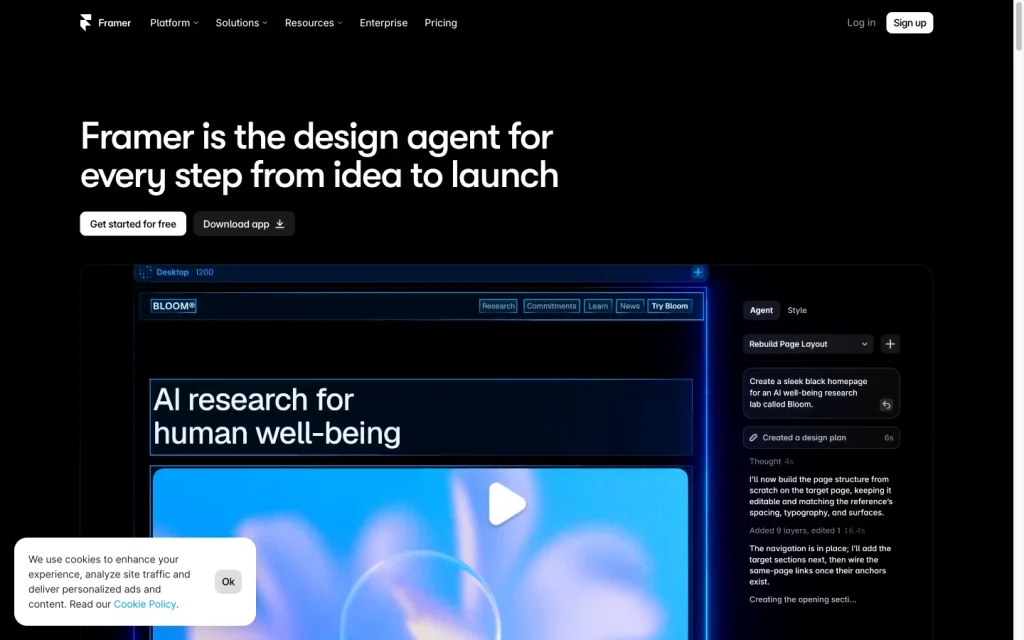
Framer product image
framer.com
On this page

Framer is a design-led, AI-assisted website builder for interactive marketing sites, landing pages, portfolios, directories, and CMS-driven content. Its editable generation tools, visual canvas, responsive controls, CMS, forms, SEO, and managed hosting make it compelling for teams that want to publish without a conventional engineering handoff. The central tradeoff is deployment portability: Framer hosts the published site and does not provide HTML or static-site export for self-hosting.

What is Framer?

Framer is a hosted visual website platform for designing, publishing, hosting, and maintaining interactive websites. It combines AI-assisted generation with a freeform canvas, reusable components, templates, CMS content, forms, SEO and accessibility controls, analytics, localization, custom code, and managed hosting. It is built for website workflows rather than full-stack application hosting or source code deployment.

Site creation

Users can start from a prompt, brief, blank canvas, or existing project. Framer’s AI tools can create editable pages, sections, copy, visuals, and content blocks that teams can then refine visually. Responsive breakpoints, individually customized tablet and mobile layouts, shared templates, variables, CMS data, localization, and custom code provide substantial design control.

Site functionality

Framer provides CMS-driven pages, native forms, analytics, SEO tools, accessibility settings, localization, custom code, staging, and branching. Forms can send submissions to email, Google Sheets, or webhooks, with spam protection and rate limiting. SEO features include metadata, sitemaps, robots.txt, redirects, semantic markup, alt text, and indexing controls; A/B testing, site search, password protection, and certain management features depend on your plan.

Deployment and portability

Sites are published through managed Framer hosting on either a Framer subdomain or a connected third-party custom domain. Framer provisions SSL after DNS setup and provides CDN delivery, previews, staging, and versioning. The key limitation is portability: published sites cannot be exported as HTML or as a downloadable static bundle for self-hosting. A custom domain can move between paid Framer projects, but that is not an export path.

Who Framer is for

Framer is a strong fit for designers, marketers, agencies, startups, freelancers, students, and content teams building branded marketing sites, landing pages, portfolios, directories, and CMS-led websites. Free is positioned for non-commercial experimentation, while Basic targets students, freelancers, and small studios; Pro targets agencies, startups, and scale-ups. Buyers who need self-hosting, HTML or source export, full infrastructure control, or an independently deployable codebase should choose another approach.

Buyer scenarios

Where the product fits — and where to be careful

Marketing team or design-led agency

Need
Launch and maintain responsive marketing sites, landing pages, portfolios, directories, or CMS-led content.
Why it fits
Framer combines prompt-assisted starting points with a freeform visual canvas, reusable components, responsive layouts, CMS content, forms, SEO controls, analytics, localization, and managed hosting.
Watch out
Pages, CMS capacity, bandwidth, and some features are plan-sensitive; custom domains require a paid plan.

Strong fit for teams shipping and iterating on branded web experiences without a traditional engineering handoff.

Buyer requiring deployment control

Need
Retain source or static-site portability outside a managed website platform.
Why it fits
Connected third-party domains, automatic SSL, CDN delivery, previews, staging, and versioning support managed publication workflows.
Watch out
Framer cannot export HTML or a published-site bundle for self-hosting, and it is not a full-stack application host.

Poor fit when independently deployable code, self-hosting, or full infrastructure control is mandatory.

Pros & Cons

Pros

  • AI-assisted page, section, copy, visual, and content-block creation remains editable on a visual canvas.
  • Responsive layouts, reusable components, CMS content, localization, forms, and custom code support design-led websites.
  • Managed hosting supports custom domains, automatic SSL, CDN delivery, previews, staging, and versioning.
  • Native forms, analytics, SEO controls, accessibility settings, and integrations cover many marketing-site needs.

Cons

  • Published sites cannot be exported as HTML or a static bundle for self-hosting.
  • Pages, CMS capacity, bandwidth, and several site-management features vary by plan.
  • User feedback is mixed on value for money, with more negative than positive value mentions.
Editorial score breakdown

Editorial scores

Editorial score
3.5
Site functionality
4.0

Framer offers robust CMS, forms, analytics, SEO, accessibility, localization, custom code, staging, and branching features for marketing and CMS-led sites, though several capabilities are plan-sensitive.

Deployment and portability
3.0

Managed hosting, custom domains, SSL, CDN delivery, previews, staging, and versioning are well supported, but there is no HTML or static-bundle export for self-hosting.

Usability, support & value
3.0

User feedback is mostly positive on ease of use, but value-for-money feedback is predominantly negative, making the overall usability and value picture mixed.

Site creation
4.0

Framer combines editable AI-assisted generation with a freeform visual canvas, responsive breakpoint editing, components, templates, CMS content, localization, and custom code.

Customer sentiment

Framer customer reviews and sentiment

Based on 26 public customer reviews. Source mix: 19 from capterra.com, and 7 from trustradius.com.

Customer sentiment is analyzed separately and does not determine the Reviews.vc editorial score.

26 public reviews analyzed
Positive
62%16 reviews
Mixed
27%7 reviews
Negative
12%3 reviews
Theme and findingMentionsPositiveNegative
Site creation
Strong for rapidly creating polished, responsive no-code marketing sites, landing pages, and portfolios, but less suited to large or content-heavy builds.
14140
Site functionality
Design, publishing, animation, AI, and lightweight CMS capabilities are well regarded, while advanced logic, larger CMS projects, and blog SEO have limits.
14116
Ease of use
The intuitive, design-oriented no-code workflow helps teams publish and update sites quickly, though advanced interactions and AI features may require additional learning or code.
1193
Value for money
The platform can reduce development effort, but reviewers flag higher pricing, advanced CMS costs, and bandwidth overages as value concerns.
716
Integrations
Reviewers value available third-party and automation integrations, but want broader connectivity such as Shopify and support for more complex multi-platform workflows.
644

Mentions count unique reviews. One review can count as both positive and negative for the same theme when it describes a mixed experience.

This analysis reflects public customer reviews we could identify and access at the time of collection; the displayed source mix may influence the patterns shown.

Pricing and contract model

Framer lists Free, Basic, Pro, and Enterprise plans. Basic and Pro have monthly or annual options; limits and add-ons can change the total cost.

PlanPriceIncludes
Free
$0
monthly
Includes 500 trial AI credits; custom-domain connection requires a paid plan.
Basic
$10
per month
Published plan with 1,000 monthly AI credits and plan-specific capacity limits.
Pro
$30
per month
Published plan with 3,000 monthly AI credits and plan-specific capacity limits.
  • Additional editors cost $20 per month.
  • Translation locales, Convert/A-B testing, and Advanced hosting are paid add-ons.
  • Basic and Pro have published overage pricing for pages, CMS collections, CMS items, and bandwidth.

Integrations

Documented connections and access methods for Framer.

Developer/API

Framer Developer Platform Public API

Data warehouse/BI

Google Analytics Native

Marketplace

Framer Plugin Marketplace Native

Data import/export

WordPress Native

Other

Figma Sync Native
ShopifyConnect Native
  • Custom code can add third-party scripts and widgets.

What's new

Recent product and company updates

  • 2026-06-16

    Framer 3.0

    Framer 3.0 introduced Agents, Branching, Community, and a redesigned product experience, alongside AI credits, simpler plans, and lower prices.

    Source
  • 2026-09

    Agents: 3D Transforms

    Agents gained 3D transform controls for perspective, rotation, translation, depth, origin, and backface settings.

    Source

FAQ

What does Framer cost?
Framer offers Free at $0, Basic at $10 per month, Pro at $30 per month, and custom-priced Enterprise. Basic and Pro have monthly or annual options, while capacity, add-ons, and extra editors can affect cost.
What kinds of sites can Framer build?
Framer is designed for interactive marketing sites, landing pages, portfolios, directories, and CMS-led websites, with responsive layouts, CMS content, forms, and visual editing.
Can I use my own domain with Framer?
Yes. Paid plans can connect a third-party custom domain through DNS. Framer is not a domain registrar and automatically provisions and renews SSL after DNS is configured correctly.
Can I export a Framer site to HTML and self-host it?
No. Framer does not provide HTML export or downloadable published-site bundles for self-hosting.
Review transparency Corrections policy
Change history
  1. 2026-09-18 Initial publication First published version of this review.
31 sources analyzed
  1. AI Website Builder framer.com
  2. Framer Pricing framer.com
  3. Can I export my website to HTML and self-host it? framer.com
  4. Framer Developers framer.com
  5. Plugins Marketplace framer.com
  6. How can I add a contact form to my Framer website? framer.com
  7. Guide to SEO features and tools framer.com
  8. How to connect a custom domain framer.com
  9. Framer 3.0 framer.com
  10. Agents: 3D Transforms framer.com

Showing 10 of 31 sources · 21 additional sources analyzed

Feedback on this article

Was this review helpful?

Private editorial feedback. It does not change product ratings or rankings.

Rate Framer

Rate your experience
  • Site functionality
  • Deployment and portability
  • Usability, support & value
  • Site creation