
Replit logo

Replit

Replit is a prompt-led development platform for building, publishing, and managing functional websites and web applications.

Editorial score

3.8 /5
How we scored it

Is Replit worth it?

Nick Oscar
Editor, Reviews.vc · Updated September 18, 2026
Good For

Prompt-led website and landing-page creation with visual refinement and source-code access.

Caution

It is not a CMS-first or strictly visual template builder, and it lacks an established dedicated breakpoint editor.

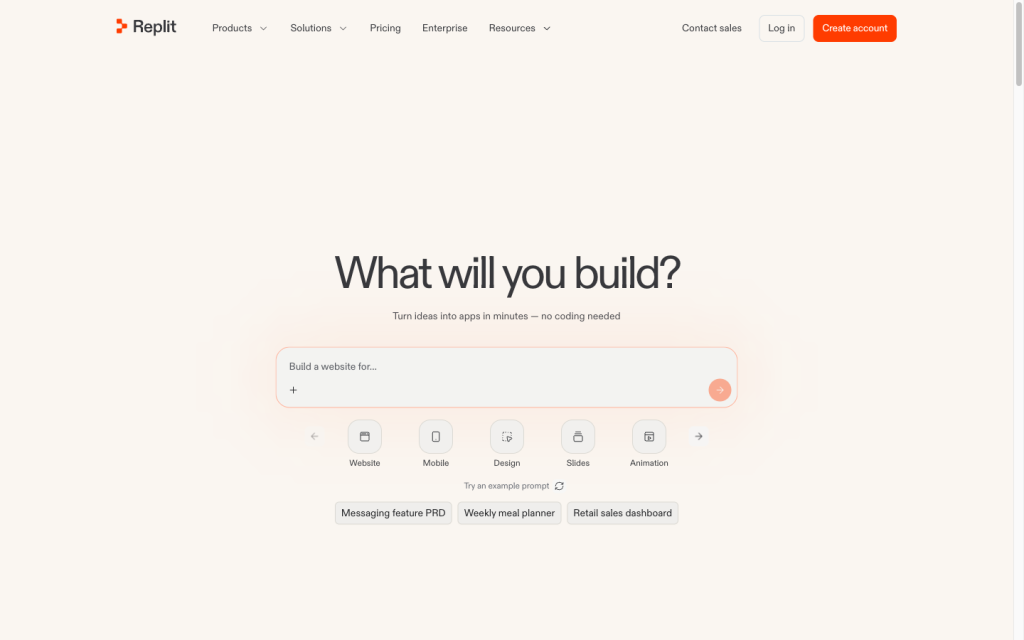
Replit product image
replit.com
On this page

Replit is an AI-assisted development platform that can build and publish websites as well as more complete web applications. It stands out when a project needs prompt-led creation plus code, forms, databases, authentication, integrations, and deployment in a single workspace. It is less like a conventional template-first site builder: buyers should expect to test generated functionality, manage usage limits, and handle some operational migration work themselves.

What is Replit?

Replit is an AI-assisted software development and deployment platform that can turn natural-language ideas into apps, sites, tools, and businesses. For website work, it combines prompt-led creation and landing-page workflows with source code, Git, databases, deployments, and application logic. That makes it a broader build platform than a visual-only site builder.

Site creation and editing

Replit can start from a prompt, landing-page workflow, template, imported design, URL, screenshot, or project import. Its Visual Editor supports element-level changes to text, colors, layout, spacing, borders, and images, with straightforward edits updating source code and more complex changes routed to Agent. Preview annotations, alternate visual directions, Git/GitHub connectivity, checkpoints, and restoration support iteration. Buyers should still test responsive layouts, as there is no dedicated visual breakpoint editor yet.

Site functionality

Sites can include response-capturing forms, databases, authentication, payments, third-party connections, access controls, analytics, monitoring, and an SEO audit workflow. Published apps can be public, password-protected, workspace-only, or invite-only. The platform does not provide a native structured-content CMS, editorial content workflows, generated-site accessibility compliance, or SEO ranking guarantees.

Deployment and portability

Publishing creates a production deployment with a stable, shareable URL separate from the development preview. Replit offers Autoscale, Reserved VM, Scheduled, and Static deployments; Static deployments use global CDN distribution for static sites. Custom domains connect through DNS and receive automatic HTTPS after verification. Git-backed projects and GitHub synchronization help move source code, while secrets, database records, domains, analytics, and host-specific behavior can require separate migration work. Starter includes one published app whose link expires after 30 days.

Who Replit is for

Replit suits founders, designers, non-programmers, small teams, and technical builders who want to move from prompts and feedback to functioning sites or applications with forms, integrations, hosting, and code-level control. It is less suited to buyers who want a template-first, fully visual no-code builder with CMS-first content operations and a dedicated breakpoint editor. Users remain responsible for reviewing, modifying, and refining generated applications and should consider credits, usage limits, and support boundaries.

Buyer scenarios

Where the product fits — and where to be careful

Founder or small team launching a functional site

Need
Create a landing page, prototype, store, or customer-facing app quickly with room for custom behavior.
Why it fits
Prompt-led generation, visual iteration, forms, authentication, databases, integrations, code access, and hosting fit this need.
Watch out
Generated applications require review and refinement; usage-based limits and credits can affect costs.

Strong fit when a site needs application logic as well as a front end.

Technical team needing code-level control

Need
Build and publish a custom web experience while retaining version control and portability of source code.
Why it fits
Git/GitHub synchronization, branches, rollback, source-code access, deployment choices, custom domains, and monitoring support a technical workflow.
Watch out
It is not a CMS-first, strictly visual website builder, and imported secrets, database records, domains, and host-specific behavior may need separate work.

Strong fit for teams that value a browser-based build-and-deploy workspace.

Pros & Cons

Pros

  • Prompt-led website and landing-page creation with visual refinement and source-code access.
  • Strong full-stack toolkit: forms, databases, authentication, payments, integrations, analytics, and monitoring.
  • Production publishing includes custom domains, automatic HTTPS, several deployment types, and Git/GitHub workflows.
  • User feedback is largely positive on ease of use, while portability is supported by Git-backed projects.

Cons

  • It is not a CMS-first or strictly visual template builder, and it lacks an established dedicated breakpoint editor.
  • Generated applications require testing and refinement by the user.
  • Migration may require separate work for secrets, database records, domains, analytics, and host-specific behavior.
  • Usage credits, Free Mode limits, and deployment billing can make costs less predictable.
Editorial score breakdown

Editorial scores

Editorial score
3.8
Site functionality
4.0

Replit supports forms, databases, authentication, payments, access controls, analytics, monitoring, and SEO auditing, but lacks an established native structured-content CMS and generated-site compliance guarantees.

Deployment and portability
4.0

Production publishing, deployment choices, custom domains, automatic HTTPS, and Git/GitHub support are strong, while operational dependencies may require separate migration work.

Usability, support & value
3.0

User feedback is strongly positive on ease of use, but value-for-money feedback is notably mixed. Users also need to review generated applications, and support does not include hands-on debugging or fixes for individual application code.

Site creation
4.0

Prompt-led generation, imports, visual element editing, annotation feedback, design variants, and version-control workflows provide strong creation options; a dedicated visual breakpoint editor is not established.

Customer sentiment

Replit customer reviews and sentiment

Based on 94 public customer reviews. Source mix: 58 from infotech.com, 25 from mcleanco.com, 8 from softwareadvice.com, and 3 from trustradius.com.

Customer sentiment is analyzed separately and does not determine the Reviews.vc editorial score.

94 public reviews analyzed
Positive
14%13 reviews
Mixed
84%79 reviews
Negative
2%2 reviews
Theme and findingMentionsPositiveNegative
Site functionality
The integrated AI can generate, test, debug, and refactor substantial code quickly, but its output and edits still need review because suggestions and fixes can be inaccurate or change intended logic.
827560
Ease of use
Users find the browser-based, integrated workflow accessible for beginners and rapid work, though the feature-rich interface, limited guidance, and learning curve can be overwhelming.
60584
Deployment and portability
Building, testing, hosting, and deploying from one cloud workspace removes local setup and supports working across devices, but hosting performance, free-tier resources, and internet dependence can be constraints.
413810
Site creation
The agent helps users turn prompts into prototypes and full-stack applications rapidly, making it especially useful for idea validation and small-to-medium projects rather than complex production builds.
39381
Value for money
Users value the productivity and all-in-one convenience, but frequently find AI credits, paid-feature limits, and plan pricing costly or difficult to understand, particularly for hobbyists.
20518

Mentions count unique reviews. One review can count as both positive and negative for the same theme when it describes a mixed experience.

This analysis reflects public customer reviews we could identify and access at the time of collection; the displayed source mix may influence the patterns shown.

Pricing and contract model

Replit offers a free Starter plan, paid Core and Pro plans, and custom-priced Enterprise. Usage is governed by plan allowances, credits, and Free Mode limits.

PlanPriceIncludes
Starter
$0
monthly
Includes free daily usage, a built-in database, and publication of one live project.
Core
$20 per month; $18 per month billed annually
monthly or annual
Paid plan with usage-related allowances and model credits.
Pro
$100 per month; $90 per month billed annually
monthly or annual
Paid plan with usage-related allowances and model credits.
  • Starter publishing is limited to one live project; its published link automatically goes down after 30 days and displays a Made with Replit badge.
  • Publishing can become usage-billed after included credits are exhausted.

Integrations

Documented connections and access methods for Replit.

Developer/API

GitHub Native

AI protocol

OpenAI Native

Productivity suite

Google Workspace Native

Procurement/ERP

Stripe Native

Marketplace

Shopify Native
  • Replit lists 100+ integrations. Imported projects may need separate setup for secrets and some platform-specific services.

What's new

Recent product and company updates

  • 2026-08-26

    Intelligent Model Routing

    Introduced Intelligent Model Routing, which automatically selects a model for each task.

    Source
  • 2026-08-18

    Replit introduces Free Mode

    Introduced Free Mode for Agent, with usage limits and expanded access for everyday tasks.

    Source
  • 2026-07-29

    Introducing Replit Design

    Introduced Replit Design.

    Source

FAQ

How much does Replit cost?
Starter is $0. Core is $20 per month or $18 per month with annual billing. Pro is $100 per month or $90 per month with annual billing. Enterprise uses custom pricing. Plans include usage-related allowances, credits, and Free Mode limits.
Can Replit build and publish websites?
Yes. Replit supports prompt-led website and landing-page creation, visual refinement, working forms, custom domains, and production publishing.
Can I use a custom domain with Replit?
Yes. Replit supports connecting a custom domain through DNS and provides automatic HTTPS after domain verification.
Can I move a project to or from Replit?
Replit supports imports from providers and Git-backed source-code portability through GitHub synchronization and Git CLI access. Secrets, database records, custom domains, and some platform-specific services may need separate setup or may not migrate automatically.
Review transparency Corrections policy
Change history
  1. 2026-09-18 Initial publication First published version of this review.
25 sources analyzed
  1. Replit Agent replit.com
  2. Build a landing page docs.replit.com
  3. AI Website Builder replit.com
  4. Visual Editor docs.replit.com
  5. Publish your app docs.replit.com
  6. Import from providers docs.replit.com
  7. Replit pricing replit.com
  8. Intelligent Model Routing replit.com
  9. Replit introduces Free Mode replit.com
  10. Introducing Replit Design replit.com

Showing 10 of 25 sources · 15 additional sources analyzed

Feedback on this article

Was this review helpful?

Private editorial feedback. It does not change product ratings or rankings.

Rate Replit

Rate your experience
  • Site functionality
  • Deployment and portability
  • Usability, support & value
  • Site creation