
Why teams look for a OpusClip alternative
OpusClip is a strong option — that's why we rated it 4.0/5. But most buyers explore alternatives when one of these gaps shows up in evaluation:
- ! Project retention is brief on Trial, Free and Starter plans.
- ! The editor is tailored to generated shorts rather than unrestricted full-NLE work.
- ! Generated clips cannot be caption-edited in bulk, and hardcoded source captions cannot be removed.
- ! Several advanced export, storage, scheduling, API and team capabilities are plan-gated.
 OpusClip
  VEED
VEED  Adobe Premiere
  Descript
  CapCut
 Top OpusClip alternatives (2026)
Ranked by editor score
- 1

VEED is a browser-based video editor with transcript editing, captions, AI clips, collaboration, and social export tools.
Best for: Timeline and transcript-based editing combine conventional cuts with speech-led cleanup.- Timeline and transcript-based editing combine conventional cuts with speech-led cleanup.
- Automatic captions, subtitle styling, translation, AI Clips, and social resizing support short-form repurposing.
- 2
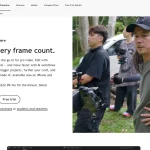
Adobe Premiere is a professional editor with deep timeline, caption, reframing, export, and collaboration workflows.
Best for: Deep timeline, audio, color, masking, effects, and title controls for professional editing.- Deep timeline, audio, color, masking, effects, and title controls for professional editing.
- Text-Based Editing turns transcripts into editable timeline sequences.
- 3

Descript is a transcript-based video and audio editor for editing, captioning, sharing, and repurposing spoken-content media.
Best for: Edit linked video and audio by changing transcript text.- Edit linked video and audio by changing transcript text.
- Strong cleanup toolkit, including filler-word and retake removal, Studio Sound, Eye Contact, and multicam.
- 4

CapCut combines creator-focused timeline editing, captions, short-form repurposing, cloud collaboration, and social sharing, with project portability limits.
Best for: Deep creator-focused editing tools, including multi-track timelines, keyframes, cleanup, compositing, and transcript editing.- Deep creator-focused editing tools, including multi-track timelines, keyframes, cleanup, compositing, and transcript editing.
- Strong short-form workflow with auto captions, subtitle import, long-video clipping, reframing, and direct social sharing.
How we picked these
Every alternative comes from the approved category ranking. We evaluate documented product evidence, buyer-fit tradeoffs, and aggregated public customer feedback. We do not claim hands-on testing unless the linked Review says so, and payment cannot change inclusion or order.
OpusClip alternatives FAQ
- What is the best free alternative to OpusClip?
- Most serious ai video editors tools are paid, but several on this list offer meaningful free trials. Start with the top-ranked pick above and use its trial before committing to an annual contract.
- Which OpusClip competitor is cheapest?
- Cheapest is rarely best — filter by the "Best for" line to match a tool to your workflow first, then confirm pricing on each vendor's site.
- How is this list different from a OpusClip review?
- A review evaluates OpusClip on its own merits. This page assumes you've already considered OpusClip and want to see who competes with it, where they win, and where they don't.