
CapCut logo

CapCut

CapCut combines creator-focused timeline editing, captions, short-form repurposing, cloud collaboration, and social sharing, with project portability limits.

Editorial score

3.5 /5
How we scored it

Is CapCut worth it?

Nick Oscar
Editor, Reviews.vc · Updated October 10, 2026
Good For

Deep creator-focused editing tools, including multi-track timelines, keyframes, cleanup, compositing, and transcript editing.

Caution

Premium assets and settings can restrict exports, including some no-watermark and high-resolution options.

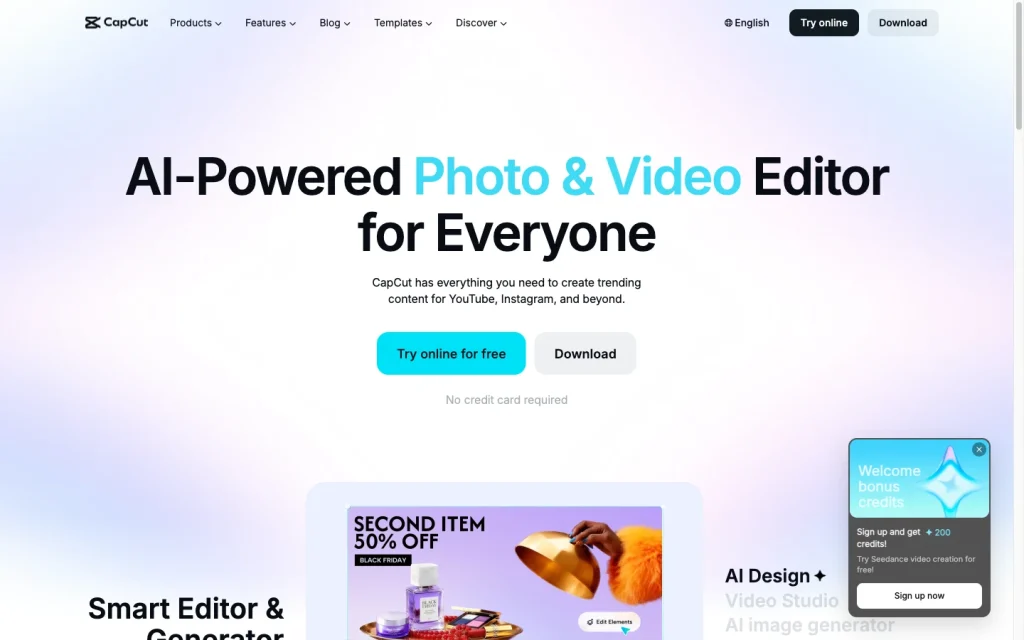
CapCut product image
capcut.com
On this page

CapCut is a multi-platform video editor built for fast creator workflows, combining a capable timeline with captions, transcript editing, long-video clipping, reframing, cloud projects, and direct social sharing. It’s particularly compelling for short-form production and small content teams, but plan-gated export options, variable Pro pricing, and the lack of editable third-party project interchange are important trade-offs.


What is CapCut?

CapCut is a video editor available on mobile, desktop, and the web. Its workflow centers on bringing footage into a timeline, editing clips, adding text and effects, creating captions, cleaning up or reframing footage, then exporting or sharing the finished video. Cloud access supports work across browser, Windows, Mac, iOS, and Android.

Editing capabilities

CapCut offers meaningful depth for creator-focused editing. The toolset includes multi-track arrangement, trim, split, merge, transitions, speed controls from 0.1x to 100x, keyframes, masks, blend modes, transform controls, HSL adjustments, curves, and color correction. Cleanup and compositing options include stabilization, chroma key, automatic background removal, motion tracking, and optical-flow slow motion.

Transcript editing is especially useful for spoken content: users can generate a transcript from timeline media, edit the text, remove filler words and speech gaps, and synchronize corrections with captions.

Captions and repurposing

CapCut is well suited to converting longer recordings into short-form social video. Its long-video-to-shorts tool identifies highlights, lets users choose durations and time windows, produces multiple clips, and leaves each clip available for further editing. Automatic reframing helps adapt footage to new aspect ratios, while direct sharing supports TikTok, YouTube, Facebook, and Instagram.

Caption tools include editable auto captions, timing, font and placement controls, bilingual captions, translation into an additional caption language, and external SRT or TXT subtitle import. The long-video-to-shorts workflow supports more than 20 languages.

Export and project workflow

CapCut supports desktop exports up to 4K at 60 fps when the source media and device allow it, with adjustable resolution, frame rate, and bitrate settings. Logged-in projects can sync through Spaces, and teams can use shared projects, roles, permissions, storage, review links, presentation links, and Brand Kit controls.

There are material workflow boundaries. Premium templates, effects, fonts, music, LUTs, some AI tools, certain 4K/60 fps options, and watermark-free exports using Pro materials can require an eligible plan. CapCut also does not support direct project-file import or export with third-party editors such as Adobe Premiere Pro; exporting and re-importing a video flattens tracks, effects, and layers.

Who CapCut is for

CapCut is a great fit for beginner to intermediate creators making TikToks, Reels, YouTube Shorts, podcasts, interviews, tutorials, educational videos, and other social-first content. Its clip generation, captioning, transcript editing, templates, reframing, and sharing tools shorten the path from source footage to multiple short videos.

Small content teams can benefit from shared assets and role controls, though collaboration beyond two people requires CapCut Teams. It is less suitable for editors who need reliable, editable project exchange with professional NLEs or fixed, globally transparent subscription pricing.

Buyer scenarios

Where the product fits — and where to be careful

Short-form social creator

Need
Turn recordings or longer videos into TikToks, Reels, and YouTube Shorts.
Why it fits
The timeline, text and effects tools, auto captions, long-video clipping, reframing, and direct sharing fit a fast social production loop.
Watch out
Premium assets and settings can restrict export, and third-party editable project interchange is not available.

Strong fit

Small content team

Need
Share assets and projects while coordinating branded video production.
Why it fits
Spaces, Teamspace, shared projects, roles, permissions, shared storage, and Brand Kit controls support coordinated production.
Watch out
Free Team Spaces allow an owner plus one additional member; larger groups require CapCut Teams, and project handoff to professional NLEs is limited.

Good fit with a paid team plan

Pros & Cons

Pros

  • Deep creator-focused editing tools, including multi-track timelines, keyframes, cleanup, compositing, and transcript editing.
  • Strong short-form workflow with auto captions, subtitle import, long-video clipping, reframing, and direct social sharing.
  • Works across web, desktop, and mobile with cloud syncing, shared projects, roles, and review links.
  • Desktop output controls include resolution, frame rate, bitrate, and conditional 4K/60fps export.

Cons

  • Premium assets and settings can restrict exports, including some no-watermark and high-resolution options.
  • Editable project files cannot be directly exchanged with third-party editors such as Adobe Premiere Pro.
  • Pro pricing varies by region, device, promotions, and platform.
  • Accepted user reviews are overwhelmingly negative about value and support.
Editorial score breakdown

Editorial scores

Editorial score
3.5
Editing capabilities
4.0

CapCut offers a substantial creator-editing toolkit: multi-track timelines, speed curves, keyframes, masks, blend modes, color controls, stabilization, chroma key, background removal, motion tracking, and transcript-based editing.

Captions and repurposing
4.0

Auto captions, subtitle import, bilingual and translated captions, transcript-linked editing, automatic reframing, long-video clipping, and direct social sharing create a strong short-form repurposing workflow.

Export and project workflow
4.0

CapCut combines conditional 4K/60fps output controls, cloud syncing, Teamspace collaboration, roles, and sharing. Plan-gated export options and limited editable project portability prevent a higher score.

Usability, support & value
2.0

The accepted review aggregate is strongly negative: value for money is criticized in 17 mentions, support in 11, and ease of use in 4. This is recurring negative feedback from a single review source.

From our complete category comparison

CapCut alternatives

Category scores use the linked comparison rubric and can differ from a product’s overall review score.

See the full comparison
Reviewed here
Best for
Beginner to intermediate creators and small content teams producing fast, template-driven social videos from mobile or desktop.
Key tradeoff
Premium assets and some export settings, including certain no-watermark and high-resolution options, may require an eligible plan.
VEED
3.8/5
Best for
Creators, marketers, and small teams producing captioned, branded social, training, sales, and internal videos in a browser.
Key tradeoff
Free exports are limited to 720p and include a VEED watermark.
Best for
Professional editors, filmmakers, agencies, and post-production teams that need detailed control, collaboration, and reliable project handoff.
Key tradeoff
Its crowded interface and extensive toolset create a meaningful learning curve for new or occasional editors.
Best for
Podcasters, interview producers, and talking-head creators who want to edit spoken content quickly through a transcript and repurpose it into captioned clips.
Key tradeoff
Media minutes and AI credits are metered, and unused allowances do not roll over.
ProductCategory scoreBest forKey tradeoff
CapCutReviewed here
3.5/5Beginner to intermediate creators and small content teams producing fast, template-driven social videos from mobile or desktop.Premium assets and some export settings, including certain no-watermark and high-resolution options, may require an eligible plan.
VEED
3.8/5Creators, marketers, and small teams producing captioned, branded social, training, sales, and internal videos in a browser.Free exports are limited to 720p and include a VEED watermark.
Adobe Premiere
3.8/5Professional editors, filmmakers, agencies, and post-production teams that need detailed control, collaboration, and reliable project handoff.Its crowded interface and extensive toolset create a meaningful learning curve for new or occasional editors.
Descript
3.8/5Podcasters, interview producers, and talking-head creators who want to edit spoken content quickly through a transcript and repurpose it into captioned clips.Media minutes and AI credits are metered, and unused allowances do not roll over.
Customer sentiment

CapCut customer reviews and sentiment

Based on 19 public customer reviews. Source mix: 19 from trustpilot.com.

Customer sentiment is analyzed separately and does not determine the Reviews.vc editorial score.

19 public reviews analyzed
Positive
0%0 reviews
Mixed
11%2 reviews
Negative
89%17 reviews
Theme and findingMentionsPositiveNegative
Value for money
Reviewers say paid features and AI credits often feel poor value because generations can fail, consume credits, or not deliver usable results.
17017
Support
Reviewers report inaccessible or unresponsive support, with slow resolution of subscription, billing, and credit issues.
11011
Editing quality
AI editing and generation tools are reported to fail, ignore instructions, or produce unusable and repetitive outputs.
826
Ease of use
Reviewers find the interface and subscription management difficult to use, and report unwanted recommendations that feedback controls do not reliably prevent.
404
Export and project workflows
One reviewer reports that an AI-generated dance export showed only the source photo rather than the expected result.
101

Mentions count unique reviews. One review can count as both positive and negative for the same theme when it describes a mixed experience.

This analysis reflects public customer reviews we could identify and access at the time of collection; the displayed source mix may influence the patterns shown.

Pricing and contract model

CapCut has a free entry point plus Standard, Pro, and Teams offerings. Pro supports monthly and yearly subscriptions, but actual prices vary by region, device, promotion, and platform.

PlanPriceIncludes
Free / Standard
Free
Free
CapCut markets its online editor as free to use.

Public pricing example

Pro

$19.99
Monthly

A CapCut guide lists this monthly Pro price; actual prices vary by region, device, and promotions.

Public pricing example

Pro

$179.99
Yearly

A CapCut guide lists this yearly Pro price; actual prices vary by region, device, and promotions.

  • Subscriptions auto-renew unless canceled at least 24 hours before renewal.
  • Check the purchase surface for current local pricing.

Integrations

Documented connections and access methods for CapCut.

Developer/API

CapCut OpenAPI Public API

Other

Social publishing platforms Native
Adobe Premiere Pro project files Other
  • Cloud projects and resources can be accessed across browser, Windows, Mac, iOS, and Android.
  • Third-party project interchange is a significant portability limitation.

What's new

Recent product and company updates

  • 2026-04-07

    Dreamina Seedance 2.0 expands to the United States

    Dreamina Seedance 2.0 expanded to the United States following phased regional availability.

    Source
  • 2026-07-31

    Giving creators more control with Dreamina Seedance 2.5 and Dola Seedream 5.0 Pro

    CapCut introduced Dreamina Seedance 2.5 and Dola Seedream 5.0 Pro; Seedance 2.5 supports clips up to 30 seconds and up to 50 multimodal references.

    Source

FAQ

How much does CapCut Pro cost?
A CapCut guide lists Pro at $19.99 per month or $179.99 per year. Actual pricing varies by region, device, and promotions.
What editing controls does CapCut provide?
CapCut provides multi-track editing, trimming, splitting, resizing, transitions, effects, text overlays, background removal, keyframes, compositing controls, stabilization, chroma key, motion tracking, and transcript-based editing.
Can CapCut create and edit captions?
Yes. CapCut supports auto captions with editable text, timing, fonts, and placement, plus bilingual captions, caption translation, and SRT or TXT subtitle import.
Can CapCut export 4K video?
Desktop export can support up to 4K at 60 fps, subject to the source media and device. Resolution, frame rate, and bitrate settings are available, while some export options and no-watermark outputs require eligible plans or materials.
Review transparency Corrections policy
Change history
  1. 2026-10-10 Comparison Added alternatives comparison from Best AI Video Editors.
  2. 2026-09-18 Initial publication First published version of this review.
30 sources analyzed
  1. CapCut Creative Suite capcut.com
  2. Online Video Editor capcut.com
  3. CapCut Standard vs Pro capcut.com
  4. How much does CapCut Pro cost? capcut.com
  5. CapCut OpenAPI Specification capcut.com
  6. Dreamina Seedance 2 capcut.com
  7. Giving creators more control with Dreamina Seedance 2.5 and Dola Seedream 5.0 Pro capcut.com
  8. CapCut: Photo & Video Editor play.google.com
  9. AI Long Video to Short Video capcut.com
  10. CapCut Help Center capcut.com

Showing 10 of 30 sources · 20 additional sources analyzed

Feedback on this article

Was this review helpful?

Private editorial feedback. It does not change product ratings or rankings.

Rate CapCut

Rate your experience
  • Editing capabilities
  • Captions and repurposing
  • Export and project workflow
  • Usability, support & value