
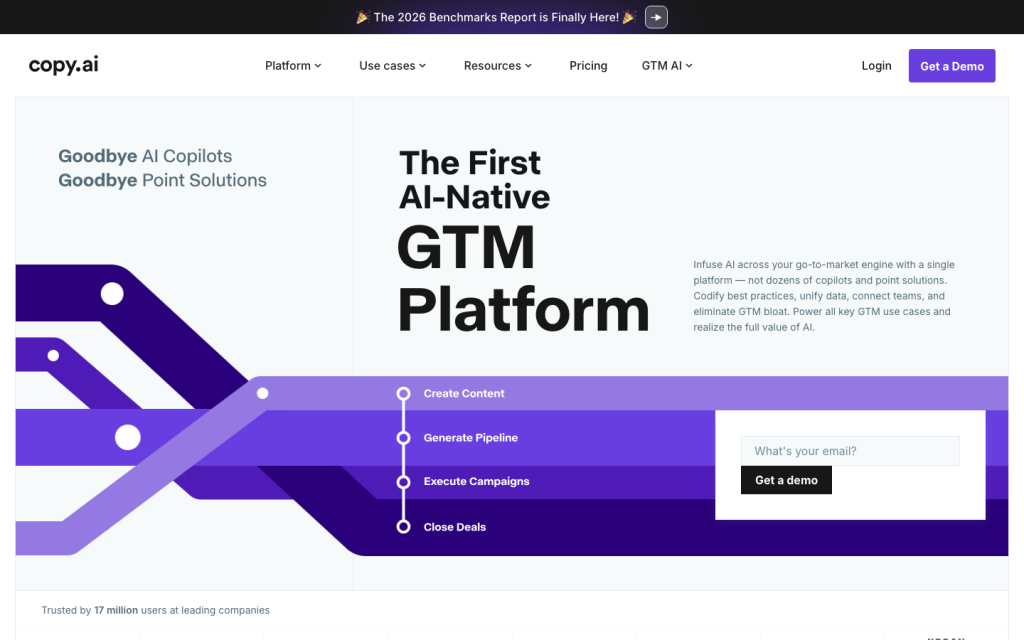
Copy.ai is a GTM AI platform for teams that want to turn repeatable sales, marketing, operations, and customer-success processes into multi-step workflows. Its strongest use case is connecting company knowledge, CRM context, structured tables, and selected research actions to tasks such as prospecting, lead processing, CRM enrichment, account research, content creation, and localization. It is less suited to buyers seeking a proprietary prospect database, unattended autonomous execution, or a full native attribution and BI product.

Is Copy.ai worth it?
It supports repeatable, multi-step GTM workflows with triggers, structured data, testing, bulk runs, forms, API access, and webhooks.
Job-openings research can be stale, incomplete, unavailable for companies without public openings, or constrained for large result sets.

What is it?
Copy.ai is positioned as a GTM AI platform rather than simply a copy generator. Its workflow model is designed to codify repeatable playbooks across prospecting, inbound lead processing, CRM enrichment, account-based marketing, deal coaching, forecasting, content production, translation, and localization. Teams can combine AI steps with procedural steps and pass each step's output into the next one.
The practical distinction is that it can operate on team context: uploaded documents and organizational knowledge, editable brand guidance, CRM data, tables, and selected external research. Buyers should evaluate it as a configurable workflow layer for defined GTM processes, not as a replacement for a dedicated prospect-data provider or native revenue-analytics suite.
Data and signals
Copy.ai can reference uploaded Word, PDF, and text documents, directly entered knowledge, Brand Voice summaries, tables, CRM records, website data, sales-call and customer-success conversations, marketing data, intent signals, product-usage patterns, and content engagement where those sources are available to the workflow. Research actions also cover company news, earnings-call transcripts, and current job listings by company domain.
The key buying boundary is data ownership and quality. The documentation supports connected and workflow-supplied context, but does not establish a proprietary company or contact database, guaranteed enrichment accuracy, universal real-time refresh, or comprehensive intent-data coverage. Job-openings results in particular may be stale, incomplete, unavailable, or limited for large result sets.
AI workflows and activation
Workflows can generate text, extract and categorize information from text, search the internet, scrape webpages, query or update tables, and run from manual input, schedules, integration events, or table-row changes. Teams can test individual actions, inspect step-level results and estimated credit use, execute CSV batches, and expose workflows through hosted or embedded forms.
Content Agent Studio can turn example assets into reusable, brand-oriented content agents that others can invoke in workflows. This is a useful pattern for standardizing repeatable content tasks, but it should not be treated as unattended publishing: the documented product guidance says content agents require human review and publishing.
Integrations and analytics
Salesforce is the most substantively documented connection. It supports synchronization, event-driven workflows for accounts, contacts, leads, and opportunities, and selected returns of generated research or prospecting information to Salesforce records. Buyers should use sandbox or sub-production testing and consider service-account setup before broad deployment.
Copy.ai also documents named connections across CRM, sales engagement, conversation intelligence, collaboration, and automation tools. Workflow execution can be accessed through an API, completion webhooks, forms, and CSV inputs. Operational visibility includes run history, statuses, failure inspection, and per-action testing outputs. The evidence does not establish native full-funnel attribution or a complete BI layer, so teams needing outcome measurement may retain their existing reporting stack.
Who it's for
Copy.ai is best for GTM teams with repeatable, reviewable processes that can be expressed as a sequence of inputs, decisions, research, generation, and handoff steps. This includes revenue operations teams operationalizing lead routing or CRM enrichment, sales teams standardizing account research and prospecting, and marketing teams applying brand context to content and localization.
It is a weaker fit for organizations that primarily need verified B2B contact coverage, push-button autonomous agents that act without review, or a single native system for full-funnel reporting. Before committing, map one high-volume workflow, define its source data and approval points, and test the required CRM write-back and output-review process.
Buyer scenarios
Where the product fits — and where to be careful
Salesforce-led lead research and routing
- Need
- A revenue-operations team wants to enrich and research incoming leads, apply repeatable qualification logic, and send selected results back to Salesforce.
- Why it fits
- Copy.ai can combine CRM triggers, multi-step research and generation actions, structured tables, testing, and Salesforce write-back into a defined workflow.
- Watch out
- Validate object mappings, permissions, sandbox behavior, output-review steps, and the quality and freshness of any external research inputs before scaling.
Shortlist this if Salesforce is the operational system of record and the team can own workflow design and governance.
Brand-guided global content operations
- Need
- A marketing team needs repeatable content and localization workflows using existing materials and consistent brand context.
- Why it fits
- Copy.ai's Infobase, Brand Voice, Content Agent Studio, translation and localization workflows, and bulk or form-based runs support standardized production processes.
- Watch out
- Content agents require human review and publishing, and reviewers report that specialized or longer-form output can be generic or editing-heavy.
This is a fit for teams that treat AI as a controlled drafting and workflow layer rather than an autonomous publishing system.
Pros & Cons
Pros
- It supports repeatable, multi-step GTM workflows with triggers, structured data, testing, bulk runs, forms, API access, and webhooks.
- A documented Salesforce connection can synchronize data, respond to account, contact, lead, and opportunity events, and write selected outputs back to Salesforce.
- It combines uploaded knowledge, an editable Brand Voice, CRM and table context, internet research, scraping, extraction, categorization, and generation in workflows.
- Public plans range from a small-team Chat tier to higher-volume workflow-credit tiers, with a demo-led Enterprise option.
Cons
- Job-openings research can be stale, incomplete, unavailable for companies without public openings, or constrained for large result sets.
- Content agents require human review and publishing; the product is not documented as an autonomous execution system.
- Customer reviews frequently cite generic, inaccurate, or editing-heavy output for longer or specialized content.
- Review feedback also raises recurring concerns about value, usage limits, cancellation or refund experiences, bugs, and workflow disruptions.
Editorial scores
Copy.ai has useful GTM context inputs: CRM records, documents, website data, transcripts, structured tables, company news, earnings-call research, and a job-openings action. That is strong for workflow-specific research and enrichment, but the evidence does not establish a proprietary contact database, universal real-time refresh, or guaranteed data completeness.
The documented builder supports repeatable multi-step workflows, procedural and AI actions, triggers, output passing, testing, bulk execution, forms, API access, webhooks, and reusable content agents. Human review remains an explicit requirement for content agents, and customer feedback indicates output quality can require substantial editing.
Activation is especially well documented for Salesforce, including event triggers, synchronization, supported objects, and selected write-back. The platform also supports forms, CSV bulk runs, workflow APIs, webhooks, named GTM integrations, and automation through Zapier. Native analytics and attribution depth are not established.
Customer feedback is mixed: many reviewers describe intuitive drafting and brainstorming, while others report navigation issues, bugs, unreliable access, changing features, subscription friction, and concerns about value. Those recurring tradeoffs make fit and change-management expectations important.
Copy.ai customer reviews and sentiment
Based on 107 public customer reviews. Source mix: 73 from trustpilot.com, 19 from softwareadvice.com, 14 from softwarereviews.com, and 1 from gartner.com.
Customer sentiment is analyzed separately and does not determine the Reviews.vc editorial score.
| Theme and finding | Mentions | Positive | Negative |
|---|---|---|---|
Content and output quality Output can quickly generate useful ideas and short-form copy, but reviewers often report generic, off-target, inaccurate, or editing-heavy results, especially for longer or specialized content. | 49 | 35 | 26 |
AI and automation The AI is widely valued for accelerating drafting, brainstorming, and content production, though reviewers caution that human writers still need to review and refine its work. | 37 | 32 | 5 |
Value for money Value concerns center on pricing, usage limits, charges after cancellation, and difficulty obtaining refunds or subscription help, despite a smaller set of reviewers finding the tool worthwhile. | 37 | 7 | 30 |
Ease of use Many reviewers find the interface intuitive and beginner-friendly, but others report confusing updates, navigation problems, bugs, and unreliable access that undermine usability. | 35 | 23 | 12 |
Workflow flexibility Templates and varied content uses can support different workflows, but outages, lost work, removed features, and limits on free-form generation can disrupt established processes. | 24 | 9 | 15 |
Mentions count unique reviews. One review can count as both positive and negative for the same theme when it describes a mixed experience.
This analysis reflects public customer reviews we could identify and access at the time of collection; the displayed source mix may influence the patterns shown.
Review sentiment over time
| Period | n | Positive | Mixed | Negative |
|---|---|---|---|---|
| 2025 Q3Limited sample | 2 | 0 | 1 | 1 |
| 2025 Q4Limited sample | 1 | 0 | 0 | 1 |
| 2026 Q1Limited sample | 3 | 0 | 1 | 2 |
| 2026 Q2Limited sample | 1 | 0 | 0 | 1 |
Only periods containing dated reviews are shown; gaps between labels mean no dated reviews were available for those periods.
Pricing and contract model
Public tiers cover small-team chat use and higher-volume workflow-credit deployments. Chat can be billed monthly or annually; Growth, Expansion, and Scale are shown with annual billing. Enterprise is custom and demo-led.
| Plan | Price | Includes |
|---|---|---|
Chat | $29/mo monthly | $29 per month when billed monthly or $24 per month when billed annually; includes 5 seats, unlimited Chat words and projects, and access to OpenAI, Anthropic, and Gemini models. |
Growth | $1,000/mo; billed $12,000/yr annual | $1,000 per month billed annually; includes 75 seats and 20,000 workflow credits per month. |
Expansion | $2,000/mo; billed $24,000/yr annual | $2,000 per month billed annually; includes 150 seats and 45,000 workflow credits per month. |
Scale | $3,000/mo; billed $36,000/yr annual | $3,000 per month billed annually; includes 200 seats and 75,000 workflow credits per month. |
Integrations
Documented connections and access methods for Copy.ai.
CRM
Automation
Messaging & collaboration
Productivity suite
Other
Recent signals
Product and company changes worth checking
- 2026-05-20 · product positioning
AI GTM Platform: Transform Your Go-to-Market
Copy.ai published an article describing AI GTM platforms as unified workflow and automation systems for sales, marketing, and customer success.
Source
FAQ
How much does Copy.ai cost?
Which GTM workflows does Copy.ai support?
How does Copy.ai use AI in GTM workflows?
What does Copy.ai integrate with?
Who is Copy.ai best for?
- 2026-07-24 updated Review updated
Sources analyzed (24)
- Future proof your business with GTM AI copy.ai accessed 2026-07-23
- What Are Workflows? Everything You Need to Know to Unlock AI copy.ai accessed 2026-07-23
- What is an AI-Native GTM Platform? Benefits & Features copy.ai accessed 2026-07-23
- Copy.ai Integrations | Connect Your Apps with Zapier zapier.com accessed 2026-07-24
- Copy.ai Google Sheets Integration - Quick Connect zapier.com accessed 2026-07-24
- Copy.ai Slack Integration - Quick Connect zapier.com accessed 2026-07-24
- Platform Overview support.fullcast.com accessed 2026-07-24
- Getting Started With Workflows support.fullcast.com accessed 2026-07-24
- Get Started with Content Agent Studio support.fullcast.com accessed 2026-07-24
- Fullcast Announces the Acquisition of Copy.ai - Fullcast www.fullcast.com accessed 2026-07-24
Showing 10 of 24 sources · 14 additional sources analyzed

Leave Review