
Onyx logo

Onyx

Onyx is an open-source enterprise AI search platform with cited chat answers, broad connectors, and self-hosted deployment options.

Editorial score

4.0 /5
How we scored it

Is Onyx worth it?

Nick Oscar
Editor, Reviews.vc · Updated November 7, 2026
Good For

Combines document search with cited AI chat answers and source cards.

Caution

Permission synchronization is plan-gated and connector-specific; Salesforce does not synchronize document permissions.

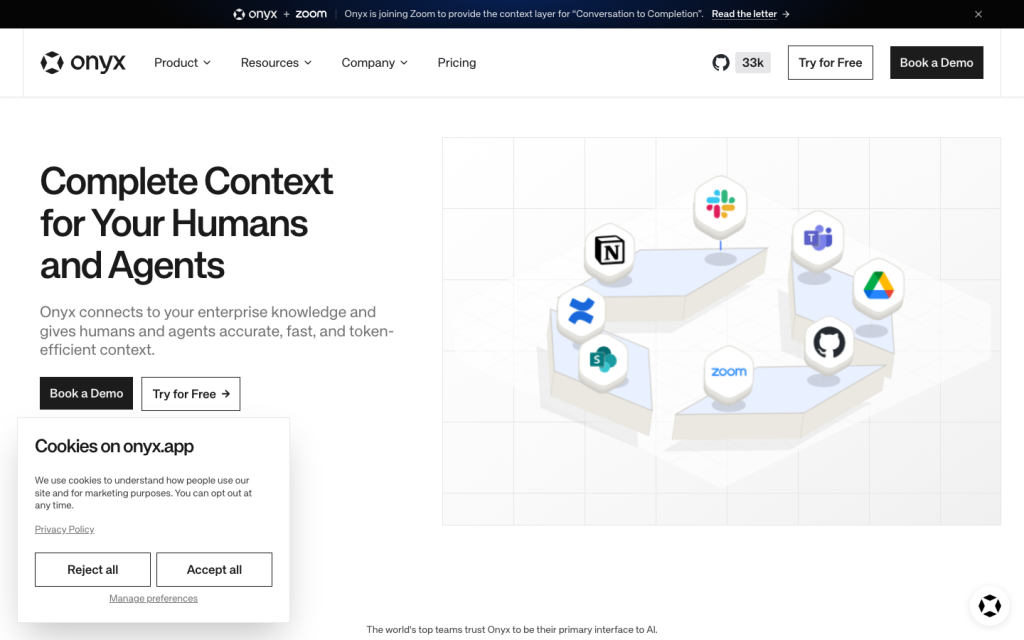
Onyx product image
onyx.app
On this page

Onyx is an open-source enterprise AI search platform for teams that need to search connected workplace content and ask cited questions about organizational knowledge. It pairs hybrid retrieval with source cards and Chat, while offering cloud or self-hosted deployment, including air-gapped installations. It’s a particularly strong fit for technical or security-conscious organizations that can validate connector-specific permissions, refresh expectations, and edition requirements.

What is Onyx?

Onyx is an open-source enterprise AI platform for connected workplace knowledge. It indexes connected content for document search and AI chat grounded in organizational knowledge, with adjacent capabilities for agents, tools, web search, code execution, and API or MCP access. Cloud and self-hosted deployments are available, including air-gapped self-hosted installations.

Deployment choice matters: Onyx Standard includes vector and keyword RAG indexing plus connector synchronization, while Onyx Lite cannot index knowledge from connected applications.

Search, answers, and traceability

Onyx separates discovery from answer generation. Search returns ranked source documents as source cards; Chat generates cited answers. Retrieval features include hybrid keyword and vector search, advanced RAG, contextual retrieval, and query expansion.

For operational traceability, Query History can show messages, user feedback, and reference documents used for an answer, subject to plan and visibility settings. Citations and source visibility help with verification, but they do not guarantee factual correctness or hallucination-free answers.

Connectors, permissions, and freshness

Onyx supports connectors for knowledge bases, cloud storage, ticketing, messaging, meetings, sales, and code repositories, plus file upload and an ingestion API. The pricing page lists 40+ app connectors.

Source permission synchronization is available for named connectors on Business, Enterprise, and Cloud plans. Behavior varies by connector: Salesforce does not synchronize document permissions, and source scope and exclusions also vary. Content refresh runs every 30 minutes by default, deleted-content pruning defaults to seven days, and permission changes can take from a few minutes to an hour to appear.

Administration, analytics, and audit controls

Administrators can manage models, providers, connectors, indexing, search features, spending limits, and model access controls. Administrator and group-scoped roles let Group Managers manage members and group-shared resources without organization-wide administrative powers.

Usage dashboards track active users, spending, tokens, and model and feature breakdowns. Query History supports filtering, visibility modes, reference document inspection, and CSV export. Self-hosted deployments emit structured audit events that can be forwarded to SIEM platforms, including Splunk, Microsoft Sentinel, Elastic, Google Chronicle, and AWS Security Lake. Enterprise adds SCIM and group sync, custom roles and permissions, configurable limits, custom deployments, region-specific processing, priority support, and enterprise SLAs.

Who should consider Onyx?

Onyx fits security-conscious organizations and technical teams whose knowledge is spread across systems like Drive, Slack, Confluence, SharePoint, GitHub, Jira, CRM, support tools, and document repositories. Its self-hosting, controlled model choices, APIs, custom connectors, and configuration options are particularly relevant where deployment control matters.

Buyers should test connector-specific permissions and exclusions, expected content freshness, and the edition required for their use case. Organizations that need every connector to mirror source ACLs, universally real-time retrieval, or indexed enterprise search on Lite should validate those requirements before rollout.

Buyer scenarios

Where the product fits — and where to be careful

Security-conscious organizations with distributed knowledge

Need
Search and answer questions across content distributed among workplace systems while retaining deployment and administrative control.
Why it fits
Onyx combines connected-content search, cited Chat answers, source-specific permission synchronization where supported, self-hosting, air-gapped deployment, and SIEM-forwardable audit events.
Watch out
Validate the chosen connector's permission behavior, the required plan, refresh cadence, and whether a self-hosted deployment is needed.

Strong fit

Technical teams building a knowledge layer

Need
A customizable enterprise search and AI platform that can connect to internal systems and fit into technical workflows.
Why it fits
APIs, MCP access, custom connectors, model-provider flexibility, deployment automation, and configuration-as-code support technical operating models.
Watch out
Lite has no indexing for connected application knowledge, and retrieval freshness is schedule-driven rather than universally real-time.

Strong fit with deployment validation

Pros & Cons

Pros

  • Combines document search with cited AI chat answers and source cards.
  • Supports 40+ app connectors plus file upload and an Ingestion API.
  • Offers cloud, self-hosted, and air-gapped self-hosted deployment options.
  • Provides administrator controls, usage analytics, Query History, and self-hosted audit-event export.

Cons

  • Permission synchronization is plan-gated and connector-specific; Salesforce does not synchronize document permissions.
  • Default refresh is every 30 minutes, so retrieval is not universally real-time.
  • Onyx Lite cannot index connected application knowledge.
  • Public evidence does not guarantee factual correctness or hallucination-free answers.
Editorial score breakdown

Editorial scores

Editorial score
4.0
Administration and measurement
4.0

Onyx provides role controls, operational administration, usage dashboards, Query History, and self-hosted audit-event export, with several advanced controls tied to higher tiers.

Search and answers
4.0

Hybrid keyword and vector retrieval, query expansion, source cards, cited Chat answers, and reference-document visibility support strong workplace search and traceability.

Usability, support & value Not scored

User-review evidence was insufficient to score usability, support, or value.

Content and permissions
4.0

Onyx supports broad workplace content coverage with configurable refresh and permission synchronization for named sources, but permission behavior and exclusions vary by connector and plan.

Pricing and contract model

Community Edition is free and open source. Business is listed at $20 per user per month with annual billing, while Enterprise pricing is custom.

PlanPriceIncludes
Community Edition
Free
Not applicable
Free and open-source Community Edition.
Business
$20 per user per month
Annual billing
Business plan price listed with annual billing.
  • New Business subscriptions include a two-week free trial and are not charged until it ends.
  • Business subscriptions can use monthly or annual billing.

Integrations

Documented connections and access methods for Onyx.

CRM

Business systems Native

Messaging & collaboration

Messaging and collaboration Native

Developer/API

Ingestion API Public API

Document storage

Knowledge bases and document storage Native

Other

Code repositories Native
  • Connector permissions, source scope, exclusions, and refresh behavior vary by source and plan.

What's new

Recent product and company updates

  • 2026-10-21

    Onyx joins Zoom

    Onyx announced that it is joining Zoom while remaining a standalone, open-source, app-agnostic product.

    Source
  • 2026-10-23

    Onyx v5.0.0

    Version 5.0.0 added unified Plugins management, default Onyx MCP with OAuth, connector checks, shared accounts, and a rebuilt Indexing Status page.

    Source

FAQ

How is Onyx priced?
Community Edition is free and open source. Business is listed at $20 per user per month with annual billing, while Enterprise uses custom pricing. Business subscriptions can be billed monthly or annually and include a two-week free trial for new subscriptions.
Which content sources can Onyx search?
Onyx supports connectors for sources including Confluence, SharePoint and OneDrive, Notion, Google Drive, Dropbox, Box, Jira, Zendesk, Slack, Microsoft Teams, Gmail, Outlook, Zoom, Salesforce, HubSpot, GitHub, GitLab, Bitbucket, file upload, and web scraping.
Does Onyx preserve source permissions?
Permission synchronization is available on Business, Enterprise, and Cloud plans for named connectors including Google Drive, Gmail, Confluence, Jira, indexed Slack, GitHub, Box, SharePoint, OneDrive, Microsoft Teams, Outlook, Linear, HubSpot, YouTrack, and Zoom. Salesforce does not synchronize document permissions.
How quickly does Onyx refresh connected content?
Connector refresh defaults to every 30 minutes, and deleted-document pruning defaults to seven days. Permission changes can take a few minutes to an hour to appear; administrators can trigger synchronization.
Review transparency Corrections policy
Change history
  1. 2026-11-07 Initial publication First published version of this review.
21 sources analyzed
  1. Internal Search docs.onyx.app
  2. Onyx Documentation docs.onyx.app
  3. Pricing onyx.app
  4. Deployment Overview docs.onyx.app
  5. Connectors Overview docs.onyx.app
  6. Analytics Overview docs.onyx.app
  7. Query History docs.onyx.app
  8. Audit Logs docs.onyx.app
  9. Onyx Joins Zoom onyx.app
  10. Changelog docs.onyx.app

Showing 10 of 21 sources · 11 additional sources analyzed

Feedback on this article

Was this review helpful?

Private editorial feedback. It does not change product ratings or rankings.

Rate Onyx

Rate your experience
  • Administration and measurement
  • Search and answers
  • Usability, support & value
  • Content and permissions