
Unify logo

Unify

Unify combines GTM signals, AI-assisted research, trigger-based outbound workflows, and CRM activation for B2B sales, growth, marketing, and RevOps teams.

Editorial score

4.0 /5
How we scored it

Is Unify worth it?

Nick Oscar
Editor, Reviews.vc · Updated July 24, 2026
Good For

It combines first-party engagement, imported data, third-party sources, and AI-discovered signals for prospecting and prioritization.

Caution

Some reviewers report that complex configurations and navigation can be difficult, despite generally positive ease-of-use feedback.

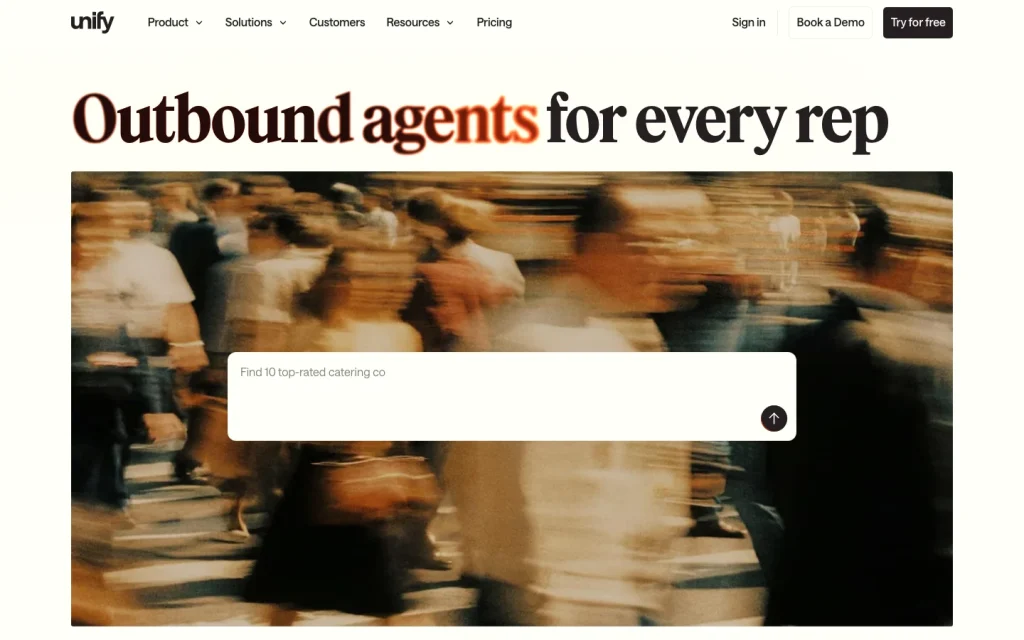
Unify product image

Unify is an AI GTM platform for B2B teams that want to turn account, contact, website, product, CRM, and third-party intent signals into targeted outbound work. Its documented strengths are broad signal inputs, configurable agent and Play workflows, sequencing, CRM actions, and an unusually wide set of GTM-stack connections. It is best assessed as an outbound intelligence and orchestration platform rather than a complete GTM suite for every use case.

It is a strong fit when a team has identifiable buying signals and wants to operationalize them through qualification, enrichment, routing, outreach, and measurement. Buyers should validate CRM-sync behavior, configuration fit, data quality for their target market, and the plan needed for write access and advanced analytics.


What is it?

Unify is a B2B outbound platform centered on Agents, Signals, Sequencing, Plays, Deliverability, and Analytics. Its core job is to help growth, marketing, sales, and revenue teams identify relevant accounts and contacts, interpret buying or usage signals, and move qualified prospects into repeatable outbound workflows.

The product is designed around connected GTM data rather than a single signal type. That makes it relevant for sales-led, product-led, and expansion motions where teams can define who matters, what activity should trigger action, and how the next step should be executed.

Data and signals

Unify documents searchable company and contact data, enrichment waterfalls, and a mix of native, third-party, and AI-generated signals. Signal inputs can include CRM activity, website behavior, product events, conversation data, hiring and fundraising changes, technology data, social activity, relationship paths, and marketing engagement.

For product-led teams, event inputs can include feature use, trial activity, milestones, logins, paywall interactions, and custom tracking events. Teams can also import records through CSV or connected event sources. This breadth is useful when prioritization depends on multiple signals, but buyers should test contact coverage, enrichment quality, and freshness against a representative account list.

AI workflows and activation

Unify’s agents are documented for account research, contact discovery, list qualification, signal access, and personalized email or social-message generation. Administrators can add guidance, company context, qualification questions, and test configurations against company or person records.

Plays provide the operational layer: teams can combine triggers such as website visits, audience entry, champion moves, lookalikes, record matches, or manual additions with actions including qualification, owner assignment, prospecting, sequencing, CRM synchronization, notifications, and webhooks. Sequences can include email, calls, and social outreach. This is best suited to teams prepared to define routing logic and guardrails rather than teams seeking an entirely hands-off process.

Integrations and analytics

Unify supports native connections across Salesforce, HubSpot, Gmail, Slack, product-event tooling, visitor-identification and intent tools, dialers, and data-routing platforms. Its developer surface includes data and analytics APIs, bulk data transfer, libraries, and webhooks. A Chrome extension is available in HubSpot, Salesforce, and general browsing contexts.

Analytics includes dashboards for activity, deliverability, and attribution to Plays, signals, and sequences, with more advanced signal analytics and pipeline attribution assigned to Business. Salesforce and HubSpot access also differs by plan, so buyers with CRM-write requirements should confirm the permissions, mapping, and synchronization design during evaluation.

Who it's for

Unify is best for B2B outbound and expansion teams that have usable account, contact, website, product, CRM, or external-intent signals and need to convert them into prioritized outreach. It can be especially relevant to growth, marketing, sales, RevOps, BDR, and account-executive teams operating coordinated outbound programs.

It is less clearly suited to organizations that lack defined targeting criteria or cannot support workflow configuration and CRM governance. Teams should begin with a focused motion, validate the relevant data inputs and CRM behavior, then expand Plays and agent configurations once the initial routing and measurement model is working.

Buyer scenarios

Where the product fits — and where to be careful

Product-led outbound team operationalizing usage signals

Need
Turn web and product activity, trial behavior, CRM data, and third-party intent into prioritized outbound.
Why it fits
Unify can ingest product and website events, qualify and enrich records, trigger Plays, and route prospects into sequences, CRM actions, notifications, or reporting.
Watch out
Validate event instrumentation, signal definitions, CRM mappings, and the Business-plan requirements for advanced product signals and CRM write access.

A strong fit when product and growth teams have reliable event data and a clear follow-up motion.

RevOps-led sales team coordinating signal-triggered outreach

Need
Give BDRs and account executives a repeatable way to act on account changes, visitor activity, and qualified audiences.
Why it fits
Unify’s Agents, Plays, sequencing, Salesforce or HubSpot synchronization, Slack alerts, dialer workflows, and webhooks provide a configurable operating layer.
Watch out
Start with a narrow workflow and test synchronization behavior; review feedback suggests some complex configurations and Salesforce connections may require extra attention.

A good fit for teams with RevOps capacity to own routing logic, permissions, and measurement.

Pros & Cons

Pros

  • It combines first-party engagement, imported data, third-party sources, and AI-discovered signals for prospecting and prioritization.
  • It supports configurable agent workflows, trigger-based Plays, sequencing, routing, CRM actions, Slack alerts, and webhooks.
  • It connects with Salesforce, HubSpot, Gmail, Slack, product-event tools, dialers, APIs, and reverse-ETL tools.
  • Public plans start with a free tier and include monthly per-seat options, plus a 14-day Pro trial without a credit card.

Cons

  • Some reviewers report that complex configurations and navigation can be difficult, despite generally positive ease-of-use feedback.
  • Review feedback on integrations is mixed: several users describe smooth connections, while others report Salesforce sync issues.
  • Unify documents substantial data breadth, but buyers should validate accuracy, freshness, and match rates for their target market.
  • Advanced CRM write access, API/webhooks, signal analytics, and pipeline attribution depend on your plan.
Editorial score breakdown

Editorial scores

Editorial score
4.0
Data & signals
4.0

Unify documents broad company, contact, engagement, product, CRM, web, and third-party signal coverage, plus AI-driven signal research and recurring trigger evaluation. Buyers should still validate data quality and geographic fit for their own target market.

AI & workflow automation
4.0

Agents can support research, qualification, contact finding, list building, and personalized messaging, while Plays provide configurable triggers, routing, actions, delays, and webhook controls. Reviews also highlight useful automation, though some teams want more workflow visibility and advanced options.

Activation & integrations
4.0

Native CRM, email, messaging, signal, analytics, dialer, browser extension, API, and webhook surfaces support practical activation. CRM permissions and write capabilities vary by plan, and customer feedback includes some Salesforce-sync concerns.

Usability, support & value
4.0

Most reviewed customers describe straightforward setup and useful support, with praise for implementation help. The tradeoff is that complex setups, navigation, response times, and onboarding documentation can be uneven for some teams.

Customer sentiment

Unify customer reviews and sentiment

Based on 16 public customer reviews. Source mix: 10 from g2.com, 4 from softwarefinder.com, and 2 from softwareadvice.com.

Customer sentiment is analyzed separately and does not determine the Reviews.vc editorial score.

16 public reviews analyzed
Positive
88%14 reviews
Mixed
6%1 reviews
Negative
6%1 reviews
Theme and findingMentionsPositiveNegative
Ease of use
Most reviewers find setup and day-to-day use straightforward, though complex configurations and navigation can be difficult for some teams.
12104
Workflow flexibility
Teams can build targeted, intent-driven outbound workflows quickly, but want clearer campaign visibility and more advanced options such as multichannel outreach, A/B testing, and attribution.
873
Support
Support is frequently praised for helping teams implement and untangle configurations, although a few reviewers cite slow responses and limited onboarding documentation.
752
AI and automation
AI agents and automation help qualify intent-driven prospects and route them into sequences with less manual effort.
550
Integrations
Some reviewers report smooth CRM and workflow connections, while others cite problematic Salesforce syncing and a missing native Attio integration.
532

Mentions count unique reviews. One review can count as both positive and negative for the same theme when it describes a mixed experience.

This analysis reflects public customer reviews we could identify and access at the time of collection; the displayed source mix may influence the patterns shown.

Review sentiment over time

PeriodnPositiveMixedNegative
2024 Q47700
2025 Q4Limited sample3210
2026 Q1Limited sample2101
2026 Q2Limited sample1100

Only periods containing dated reviews are shown; gaps between labels mean no dated reviews were available for those periods.

Pricing and contract model

Unify publishes Free, Base, and Pro plans, while Business is custom-priced and billed annually. A 14-day Pro trial is advertised with no credit card required.

PlanPriceIncludes
Free
$0
monthly
$0 free-forever plan with limited credits and up to three seats.
Base
$20/seat
monthly
$20 per seat per month, billed monthly, with 800 credits per seat per month.
Pro
$60/seat
monthly
$60 per seat per month, billed monthly, with 2,400 credits per seat per month.

Integrations

Documented connections and access methods for Unify.

CRM

Salesforce Native
HubSpot Native

Automation

Webhooks Public API

Messaging & collaboration

Slack Native

Developer/API

Unify REST Data API Public API

AI protocol

Claude Via automation
Codex Via automation

Productivity suite

Gmail Native

Data warehouse/BI

PostHog Native
Segment Native
Fivetran Native
Hightouch Native

Identity/SSO

SSO Native

Browser extension

Chrome extension — HubSpot Embedded
Chrome extension — Salesforce Embedded
Chrome extension — other websites Embedded

Data import/export

Clay Via automation

Other

6sense Native
Clearbit Native
Demandbase Native
G2 Native
Google Tag Manager Native
Nooks Native
Orum Native

Recent signals

Product and company changes worth checking

  • 2026-06-15 · product release

    Introducing Unify for Sales Reps

    Unify introduced a sales-rep offering focused on AI-powered automation for tier-two-and-beyond outbound while retaining human touches for tier-one accounts.

    Source

FAQ

How much does Unify cost?
Unify offers a Free plan at $0, a Base plan at $20 per seat per month, and a Pro plan at $60 per seat per month, all with monthly billing. Business is custom priced and billed annually. The public pricing page also advertises a 14-day Pro trial with no credit card required.
Which GTM workflows does Unify support?
Unify supports prospecting, company and contact identification, enrichment, signal and intent monitoring, audience building, research, AI-assisted personalization, sequencing, trigger-based Plays, CRM filtering and exclusions, and reporting or attribution. Its documented focus is B2B outbound and expansion workflows.
How does Unify use AI in GTM workflows?
Unify documents AI agents for research, list building, contact finding, qualification, signal discovery, and personalized messaging. Teams can configure guidance and qualification questions, then use Plays to route triggered records into actions such as prospecting, sequencing, CRM updates, notifications, or webhooks.
What does Unify integrate with?
Unify documents native integrations including Salesforce, HubSpot, Gmail, Slack, 6sense, Clearbit, Demandbase, G2, Google Tag Manager, Nooks, Orum, PostHog, Segment, Fivetran, and Hightouch. It also supports APIs, webhooks, Clay workflows, and Chrome extension surfaces. Some CRM, API, webhook, and SSO capabilities depend on the plan.
Who is Unify best for?
Unify is best for B2B growth, marketing, sales, and RevOps teams with identifiable account, contact, product, website, CRM, or intent signals that they want to turn into qualified and prioritized outbound activity.
Change notes Corrections policy
  1. 2026-07-24 updated Review updated
Sources analyzed (50)
  1. Unify Products | Agents www.unifygtm.com accessed 2026-07-23
  2. Unify | Signals www.unifygtm.com accessed 2026-07-23
  3. Unify Signals | Product usage www.unifygtm.com accessed 2026-07-23
  4. Play triggers - Unify docs.unifygtm.com accessed 2026-07-23
  5. Play actions - Unify docs.unifygtm.com accessed 2026-07-23
  6. Integration guides - Unify docs.unifygtm.com accessed 2026-07-23
  7. Unify free sign-up app.unifygtm.com accessed 2026-07-23
  8. Introducing Unify for PLG with Product Usage Signals www.unifygtm.com accessed 2026-07-23
  9. Privacy Policy | Unify www.unifygtm.com accessed 2026-07-23
  10. Unify Pricing | The system of action for growing revenue www.unifygtm.com accessed 2026-07-23

Showing 10 of 50 sources · 40 additional sources analyzed

Leave Review
Rate your experience
  • Data & signals
  • AI & workflow automation
  • Activation & integrations
  • Usability, support & value