
Zapier logo

Zapier

Zapier combines broad app automation, AI workflows and developer tools, but high-volume buyers should model task-based costs carefully.

Editorial score

4.0 /5
How we scored it

Is Zapier worth it?

Nick Oscar
Editor, Reviews.vc · Updated July 26, 2026
Good For

Connects more than 9,000 apps through trigger-and-action workflows.

Caution

Task-based billing, AI model multipliers, tool calls and overages can raise costs for high-volume workflows.

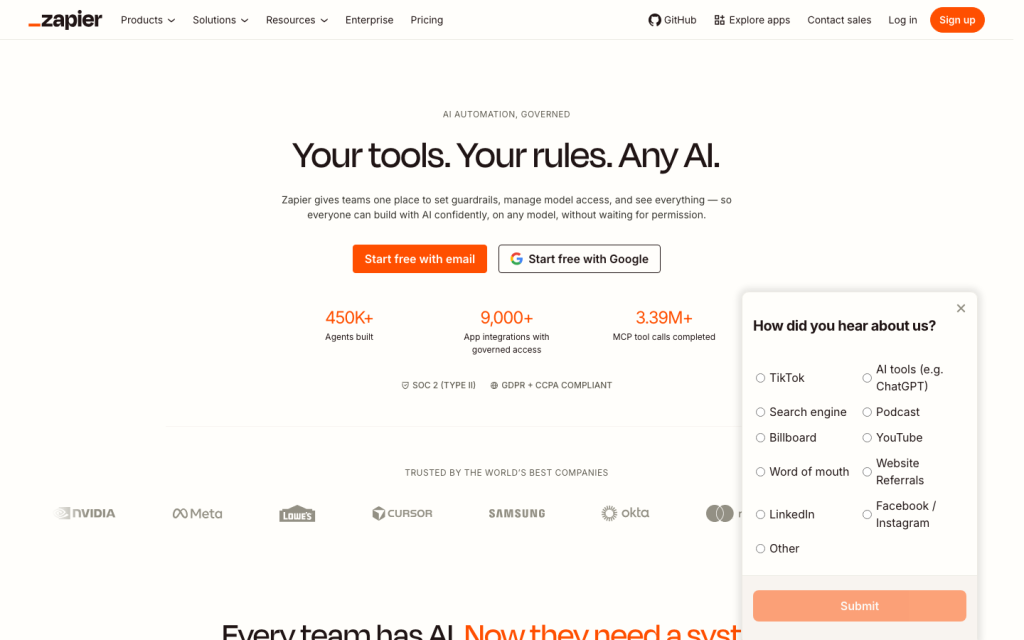
Zapier product image
zapier.com

Zapier is a cloud automation and AI orchestration platform built around trigger-and-action workflows, with a catalog of more than 9,000 app integrations. It combines no-code workflow building with branching, scheduling, code, webhooks, APIs, AI steps, and Agents. Its breadth is a major strength, while task-based usage, AI consumption, and reported support issues make cost modeling important for action-heavy deployments.


What is Zapier?

Zapier is a cloud platform for automation and AI orchestration. Its core building block is a Zap: a workflow that starts with a trigger and performs one or more actions. Teams can map data from a trigger or earlier step into later actions, then extend workflows with AI steps, forms, tables, MCP, APIs, custom actions, and private apps.

Automation capabilities

Zapier supports multi-step automation beyond basic app handoffs. Builders can use Filters to stop runs that do not meet conditions, Paths for branching, and Delay or Schedule tools for timing. It also offers looping, Python and JavaScript code steps, error handling, run history, manual and automatic replay, run statuses, and AI-powered troubleshooting.

Workflow depth depends on your plan: Free supports two-step Zaps, while Professional and higher plans support multi-step Zaps.

Workflow and integrations

Zapier lists more than 9,000 app integrations, including popular productivity, CRM, calendar, payment, and collaboration services. App connections can be reused across workflows and support authentication methods including OAuth 2.0, API keys, Basic, session, and Digest authentication.

For more technical use cases, Zapier provides inbound and outbound webhooks, REST Hook triggers, custom integrations built with the Platform CLI, private apps, a Workflow API for embedded automation, and MCP access that exposes configured app actions to compatible AI clients.

Who Zapier fits

Zapier fits individuals getting started with app automation, power users building multi-step workflows, operations teams coordinating connected processes, and developers embedding integrations. Team adds shared workflows, folders, shared app connections, multiple users, SSO, and priority support; Enterprise adds administrative controls, observability, analytics, and deployment options.

Buyers should model task consumption before committing to high-volume or action-heavy processes. Successful actions, AI model tiers, AI tool calls, code, and overages can all affect spend. It’s also worth noting that AI by Zapier resets its knowledge on each run rather than learning from previous actions.

Buyer scenarios

Where the product fits — and where to be careful

Operations team connecting SaaS workflows

Need
Automate multi-step processes across business apps with conditional routing and operational controls.
Why it fits
Strong fit: Zapier offers a 9,000+ app catalog, data mapping, Filters, Paths, schedules, delays, code, error handling and replay.
Watch out
Model task use for action-heavy workflows and plan for reported reliability and support concerns.

Good fit for teams that prioritize broad SaaS connectivity and configurable no-code automation.

Product or developer team embedding automation

Need
Build custom integrations or expose connected actions in a product or AI experience.
Why it fits
Strong fit: Zapier provides the Platform CLI, private apps, webhooks, Workflow API and MCP.
Watch out
Validate the required authentication, workflow volume and AI knowledge behavior; AI by Zapier resets knowledge each run.

Good fit when embedded automation and a large integration surface matter more than self-hosting.

Pros & Cons

Pros

  • Connects more than 9,000 apps through trigger-and-action workflows.
  • Offers advanced workflow controls including Filters, Paths, delays, schedules, looping, code and replay.
  • Supports AI workflows, Agents, AI Guardrails and MCP-based action access.
  • Provides webhooks, custom integrations, private apps and a Workflow API for technical teams.

Cons

  • Task-based billing, AI model multipliers, tool calls and overages can raise costs for high-volume workflows.
  • User-review aggregate feedback is notably negative on value for money and support.
  • Each AI by Zapier run resets knowledge rather than learning from prior actions.
Editorial score breakdown

Editorial scores

Editorial score
4.0
Automation coverage
5.0

Zapier combines 9,000+ app integrations with multi-step workflows, branching, scheduling, delays, looping, code, forms, tables, safety controls, error handling and replay.

AI capabilities
4.0

AI workflows include AI steps, Agents that act across connected apps, model-tier usage and AI Guardrails for checks such as PII, prompt injection, toxicity and sentiment.

Workflow & integrations
5.0

The platform has a 9,000+ app catalog plus inbound and outbound webhooks, reusable authenticated app connections, custom and private apps, a CLI, Workflow API and MCP.

Value for money
2.0

Public plans start with a free tier, but task usage, AI multipliers, tool calls and pay-per-task overages require close modeling; the review aggregate is strongly negative on value for money.

Customer sentiment

Zapier customer reviews and sentiment

Based on 250 public customer reviews. Source mix: 189 from trustpilot.com, 25 from capterra.com, 10 from g2.com, 10 from tr-web.stage.trustradius.com, 10 from trustradius.com, and 6 from softwareadvice.com.

Customer sentiment is analyzed separately and does not determine the Reviews.vc editorial score.

250 public reviews analyzed
Positive
7%18 reviews
Mixed
25%63 reviews
Negative
68%169 reviews
Theme and findingMentionsPositiveNegative
Value for money
Task-based pricing, steep tier jumps, and rigid annual renewal/refund policies leave many users feeling costs escalate unexpectedly, especially for multi-step or higher-volume automation.
16938153
Support
Support is frequently described as hard to reach and slow or scripted, with limited escalation and little flexibility on billing, cancellation, or refund disputes; a smaller number report prompt helpful resolutions.
12912119
Workflow building
Basic no-code automations are often quick and approachable, but advanced multi-step logic, branching, AI-assisted setup, and debugging can become difficult to build and maintain.
885255
Reliability
While some users find simple Zaps dependable, others report failed or duplicate runs, silent errors, outages, and recurring bugs that require manual monitoring or workarounds.
862862
Integrations
The broad integration library is a major strength for connecting otherwise disconnected tools, but specific connectors, triggers, field mapping, and API limits can require workarounds or fail to meet needs.
785638

Mentions count unique reviews. One review can count as both positive and negative for the same theme when it describes a mixed experience.

This analysis reflects public customer reviews we could identify and access at the time of collection; the displayed source mix may influence the patterns shown.

Review sentiment over time

PeriodnPositiveMixedNegative
2025 Q4212514
2026 Q1161213
2026 Q2272718
2026 Q35014

Only periods containing dated reviews are shown; gaps between labels mean no dated reviews were available for those periods.

Pricing and contract model

Zapier publishes Free, Professional, Team and Enterprise plans. Pricing is task-based; paid plans can use pay-per-task billing after included limits are reached.

PlanPriceIncludes
Free
$0
per month
Includes 100 tasks per month, unlimited Zaps, Tables and Forms, and two-step Zaps.
Professional
From $19.99
per month, billed annually
For single-user power users needing multi-step workflows, premium apps, webhooks and AI fields.
Team
From $69
per month, billed annually
Adds shared workflows, folders, app connections, multiple users, SSO and priority support.
  • Annual billing is listed as saving 33%.
  • AI model tiers use 1x, 3x or 5x task consumption for Standard, Advanced and Premium models respectively.
  • Not publicly disclosed: Enterprise.

Integrations

Documented connections and access methods for Zapier.

Automation

Webhooks by Zapier Native

Developer/API

Zapier Platform CLI Native
Workflow API Public API

AI protocol

Zapier MCP Protocol

Marketplace

Zapier app directory Native
  • Zapier also supports private apps and reusable authenticated app connections.

Recent signals

Product and company changes worth checking

  • 2026-04-20

    AI Guardrails by Zapier

    AI Guardrails added checks for PII, prompt injection, toxicity and sentiment.

    Source
  • 2026-04-23

    Zapier Agents generally available

    Zapier announced general availability for Agents, including Enterprise MCP support.

    Source
  • 2026-06-15

    AI by Zapier model-based pricing

    AI by Zapier introduced Standard, Advanced and Premium model tiers with 1x, 3x and 5x task consumption.

    Source

FAQ

How much does Zapier cost?
Zapier offers a Free plan at $0 per month with 100 tasks per month. Professional starts at $19.99 per month and Team at $69 per month when billed annually; Enterprise is custom-priced.
What can Zapier automate?
Zapier builds trigger-and-action workflows across connected apps and supports data mapping, Filters, Paths, schedules, delays, looping, code, Forms, Tables, AI steps, Agents and error replay.
Does Zapier support APIs and webhooks?
Yes. Zapier supports inbound and outbound webhooks, custom integrations through its Platform CLI, private apps, a Workflow API and MCP-based configured app actions.
Who is Zapier best for?
Zapier serves individuals, power users, operations teams, collaborative teams, enterprises and developers that need app automation or embedded integrations. High-volume buyers should model task and AI usage carefully.
Change notes Corrections policy
  1. 2026-07-26 Initial publication First published version of this review.
Sources analyzed (25)
  1. Zapier Workflows zapier.com accessed 2026-07-26
  2. Zapier Agents zapier.com accessed 2026-07-26
  3. Zapier Pricing zapier.com accessed 2026-07-26
  4. Zapier Rates zapier.com accessed 2026-07-26
  5. Zapier App Integrations zapier.com accessed 2026-07-26
  6. Zapier Developer Platform zapier.com accessed 2026-07-26
  7. AI Guardrails by Zapier zapier.com accessed 2026-07-26
  8. Zapier Extends Enterprise AI Governance Across Every Surface Where Building Happens businesswire.com accessed 2026-07-26
  9. AI by Zapier new model-based pricing help.zapier.com accessed 2026-07-26
  10. What is a Zap? help.zapier.com accessed 2026-07-26

Showing 10 of 25 sources · 15 additional sources analyzed

Leave Review
Rate your experience
  • Automation coverage
  • AI capabilities
  • Workflow & integrations
  • Value for money