
Fathom logo

Fathom

Fathom captures supported live meetings and turns them into searchable transcripts, summaries, action items, and connected workflow outputs.

Editorial score

4.0 /5
How we scored it

Is Fathom worth it?

Nick Oscar
Editor, Reviews.vc · Updated September 18, 2026
Good For

Supports live Zoom, Google Meet, and Microsoft Teams meetings.

Caution

Bot-free capture is phased and has platform, operating-system, and language limitations.

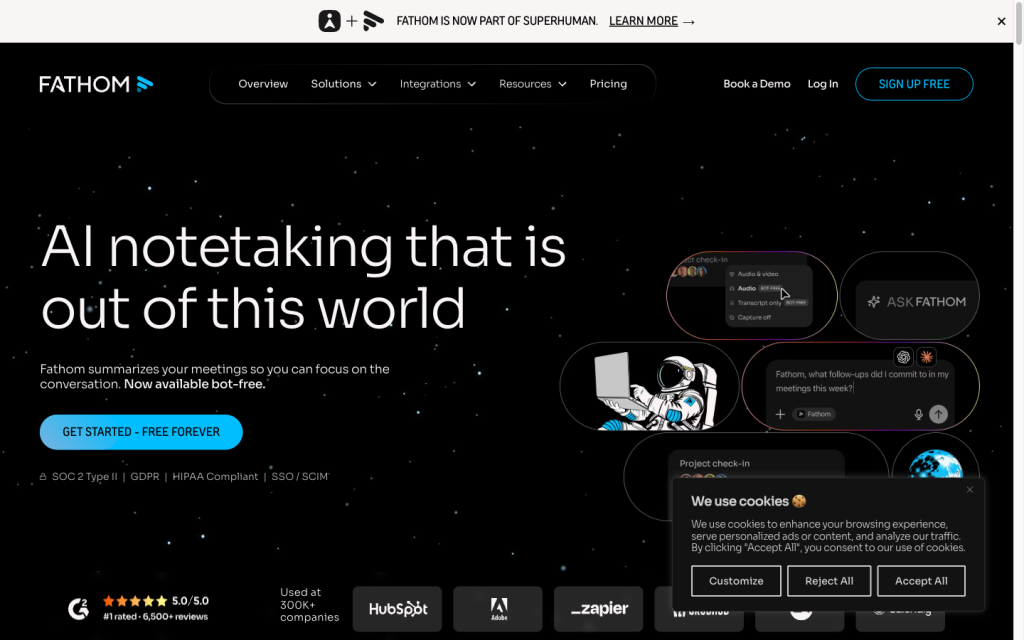
Fathom product image
fathom.ai
On this page

Fathom is an AI meeting note-taking product for live Zoom, Google Meet, and Microsoft Teams calls. Its strongest use case is turning supported meetings into searchable transcripts, summaries, action items, and shareable workflow outputs, with CRM, automation, and developer integrations for teams that need downstream handoffs. Buyers should weigh its phased, bot-free rollout and platform limits against their recording requirements.

What is Fathom?

Fathom is an AI meeting-intelligence product for live Zoom, Google Meet, and Microsoft Teams meetings. It creates recordings, searchable transcripts, summaries, action items, clips, playlists, and searchable meeting content. Paid plans extend the product into sales and revenue workflows with CRM sync, Deal View, coaching metrics, scorecards, and custom summaries.

Meeting capture and transcription

Fathom captures supported live meetings with a visible Notetaker bot or phased bot-free modes. Bot-based capture supports full audio and video, while bot-free options include Transcript Only and Audio Only. Bot-free availability depends on platform, operating system, and language rollout status. Fathom does not support uploaded calls, phone calls without meeting links, webinars, breakout rooms, Chromebooks, Linux, mobile devices, or tablets.

Notes and follow-up

Fathom generates automatic, real-time summaries; action items with assignees; follow-up email drafts; clips; playlists; and meeting-summary templates. Users can search by attendee or keyword and ask questions about calls; account-wide Ask Fathom is available on paid plans. Follow-up emails are drafts to copy into an email client rather than emails sent and tracked natively.

Workflow and integrations

The workflow moves from capture to recording, transcript, summary, action items, search, sharing, and downstream handoff. Fathom connects with CRM, collaboration, and automation tools and also offers API, webhooks, OAuth, MCP, and SDK access. Recording links have configurable sharing settings, while Enterprise can restrict anonymous access, downloads, and deletions. Recordings export as MP4; standard transcript export is copy-based rather than a direct transcript file download.

Who Fathom fits

Fathom suits individual professionals, client-facing teams, project leads, and sales organizations using HubSpot or Salesforce. The Free plan works well for ongoing meeting capture, while Enterprise is designed for organizations that need retention settings, SSO, SCIM, and additional controls. It is a weaker choice for mobile or phone-call recording, webinars, breakout rooms, unattended meetings, or teams that require native downloadable transcript files.

Buyer scenarios

Where the product fits — and where to be careful

Individual and client-facing professionals

Need
Capture live customer, project, interview, or internal meetings and turn them into searchable follow-up material.
Why it fits
The Free plan offers unlimited recordings and transcriptions, while summaries, action items, templates, clips, playlists, and search support routine meeting follow-up.
Watch out
Fathom does not support uploaded calls, phone calls without meeting links, webinars, breakout rooms, or mobile and tablet capture.

Strong fit for supported live meetings where searchable notes and shareable outputs matter.

Sales and revenue teams

Need
Synchronize call summaries, actions, and structured meeting data into CRM-led sales processes.
Why it fits
Paid plans add CRM sync, Deal View, coaching metrics, scorecards, and custom summaries; Enterprise adds retention controls, SSO, SCIM, and organization-wide controls.
Watch out
CRM sync has plan and user limits, and teams needing broad bot-free coverage across platforms, operating systems, and languages should confirm eligibility.

Strong fit for teams using HubSpot or Salesforce that want meeting outputs connected to revenue workflows.

Pros & Cons

Pros

  • Supports live Zoom, Google Meet, and Microsoft Teams meetings.
  • Free plan includes unlimited recordings and transcriptions.
  • Produces searchable transcripts, summaries, action items, clips, playlists, and meeting search.
  • Connects with CRM, Slack, automation tools, API, webhooks, and MCP.
  • Enterprise adds retention controls, SSO, SCIM, and configurable access controls.

Cons

  • Bot-free capture is phased and has platform, operating-system, and language limitations.
  • No support for uploaded calls, phone calls without meeting links, webinars, breakout rooms, mobile devices, tablets, Chromebooks, or Linux.
  • Follow-up email drafts must be copied into an email client rather than sent and tracked natively.
  • Standard transcript export is copy-based rather than a direct downloadable transcript file.
  • Some integration features and CRM sync capacity vary by plan.
Editorial score breakdown

Editorial scores

Editorial score
4.0
Access and integrations
4.0

Fathom offers configurable sharing, Enterprise retention and access controls, CRM and automation handoffs, and developer access through API, webhooks, OAuth, MCP, and SDKs. MP4 export is available, but standard transcript export is copy-based.

Capture and transcription
4.0

Fathom supports live Zoom, Google Meet, and Microsoft Teams capture with recordings, searchable transcripts, speaker attribution, custom dictionaries, and bot or phased bot-free modes. Its coverage excludes several meeting and device scenarios, and bot-free rollout remains constrained.

Notes and follow-up
4.0

Fathom provides AI and live summaries, action items with assignees, templates, follow-up drafts, attendee and keyword search, clips, playlists, and call questions. Follow-up email output is not natively sent or tracked.

Usability, support & value Not scored

User-review evidence was insufficient to score usability, support, and value.

Pricing and contract model

Fathom lists Free, Premium, Team, Business, and Enterprise plans. Annual billing is described as saving 25% or more.

PlanPriceIncludes
Free
$0
forever
Unlimited recordings and transcriptions, instant AI summaries, clips, playlists, search, and bot or bot-free capture.
Premium
$20 per user per month monthly or $16 per user per month annually
monthly or annual
Paid individual plan.
Team
$19 per user per month monthly or $15 per user per month annually
monthly or annual
Team plan with a two-user minimum.
Business
$34 per user per month monthly or $25 per user per month annually
monthly or annual
Adds CRM field sync, Deal View, coaching metrics, AI scorecards, and custom summaries.
  • Some lower-tier features have usage limits.
  • CRM sync is limited to a maximum of three users per domain on Premium, Team, and Business.

Integrations

Documented connections and access methods for Fathom.

CRM

HubSpot, Salesforce, and Close Native

Automation

Zapier and Make Native

Messaging & collaboration

Slack Native

Developer/API

Fathom API and webhooks Public API

AI protocol

Model Context Protocol (MCP) Protocol
  • Integration availability and feature limits vary by plan.

What's new

Recent product and company updates

  • 2026-09-14

    Superhuman Acquires Fathom

    Superhuman announced its acquisition of Fathom and said it planned to incorporate Fathom's meeting intelligence into its suite of apps and agents.

    Source

FAQ

Does Fathom have a free plan?
Yes. Fathom lists a Free plan at $0 forever with unlimited recordings and transcriptions, instant AI summaries, clips, playlists, search, and bot or bot-free capture.
Which meeting platforms can Fathom capture?
Fathom supports live Zoom, Google Meet, and Microsoft Teams meetings. It does not support uploaded calls.
How many languages does Fathom support?
Fathom's Help Center lists 38 transcript languages. Its overview separately names seven native transcription-and-summary languages, so buyers should confirm the language support needed for their meetings.
Can Fathom export recordings and transcripts?
Recordings can be downloaded as MP4 files. In the standard interface, transcripts are copied rather than downloaded as transcript files.
Review transparency Corrections policy
Change history
  1. 2026-09-18 Initial publication First published version of this review.
25 sources analyzed
  1. Fathom Overview fathom.ai
  2. Fathom Pricing fathom.ai
  3. Fathom Integrations fathom.ai
  4. Fathom Developer Documentation docs.fathom.ai
  5. Supported meeting platforms and capture help.fathom.video
  6. Bot-free capture rollout help.fathom.video
  7. Meeting summaries and templates help.fathom.video
  8. Sharing recordings and access help.fathom.video
  9. Export recordings and transcripts help.fathom.video
  10. Superhuman Acquires Fathom blog.superhuman.com

Showing 10 of 25 sources · 15 additional sources analyzed

Feedback on this article

Was this review helpful?

Private editorial feedback. It does not change product ratings or rankings.

Rate Fathom

Rate your experience
  • Access and integrations
  • Capture and transcription
  • Notes and follow-up
  • Usability, support & value