Fireflies.ai logo

Fireflies.ai

Fireflies.ai captures meetings through several channels and turns them into searchable transcripts, summaries, action items, and connected workflows.

Editorial score

4.0 /5
How we scored it

Is Fireflies.ai worth it?

Nick Oscar
Editor, Reviews.vc · Updated September 18, 2026
Good For

Multiple capture options: visible bot, Google Meet browser capture, desktop system audio, mobile recording, and uploads.

Caution

Bot-free capture is not available on every meeting platform.

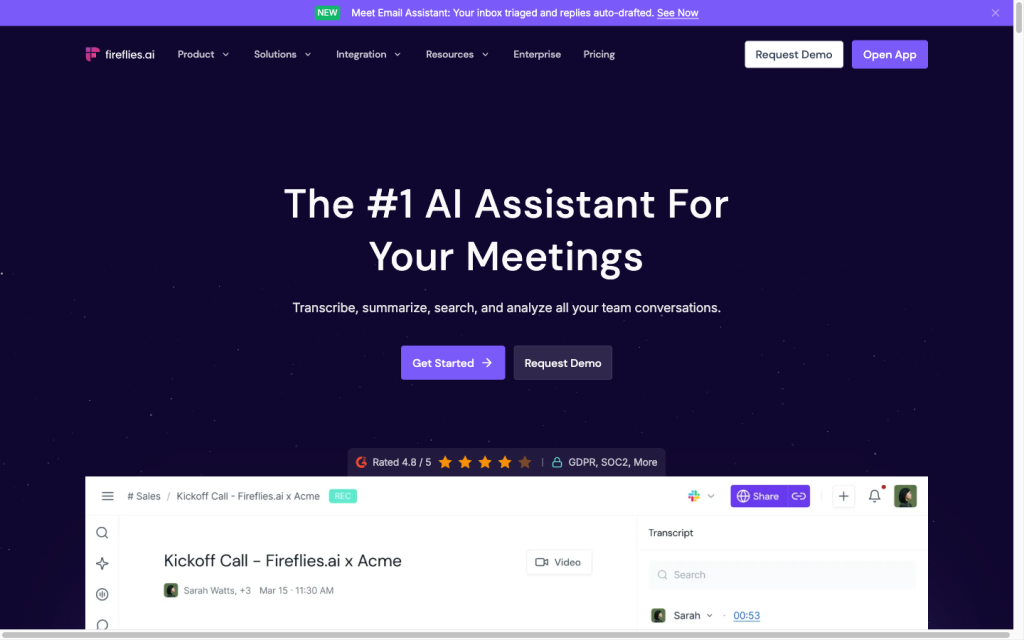
Fireflies.ai product image
fireflies.ai
On this page

Fireflies.ai is an AI meeting-notetaker platform that captures conversations through a visible bot, browser, desktop, mobile, or uploaded recording, then creates transcripts, summaries, action items, and searchable meeting records. Its breadth of capture options, support for 100+ languages, and connected workflow tools make it a strong fit for teams that want meeting information to flow into daily operations; buyers should check plan limits and whether their meetings need bot-free capture across every platform.

What is Fireflies.ai?

Fireflies.ai is an AI meeting note-taking service for capturing, transcribing, summarizing, and searching conversations in one workspace. Its Notepad brings together the transcript, recording, summary, analytics, and action items, while tools such as AskFred, soundbites, topic trackers, and talk-time analytics extend it beyond a basic meeting recorder.

Capture and transcription

Fireflies supports several ways to capture a conversation: a visible Notetaker that can join eligible calendar meetings, Google Meet Live Assist in Chrome, desktop system-audio capture, mobile recording, and uploads of MP3, M4A, WAV, MP4, and WEBM files. It supports 100+ languages and includes a beta multi-language mode.

The meeting bot is visible in the participant list. Participant controls include notices, opt-out links, and supported pause or leave commands, which is important for teams that need clear recording awareness.

Notes and follow-up

Notepad combines AI summaries, transcripts, recordings, analytics, and action items. Teams can select preset formats such as sales, 1:1, and BANT; create custom summary templates; edit and share summaries; and merge manual notes into the AI recap.

Search and AskFred help retrieve details from individual or past meetings. AskFred can extract decisions and action items, draft follow-up emails, and answer questions; Daily Digest can consolidate decisions, blockers, and open work.

Workflow and integrations

A typical workflow starts by connecting Google or Outlook calendars, inviting the Notetaker, or capturing meetings through a browser, desktop, mobile, or uploaded file. Fireflies then presents the transcript, recording, summary, analytics, and action items together for review and refinement.

Outputs can flow to tools such as Slack, Google Drive, Dropbox, Salesforce, HubSpot, Asana, Trello, and Monday.com. The product also offers Zapier and n8n workflows, a GraphQL API, and MCP connectors. Sharing, retention, deletion, SSO, audit logs, and Enterprise private storage give larger teams additional administration options.

Who should consider Fireflies.ai?

Fireflies fits individuals and teams that want automated meeting records, multilingual transcription, searchable knowledge, action items, or CRM and workflow automation. It is especially relevant for distributed teams and sales, recruiting, customer-facing, and operations work.

It’s a weaker fit for buyers who require bot-free capture on every platform, rely primarily on Apple Calendar or Zoho Calendar, or expect paid exports, advanced governance, and custom retention on the Free plan.

Buyer scenarios

Where the product fits — and where to be careful

Distributed teams building a searchable meeting record

Need
Capture meetings across locations and turn them into searchable recaps and follow-ups.
Why it fits
Multiple capture routes, multilingual transcription, searchable history, summaries, and action-item tools support recurring cross-functional meetings.
Watch out
Bot-free capture is not available across every meeting platform, and some exports and advanced controls require a paid plan.

Strong fit

Sales, recruiting, and operations teams

Need
Route conversation insights and next steps into operational systems.
Why it fits
CRM connections, sales templates, coaching signals, automation, CRM Autofill, and AI Scorecards support customer-facing workflows.
Watch out
Teams should confirm their CRM, dialer, export, retention, and governance requirements against the selected tier.

Strong fit

Pros & Cons

Pros

  • Multiple capture options: visible bot, Google Meet browser capture, desktop system audio, mobile recording, and uploads.
  • Transcription and summaries support 100+ languages, with a beta multi-language mode.
  • Strong meeting workspace with customizable summaries, action items, search, and AskFred retrieval.
  • 100+ integrations, Zapier and n8n automation, MCP connectors, and a GraphQL API.
  • Public pricing starts with a $0 Free plan and paid tiers from $10 per user per month billed annually.

Cons

  • Bot-free capture is not available on every meeting platform.
  • Downloads, advanced governance, and custom retention are limited by plan.
  • Free plan storage and AI summary allowances are limited.
  • Enterprise is annual-only.
Editorial score breakdown

Editorial scores

Editorial score
4.0
Access and integrations
4.0

Fireflies offers connected workflows through 100+ integrations, Zapier and n8n, MCP connectors, and a GraphQL API, alongside sharing, retention, deletion, SSO, audit logs, and Enterprise private storage. Export access is plan-gated.

Capture and transcription
4.0

Fireflies supports a visible meeting bot, Google Meet browser capture, desktop system-audio capture, mobile recording, and uploads, with transcription and summaries in 100+ languages.

Notes and follow-up
4.0

Notepad combines summaries, transcripts, recordings, analytics, and action items; users can customize summaries, merge manual notes, search meeting history, and use AskFred for retrieval and follow-up content.

Usability, support & value
4.0

User feedback is mostly positive overall, with strongly positive ease-of-use mentions and positive notes and integration feedback. Workflow feedback is more mixed, so suitability depends on the team’s setup and connected tools.

Customer sentiment

Fireflies.ai customer reviews and sentiment

Based on 29 public customer reviews. Source mix: 19 from trustpilot.com, and 10 from trustradius.com.

Customer sentiment is analyzed separately and does not determine the Reviews.vc editorial score.

29 public reviews analyzed
Positive
59%17 reviews
Mixed
38%11 reviews
Negative
3%1 reviews
Theme and findingMentionsPositiveNegative
Capture and transcription
Transcription is widely valued as fast and accurate across speakers and accents, though accuracy can drop with overlapping speech, background noise, some languages, and in-person shared-device recordings.
252210
Notes and follow-up
Automated summaries, action items, and follow-ups reduce manual note-taking and support timely sharing, although downloaded-summary formatting may require cleanup.
15151
Ease of use
Reviewers find setup, the interface, and everyday use intuitive, making it easy for teams to adopt for meeting capture and summaries.
11110
Integrations
Connections with calendars, major meeting platforms, cloud storage, and the Apple ecosystem enable automated recording and flexible storage; one reviewer wants easier CRM integration.
1091
Access and integrations
Mobile and offline access plus email/link sharing support flexible meeting workflows, but connection interruptions, slow bot joins, account-based recap sharing, and weak file discovery can disrupt access.
844

Mentions count unique reviews. One review can count as both positive and negative for the same theme when it describes a mixed experience.

This analysis reflects public customer reviews we could identify and access at the time of collection; the displayed source mix may influence the patterns shown.

Review sentiment over time

PeriodnPositiveMixedNegative
2025 Q2Limited sample1010
2025 Q3Limited sample1010
2026 Q1Limited sample4130
2026 Q3191621

Only periods containing dated reviews are shown; gaps between labels mean no dated reviews were available for those periods.

Pricing and contract model

Fireflies lists Free, Pro, Business, and Enterprise plans. Storage, AI credits, exports, integrations, and governance features vary by tier.

PlanPriceIncludes
Free
$0
monthly
Free plan with limited AI summaries and 400 storage minutes per team.
Pro
$10 per user per month billed annually, or $18 monthly
monthly or annual
Paid tier with up to 8,000 storage minutes per seat.
Business
$19 per user per month billed annually, or $29 monthly
monthly or annual
Paid tier with unlimited storage.
Enterprise
$39 per seat per month
annual
Annual-only Enterprise tier.
  • Paid tiers include one-time signup AI-credit grants; additional credits are available as add-ons.
  • Volume discounts are available through sales for plans with more than 50 members.

Integrations

Documented connections and access methods for Fireflies.ai.

Automation

Zapier and n8n Native

Developer/API

Fireflies API Public API

AI protocol

MCP Server Protocol

Marketplace

Fireflies integration directory Native
  • Integration availability and feature access can vary by plan.

What's new

Recent product and company updates

  • 2026-09-02

    Fireflies launches Voice Agents

    Fireflies launched Voice Agents, reporting more than 40,000 conversations across over 2,100 organizations in 97 countries.

    Source
  • 2026-07-21

    Fireflies launches AI Sales Suite

    Fireflies launched an AI Sales Suite with Deal Intelligence, CRM Autofill, AI Scorecards, Meeting Prep, and Sales Assist.

    Source

FAQ

How much does Fireflies.ai cost?
Fireflies offers a Free plan at $0. Pro is $10 per user per month when billed annually or $18 monthly; Business is $19 annually or $29 monthly; Enterprise is $39 per seat per month and annual-only.
How can Fireflies capture a meeting?
It can join eligible meetings with a visible Notetaker, capture Google Meet through Live Assist, record desktop system audio, record through mobile apps, or process uploaded audio and video files.
Which languages does Fireflies support?
Fireflies supports transcription and summaries in 100+ languages and offers a beta multi-language mode.
Can Fireflies export meeting content?
Pro and higher plans can download transcripts, summaries, audio, and video in multiple formats. Downloads are plan-gated.
Review transparency Corrections policy
Change history
  1. 2026-09-18 Initial publication First published version of this review.
41 sources analyzed
  1. How Fireflies joins and records your meetings guide.fireflies.ai
  2. Supported languages guide.fireflies.ai
  3. Fireflies Notepad guide.fireflies.ai
  4. Fireflies Security fireflies.ai
  5. Fireflies Pricing fireflies.ai
  6. Fireflies Integrations fireflies.ai
  7. Fireflies API introduction docs.fireflies.ai
  8. How to integrate Zapier with Fireflies guide.fireflies.ai
  9. Fireflies launches AI Sales Suite globenewswire.com
  10. Fireflies launches Voice Agents globenewswire.com

Showing 10 of 41 sources · 31 additional sources analyzed

Feedback on this article

Was this review helpful?

Private editorial feedback. It does not change product ratings or rankings.

Rate Fireflies.ai

Rate your experience
  • Access and integrations
  • Capture and transcription
  • Notes and follow-up
  • Usability, support & value