
Read AI logo

Read AI

Read AI combines meeting capture, structured notes, workplace search, and broad workflow integrations, with important platform and plan limits.

Editorial score

3.5 /5
How we scored it

Is Read AI worth it?

Nick Oscar
Editor, Reviews.vc · Updated September 18, 2026
Good For

Automatic capture for Zoom, Microsoft Teams, and Google Meet, plus desktop-audio and file-upload alternatives.

Caution

Native automatic capture is limited to Zoom, Microsoft Teams, and Google Meet.

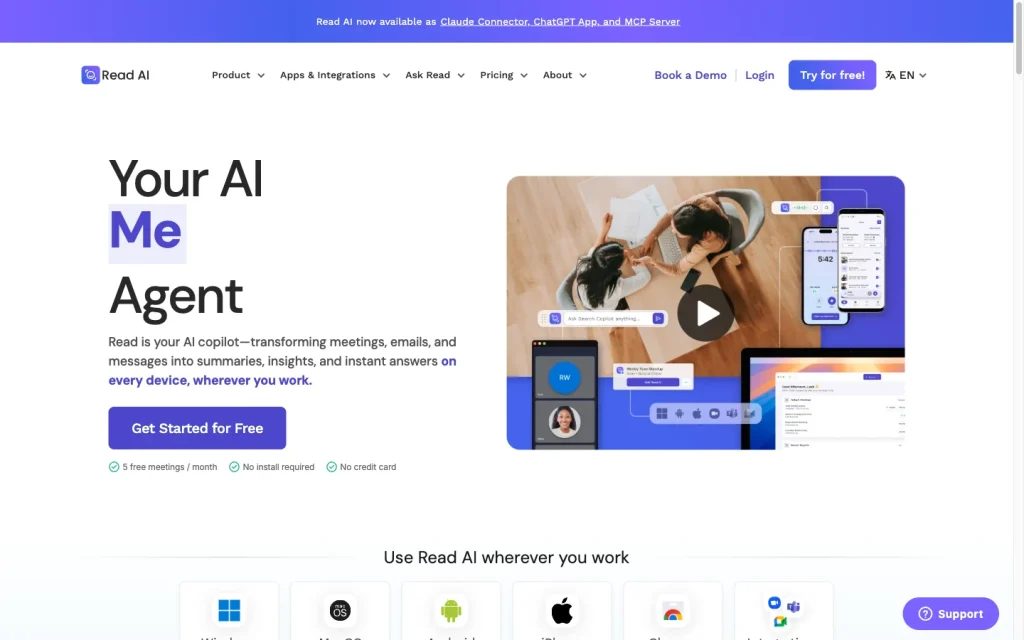
Read AI product image
read.ai
On this page

Read AI is a feature-rich meeting assistant for teams that want automatic capture, speaker-attributed transcripts, structured meeting reports, and workplace search. Its strongest fit is for Zoom, Microsoft Teams, and Google Meet users who can benefit from connected CRM and collaboration workflows.

It offers broad capture fallbacks and a free public tier, but native platform support is limited, some advanced controls are locked behind higher plans, and user feedback is notably negative around workflow, integrations, and ease of use.

What is Read AI?

Read AI is an AI meeting assistant and workplace search product. It captures or ingests conversations, creates speaker-attributed transcripts and structured reports, and lets users search across meetings and connected sources such as email, messages, documents, and apps.

Reports include summaries, topics, action items, key questions, and transcripts. The product also extends to meeting coaching, CRM workflows, desktop and mobile access, workspaces, and integrations.

Capture and transcription

Read can automatically join scheduled Zoom, Microsoft Teams, and Google Meet meetings when a calendar is connected and auto-join is turned on. Google Meet also has a botless option that presents a recording notification for consent.

For unsupported platforms, Windows and macOS apps can record computer audio. Paid users can upload MP4 video or M4A audio files up to 5 GB. Android and iOS support microphone-based, in-person recording but do not record phone calls, FaceTime, or virtual meetings in other mobile apps. Reports provide speaker-separated transcripts in more than 30 listed languages, though multilingual meetings are not fully supported.

Notes and follow-up

Each meeting report includes a generated summary, topics, action items, key questions, and a transcript. Owners and editors can edit notes, transcripts, and speaker names, save changes, and revert a report to its original state.

Ask Read searches meetings and connected sources with citations. For recurring meetings, Meeting Pre-Reads can send previous action items and open questions via email, Slack, or Teams. Ada can surface prior decisions and related context, while HubSpot task creation turns detected action items into reviewable CRM tasks.

Workflow and integrations

Read connects with HubSpot, Salesforce, Asana, Confluence, Google Drive, Jira, Linear, OneDrive, Notion, Slack, Teams, Google Docs, OneNote, Gmail, Outlook, Zoom, Google Meet, and Microsoft Teams. It also lists Claude, ChatGPT, MCP, APIs, webhooks, and Zapier.

Signed webhooks, available on Pro and above, can deliver metadata, summaries, action items, topics, chapter summaries, and full, timestamped, speaker-attributed transcripts. The REST API and MCP server are in open beta and do not expose every web app feature; audio and video upload via the API is unavailable.

Who Read AI fits

Read is suited to individuals who want basic meeting capture and summaries, small teams that need unlimited transcription and premium integrations, and larger teams that need shared knowledge and playback. Enterprise+ adds SAML, SCIM, domain capture, retention policies, HIPAA enablement, onboarding, and audit log capabilities.

The main tradeoffs are platform coverage, multilingual meeting support, mobile call limits, and plan-dependent controls. Teams should also evaluate sharing behavior, permissions, ownership, and public link settings before a broad rollout.

Buyer scenarios

Where the product fits — and where to be careful

Individuals and frequent meeting participants

Need
Capture recurring meetings and retrieve summaries, action items, and transcripts.
Why it fits
Read combines scheduled-meeting capture, structured reports, search, and a free plan with five meetings or transcripts per month.
Watch out
Automatic capture is native only for Zoom, Microsoft Teams, and Google Meet; unsupported services need desktop audio capture or file upload.

Good fit

Teams with governance and shared knowledge needs

Need
Share meeting knowledge while applying identity, retention, and workspace governance.
Why it fits
Enterprise and Enterprise+ add playback, shared workspaces, administration, retention controls, and Enterprise+ identity and governance features.
Watch out
Organizations should assess auto-sharing, report access, public-link settings, workspace permissions, and ownership rules. Multilingual meetings are not fully supported.

Fit depends on plan and controls

Pros & Cons

Pros

  • Automatic capture for Zoom, Microsoft Teams, and Google Meet, plus desktop-audio and file-upload alternatives.
  • Structured reports combine summaries, topics, action items, key questions, and speaker-attributed transcripts.
  • Ask Read can search meeting content and connected workplace sources with citations.
  • Public plans range from a free tier to governance-oriented Enterprise+ controls.
  • Broad integrations include CRM, collaboration, productivity, webhooks, API, MCP, and Zapier.

Cons

  • Native automatic capture is limited to Zoom, Microsoft Teams, and Google Meet.
  • Multilingual meetings are not fully supported, and mobile apps cannot record phone calls or virtual meetings in another mobile app.
  • Playback, governance, and some workflow features depend on the plan.
  • User-review feedback is predominantly negative, particularly around access, integrations, and ease of use.
Editorial score breakdown

Editorial scores

Editorial score
3.5
Access and integrations
4.0

Read offers extensive CRM, collaboration, productivity, developer, and automation connections, with webhooks that can deliver detailed meeting data. Governance capabilities such as SAML, SCIM, and retention policies are concentrated in Enterprise+; API and MCP access remain in open beta.

Capture and transcription
4.0

Read supports automatic capture for Zoom, Microsoft Teams, and Google Meet, plus botless Google Meet capture, desktop audio recording, mobile in-person recording, and paid file uploads. It produces speaker-attributed transcripts in more than 30 listed languages, but native platform coverage and multilingual-meeting support have limits.

Notes and follow-up
4.0

Structured reports include summaries, topics, action items, key questions, and transcripts, with editing and report reversion. Ask Read adds cited search across meetings and connected sources, while pre-reads, Ada, and HubSpot task creation support follow-up.

Usability, support & value
2.0

Accepted user feedback is predominantly negative. Access and integration concerns are especially frequent, and ease-of-use feedback also skews negative, indicating material usability and value tradeoffs for many users.

Customer sentiment

Read AI customer reviews and sentiment

Based on 113 public customer reviews. Source mix: 95 from trustpilot.com, 10 from g2.com, 4 from apps.apple.com, 3 from play.google.com, and 1 from trustradius.com.

Customer sentiment is analyzed separately and does not determine the Reviews.vc editorial score.

113 public reviews analyzed
Positive
8%9 reviews
Mixed
15%17 reviews
Negative
77%87 reviews
Theme and findingMentionsPositiveNegative
Access and integrations
Meeting automation is often seen as intrusive because the bot can join broadly by default and distribute reports without clear participant alignment.
681358
Capture and transcription
Recording and transcription can be useful and accurate, but reviewers report inconsistent meeting joins, capture failures, and occasional speaker-identification issues.
361825
Notes and follow-up
Summaries, action items, and follow-up records reduce manual note-taking and help teams stay aligned, though users sometimes need to review overly general or incomplete summaries.
292011
Integrations
Calendar and meeting integrations are widely criticized as requiring excessive access, enabling unwanted meeting participation, and being difficult to fully disconnect.
25323
Ease of use
Usability is undermined by confusing account-removal and administration flows, incomplete interface controls, and reported login problems.
23718

Mentions count unique reviews. One review can count as both positive and negative for the same theme when it describes a mixed experience.

This analysis reflects public customer reviews we could identify and access at the time of collection; the displayed source mix may influence the patterns shown.

Review sentiment over time

PeriodnPositiveMixedNegative
2025 Q4150114
2026 Q114149
2026 Q212066
2026 Q39018

Only periods containing dated reviews are shown; gaps between labels mean no dated reviews were available for those periods.

Pricing and contract model

Read AI has four public plans with monthly and annual billing. Annual billing is listed as 25% lower.

PlanPriceIncludes
Free
$0
per month
Five meeting transcripts or reports per month, one-hour maximum meeting length, and no credit card required.
Pro
$15 per user per month annually or $19.75 monthly
monthly or annual
Unlimited reports and transcripts plus 100 file-upload credits per month.
Enterprise
$22.50 per user per month annually or $29.75 monthly
monthly or annual
Adds audio and video playback, video highlights, and 200 file-upload credits per month.
Enterprise+
$29.75 per user per month annually or $39.75 monthly
monthly or annual
Five-license minimum; adds HIPAA compliance, SAML, SCIM, domain capture, custom retention, and 300 file-upload credits per month.
  • Annual license volume discounts are listed for 100, 500, and 1,000 or more licenses.
  • The Free plan provides a no-credit-card evaluation path; no paid trial is advertised.

Integrations

Documented connections and access methods for Read AI.

CRM

HubSpot Native

Automation

Zapier Via automation

Messaging & collaboration

Slack Native

Developer/API

Webhooks Public API
REST API Public API

AI protocol

MCP Protocol

Productivity suite

Google Calendar Native

Document storage

Notion Native
  • Premium integrations and some workflow capabilities are plan-dependent.
  • The REST API and MCP server are in open beta.

What's new

Recent product and company updates

  • 2026-02-25

    AI that works even when you can't: Read AI introduces Digital Twin

    Read AI introduced Digital Twin, described as Ada, an email-based executive assistant rolling out free to existing and new users.

    Source
  • 2026-02-25

    Read AI MCP: Your meetings just became your most powerful dev tool

    Read AI announced an MCP server and API for sending transcripts, summaries, and action items to AI development tools.

    Source
  • 2026-03-06

    Read It: What's new at Read AI — March 2026

    A product update highlighted Ada, MCP connectivity, Slack-history search, and automatic saving of meeting notes to Notion or Confluence.

    Source

FAQ

How much does Read AI cost?
Read AI lists a Free plan at $0. Pro is $15 per user per month billed annually or $19.75 monthly; Enterprise is $22.50 annually or $29.75 monthly; and Enterprise+ is $29.75 annually or $39.75 monthly, with a five-license minimum.
Which meeting platforms can Read AI capture?
Read can automatically capture scheduled Zoom, Microsoft Teams, and Google Meet meetings. Desktop audio recording and MP4 or M4A uploads provide alternatives for unsupported platforms.
What languages does Read AI support?
Meeting reports support more than 30 listed languages. Meetings with multiple spoken languages are not fully supported.
Can Read AI send meeting data to other tools?
Yes. Read lists integrations including CRM, collaboration, productivity, and workflow tools, plus webhooks, an API, MCP, and Zapier. Signed webhooks can send meeting metadata, summaries, action items, topics, chapter summaries, and timestamped speaker-attributed transcripts.
Review transparency Corrections policy
Change history
  1. 2026-09-18 Initial publication First published version of this review.
32 sources analyzed
  1. Read AI read.ai
  2. Plans & Pricing read.ai
  3. What meeting platforms does Read support? support.read.ai
  4. What languages does Read support? support.read.ai
  5. Integrations read.ai
  6. Getting Started with Webhooks support.read.ai
  7. AI that works even when you can't: Read AI introduces Digital Twin read.ai
  8. Read AI MCP: Your meetings just became your most powerful dev tool read.ai
  9. Read It: What's new at Read AI — March 2026 read.ai
  10. Read AI is now a Claude Connector read.ai

Showing 10 of 32 sources · 22 additional sources analyzed

Feedback on this article

Was this review helpful?

Private editorial feedback. It does not change product ratings or rankings.

Rate Read AI

Rate your experience
  • Access and integrations
  • Capture and transcription
  • Notes and follow-up
  • Usability, support & value