
Granola logo

Granola

Granola is a bot-free AI meeting-notes app with live transcription, editable notes, action items, and connected workflows.

Editorial score

4.0 /5
How we scored it

Is Granola worth it?

Nick Oscar
Editor, Reviews.vc · Updated October 13, 2026
Good For

Bot-free desktop capture works across major meeting platforms.

Caution

The web interface cannot capture or transcribe meetings.

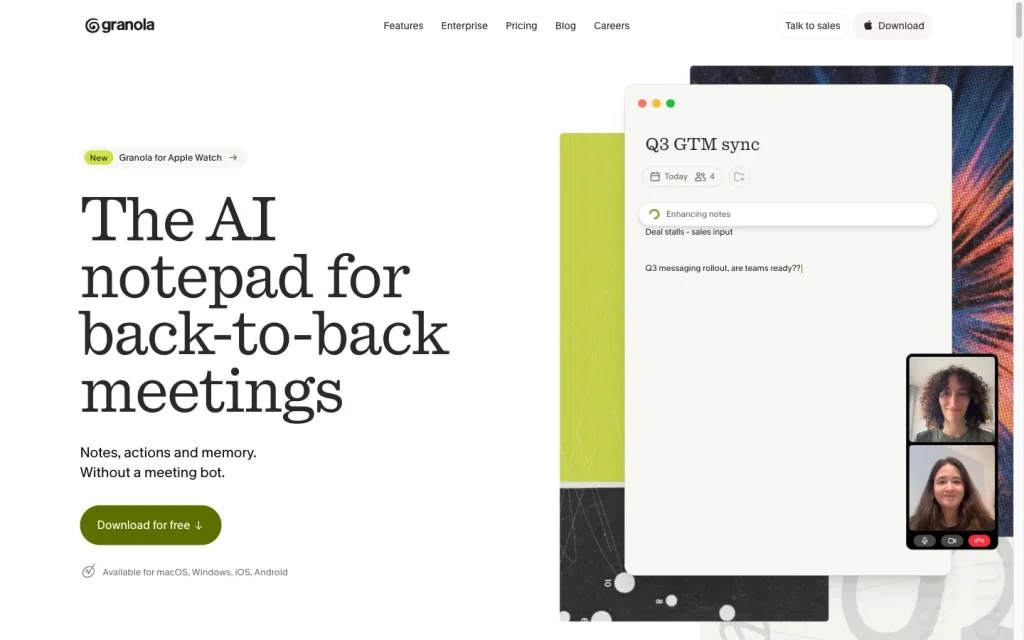
Granola product image
granola.ai
On this page

Granola is a bot-free AI meeting-notes app for desktop and mobile that blends typed notes, live transcription, and calendar context. It’s a great fit for people who want editable meeting summaries, action items, Briefs, and connected follow-up workflows without a meeting bot joining the call.

The main trade-offs are intentional: capture is not available in the browser, recordings are not retained, and Gmail follow-up drafting is limited to qualifying Google-connected external meetings.


What is Granola?

Granola is an AI meeting-notes assistant for desktop and mobile. It combines typed notes, live transcription, and calendar context to create structured notes, action items, follow-up tasks, and chat-based answers across meeting records.

Capture and transcription

Granola uses bot-free, device-level audio capture: users open or create a meeting note, then the desktop app records microphone and computer audio across meeting platforms. The desktop app transcribes in real time, while the mobile app processes temporarily cached audio after the meeting. The web interface is limited to viewing and editing existing notes, not capturing or transcribing.

Granola does not store meeting audio recordings, but it retains transcripts and notes unless they are deleted or retention is configured.

Notes and follow-up

Enhanced notes combine the transcript, the user's raw notes, and calendar event information. Users can inspect supporting transcript or raw-note material, edit and regenerate notes, change templates, create custom templates, and use Granola Chat to query meetings, folders, people, and companies.

Workflow and integrations

Calendar connections can prepare briefs with attendees, previous discussions, and current context. After a meeting, Granola produces notes, action items, and follow-up outputs. Paid-plan or trial users signed in with Google can draft Gmail follow-up emails for qualifying external meetings and edit them before sending.

Zapier can send action items to task tools, while API and MCP connections support downstream workflows on paid plans.

Who Granola fits

Granola is ideal for individuals and teams with frequent meetings who want lightweight, bot-free notes for video calls, Slack Huddles, in-person meetings, and on mobile. It also offers enterprise controls for larger rollouts.

It is less suitable when replayable audio or video recordings, browser-only capture, unattended meeting participation, or Outlook-based automatic follow-up emails are required.

Buyer scenarios

Where the product fits — and where to be careful

Frequent-meeting individuals and teams

Need
Capture and turn frequent meetings into usable notes without a visible meeting bot.
Why it fits
Bot-free desktop capture works across video-meeting apps and Slack Huddles, while typed notes, Briefs, enhanced notes, and action items support a full meeting workflow.
Watch out
Capture requires the desktop or mobile app; the web interface cannot capture or transcribe. Granola does not retain replayable meeting audio.

Strong fit

Governed team rollout

Need
Centralized administration and downstream note workflows for a larger organization.
Why it fits
Enterprise includes SSO, priority support, usage analytics, admin controls, organization-wide transcript deletion, sharing controls, API controls, and model-training opt-out.
Watch out
Automatic follow-up email drafting is Gmail/Google-only and has eligibility limits; it is not an Outlook workflow.

Good fit for teams needing the listed enterprise controls

Pros & Cons

Pros

  • Bot-free desktop capture works across major meeting platforms.
  • Enhanced notes combine transcripts, typed notes, and calendar context.
  • Users can inspect source material, edit notes, regenerate output, and apply templates.
  • Calendar Briefs, action items, Gmail follow-up drafts, Zapier, API, and MCP support connected workflows.
  • Free Basic plan has no daily transcription limit.

Cons

  • The web interface cannot capture or transcribe meetings.
  • Granola does not retain replayable meeting audio recordings.
  • Gmail follow-up drafting is limited to qualifying external meetings and is Google-only.
  • Basic-plan notes older than 30 days are unavailable in the app until upgrade.
Editorial score breakdown

Editorial scores

Editorial score
4.0
Access and integrations
4.0

Granola provides calendar preparation, Slack and CRM connections, Zapier automation, scoped API keys, MCP access, and enterprise administration and sharing controls. Gmail follow-up drafting has Google-only eligibility limits.

Capture and transcription
4.0

Bot-free desktop capture works across meeting platforms and transcribes in real time, with mobile support and 32 languages. Capture is unavailable in the web interface and requires user action to start.

Notes and follow-up
4.0

Enhanced notes blend transcripts, typed notes, and calendar context; users can inspect supporting material, edit or regenerate output, use templates, and query meeting records through chat.

Usability, support & value
4.0

Accepted user feedback is overwhelmingly positive, with positive ease-of-use mentions and a mostly positive overall sentiment distribution. The aggregate has limited ease-of-use volume and no support or value-for-money theme coverage.

From our complete category comparison

Granola alternatives

Category scores use the linked comparison rubric and can differ from a product’s overall review score.

See the full comparison
Reviewed here
Best for
Professionals who want AI-enhanced personal meeting notes that incorporate their own context without adding a bot to calls.
Key tradeoff
The web interface can view and edit notes but cannot capture or transcribe meetings.
Best for
Teams that need searchable meeting records and automated follow-up across sales, recruiting, customer-facing, and operations workflows.
Key tradeoff
Bot-free capture is not available on every meeting platform.
Best for
Teams that want real-time meeting transcripts and collaborative, searchable notes for recurring calls.
Key tradeoff
Bot-based Notetaker capture is documented only for Zoom, Google Meet, and Microsoft Teams.
Best for
Individuals and teams that want searchable transcripts, AI notes, and workflow handoffs from Google Meet, Zoom, or Microsoft Teams without adding a meeting bot.
Key tradeoff
Browser capture relies on active meeting captions and Chrome or Edge.
ProductCategory scoreBest forKey tradeoff
GranolaReviewed here
4.0/5Professionals who want AI-enhanced personal meeting notes that incorporate their own context without adding a bot to calls.The web interface can view and edit notes but cannot capture or transcribe meetings.
Fireflies.ai
4.0/5Teams that need searchable meeting records and automated follow-up across sales, recruiting, customer-facing, and operations workflows.Bot-free capture is not available on every meeting platform.
Otter.ai
3.8/5Teams that want real-time meeting transcripts and collaborative, searchable notes for recurring calls.Bot-based Notetaker capture is documented only for Zoom, Google Meet, and Microsoft Teams.
Tactiq
3.8/5Individuals and teams that want searchable transcripts, AI notes, and workflow handoffs from Google Meet, Zoom, or Microsoft Teams without adding a meeting bot.Browser capture relies on active meeting captions and Chrome or Edge.
Customer sentiment

Granola customer reviews and sentiment

Based on 10 public customer reviews. Source mix: 10 from apps.apple.com.

Customer sentiment is analyzed separately and does not determine the Reviews.vc editorial score.

10 public reviews analyzed
Positive
90%9 reviews
Mixed
10%1 reviews
Negative
0%0 reviews
Theme and findingMentionsPositiveNegative
Notes and follow-up
Accurate transcripts and concise, structured summaries help users stay present in meetings and reliably retrieve decisions and action items afterward.
991
Access and integrations
Automatic note capture and shareable, actionable outputs reduce manual note-taking and make meeting follow-up easier.
660
Capture and transcription
Transcription is praised for capturing detailed and technical discussions, though niche terminology, spelling, and in-car audio can require cleanup or perform less reliably.
541
Integrations
Users value connecting notes to existing ChatGPT and LLM workflows, including automatically storing meeting knowledge for later use.
330
Ease of use
Reviewers describe the product as simple and clean to use, making it easy to replace prior note-taking routines.
220

Mentions count unique reviews. One review can count as both positive and negative for the same theme when it describes a mixed experience.

This analysis reflects public customer reviews we could identify and access at the time of collection; the displayed source mix may influence the patterns shown.

Pricing and contract model

Granola lists three per-user monthly plans: Basic, Business, and Enterprise.

PlanPriceIncludes
Basic
$0
per user/month
AI notes, chat, shared folders, templates, multilingual support, and access to the most recent 30 days of notes.
Business
$14
per user/month
Unlimited note history, advanced AI features, broader integrations, MCP, API access, centralized billing, and user management.
Enterprise
From $35
per user/month
SSO, priority support, usage analytics, admin controls, organization-wide transcript deletion, sharing and API controls, and model-training opt-out.
  • Basic has no daily transcription limit. Notes older than 30 days remain stored but are unavailable in the app until upgrade.

Integrations

Documented connections and access methods for Granola.

CRM

HubSpot, Attio and Affinity Native

Automation

Zapier Via automation

Messaging & collaboration

Slack Native

Developer/API

Granola API Public API

AI protocol

MCP Protocol

Productivity suite

Calendar Native

Document storage

Notion Native
  • Some integrations are limited to Business or Enterprise plans.

What's new

Recent product and company updates

  • 2026-09-02

    32-language support update

    Granola reported support for 32 languages.

    Source
  • 2026-07-28

    Granola for Apple Watch

    Granola announced Apple Watch support for watchOS 11+.

    Source

FAQ

How much does Granola cost?
Granola offers Basic at $0 per user per month, Business at $14 per user per month, and Enterprise from $35 per user per month.
Does Granola add a bot to meetings?
No. Desktop capture uses the user's microphone and computer audio rather than adding a meeting bot, and it starts when the user opens or creates a meeting note.
How many languages does Granola support?
Granola supports 32 languages.
Review transparency Corrections policy
Change history
  1. 2026-10-13 Comparison Added alternatives comparison from Best AI Note Takers & Meeting Assistants.
  2. 2026-09-18 Initial publication First published version of this review.
17 sources analyzed
  1. Granola granola.ai
  2. Security granola.ai
  3. Transcription docs.granola.ai
  4. Pricing granola.ai
  5. Integrations granola.ai
  6. AI Enhanced Notes help.granola.ai
  7. Follow-up emails docs.granola.ai
  8. Enterprise granola.ai
  9. Updates granola.ai
  10. Granola for Apple Watch granola.ai

Showing 10 of 17 sources · 7 additional sources analyzed

Feedback on this article

Was this review helpful?

Private editorial feedback. It does not change product ratings or rankings.

Rate Granola

Rate your experience
  • Access and integrations
  • Capture and transcription
  • Notes and follow-up
  • Usability, support & value