
Tactiq logo

Tactiq

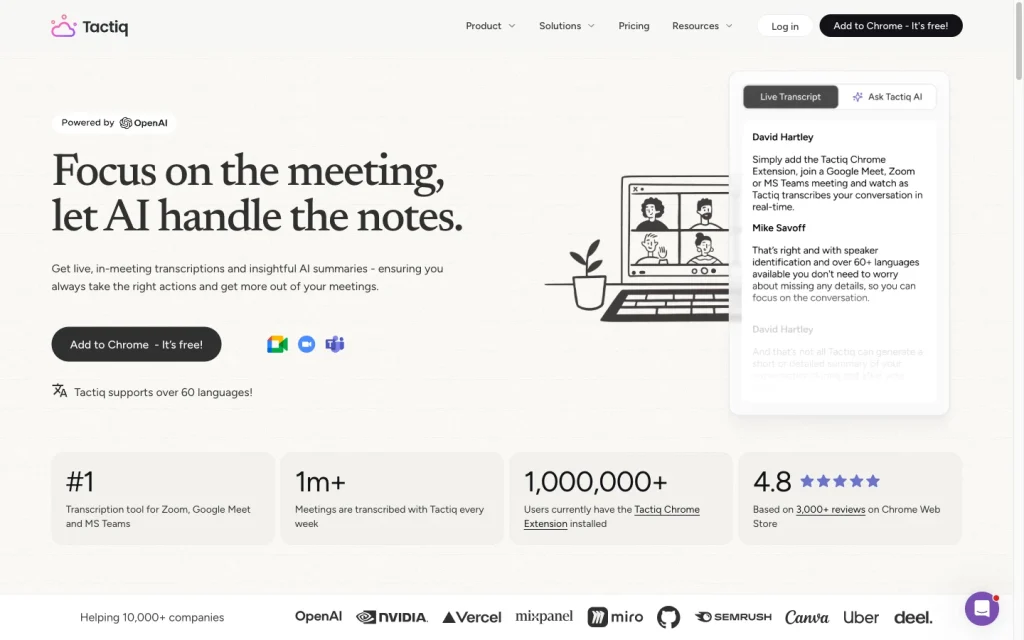
Tactiq is a bot-free meeting transcription and AI notes tool for Google Meet, Zoom, and Microsoft Teams.

Editorial score

3.8 /5
How we scored it

Is Tactiq worth it?

Nick Oscar
Editor, Reviews.vc · Updated September 18, 2026
Good For

Bot-free live transcription for Google Meet, Zoom, and Microsoft Teams.

Caution

Browser capture relies on active meeting captions and Chrome or Edge.

Tactiq product image
tactiq.io
On this page

Tactiq is a bot-free AI meeting notes tool built around live transcription for Google Meet, Zoom, and Microsoft Teams. It’s a strong option for teams that want searchable transcripts, summaries, action items, and workflow handoffs without a meeting bot. Its trade-offs include browser-based capture, caption dependence, and a narrower fit for organizations seeking sales coaching or broad desktop and mobile coverage.

What is Tactiq?

Tactiq is a meeting assistant for live transcription, AI meeting notes, searchable meeting history, and workflow automation. Its browser extension works with Google Meet, Zoom, and Microsoft Teams, and it also offers a beta Mac app for Zoom desktop calls. The focus is on meeting text, summaries, action items, and sharing rather than sales coaching or revenue intelligence analytics.

Capture and transcription

Tactiq uses a Chrome or Edge extension to turn live captions into transcripts for browser-based Google Meet, Microsoft Teams, and Zoom meetings. The approach is bot-free and supports speaker identification and more than 30 transcription languages. It can also analyze uploaded transcripts, audio, and video files up to 2 GB. Capture depends on host-platform captions, and live transcription does not automatically switch between multiple spoken languages in a single meeting.

Notes and follow-up

Tactiq creates AI summaries, action items, follow-up emails, project updates, and meeting insights. Ask Tactiq AI can answer transcript-grounded questions during supported browser-based meetings, while Global Meeting Search covers transcripts, summaries, participants, and labels. Reusable prompts and uploaded-file analysis add flexibility, but the product does not provide a full task-completion, reminder, or sales-coaching system.

Workflow and integrations

Tactiq Workflows apply prompts and conditions to organize, share, and distribute transcript outputs. Teams can send materials to Slack and Notion, create Linear issues, and use CRM-oriented flows for HubSpot and Pipedrive. HubSpot flows can associate transcripts, summaries, and action items with a selected contact, although contact selection is manual in this process.

Who Tactiq is for

Tactiq suits individuals and teams using Google Meet, Zoom, or Microsoft Teams who want bot-free transcripts, AI notes, search, and downstream sharing. The Free plan is a good entry point for individuals, while Team, Business, and Enterprise add capacity and organizational controls. It is less suitable for buyers who need broad desktop or mobile meeting client coverage, bulk record export, detailed sales coaching, or sophisticated revenue intelligence.

Buyer scenarios

Where the product fits — and where to be careful

Teams that want bot-free meeting notes

Need
Capture meetings, generate notes, and share follow-up context without adding a meeting bot.
Why it fits
Tactiq captures browser-based Google Meet, Zoom, and Teams meetings without a bot, creates summaries and action items, and can distribute outputs through workflows.
Watch out
Browser capture depends on active platform captions, and live transcription uses one selected language at a time.

Strong fit

Teams routing meeting context into existing tools

Need
Turn transcripts and summaries into collaboration, project, and CRM handoffs.
Why it fits
Workflows can send meeting materials to Slack and Notion, create Linear issues, and connect outputs with CRM processes including HubSpot and Pipedrive.
Watch out
HubSpot workflow setup includes manual contact selection; this is not a full revenue-intelligence or sales-coaching platform.

Good fit with workflow design

Pros & Cons

Pros

  • Bot-free live transcription for Google Meet, Zoom, and Microsoft Teams.
  • AI summaries, action items, follow-up outputs, reusable prompts, and transcript search.
  • Workflow handoffs for Slack, Notion, Linear, HubSpot, and Pipedrive.
  • Free tier is available, with paid annual plans starting at $8 per user per month.

Cons

  • Browser capture relies on active meeting captions and Chrome or Edge.
  • Live transcription supports one selected language at a time.
  • The Mac app is beta and currently supports Zoom desktop calls only.
  • It is not designed as a full sales-coaching, revenue-intelligence, or task-tracking platform.
Editorial score breakdown

Editorial scores

Editorial score
3.8
Access and integrations
4.0

Tactiq provides exports and sharing, workflow-driven handoffs to collaboration and CRM tools, plus advanced retention and SAML SSO on higher plans. HubSpot contact association retains a manual selection step.

Capture and transcription
4.0

Tactiq offers bot-free, real-time browser transcription for Google Meet, Zoom, and Microsoft Teams, speaker identification, more than 30 languages, and uploaded-file analysis. Browser capture depends on active captions, and the Mac app is limited to Zoom desktop calls.

Notes and follow-up
4.0

Tactiq combines summaries, action items, follow-up outputs, transcript-grounded questions, reusable prompts, and searchable meeting history. It does not extend to complete task-completion tracking or sales-coaching workflows.

Usability, support & value
3.0

User feedback is positive about summaries, action items, search, integrations, and workflow, but is mixed on transcription quality and value, with concerns about missed words, accents or non-native speech, browser dependence, and free-plan limits.

Customer sentiment

Tactiq customer reviews and sentiment

Based on 9 public customer reviews. Source mix: 6 from capterra.com.au, and 3 from producthunt.com.

Customer sentiment is analyzed separately and does not determine the Reviews.vc editorial score.

9 public reviews analyzed
Positive
44%4 reviews
Mixed
56%5 reviews
Negative
0%0 reviews
Theme and findingMentionsPositiveNegative
Capture and transcription
Real-time transcription is valued for capturing meetings, though reviewers note occasional accent-related errors and request broader local-language support.
863
Notes and follow-up
AI summaries, action items, and highlights help users stay engaged during meetings and make key information easier to share and revisit afterward.
660
Integrations
Integration with Chrome and major meeting platforms is seen as seamless and non-intrusive, with controls for when recording runs noted as important.
550
Value for money
The free tier meets some users' needs and is appreciated, but meeting allowances and billing support can limit perceived value.
532
Access and integrations
Organized transcripts and summaries become reusable team knowledge, reducing reliance on recordings and making past meeting context easier to access.
330

Mentions count unique reviews. One review can count as both positive and negative for the same theme when it describes a mixed experience.

This analysis reflects public customer reviews we could identify and access at the time of collection; the displayed source mix may influence the patterns shown.

Review sentiment over time

PeriodnPositiveMixedNegative
2024 Q2Limited sample1100
2024 Q4Limited sample1010
2025 Q1Limited sample1100
2025 Q4Limited sample2110

Only periods containing dated reviews are shown; gaps between labels mean no dated reviews were available for those periods.

Pricing and contract model

Tactiq has a free plan and four paid plan levels. Paid annual-billing plans start at $8 per user per month; Enterprise is custom quoted.

PlanPriceIncludes
Free
$0
per month
No credit card or time limit; includes 10 transcripts and 5 AI credits per month.
Pro
$8 per user
per month, billed annually
Unlimited transcripts and 10 AI credits per month.
Team
$16.67 per user
per month, billed annually
For 1–20 users; includes unlimited AI credits.
Business
$29.17 per user
per month, billed annually
For 20–200 users; includes advanced data retention, SAML SSO, and customer-success support.
  • Users can upgrade, downgrade, or cancel in billing settings. Upgrades apply immediately; downgrades and cancellations take effect at the end of the current billing period.

Integrations

Documented connections and access methods for Tactiq.

CRM

HubSpot Native
Pipedrive Native

Messaging & collaboration

Slack Native

Productivity suite

Notion Native

Other

Linear Native
  • The integrations page also lists some products that lead to a coming-soon page, including Google Docs, Asana, Monday, ClickUp, Jira, Whereby, Intercom, Evernote, Zoho, and Jitsi.

What's new

Recent product and company updates

  • 2025-10-14

    Previous meeting transcript added to Ask Tactiq AI context

    Ask Tactiq AI added the previous meeting transcript directly to its chat context alongside real-time AI insights.

    Source

FAQ

What does Tactiq cost?
Tactiq offers a Free plan at $0. Paid plans start with Pro at $8 per user per month on annual billing; Team is $16.67 per user per month, Business is $29.17 per user per month, and Enterprise is custom quoted.
Which meeting platforms can Tactiq transcribe?
The browser extension captures meetings in Google Meet, Zoom, and Microsoft Teams. A beta Mac app supports Zoom desktop calls.
How many languages does Tactiq support?
Tactiq supports more than 30 transcription languages. Live transcription uses one selected language at a time and does not automatically switch between multiple spoken languages during a meeting.
Can Tactiq export or share meeting outputs?
Yes. Tactiq supports sharing and exports, and its workflows can send transcripts, summaries, and AI outputs to destinations such as Slack and Notion.
Review transparency Corrections policy
Change history
  1. 2026-09-18 Initial publication First published version of this review.
19 sources analyzed
  1. Tactiq tactiq.io
  2. Tactiq pricing tactiq.io
  3. What languages does Tactiq support? help.tactiq.io
  4. Tactiq integrations tactiq.io
  5. How to install the Tactiq extension help.tactiq.io
  6. Download Tactiq tactiq.io
  7. How to upload video, audio, and transcripts to Tactiq help.tactiq.io
  8. How to use Global Meeting Search in Tactiq help.tactiq.io
  9. What is Tactiq Workflows? help.tactiq.io
  10. Tactiq changelog tactiq.io

Showing 10 of 19 sources · 9 additional sources analyzed

Feedback on this article

Was this review helpful?

Private editorial feedback. It does not change product ratings or rankings.

Rate Tactiq

Rate your experience
  • Access and integrations
  • Capture and transcription
  • Notes and follow-up
  • Usability, support & value